
Best Bluetooth Speakers System 2026: Plan One Room or Many
Disclosure: We may earn a commission when you buy through links on this page, at no extra cost to you. As an Amazon Associate I earn from qualifying purchases. Learn more

Plan the best bluetooth speakers system for one room or the whole home, from a stereo pair to multi room grouping, placement and power.
A speaker system is more than a pile of speakers, because the parts should work together across your rooms and sources. The best bluetooth speakers system for you depends on whether you want stereo sound in one room, music in several rooms, or a growing setup you can add to later. The product table below shows well reviewed options, and this guide helps you plan.
List the rooms you want music in, the sources you use most and whether you want the same music everywhere or different music in each room. That plan decides whether you need a pair, a set or a multi room system.
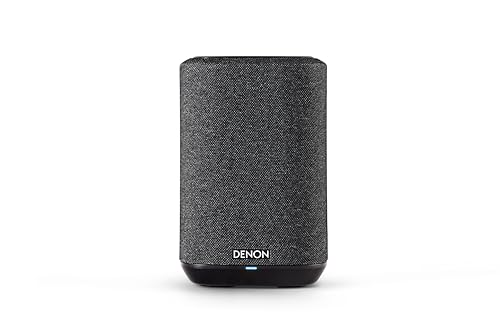


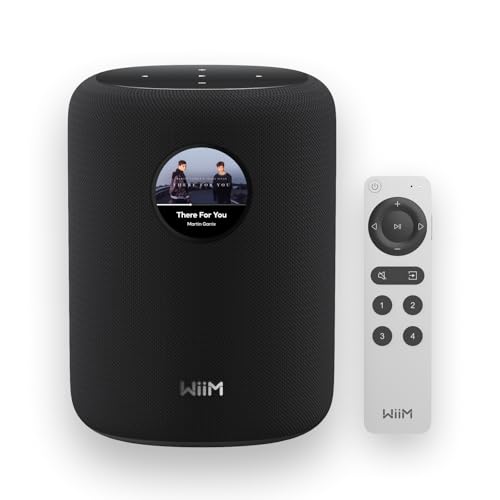


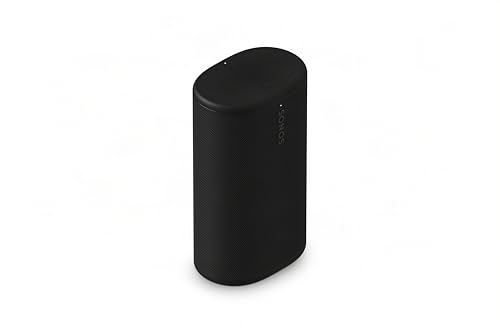

Types of Speaker Systems
Stereo Pair for One Room
Two matching speakers placed apart give left and right separation. A good pair in a good spot often beats a bigger setup in a small room, and it costs far less.
Multi Room Wireless Systems
These use Wi-Fi along with Bluetooth to group speakers across rooms, set volume per room and stream without tying up your phone. They cost more but handle whole home music well. Sound can be matched across rooms as long as the speakers come from one family.
Portable Sets and Party Bundles
Bundles of portable speakers suit patios, parties and rentals. They are easy to move, but battery life and linking rules limit how many can play together.
How to Choose the Best Bluetooth Speakers System for Your Home
Room Coverage and Placement
Sketch each room and mark speaker and listener spots. Keep stereo speakers at similar heights, angle them toward the seat and avoid cramming them into corners, which boosts bass too much.
Sound Balance Across Speakers
Speakers in one system should sound alike, so music does not change character from room to room. Choose speakers from the same family when you plan to group them.
Grouping and Control
Check how speakers join, whether volume is set per room and what happens when the network drops. A system that needs frequent re pairing frustrates a household. Keep basic play controls on the speaker itself.
Power and Wiring
Mains powered speakers suit fixed rooms, and battery speakers suit patios and flexible spots. Plan outlets and cable routes so speakers sit where they sound best.
Room to Grow
Check that new speakers join the system easily and that older models keep working. Start with the main room, learn the controls and add rooms only where you really listen.
Common Mistakes to Avoid
- Buying speakers for rooms that stay silent.
- Mixing very different speaker brands and expecting them to group.
- Ignoring Wi-Fi strength, which multi room systems depend on.
- Placing speakers at very different heights or distances.
- Forgetting that a single volume for the whole house rarely suits everyone.
Care and Troubleshooting
Keep speakers dust free, check cables and charging ports and update firmware when offered. If a room drops out, check distance, network load and power before blaming the speaker, then regroup the system and test that speaker alone.
Example Setups That Work
Small Apartment
One good speaker near the sofa and one in the kitchen is usually enough. Pick two speakers from the same family so you can group them for parties and play separate music when you want. Place the living room speaker on a shelf at ear height rather than on the floor, and keep it a few inches from the wall to control bass.
Family Home With Several Rooms
Start with the living room and kitchen, then add a bedroom or office speaker later. A Wi-Fi based system keeps playing when you leave the room with your phone, and it lets different family members choose different music in different rooms. Choose a system with a simple app, because an app that is hard to use leads to the system being ignored.
Home Theater Support
A Bluetooth system is not a replacement for a soundbar, but a pair of linked speakers placed either side of a television can improve dialogue and music. Check for lip sync correction and a wired input if delay bothers you. Place the speakers at the same distance from the main seat and angle them inward slightly.
Patio and Garden
Outdoors, sound spreads thin, so two or three speakers at moderate volume cover a seating area better than one speaker pushed hard. Choose models with a water rating and a battery that lasts the afternoon, and bring them inside when the weather turns.
Wi-Fi Versus Bluetooth Systems
Bluetooth links are simple and need no network, but they depend on your phone and range is short. Wi-Fi systems stream directly from the internet, so calls and notifications do not interrupt music, and they sync rooms more precisely. The trade off is setup time, higher cost and a need for a reliable home network. Many modern speakers offer both, which gives you quick Bluetooth use for guests and Wi-Fi for daily listening. If your router is old or far from some rooms, fix the network first, because a weak signal causes more dropouts than any speaker fault.
Budget Planning
A pair of portable Bluetooth speakers can cost about $60 to $200. A two room Wi-Fi system often costs $300 to $700, and a larger whole home system costs more. Spend on the rooms where you listen daily, and treat extra rooms as later upgrades. Remember that speakers within one family usually work together, so buying into a system is a commitment. Check the warranty, the support record for software updates and whether replacement speakers are likely to stay on sale, because a system loses value if one unit cannot be matched later.
Getting Reliable Playback at Home
Most system problems come from the network and from placement, not from the speakers. Place the router centrally, keep speakers away from microwaves and metal cabinets and give each speaker its own power outlet where possible. Give each room a clear name in the app so you always know which speaker you are controlling. Update firmware on every speaker at the same time, since mixed versions are a common cause of grouping failures. If sound is slightly out of step between rooms, use the sync or delay setting in the app, or reduce the number of speakers in one group. Keep a note of how you reset a speaker, so you can rejoin it quickly after a power cut or router change.
Sources and Inputs
Think about what will feed the system: phones, a television, a turntable, a computer or streaming services. Check the speakers have the inputs you need, such as optical, auxiliary or HDMI. Some speakers also take voice commands, which is handy in a kitchen but depends on a microphone setting you can switch off. A system that supports several sources at once lets family members share it without constant re pairing.
Frequently Asked Questions
Should I buy a whole system at once?
Starting with one room is wiser. It shows whether you like the sound and controls before you spend on more.
Do all speakers need to be the same model?
No, but they should come from one family so grouping works and tone stays similar.
What happens if the network drops?
A good system reconnects quickly and resumes play. If drops are frequent, check router placement and network load.
Is Bluetooth enough for a system?
For one room or a pair, yes. For several rooms, Wi-Fi based grouping is more stable.
Final Thoughts
A good system feels simple: even sound, stable grouping and controls the whole household can use. Use the product table above, start with your main room and choose the best bluetooth speakers system that you can grow over time.


