
Best Bluetooth Speakers for Samsung TV 2026: Ports, Sync and Dialogue
Disclosure: We may earn a commission when you buy through links on this page, at no extra cost to you. As an Amazon Associate I earn from qualifying purchases. Learn more

How to pick the best bluetooth speakers for samsung tv: ports, lip sync and dialogue clarity with a Samsung TV.
Samsung TVs sound thin in the middle and have little bass, a trade off of their slim design. The best bluetooth speakers for samsung tv fix that by adding clearer dialogue, deeper bass and a connection that works with your remote and your Samsung settings. The right speaker also matters for lip sync, which is a common problem when a TV sends sound over Bluetooth.
This guide explains how Samsung TVs connect to external speakers, which features to look for and how to avoid the common pitfalls. Use the product table to compare options once you know which connection you prefer.




How a Samsung TV Connects to a Speaker
Most Samsung TVs support Bluetooth audio, and many also have an HDMI ARC or eARC port and an optical output. Bluetooth is the simplest, while HDMI ARC lets the TV remote control the speaker volume and delivers better sound. Check which ports your TV has before you shop.
To pair over Bluetooth, open the sound settings and choose the speaker output, then pair the speaker in pairing mode. Once paired, the TV usually remembers it. If the TV switches back to its own speakers after a power cut, you may need to select the speaker again.
Samsung Features Worth Using
Some Samsung TVs and soundbars can work together through a feature that combines the TV speakers with the soundbar for a wider sound. It only works with compatible models, so check the TV and the speaker model before expecting it. Other Samsung features, such as adaptive sound, adjust the sound based on content and may change how an external speaker behaves.
If you use a non Samsung speaker, you will lose those extras, but you gain freedom to choose a speaker that suits your room and budget.
Lip Sync and Delay
Bluetooth adds a small delay. Samsung TVs often compensate, but if you still see lips move before the sound, look at the audio delay setting in the sound menu. A wired connection through optical or HDMI ARC avoids the problem completely.
Try dialogue heavy scenes first, because voices reveal delay more clearly than effects. If sync only drifts in one app, update the app and the TV firmware.
Dialogue Clarity and Bass
A good TV speaker makes speech easy to follow at low volume. Look for a dialogue or voice mode and avoid pure bass boost. A speaker with a separate subwoofer adds impact for films, while a compact speaker is easier to place.
In an apartment, a bass control lets you reduce the low end late at night without losing clarity.
Placement Around the TV
Place the speaker directly in front of or below the TV, not behind or inside a closed cabinet. If you use a pair, put them on either side of the screen at ear height. Keep the front of the speaker clear of books and plants.
Related guides cover neighbouring needs, including the best bluetooth speakers for smart tv and the best bluetooth speakers for tv.
Soundbars, Bluetooth Speakers and Wireless Surround
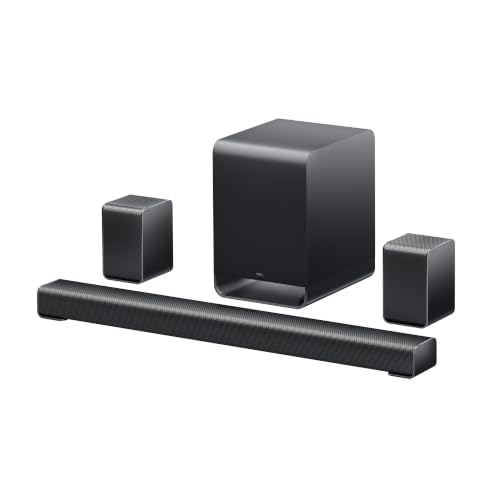
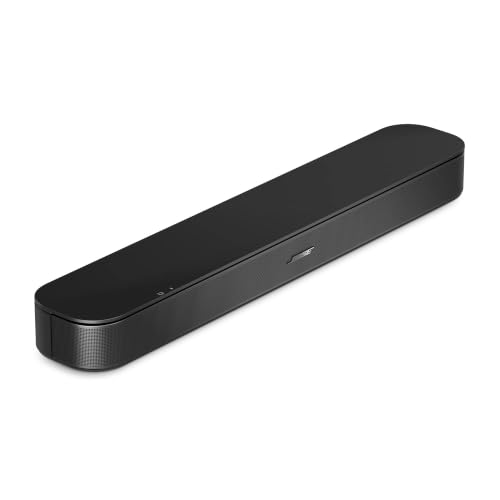
Samsung makes soundbars that integrate closely with its TVs, and many buyers choose one for that reason. A soundbar usually offers HDMI ARC, optical input, a dialogue mode and a wireless subwoofer, all in a single box that sits under the screen. It is the easy route if you want a clean setup that works with the TV remote.
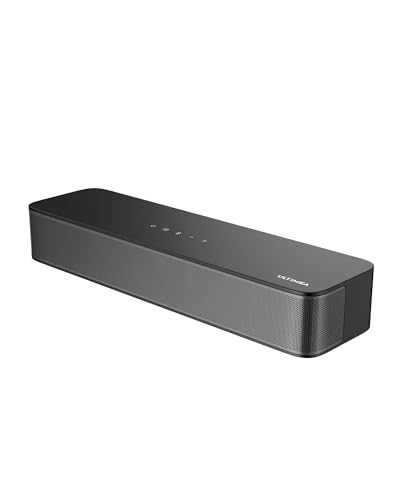
A Bluetooth speaker is a better fit if you also want a portable speaker for music around the house. It gives up some TV features, such as remote integration, but gains flexibility. A pair of speakers or a small wireless surround set can give a wider image for a larger room.
Whichever route you choose, check that the speaker supports the connection your TV prefers. If your TV only has Bluetooth, a soundbar that supports Bluetooth input will work. If your TV has HDMI ARC, use it, since it gives the most reliable result.
Setup Steps and Fixing Common Problems
Start by updating the TV software, since new releases often improve Bluetooth stability. Put the speaker in pairing mode, open the TV sound output menu and choose Bluetooth speaker list. Select the speaker and wait for the confirmation. Test with a short video before you settle in for a film.
If no sound plays, check that the TV sound output is set to the speaker and not the internal speakers. If sound cuts out, move the speaker closer and away from Wi-Fi routers and microwaves. If lip sync is off, adjust the audio delay in the TV menu in small steps until voices match mouth movements.
If the speaker does not appear in the list, switch it off and on and clear its old pairings. Some speakers can remember several devices, and a crowded list sometimes blocks a new pairing.
Comparing the Best Bluetooth Speakers for Samsung Tv in the Product Table
Start with the connection: Bluetooth only, HDMI ARC or optical. Then compare size, bass and whether the speaker has a dialogue mode. Read the return terms, because a speaker that sounds good in a listing can behave differently with your TV.
Check that the speaker includes the cables you need, such as an optical cable, since not every box has one.
Frequently Asked Questions
Do all Samsung TVs support Bluetooth speakers?
Many do, but older models may not. Check the sound menu on your TV or the manual for Bluetooth audio support.
Why is there a delay between picture and sound?
Bluetooth adds latency. Use the TV audio delay setting or a wired connection to remove it.
Can I control a speaker with my Samsung remote?
With HDMI ARC or eARC, yes for volume and power on many models. With Bluetooth, usually only the speaker's own controls or your phone work.
Is a soundbar better than a Bluetooth speaker?
A soundbar usually has more inputs and better TV integration. A Bluetooth speaker is cheaper and portable, and it works for music as well.
Will an external speaker work after a TV update?
Usually yes, but pairing may need to be repeated. Keep the speaker firmware current as well.
Final Thoughts
Choosing the best bluetooth speakers for samsung tv means checking the ports on your TV, picking a speaker with clear dialogue and deciding how much bass you want. A wired connection is the most reliable for lip sync. Use the product table to compare options, and keep return terms in mind. A speaker that fits your TV and your room makes every show easier to follow.


