
Best Bluetooth Keyboard for Android Tablets: What Actually Matters Before You Buy for 2026
Disclosure: We may earn a commission when you buy through links on this page, at no extra cost to you. As an Amazon Associate I earn from qualifying purchases. Learn more

Use this checklist to choose the best bluetooth keyboard for android tablets, covering key feel, layout, battery life, case options, and Android shortcuts.
A good keyboard turns an Android tablet from a viewing screen into a tool for writing, study, and work. The catch is that tablet keyboards vary hugely in key feel, layout, and how well they speak Android. This checklist guide helps you judge the best bluetooth keyboard for android tablets by clear criteria, so you buy once and type happily for years.
We will look at what matters for Android specifically, how the price tiers differ, and which warning signs should stop a purchase. The comparison table below collects the main styles in one view, and the quick checklist near the end lets you verify your final choice against your tablet model and your daily routine.




How We Evaluate Bluetooth Keyboards
Features That Matter for Android Tablets
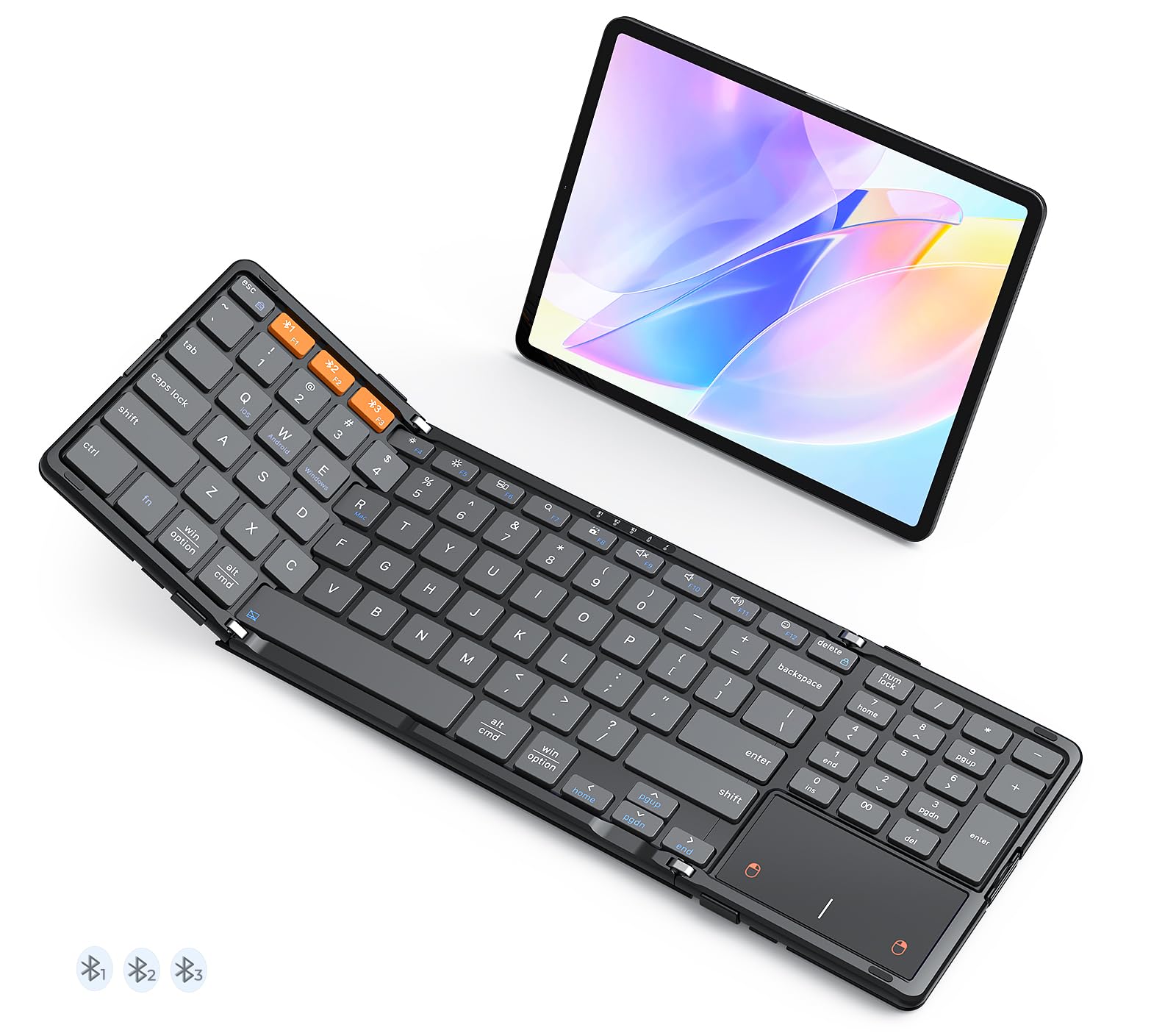
Android keyboards need the right shortcut row and the right system keys. Look for Android specific keys or a function row that covers home, back, search, and media controls, because a keyboard laid out only for another platform can leave common actions awkward. Pairing should be quick over Bluetooth, and the keyboard should remember your tablet after sleep without a manual reconnect dance. Check the stated tablet size support too. A case keyboard built for a 10 inch tablet will not fit an 11 or 12 inch model, and a loose fit leads to wobble with every keystroke.
If you want the wider picture before choosing a connection type, our guide to the best keyboards for android tablets compares wired, Bluetooth, and case styles together.
Key Feel, Travel, and Layout
Key feel decides whether long writing sessions stay comfortable. Look for key travel around 1 mm or more on slim tablet keyboards, which gives a clear sense of each press without the mushy bottoming out of very thin designs. Full size keys with standard spacing suit touch typists, while compact boards shrink the right side keys first, which slows many people down. A quiet scissor switch design is the norm and works well in shared spaces. Backlighting helps for evening work but cuts battery life sharply, so treat it as a choice, not a default need.
Connection Stability and Multipoint
Bluetooth 5.0 or newer gives a stable link and sips power. The feature that changes daily life is multipoint pairing, where the keyboard connects to two or three devices and switches with a key press. That lets you type on your tablet, answer a message on your phone, and return without opening settings. Check the Bluetooth range claim modestly. About 30 feet is typical and plenty for a desk or sofa. If a keyboard also offers a USB C wired mode, you gain a fallback for flights and for the day the battery runs flat mid document.
Battery Life and Charging
Tablet keyboards are frugal. Many run for weeks or even months per charge at a few hours of typing a day, because there is no screen to power. Backlit models use far more energy and may need charging weekly. USB C charging is the standard to look for, so one cable serves your tablet and keyboard together. A physical power switch matters more than it sounds, because it prevents keys waking and draining the battery inside a bag. Check whether the keyboard can be used while charging, which rescues you during deadline weeks.
Build, Case Options, and Trackpad
You will choose between three builds. A standalone keyboard is light, works with any tablet, and pairs well with a separate stand. A case keyboard protects the tablet and holds it at a laptop like angle, but adds weight and fits one model only. A keyboard with an integrated trackpad reduces how often you reach for the screen, and Android supports pointer gestures well on recent versions. Judge the hinge and the stand carefully on case models, because a stand that only offers one fixed angle will fight your posture in some chairs.
Phone owners who type on the go can also see our guide to the best bluetooth keyboard for android phones for smaller folding options.
Weight and Portability
Weight adds up fast in a daily bag. A standalone slim keyboard often weighs under a pound, while a protective case keyboard can double the total weight of the tablet itself. If you commute, weigh the full setup, tablet plus keyboard plus charger, and compare it honestly with a small laptop. Students who move between classes all day feel every extra ounce by the afternoon, so light and sturdy beats heavy and fancy for most schedules.
Price Tiers That Pass Our Checklist
The tiers below describe what each budget band generally delivers, with no named models. Use them to set expectations, then compare the specific options in the product table above against the same criteria.
Entry Tier: Simple Standalone Boards
Entry tier keyboards, often under $35, are simple standalone boards with a basic scissor key feel, Bluetooth pairing to one device, and long battery life. They suit students and casual writers who type at a desk or kitchen table with a separate tablet stand. What you give up is backlighting, multipoint switching, and premium materials. What you should still demand is a standard layout with full size main keys and a stable connection that does not drop mid sentence. At this price, that honest basic package is a genuine bargain.
Mid Tier: Better Keys and Smarter Features
Mid tier keyboards, roughly about $35 to $80, add the features most people feel daily: backlighting on many models, multipoint pairing for two or three devices, USB C fast charging, and sturdier build quality. Case keyboards for popular tablet models also live in this band, giving you screen protection and a stand in one purchase. Key feel improves, with firmer switches and better keycap shaping. For most tablet owners who write daily, this tier passes every checklist item and is where we suggest focusing your search.
Top Tier: Laptop Grade Typing
Top tier keyboards, often above $80, aim to make a tablet feel like a small laptop. Expect the best key feel in the category, precise trackpads on case models, strong hinges with wide angle adjustment, and refined materials. The gains are comfort and flexibility over long workdays. If you type for an hour or two a day, the mid tier likely serves you just as well for far less money.
Still choosing the tablet itself? Our guide to the best android tablets covers screen sizes and models that pair well with keyboards.
Quick Buyer Checklist
- Is the keyboard layout made for Android, with the system keys and shortcuts you use daily?
- If it is a case keyboard, is it built for your exact tablet model and screen size?
- Are the main keys full size with standard spacing, so your touch typing stays accurate?
- Does it pair over Bluetooth 5.0 or newer and hold the connection after the tablet sleeps?
- Do you need multipoint switching between your tablet, phone, and computer?
- Does the battery last for weeks per charge, and does it charge over USB C?
- Have you weighed the full setup, tablet plus keyboard, against your daily bag?
- Does the stand or case hold the screen at an angle that suits your chair and desk?
Red Flags to Watch For
- No model specific fit information. A case keyboard sold for a vague range of sizes usually fits none of them well and wobbles as you type.
- Tiny or rearranged keys. Shrunken punctuation keys and moved shortcuts undo years of typing habit and show up as constant errors.
- Micro USB charging on a new listing. Outdated charging hints at an old design that may also carry an older, less stable Bluetooth version.
- Battery claims with no usage basis. A huge hour count means little without a stated typing pattern. Look for weeks of typical use described plainly.
- No power switch. Without one, keys pressed in a bag can wake the tablet, drain both batteries, and type nonsense into open documents.
For software keyboards and typing apps that pair with a physical board, our roundup of the best android keyboards covers the on screen side of typing.
How to Make Your Bluetooth Keyboard Last Longer
Keep the keyboard firmware and your tablet system updated, because updates often improve Bluetooth stability and add shortcut support. Charge before the battery sits empty for long stretches, and avoid leaving the keyboard in a hot car, which ages the battery quickly. Use a padded sleeve when commuting if you chose a standalone board, brush crumbs from between the keys weekly, and turn the power switch off in your bag.
FAQs
What features matter most in bluetooth keyboards for android tablets?
Layout and connection stability matter most. An Android layout with proper system keys saves you workarounds every day, and a Bluetooth link that reconnects instantly after sleep keeps the tablet feeling like a real writing tool. After those two, judge key size and travel against your typing style. Among the best bluetooth keyboards for android tablets, the winners are rarely the thinnest. They are the ones whose keys and shortcuts disappear under your fingers.
How long should a bluetooth keyboard last?
A well kept keyboard should serve for several years, because the switches are rated for millions of presses and there is little else to wear out. The battery is the usual limiting part, slowly holding less charge over time. You can stretch its life by avoiding long storage at a fully flat state and by keeping the board out of heat. When a charge starts lasting days instead of weeks, the keyboard is nearing retirement.
How much battery life do I need in a tablet keyboard?
For most people, a keyboard that runs about a month or more per charge at daily typing levels is more than enough, because charging becomes a rare background task. Heavy backlight use cuts that figure a lot, so backlit models need more frequent top ups. Judge claims by your own pattern. If you type two hours a day, a board rated in weeks will feel endless, while a board rated in days will annoy you within the first month.
Should I choose a case keyboard or a standalone keyboard for my Android tablet?
Choose a case keyboard if protection and an all in one setup matter most, and if you plan to keep your tablet model for years, because the case fits that model only. Choose a standalone keyboard if you upgrade tablets often, type at a proper desk, or want the lightest bag. Standalone boards also let you place the screen higher on a stand, which many people find better for posture during long writing sessions.
Is a trackpad worth it on a tablet keyboard?
A trackpad is worth it if you edit documents, work in spreadsheets, or switch between apps often, because precise cursor placement by touch alone can be slow. Android supports trackpad gestures such as scrolling and switching apps on recent versions. If your tablet work is mostly writing in one app, a trackpad adds cost and weight you may not repay. Try selecting and editing a paragraph with touch alone. Your frustration level in that test answers the question.
Can one Bluetooth keyboard work with both my tablet and my phone?
Yes, if the keyboard offers multipoint pairing. Such models stay connected to two or three devices at once and switch with a dedicated key, so you can draft on the tablet and reply on the phone without opening Bluetooth settings. Single device keyboards can still serve both, but you must unpair and repair each time, which gets old within a day. If you type across devices daily, put multipoint near the top of your checklist.
The Bottom Line
Put Android layout, honest key size, and a stable connection at the top of your list, then match the build style and weight to how you carry your tablet. The tiers and checklist above will keep your budget aimed at what you will feel every day. Compare your finalists in the product table above, and you will find the best bluetooth keyboard for android tablets for your writing routine without a costly second purchase.


