
Best Bluetooth Keyboard for Android Phones 2026: Guide
Disclosure: We may earn a commission when you buy through links on this page, at no extra cost to you. As an Amazon Associate I earn from qualifying purchases. Learn more

Compare Bluetooth keyboards for Android phones by pairing, key feel, layout, portability, and battery life, so typing long messages and notes feels easy.
Typing long emails or documents on a phone screen gets tiring fast, and a small Bluetooth keyboard can change that completely. The comparison table below compares the main options, so start with how and where you will type. Best bluetooth keyboard for android phones choices range from pocket sized folding models to fuller layouts that feel closer to a laptop keyboard.
Android phones vary in Bluetooth behavior and app support, so compatibility checks matter more than headline features. Confirm the keyboard pairs cleanly with your phone model, supports your language layout, and works with the apps you use most. A keyboard that fights your phone will stay in a drawer, however good its keys feel.


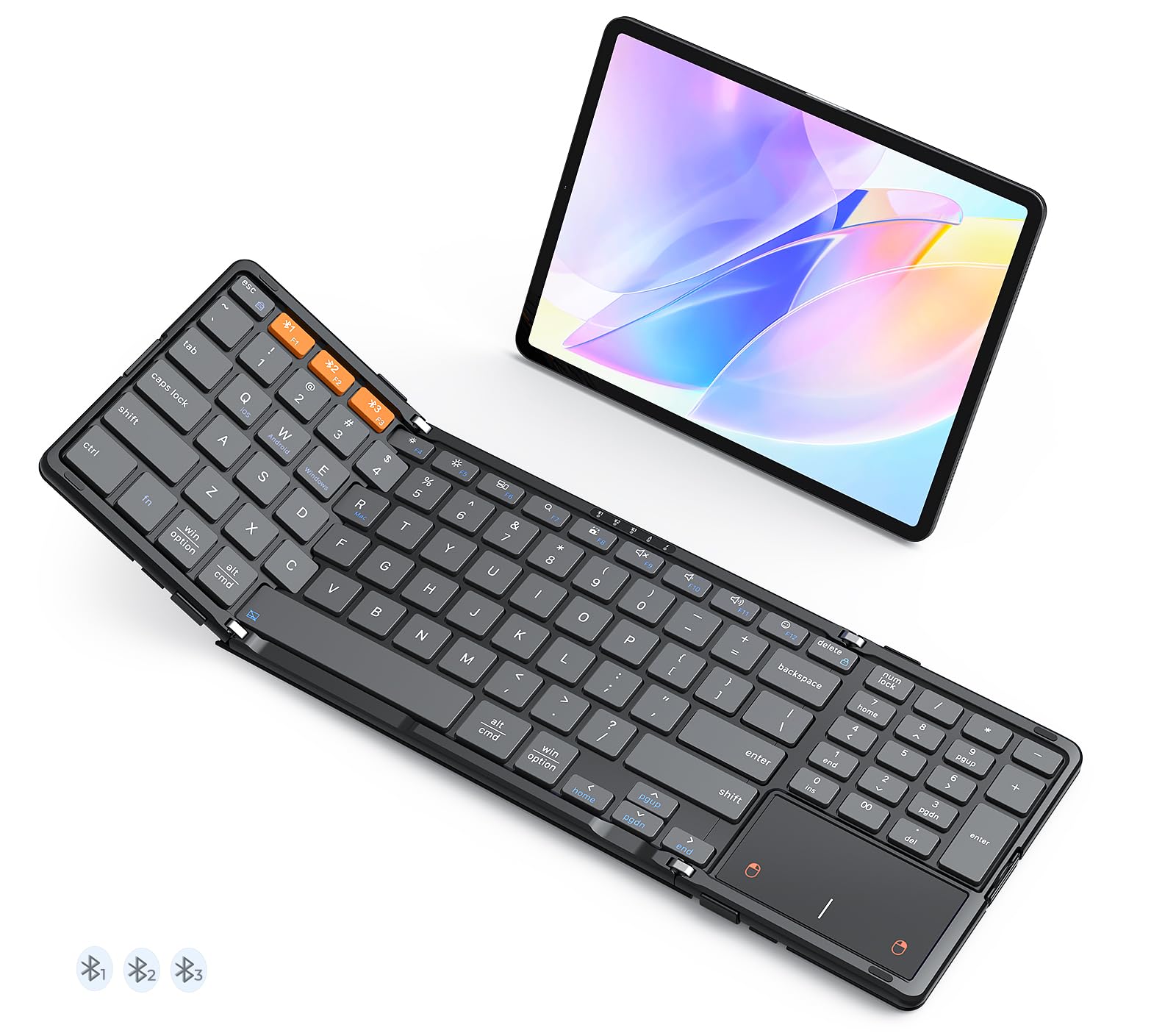


Pairing and Android Compatibility
Most Bluetooth keyboards pair through standard Android Bluetooth settings, but behavior varies by phone maker and Android version. Check that the keyboard reconnects automatically after sleep, since manual pairing again every time quickly becomes annoying. If you switch between phone and tablet, a keyboard that stores several device pairings saves repeated setup.
Language and layout support matter for accented characters and symbols. Confirm the keyboard offers your layout or lets you remap keys through Android settings or the maker app. Test special characters and shortcuts in your usual apps before the return period ends, especially if you type in more than one language.
Key Feel, Layout, and Typing Comfort
Key feel decides whether a phone keyboard helps or hurts long typing sessions. Scissor style keys usually feel stable and quiet, while membrane keys can feel softer and less precise. Key travel, the distance a key moves when pressed, affects comfort: very shallow keys feel fast but tiring, while deeper keys feel more like a traditional keyboard.
Layout compromises are unavoidable on small keyboards. Folding models save space but often shrink or move keys, which causes typing errors until you adapt. Full sized portable keyboards type more naturally but need a bag. If you type daily, favor layout familiarity over extreme portability, and practice for a few days before judging speed.
Portability and Daily Carry
A phone keyboard should fit your actual carry habits, not an idealized travel kit. Folding keyboards slip into a jacket pocket or small bag, while rigid keyboards need a sleeve and more space. Weight matters too: a keyboard heavier than your phone changes how a small bag feels over a full day.
Consider how you will prop up the phone while typing. Some keyboards include a slot or stand, while others need a separate phone stand. A stable viewing angle reduces neck strain during long sessions. Test the whole setup, phone plus keyboard plus stand, rather than judging the keyboard alone.
Battery Life and Charging
Battery life varies from weeks to months depending on backlight use and typing volume. Backlit keys help in dim rooms but drain batteries much faster, so check whether the backlight can be dimmed or turned off. Keyboards with rechargeable batteries suit frequent use, while coin cell models suit occasional use with less charging hassle.
Charging convenience matters on the road. USB C charging matches most modern Android phones, so one cable can serve both devices. Check charging time and whether the keyboard works while charging, since that helps during long work sessions. Keep a spare cable in your bag if you rely on the keyboard for daily work.
Productivity Uses and App Support
A phone keyboard shines for emails, notes, documents, and messaging, where speed and accuracy matter. Pair it with a notes or office app that supports keyboard shortcuts, and learn the shortcuts for copy, paste, undo, and switching apps. Those few shortcuts save more time than any hardware feature.
Some keyboards add shortcut keys for home, search, or media control, which speed up common tasks. Check whether those keys work on your phone, since Android support varies. If you use the keyboard for coding or spreadsheets, confirm arrow keys, function keys, and symbol access behave as expected in your apps.
Getting the Most From Your Phone Keyboard
Learn the handful of Android shortcuts that transform phone typing, such as switching apps, selecting text, and moving the cursor by word rather than character. Practice those shortcuts in your notes app first, where mistakes cost nothing, before relying on them for work emails. Within a week, shortcut use feels automatic and saves far more time than faster individual key presses.
Create text shortcuts or templates for phrases you type often, such as addresses, greetings, and meeting notes, using Android settings or your keyboard app. Templates cut repetitive typing dramatically for people who answer similar messages daily. Review templates monthly and remove outdated ones, since a bloated shortcut list slows you down instead of speeding you up.
Protect the keyboard during travel with a sleeve or case, since keys and folding hinges suffer most from bag pressure and spills. Keep the keyboard dry, avoid stacking heavy items on folding models, and charge it before trips rather than assuming hotel or cafe power will be handy. Simple travel care keeps a phone keyboard reliable for years of mobile work.
A Final Check Before You Order
Before ordering, confirm the keyboard layout matches your language and symbol needs, including accented characters and punctuation you use daily. Check key size and spacing against your hand size, since compact keyboards suit small hands better and frustrate large hands during long sessions. If possible, test typing a full paragraph rather than a few words before committing.
Finally, verify Bluetooth version, battery type, and warranty, and confirm the seller return period covers compatibility testing with your phone. Pair the keyboard, test your main apps, and check reconnection after sleep within the first days. Early testing catches compatibility problems while exchanges remain simple.
Useful related reading includes best keyboard for android phones, best bluetooth for android phones, best keyboard apps for android phones, and best bluetooth keyboard for android tablets. They cover wired and tablet alternatives plus apps that improve typing on Android.
Frequently Asked Questions
Will a Bluetooth keyboard work with any Android phone?
Most Bluetooth keyboards work with most Android phones, since they use standard Bluetooth profiles for typing. Older phones or heavily customized Android versions can behave differently, so check the maker compatibility list for your phone model. If possible, test pairing, reconnection after sleep, and special characters within the return period before relying on the keyboard daily.
Can I use one keyboard with phone and tablet?
Yes, many Bluetooth keyboards store two or three device pairings and switch with a key combination. That feature suits people who type on both a phone and a tablet during the day. Check how switching works and whether reconnection is automatic, since slow switching can interrupt your workflow more than carrying a second keyboard would.
Are folding keyboards comfortable for long typing?
Folding keyboards suit short and medium typing sessions well, but their smaller or rearranged layouts can tire hands during very long sessions. If you type for hours daily, a fuller portable keyboard usually feels more comfortable and produces fewer errors. Try a folding model for a few days first, since adaptation varies a lot between typists.
How long does the battery last?
Battery life ranges from several weeks to several months, depending on backlight use, typing volume, and battery type. Turning off the backlight and letting the keyboard sleep between sessions extends life noticeably. Rechargeable models suit daily use, while coin cell models suit occasional use with simpler upkeep and no charging cable to carry.
Do I need a phone stand as well?
A phone stand helps a great deal for sessions longer than a few minutes, since it holds the screen at a readable angle and frees both hands. Some keyboards include a slot or built in stand, while others need a separate folding stand. Choose a stable stand that fits your phone case, and test the full setup at your usual desk or lap height.
Final Thoughts
The right phone keyboard is the one that pairs reliably, types comfortably, and fits how you actually carry and work. Test layout, reconnection, and app shortcuts early, and do not be swayed by features you will rarely use. The product table above makes it easier to compare those practical points.
Once typing feels natural, a small keyboard can turn a phone into a genuinely useful writing tool for travel, commuting, and quick work away from a desk. That everyday usefulness is the real measure of a best bluetooth keyboard for android phones purchase.


