Best Bluetooth Headsets for Phone Calls Made Simple: A Clear Buying Guide for 2026
Disclosure: We may earn a commission when you buy through links on this page, at no extra cost to you. As an Amazon Associate I earn from qualifying purchases. Learn more
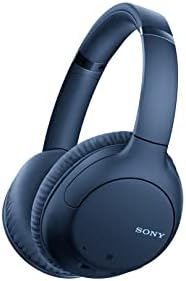
New to buying a headset? This plain English guide explains the best bluetooth headsets for phone calls, from microphone quality to battery life and comfort.
If you have never bought a headset before, the shopping page can feel like a wall of numbers. This guide slows everything down and explains the best bluetooth headsets for phone calls in plain English, starting with how you actually take your calls and ending with checks you can use on any product page. Every term is explained the first time it appears.
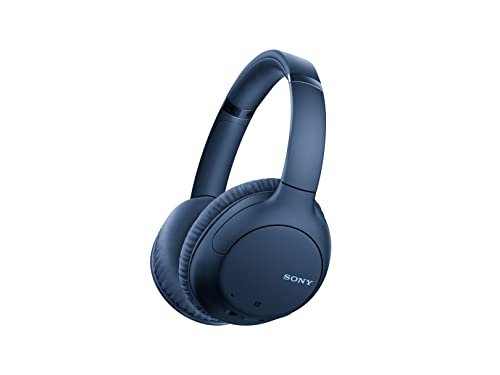
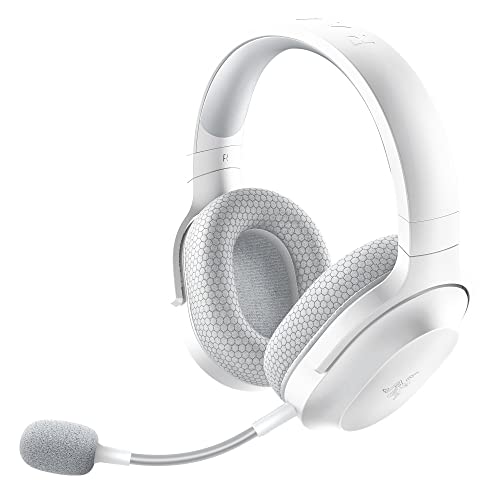
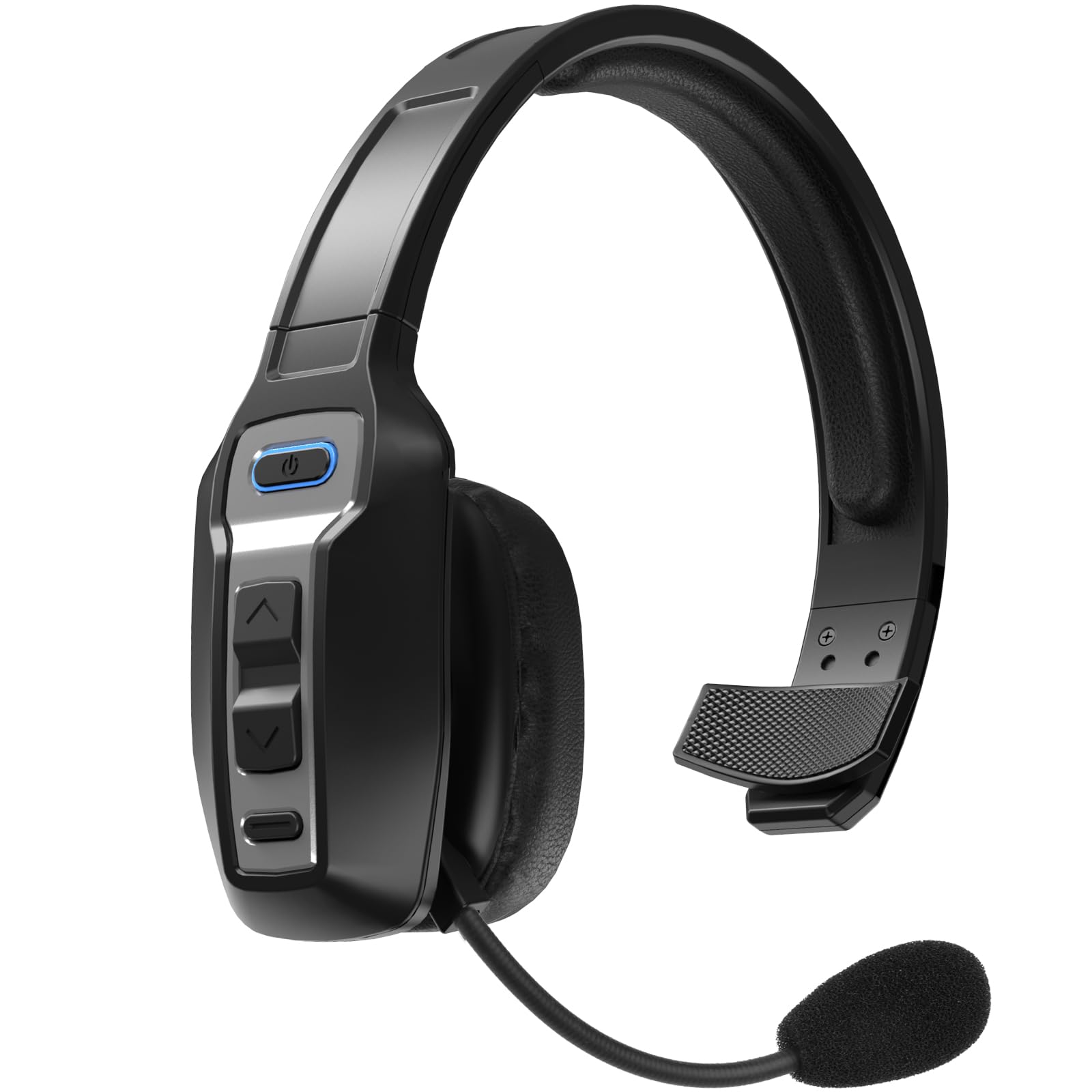
The one idea to carry through the whole guide is simple: for phone calls, the microphone matters more than almost anything else. A headset can sound wonderful in your ears and still make you sound muffled to the person on the other end. The product table gives you a quick view of the picks, and the sections after it walk through each buying factor one at a time.
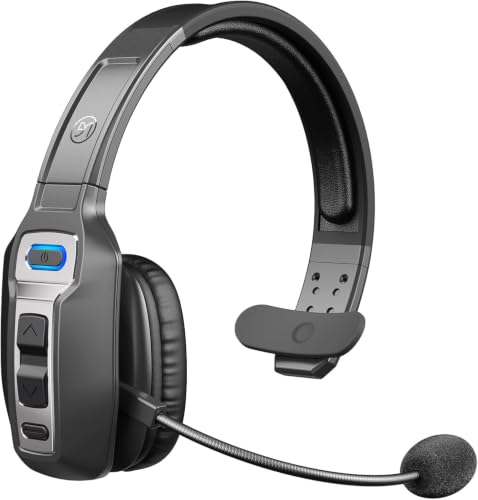
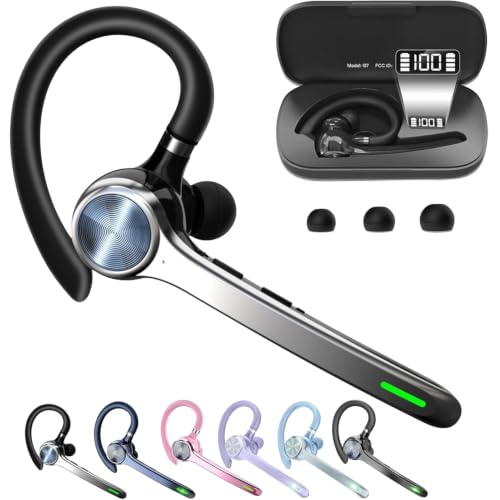
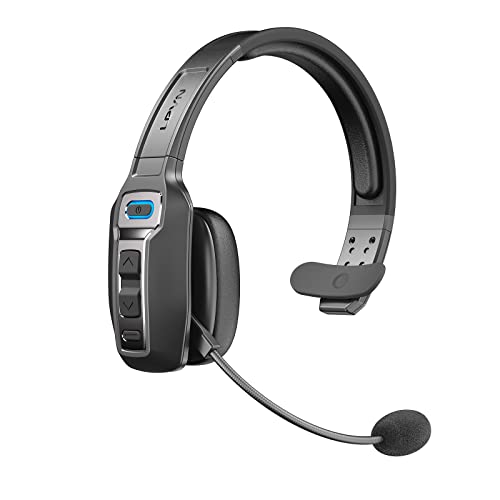

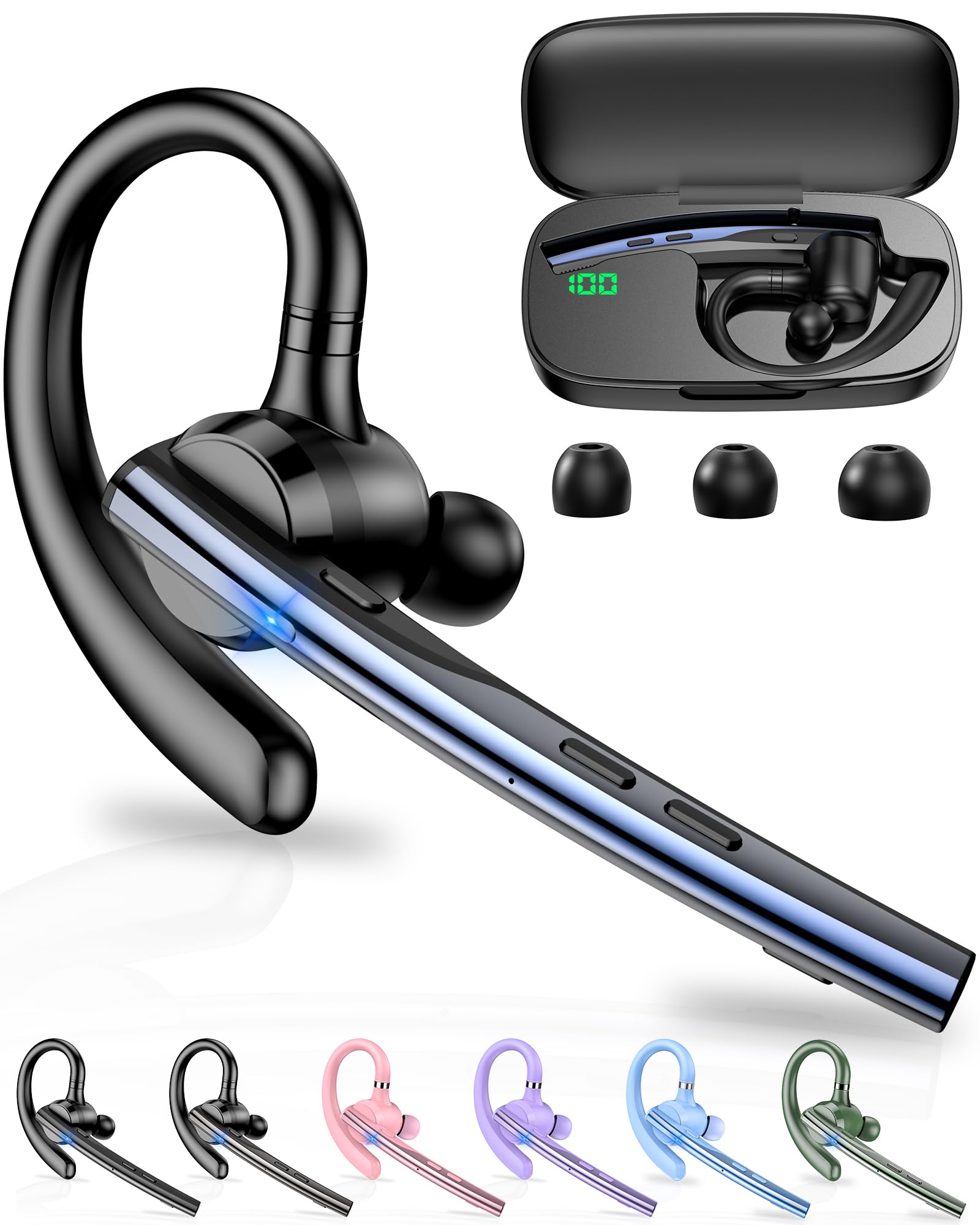

Start With How You Actually Take Calls
Before you compare a single spec, picture where your calls happen. A headset that suits a quiet desk can be the wrong shape entirely for a windy street, and a tiny earbud that feels fine for ten minutes can ache after a full afternoon. Sorting yourself into one of three rough groups first makes every later choice easier.
Desk Calls in a Quiet Room
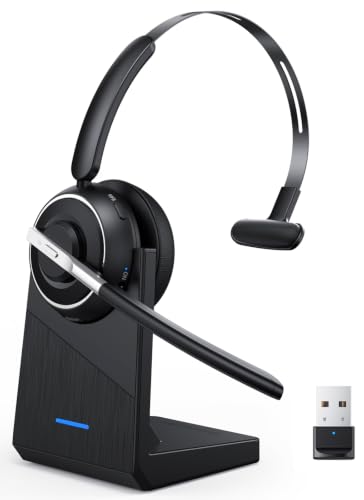
If most of your calls happen at a desk or kitchen table, comfort and a clear microphone are your two priorities. Dual ear designs spread sound across both ears and help you concentrate, and a padded headband matters more than any headline feature. You can also consider slightly larger models, because size and weight are not a problem when the headset lives on a hook beside your screen.
Street Calls While You Walk
Calls taken outdoors add wind and traffic noise, and both attack the microphone first. Look for a microphone positioned close to your mouth, because a mic near your cheek hears far less wind than one buried in an earbud stem. A secure fit matters too, since a bud that works loose mid call is a distraction you do not need.
Car Calls on the Move
In a car, a single ear design is often the sensible class, because it leaves one ear open to the sounds around you. Your hands stay on the wheel and the headset only has one job: carrying your voice clearly over road noise. Check the hands free rules where you live before you buy, because they govern headset use while driving.
Bluetooth Headsets 101: The Basics
A Bluetooth headset is a small speaker and microphone set that connects to your phone without a cable. Your phone sends the call audio through the air using the Bluetooth radio standard, and the headset sends your voice back the same way. Once the two are paired, which simply means introduced and remembered, they reconnect on their own each time you switch the headset on.
Three shapes cover nearly the whole market. Single ear pieces sit on or in one ear and are the lightest option. Dual ear headsets use a headband and cover both ears, which suits long calls at a desk. Earbuds are the smallest class and drop into a charging case, which is handy for travel but gives the microphone the hardest job, because it sits far from your mouth.
One term on the box is worth knowing early. Multipoint means the headset can stay connected to two devices at once, such as your phone and your laptop, and switch between them as calls arrive.
Key Specs Explained in Plain English
Features That Matter for Phone Calls
Phone calls ask different things of a headset than music does. Music rewards deep bass and wide stereo effects, while a call rewards a microphone that isolates your voice and a speaker tuned so speech stays clear at modest volume. When a product page lists call focused extras, such as voice enhancement or background noise reduction for the microphone, those lines matter more to you than any claim about concert style sound.
Fit is a call feature too. A headset that shifts every time you nod forces you to repeat yourself, and a clamp that squeezes will end a long call early. If you wear glasses, look for cushions described as soft and deep, because the arms of your glasses sit exactly where the cushion presses.
The Microphone Decides How You Sound
Every caller judges you through your microphone, so treat it as the deciding spec. A short boom arm that brings the microphone near the corner of your mouth is the most reliable design for calls, because distance is the enemy of clarity. Each extra inch between your mouth and the mic lets in more room noise, more wind, and more of everyone else in the house.
Many headsets now use several microphones plus software that tries to separate your voice from the sounds around it. This helps most in steady noise, like an office hum, and least in gusts of wind, which no software fully removes. Read a microphone count as a rough class indicator rather than a promise, and give more weight to boom position and stated call tuning.
Sound Quality and Tuning
Sound quality for calls is mostly about the middle frequencies, where human speech lives. A headset tuned for voices will make callers easy to understand even at low volume, while a bass heavy tuning can make speech sound thick and tiring. Driver size, the diameter of the small speaker inside, matters less than this tuning, so do not buy on driver numbers alone.
Frequency response figures describe the range of tones a headset can reproduce, and nearly every model covers the full range of speech with room to spare. If you also plan to listen to music between calls, a balanced tuning is the safer all round choice.
Durability and Water Resistance
Water resistance is described with an IP rating, a standard code for how well a product keeps out dust and water. The first digit covers dust and the second covers water, so IPX4 means the water score is 4 and dust was not rated. A score of 4 shrugs off splashes and light rain, enough for most callers who walk between buildings.
Higher water scores suit people who take calls outdoors in all weather. Sealed designs around IP67 can survive a short dip in shallow water on paper, but the rating describes a brand new product under set conditions. Soap, salt water, and worn seals all reduce real world protection, so dry the headset as the maker directs and never charge it while it is wet.
Battery Life and Charging
Battery figures on the box are talk time hours measured by the maker, usually at a set volume with no extra features running. Treat them as a class guide rather than a promise, because loud volume, cold weather, and noise reduction features all shorten the real figure. A headset rated well beyond your longest calling day gives you a comfortable margin as the battery ages.
Charging style matters for daily habits. Most headsets now charge over USB C, the same small oval plug used by recent phones, which means one cable can serve both. Earbud models store extra charges in their case, so the case figure and the bud figure are two different numbers, and the smaller one is the limit for a single long call.
Choosing the Best Bluetooth Headsets for Phone Calls for Your Situation
With the basics in place, the choice narrows quickly. If your calls are long and at a desk, start with dual ear comfort and a boom microphone. If your calls are short and scattered through the day, a light single ear piece or earbuds you can pocket will get used more, and the best headset is always the one you actually keep within reach.
Readers who want a wider view can compare the types in our guide to best bluetooth headsets for calls, which looks at call headsets as a whole. If you are still deciding whether you want Bluetooth at all, the overview of best headsets for phone calls covers wired and wireless designs side by side.
Best Inexpensive Bluetooth Headsets for Phone Calls
A low price does not have to mean a bad call, as long as you spend your small budget in the right order. Put the microphone first: a simple boom design at a low price usually beats a feature packed earbud for voice clarity. Put fit second, because an uncomfortable headset is returned or abandoned whatever it cost. Put battery third, and accept the plain case, the basic controls, and the lack of multipoint as the fair trades at this level.
What you should not accept, even cheaply, is a microphone described only in music terms or a fit with no size options at all. Naming varies across shops for this class, and the listings gathered under best bluetooth phone headsets show how widely the same basic shapes are described, so compare by shape and microphone position rather than by headline words. When two cheap models look equal, choose the one with the clearer returns policy, because fit is personal and you may need the exchange.
When Paying More Actually Helps
Spending more buys comfort for long wear, better noise handling around the microphone, multipoint for people who juggle a phone and a laptop, and sturdier build. It does not automatically buy a clearer voice, because microphone placement beats price. Shoppers browsing best cell phone bluetooth headsets will see the same designs sold for general phone use, so judge each model on the checks in this guide rather than on the category label.
If your calls are part of your job, the mid price band is usually the sensible ceiling, and above it you are mostly paying for music sound and premium materials. The roundup at best bluetooth headsets for mobile phones reinforces the same lesson: shape and microphone first, extras second.
Rookie Mistakes to Avoid
- Buying for music specs when you need call clarity. A huge driver and deep bass do nothing for your voice, and the person you call will judge the microphone you ignored.
- Skipping the fit question. A headset worn for hours must match your ears, your glasses, and your hairstyle, or it will live in a drawer instead of on your calls.
- Believing the biggest battery number. Talk time is a maker figure, and the earbud number and case number are different limits, so check which one a listing is quoting.
- Chasing advanced codecs for ordinary calls. Your phone already handles call audio well with the standard codec, and codec logos do not fix a badly placed microphone.
- Forgetting the open ear question in the car. Covering both ears while driving can break local rules and block sounds you need to hear, so match the design to the setting.
Getting Started: Setup and First Use
Pairing takes about a minute. Charge the headset first, then open Bluetooth settings on your phone, put the headset into pairing mode as its quick start sheet describes, and tap its name when it appears. Make a short call to a friend or to your own voicemail and ask how you sound, because your own ears cannot judge your microphone.
Two habits protect your purchase. Keep the firmware updated through the companion app if one exists, because makers do fix call quality issues in updates. Store the headset in its case or on a hook rather than in a bag pocket, since crushed cushions and bent booms are the most common early failures.
Safe Listening for Long Calling Days
Calls feel harmless because voices are familiar, but hours of audio at high volume can still be tiring for your ears. Set the volume so you can understand speech without leaning in, and treat the urge to keep turning it up as a sign to fix the fit or move somewhere quieter instead. Take short breaks between calls whenever your schedule allows, and if your ears ring afterwards or speech sounds muffled for a while, lower the volume and ask your doctor.
Frequently Asked Questions
What features matter most in bluetooth headsets for phone calls?
The microphone matters most, followed by fit and then battery life. A boom or well placed microphone decides how clear you sound, and a fit you can wear for an hour decides whether the headset gets used at all. One point buyers often miss is the mute control: a physical mute button or a boom you can lift to mute prevents the awkward scramble when a call catches you mid conversation at home.
Do I need a special codec for clearer phone calls?
No, you do not need a special codec for phone calls. Calls are carried in a narrow voice band that the standard Bluetooth codec handles well, and your phone and carrier shape call quality more than the headset codec does. Where codecs do show a difference is music and video, where they can improve detail or reduce delay. For a calls first headset, spend on the microphone and fit instead.
Is ANC worth the extra cost on a headset used mainly for calls?
ANC is worth it only if your surroundings are noisy for much of the day. Active noise cancellation quiets steady sounds like fans, engines, and office hum for your ears, which can help you hear callers. It does not clean up your own voice for the other side, because that is the microphone system at work. In a quiet home, the same money buys better comfort, which most callers feel more.
How long does the battery on a bluetooth headset for calls really last?
Real talk time usually lands a little below the figure on the box, because that figure comes from set conditions at a fixed volume. As a rough guide, expect most of a rated figure when calls are calm and indoors, and noticeably less with loud volume, cold weather, or noise features running. One habit extends battery health: avoid leaving the headset flat for weeks, and store it with a partial charge instead.
Wired or wireless: which sounds better for phone calls?
For phone calls, the practical difference is tiny, and convenience usually wins. A wired headset never needs charging and gives a stable connection, which suits a fixed desk. A wireless headset lets you stand, walk, and make tea mid call without carrying your phone, which is why most people switch. If your calls are long and seated, wired stays a perfectly good choice; if you move, wireless earns its keep.
Can one bluetooth headset connect to a phone and a laptop at the same time?
Yes, if the headset supports multipoint, it can hold connections to two devices and switch as calls arrive. This suits anyone who takes mobile calls and video meetings from the same chair. One caution: some headsets pause oddly when both devices make sounds, so check that the model handles switching cleanly. Without multipoint, you simply pair again when you change device.
Final Thoughts
Choosing well comes down to three checks. Put the microphone first, because it decides how the world hears you. Match the shape to where your calls happen, desk, street, or car, and keep fit honest, because comfort decides whether the headset gets worn. Use the product table to compare how the picks stack up on those points before you order.
Follow that order and the best bluetooth headsets for phone calls for your situation stops being a guessing game. Start simple, check your voice on a real call in the first days, and use the returns window if the fit is wrong. A modest headset that fits your routine will serve you better than a premium one chosen for its spec sheet.