
Best Bluetooth Car Scanner: Buying Guide for 2026
Disclosure: We may earn a commission when you buy through links on this page, at no extra cost to you. As an Amazon Associate I earn from qualifying purchases. Learn more

Learn how to choose the best bluetooth car scanner by checking vehicle compatibility, code coverage, live data, app quality, and connection range first.
A warning light on your dashboard tells you something is wrong, but it does not tell you what, how serious it is, or whether you can keep driving. Finding the best bluetooth car scanner for your vehicle lets you read the stored code on your phone, see plain language explanations, and decide your next step with more confidence. This guide explains compatibility, code coverage, live data, and app quality in clear terms.
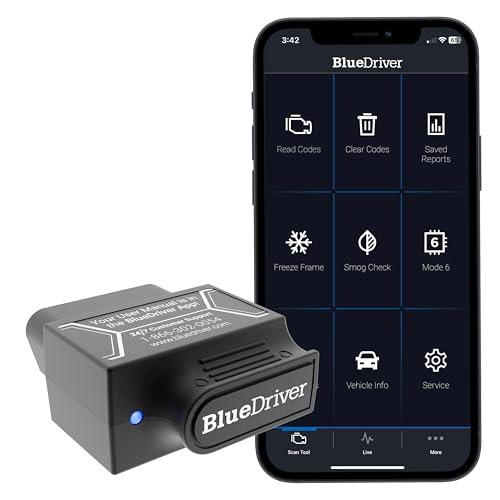
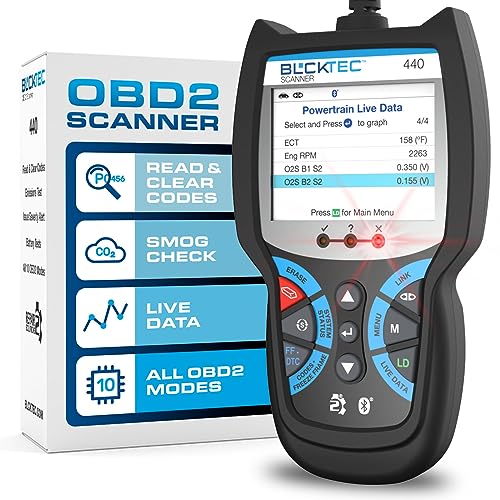
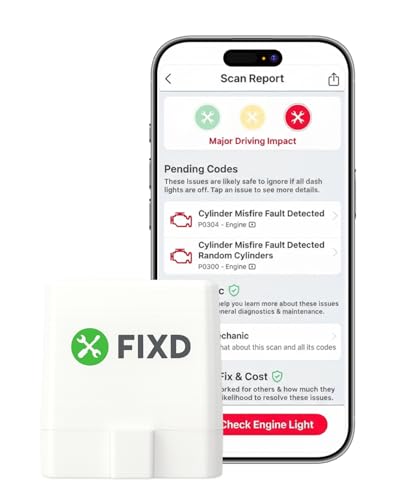
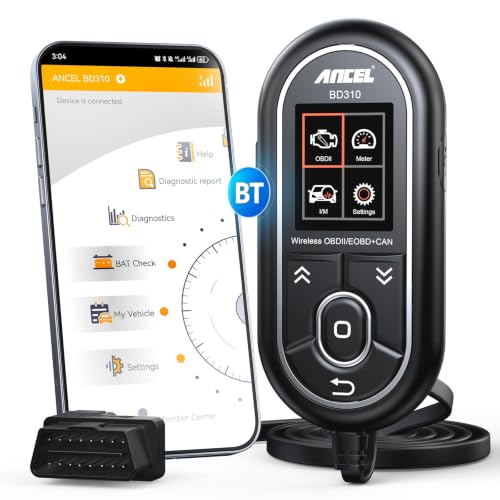
Start with the comparison table below, then use the sections that follow to match the details to your car.





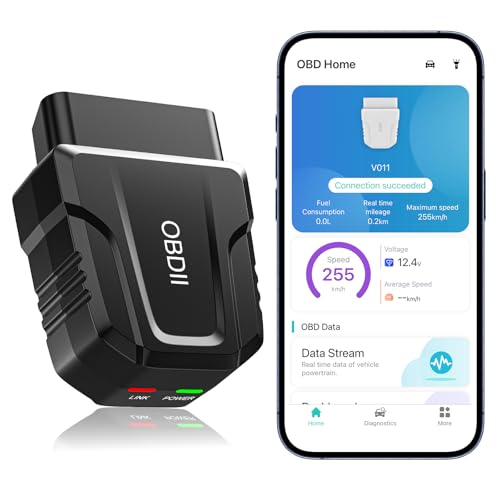
Who Should Buy a Bluetooth Car Scanner?
These small tools suit drivers who want information before they visit a shop, not drivers who want to replace a mechanic. Your goals and vehicle age should shape which group below sounds most like you.
Drivers Who Want to Understand a Warning Light
If a dashboard light is your main worry, you need clear code definitions, freeze frame data, and simple guidance on severity. Freeze frame data is a snapshot of speed, temperature, and engine load taken when the fault was stored. Look for an app that explains codes in plain words and lets you save or share a report.
Owners Who Maintain Older Vehicles
Older cars and trucks trigger codes more often, and small issues such as a loose gas cap or a tired oxygen sensor can look identical from the driver seat. You will benefit from readiness monitor checks, which show whether emissions systems have completed their self tests since codes were last cleared. Choose broader code coverage over a tiny dongle size.
Shoppers Checking a Used Vehicle Before Buying
A scanner adds real value during a used car inspection because it can reveal stored codes and incomplete readiness monitors that a seller may not mention. Incomplete monitors can mean codes were erased shortly before your visit. Bring your phone fully charged and ask permission before plugging in. If you are still weighing phone based tools against standalone units, see our guide to the best scanner for cars for the wider picture.
How to Choose a Bluetooth Car Scanner: Buying Guide
On paper, most dongles look alike, yet they differ a lot in coverage and apps. In practice, choosing the best bluetooth car scanner comes down to six checks, covered one by one below. Work through them in order, because a scanner that fails the first check will not help you.
Vehicle Compatibility
Vehicle compatibility starts with the OBD2 standard, which covers gasoline cars and light trucks sold in the United States from 1996 onward. Confirm that the scanner supports the specific protocols your vehicle uses, since OBD2 includes several communication protocols and budget dongles occasionally skip one. Check the maker listing against your exact model year and engine, not just the brand.
Diagnostic Coverage and Code Reading
Every scanner in this class reads generic engine and emissions codes, but coverage beyond that varies widely. Better tools also read ABS, airbag, and transmission codes on supported brands, which matters for brake and airbag lights. Look for built in code definitions inside the app. For a deeper look at code focused tools, see our guide to the best car code scanner and compare the coverage lists side by side.
Live Data and Performance Specs
Live data is where a scanner earns its keep, showing coolant temperature, fuel trim, oxygen sensor voltage, and engine load while the motor runs. What matters is refresh speed and how many values you can graph at once. Ignore listings that advertise peak amps, CCA, or RMS watts, because those ratings describe jump starters and audio gear, not a diagnostic dongle. Judge performance by data speed, code coverage, and the depth of the vehicle database instead.
App Quality and Extra Features
The app is the part you will actually use, so its layout and cost structure deserve close attention. Some scanners only work with the maker app, while others also support independent apps that many owners already know. Check whether advanced functions sit behind a subscription. Useful extras include emissions readiness screens, maintenance reminders, and reports you can export as a file.
Connection Stability and Plug and Play Setup
A good dongle is plug and play in the true sense: you push it into the port, pair it once, and it reconnects on its own each time you open the app. Bluetooth range of about 20 to 30 feet is plenty. Pay attention to whether the tool suits Android, iPhone, or both, because some low cost dongles only pair reliably with one system. Readers comparing wireless options more broadly can see our guide to the best bluetooth scanner for connection details.
Safety, Build Quality, and Support
An OBD2 dongle draws a small amount of power from the port and makes no high current connections, so terms like reverse polarity protection belong to jumper cables and battery chargers, not to this product. Your real safety rules are simple: scan while parked, keep your eyes off the phone while driving, and never clear codes just to hide a fault before an inspection. For build and support, favor a firm connector that will not wobble in the port, a stated warranty of at least one year, and a maker that publishes app updates and answers support questions.
Types of Bluetooth Car Scanners
Scanners in this category fall into three rough tiers. The tiers differ mainly in brand specific coverage, data depth, and what the app charges over time.
Pro Grade Options
Pro grade options aim at serious home mechanics and small shop helpers who scan many makes each month. They usually add bidirectional tests, such as commanding a cooling fan on and off to confirm it works, plus service resets for oil life and brakes. The apps are denser and take longer to learn.
Compact and Portable Options
Compact portable options are tiny dongles that live in your glove compartment and pair with a simple app. They read and clear engine codes, show basic live data, and cost the least. Their limits show up in shallow brand specific coverage and slower data refresh. For an owner who scans one family car a few times a year, that trade is usually fair.
Premium Options
Premium options sit between the two groups above, pairing a sturdier dongle with a polished app and wide brand coverage. They often include lifetime updates, faster processors that graph several sensors smoothly, and extras such as battery voltage monitoring with alerts. If you keep cars for a long time and do your own routine work, the smoother app and broader coverage can justify the step up. For more on this tier, see our guide to the best obd bluetooth scanner and note how the app terms differ.
Setting Up Your Scanner for the First Time
Setup takes only a few minutes, and doing it in the right order prevents most pairing complaints. Work through these steps in your driveway before you ever need the tool on the road.
- Find the OBD2 port, which usually sits under the dashboard on the driver side, within reach of the steering column.
- Push the dongle in firmly until it seats, then turn the ignition to the on position so the port has power.
- Install the app the maker specifies, create any required account, and let the app search for the dongle rather than pairing from your phone settings first.
- Run a full scan, save the report even if no codes appear, and note the date so you have a clean baseline for later.
- Update the app and the dongle firmware while you are at home on WiFi, not later in a parking lot with a weak signal.
If the app cannot find the dongle, unplug it, restart the app, and plug it back in with the ignition on. Close other scanner apps fully, since two apps cannot hold the connection at once. Drivers who want another view of wireless setup can see our guide to the best odb2 scanner bluetooth for pairing notes by phone type.
Common Mistakes to Avoid
Most disappointment with these tools comes from buying and usage errors, not from faulty hardware. Watch for these frequent ones.
- Buying before checking protocol support: a dongle that skips your vehicle protocol connects fine but returns no data at all.
- Clearing codes before recording them: erasing a code also wipes the freeze frame evidence a mechanic needs to find the cause.
- Scanning while driving: watching live data in traffic distracts you and puts everyone around you at risk.
- Leaving the dongle plugged in for weeks: a small constant power draw can drain a weak battery on a car that sits unused.
- Ignoring subscription terms: a cheap dongle with paid brand coverage can cost more over two years than a pricier tool with updates included.
- Treating a code as a parts list: a code names a circuit or a condition, so replacing the named sensor without testing can waste real money.
Care and Storage for Your Scanner
A scanner needs little care, but the port pins and the app both reward a bit of attention. Keep the dongle in its case or a small pouch so the connector pins stay clean and unbent. Wipe the connector with a dry cloth if it picks up dust from under the dash.
Check for app and firmware updates every few months, because updates add newer model coverage and fix pairing bugs with new phone software. If you switch phones, unpair the dongle from the old phone first so the new one can claim the connection without a fight. Store your saved scan reports in one folder, since a dated history can reveal patterns a single scan would miss.
Frequently Asked Questions
What specs matter most in a bluetooth car scanner?
Protocol support, code coverage, and live data refresh matter most in a bluetooth car scanner. Confirm the tool speaks your vehicle protocol, reads more than generic engine codes if you need brake or airbag data, and updates sensor values quickly enough to graph. Also weigh database quality, since linked causes and repair difficulty help you judge urgency.
Can a bluetooth car scanner damage a vehicle computer?
No, a bluetooth car scanner cannot damage a vehicle computer during normal use, because the OBD2 port is designed for diagnostic tools and the dongle only requests data. Problems arise only from damaged pins, a dongle forced into the port at an angle, or cheap units with poor wiring. Inspect the connector before each use, push it straight in, and remove it when you are done.
Does a bluetooth car scanner work on diesel trucks and hybrids?
Yes, a bluetooth car scanner works on many diesel trucks and hybrids, but the depth of data varies more than it does on gasoline cars. Diesels sold for the United States market follow OBD2 rules with some maker specific additions, so systems such as exhaust aftertreatment may need a tool with brand coverage. Hybrids report standard engine data through the port, while high voltage battery detail usually sits behind maker software. Check the coverage chart for your exact engine before you buy.
Why does a bluetooth car scanner show no codes when the light is on?
A bluetooth car scanner shows no codes with the light on most often when the fault lives outside the engine system, such as in the ABS or airbag module that a basic tool cannot reach. A fading connection can also cut a scan short before results load. Rerun the scan with the engine off and the ignition on, and confirm the app finished rather than timed out.
Should you leave a bluetooth car scanner plugged in all the time?
No, you should not leave a bluetooth car scanner plugged in all the time unless the maker states a very low sleep draw and your car is driven daily. Most dongles sip power to stay ready for a connection, and that sip adds up over a week of parking. Voltage monitoring features are handy on a long drive, but unplug the tool when you park for several days.
Final Thoughts
The right scanner is the one that fits your vehicle protocol, reads the systems you care about, and pairs with an app you understand and can afford over time. Use the product table above to compare coverage, app terms, and connection type against the checks in this guide. When those pieces line up, the best bluetooth car scanner for you will turn a vague warning light into a clear, calm decision about what to do next.


