
Best Blink Video Doorbell (2026): Power, Storage and Alexa
Disclosure: We may earn a commission when you buy through links on this page, at no extra cost to you. As an Amazon Associate I earn from qualifying purchases. Learn more

Power, storage and Alexa advice for choosing the best blink video doorbell, from battery and wired setups to sync hub bundles.
Choosing a Blink doorbell sounds simple until you reach the power and storage questions. You need to decide how the unit gets power, whether you will pay for a plan, and how clips will be saved before you can pick a setup with confidence. This guide to finding the best blink video doorbell for your home compares the main setup types by reliability, Alexa compatibility, and ease of installation. The product table below lets you compare real bundles so you can start with the option that fits your front door.
Blink appeals to buyers who want a simple app, a modest price, and a doorbell that works closely with Alexa. The trade offs sit in the details, such as battery changes, clip storage, and which alerts require a paid plan. The sections below walk through those details in the order you should decide them.


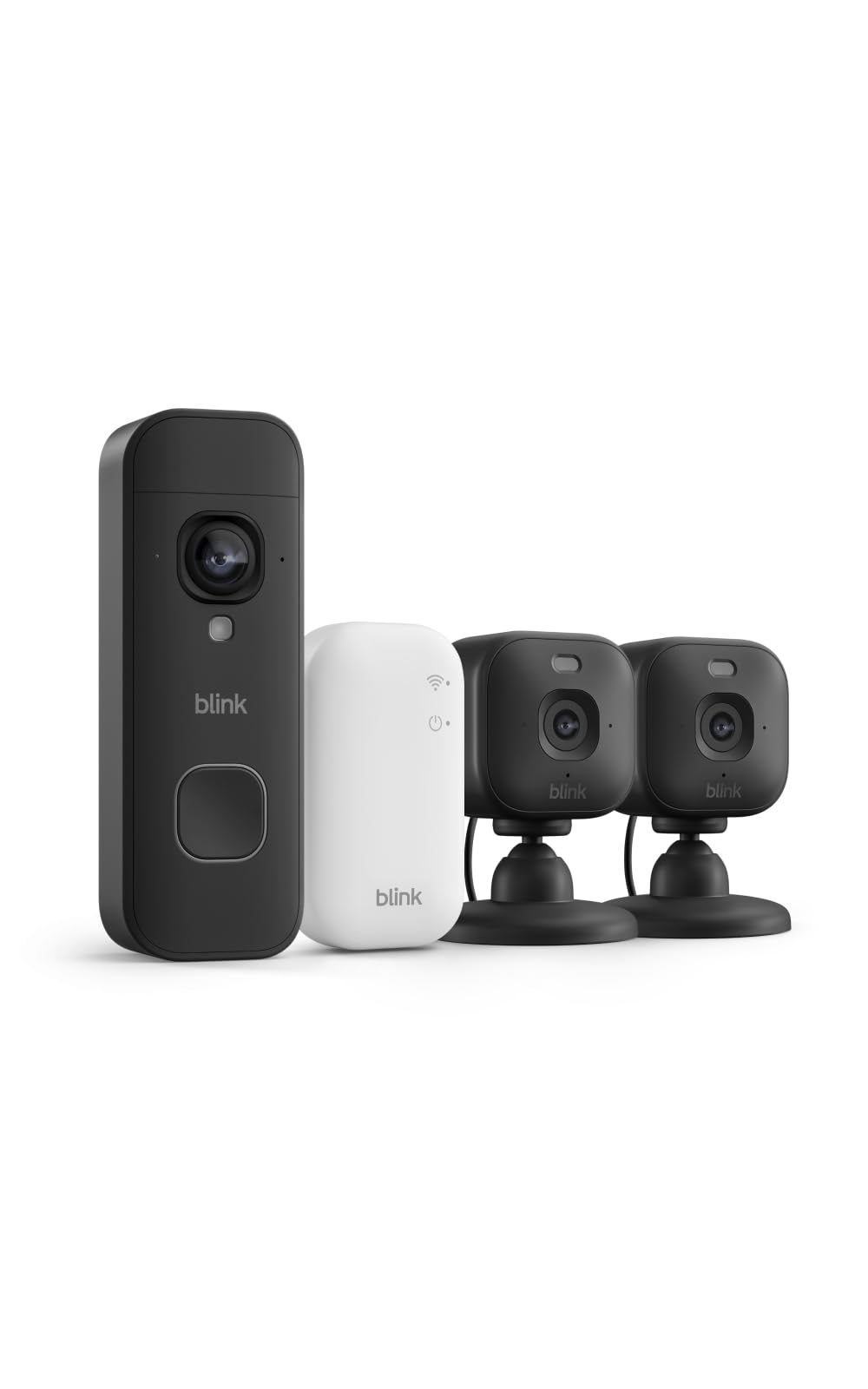
Blink Doorbell Setup Types at a Glance
Blink doorbells fall into three practical setup types, and the type matters more than small spec differences. Your door, your wiring, and your tolerance for charging batteries will point you toward one of them fairly quickly.
- Battery powered setup. The doorbell runs on replaceable batteries and connects over WiFi. This is the fastest install and the usual choice for renters and for doors with no existing wiring. You trade that ease for battery changes and for clips that depend on a strong signal near the door.
- Wired setup. The doorbell connects to your existing doorbell wiring, so it can ring your indoor chime and draw steady power. This suits owners who already have a working chime and a transformer in good shape. Installation takes longer and may need the breaker switched off while you work.
- Battery setup with a sync hub. The doorbell stays on batteries, but a small hub inside the home helps manage the connection and can hold clips on local storage. This suits buyers who want to avoid a monthly plan and keep recordings at home.
None of these types is best for everyone. A wired unit removes charging chores, while a battery unit avoids wiring entirely, and the hub route changes how you store and view clips. Decide the type first, then compare features within it.
How to Judge These Setup Types
Judge Blink doorbell setups on five factors that shape daily use. Reliability and alert accuracy come first, because a doorbell that misses visitors or sends constant false alerts quickly becomes a nuisance. Next is compatibility with Alexa routines and announcements, then installation effort for a typical home. Also weigh subscription costs over several years of ownership and the privacy choices each setup gives you, using manufacturer specifications and verified buyer feedback.
How to Choose the Right Blink Video Doorbell
Type and Placement
Start with the door itself. Check whether you have working doorbell wires and a chime, because that single fact opens or closes the wired route. Look at the mounting surface too, since brick, metal siding, and narrow trim can call for an angled mount or a wedge so the camera faces the walkway instead of a wall. Consider sun exposure as well, because a camera that stares into low afternoon sun will struggle with glare no matter how good its sensor is. Renters should confirm that screws are allowed before choosing any mount that needs drilling.
Features Worth Paying For
The features that earn their cost are the ones that cut down on useless alerts and missed moments. Motion zones let you ignore the street and focus on your porch, and adjustable sensitivity helps when trees or flags keep triggering the sensor. Clear night vision matters if your porch light stays off, and two way talk lets you answer a courier from work. Package alerts and person alerts can help, but on Blink some advanced alerts sit behind a paid plan, so price that plan into your decision. A wide view that shows visitors from head to toe also helps you confirm deliveries at a glance.
Ecosystem Compatibility
Blink is built for Alexa homes. You can hear visitor announcements on Echo speakers, view the live feed on a screen equipped Echo or a Fire TV, and add the doorbell to routines, such as turning on the porch light when motion is detected. Support for Google Home and Apple HomeKit is limited by comparison, so households centered on those platforms should weigh that gap carefully. If you are weighing brands side by side, our breakdown of ring vs blink doorbell setups shows how the two Alexa friendly lineups differ on plans and features.
Wired vs Battery Power
Wired power gives you steady operation and keeps your existing indoor chime ringing, and you never plan around battery changes. It does require compatible wiring and a transformer with enough output, and older homes sometimes need a transformer upgrade before the doorbell will behave. Battery power installs in minutes and works at doors that never had a chime, which is why guides to the best battery video doorbell options often feature Blink. The cost is upkeep, since heavy motion traffic drains batteries faster and cold weather shortens their life. If your wiring is present but tired, reading about the best wired video doorbell choices can help you judge whether fixing the wiring is worth it.
Subscriptions and Local Storage
A Blink plan adds cloud clip storage, longer clip history, and advanced alerts, billed monthly or yearly at a modest rate. Without a plan you still get motion alerts and live view, but saved clips become limited unless you use local storage. A sync hub with a USB drive or memory card lets you keep clips at home with no monthly fee, though you give up some cloud conveniences and must manage the drive yourself. Think about how long you like to keep footage, because a short cloud window may be fine for deliveries but not for reviewing an incident weeks later.
Privacy and Security
Look for control over who can view the feed and how clips are shared. Use a strong unique password on your Amazon account and turn on two step sign in, because the account is the real key to your doorbell. Privacy zones can block a neighbor window or a busy sidewalk from recording, which is both courteous and useful. Check how long clips stay stored and delete footage you no longer need. A doorbell records your visitors as well as strangers, so tell regular guests it is there and follow any local rules on audio recording.
How Much Should You Spend?
Blink sits at the affordable end of the doorbell market, with the doorbell itself often around $50 to $100 depending on the generation and the bundle. Budget about $100 to $150 if you add a sync hub, spare batteries, and an angled mount. The ongoing cost matters more than the shelf price over time, since a paid plan at a few dollars a month adds up across several years. If you skip the plan and use local storage, your total cost stays close to the purchase price. Spending more within the Blink range mainly buys convenience items, such as a hub and mounts, rather than a different camera class.
The Blink Video Doorbell Lineup Explained
Blink keeps its doorbell lineup deliberately small, which is part of the appeal. Rather than many models with overlapping names, you are choosing between generations of the same core doorbell and between the power and storage bundles built around it. Newer generations improve video quality, field of view, and how the camera handles bright porches and dark entries, while the app and Alexa integration stay familiar across versions.
That simplicity means the best blink video doorbell choice for most homes comes down to setup, not to a long model list. If you already own other Blink cameras, staying in the same app and hub system keeps everything in one place. If this is your first smart doorbell, compare the full field in our guide to the best video doorbell options before you commit, since rival brands trade a higher price for broader platform support.
One more point separates the bundles. Some packages include the sync hub in the box, while others assume you already own one or plan to rely on a cloud plan. Buying the doorbell alone and adding a hub later can cost more than choosing the bundle at the start, so check what is in the box before you order.
Installation Basics Worth Knowing
Most Blink installs follow the same order. Charge or insert the batteries, add the doorbell in the app, connect it to your WiFi, and confirm the live view before you mount anything permanently. Check motion alerts from the walkway while the unit is still in your hand, because moving a mounted camera to fix a bad angle is wasted work. If you wire the unit, switch off the breaker first and confirm your chime is compatible, and our walkthrough of how to install a video doorbell covers the wiring checks in detail. Keep your router signal in mind too, since thick exterior walls can weaken the connection at the front door.
FAQ
Is Blink a good video doorbell brand?
Blink suits buyers who value a low purchase price, a simple app, and close Alexa integration over advanced extras. Its doorbells cover the basics well, including motion alerts, live view, and two way talk. The brand is a weaker fit if your home runs on Google Home or Apple HomeKit, or if you want advanced alerts without a plan. For an Alexa based home on a budget, it is a sensible and popular choice.
Which Blink video doorbell should I buy?
Match the setup to your door rather than chasing the newest bundle. Choose wired if you have a working chime and want to skip battery changes, battery power if you need a fast drill free install, and the hub bundle if local storage matters to you. Check your doorframe material before ordering, since brick and metal frames may need different anchors or a no drill mount sold separately.
How long does a Blink video doorbell last?
The hardware can serve for years, but battery life and exposure shape the real answer. Batteries last far less than maker estimates when the camera records dozens of clips a day, and a doorbell in direct rain and sun will age faster than one under a deep porch roof. A shaded mounting spot and sensible motion settings extend both battery life and the life of the unit itself.
How do you clean a Blink video doorbell?
Wipe the body with a soft dry cloth and clean the lens gently with a microfiber cloth to avoid scratches. Never use household sprays directly on the camera, since liquid can creep into seams and fog the lens from inside. Check the lens after pollen season and after storms, because a thin film of dust softens night images long before it is obvious in daylight clips.
Is a Blink video doorbell worth it for renters?
Yes, for many renters it is one of the easier smart upgrades to justify. A battery powered unit mounts without touching household wiring, and many landlords accept a small mount that can be removed at move out. It helps you see deliveries and visitors at a door you cannot otherwise monitor. Take the doorbell and hub with you when you leave, and fill any screw holes as your lease requires.
Final Thoughts
Blink rewards buyers who decide the setup questions first. Pick your power source, settle the storage question, and confirm that Alexa is the platform you want to build around. Do that, and the best blink video doorbell for your home is simply the bundle that matches those answers at the lowest total cost. Check the product table near the top before you order, and confirm what the box includes, especially whether the sync hub is part of the deal.


