
Best Beat Making Keyboards: Pads, Keys and Software Compared for 2026
Disclosure: We may earn a commission when you buy through links on this page, at no extra cost to you. As an Amazon Associate I earn from qualifying purchases. Learn more

Best beat making keyboards compared by pads, keys, software support and size, with setup tips for home producers and beginners.
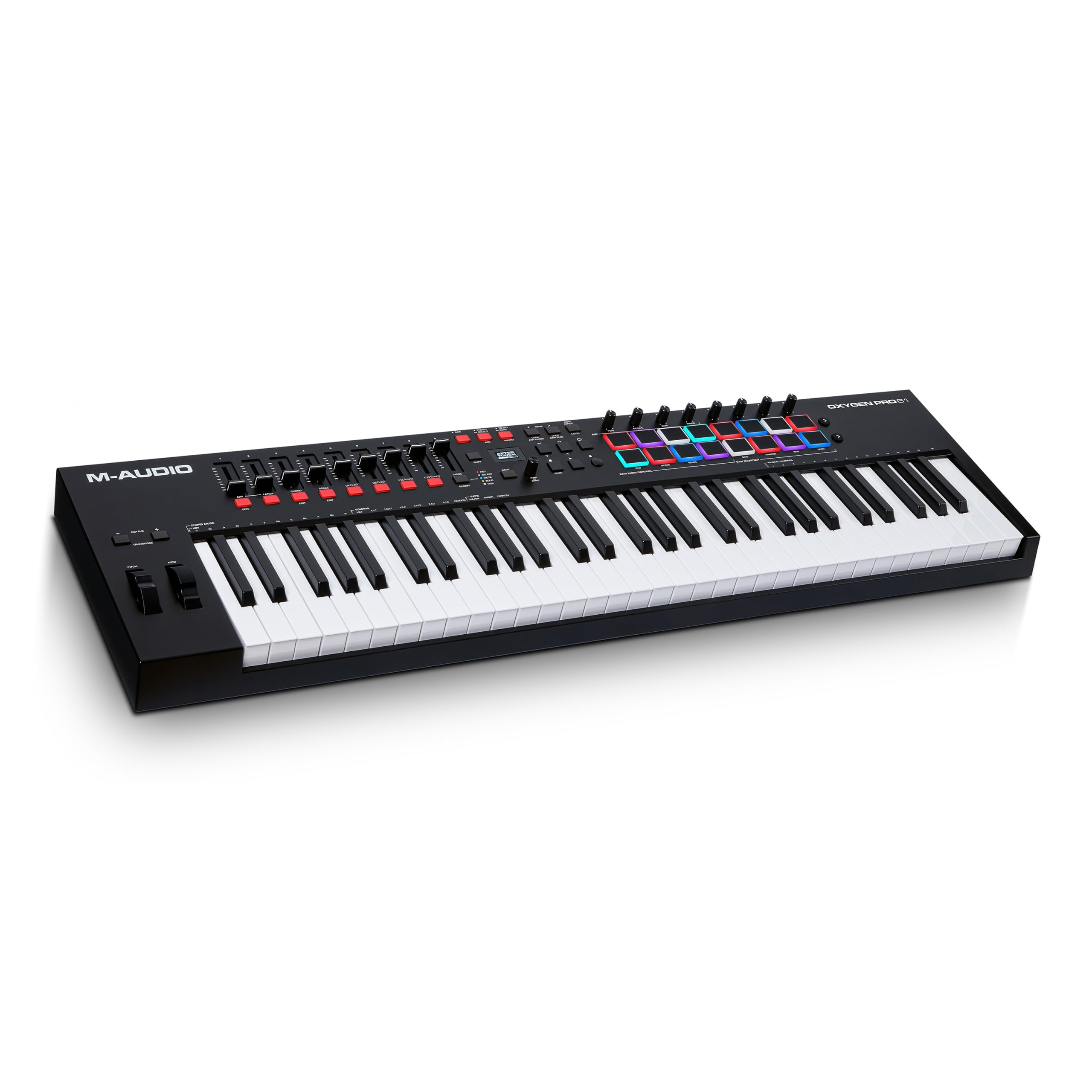
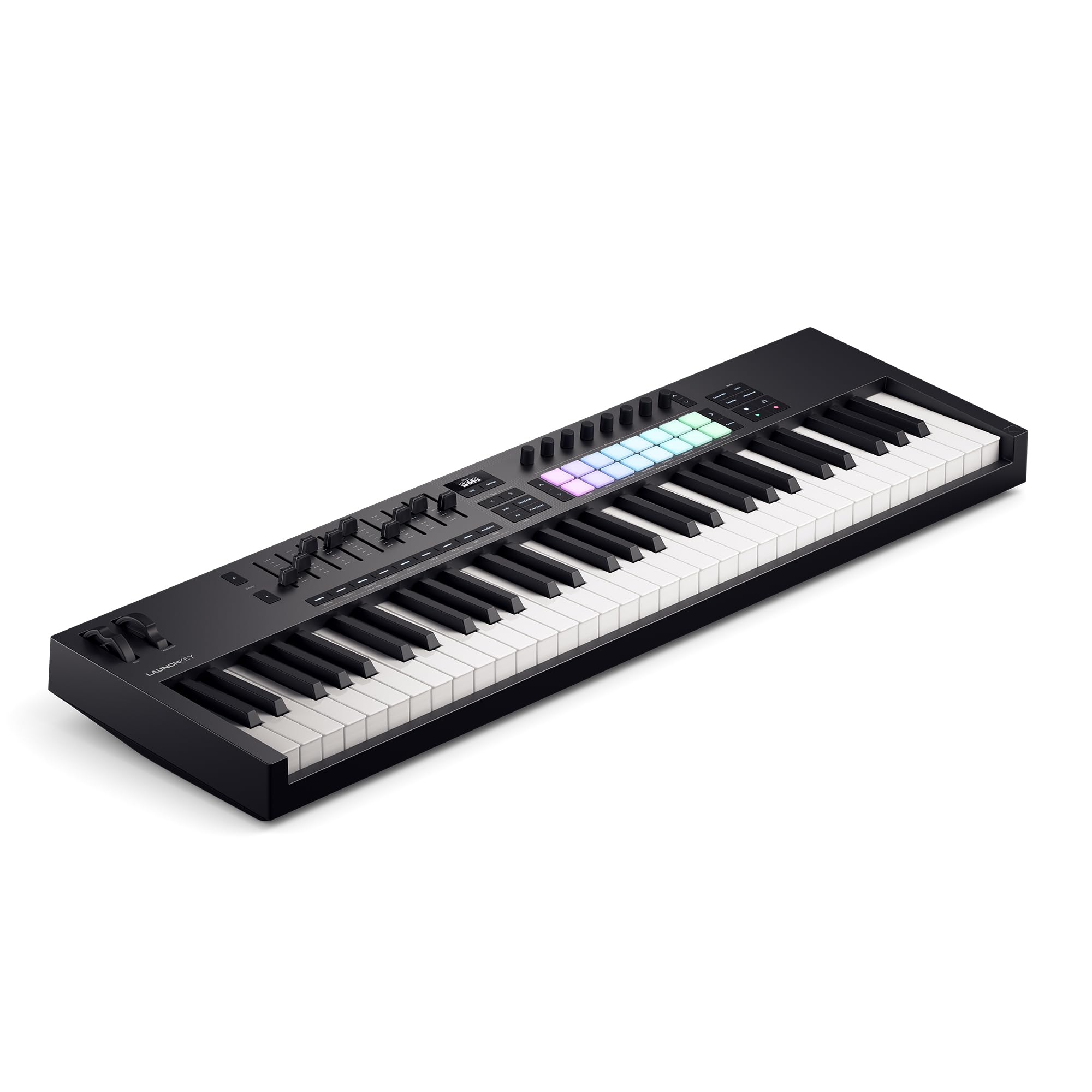
A beat making keyboard is usually a MIDI controller: it has no sounds of its own, but it plays the drums, samples and instruments inside your music software. The best beat making keyboards give you velocity-sensitive pads for drums, keys that feel good for chords and melodies, and knobs or faders to shape sounds without reaching for the mouse. This guide explains what to look for, so the product table above makes sense for your desk and your software.
Think about how you make beats. Finger drummers want large, responsive pads. Melody writers want more keys. Travelers need something small enough for a backpack.




Controller or Standalone Keyboard
A MIDI controller sends notes and controls to a laptop or phone running a digital audio workstation (DAW), such as Ableton Live, FL Studio, Logic or GarageBand. It is light, affordable and works with any sound library. A standalone keyboard or groovebox has built-in sounds and a sequencer, so it works without a computer, but it costs more and usually offers fewer sounds than software. Most beginners start with a controller because it pairs easily with free or bundled software.
Key Features to Compare
Pads for Drums and Samples
Pads are the heart of beat making. Look for 8 or 16 velocity-sensitive, backlit pads that respond to how hard you hit them. Sixteen pads fit a full drum kit with kicks, snares and hats on separate pads, while eight pads work for simple patterns with bank switching. Pads with aftertouch let you add expression by pressing harder after the hit. Test the feel if you can, since stiff or noisy pads make finger drumming tiring.
Number and Feel of the Keys
Mini keys (25 to 37) save space and suit bass lines and simple chords. A 49 or 61 key keyboard gives two-hand playing room, and 88 keys suit pianists. Semi-weighted keys feel closer to a piano, while synth-action keys are light and fast. Velocity-sensitive keys let you play softly or hard, which makes beats feel human.
Knobs, Faders and Transport Controls
Assignable knobs and faders let you adjust filters, volume and effects as you play. Transport buttons for play, stop and record save trips to the mouse. Some controllers include arpeggiators, note repeat and chord modes, which speed up writing hip-hop, trap and lo-fi beats.
Software and Compatibility
Most controllers connect over USB and work with major DAWs. Check that the controller maps to your software, and look for bundled software such as a DAW lite edition, drum samples or virtual instruments. USB bus power is handy, but a power adapter can help with older laptops. Windows, Mac, iPad and Chromebook support varies, so confirm yours.
Size and Portability
Measure your desk first. A 25 key controller fits beside a laptop, while a 61 key model needs a proper stand. Lightweight plastic bodies are easy to carry, while steel or heavier builds survive travel better. A padded bag protects pads and knobs on the move.
Types of Beat Making Keyboards Compared
| Type | Best For | Trade-Off | Typical Price |
|---|---|---|---|
| Mini pad and key controller (25 to 37 keys) | Small desks, beginners, travel | Small keys feel cramped | about $60 to $150 |
| Mid-size controller (49 to 61 keys) | Producers who play chords and melodies | Needs more desk space | about $150 to $350 |
| Full-size controller (88 keys) | Pianists and detailed piano parts | Heavy, higher cost | about $300 to $600 |
Who Should Buy What
Beginners should pick a compact controller with 8 to 16 pads and a few keys, plus bundled software. Producers who play chords and melodies get more value from 49 or 61 keys with pads. Songwriters who sketch ideas on keys can focus on key feel and software integration. If you are also choosing a laptop for the job, see the guide to the best laptops for beat making, and for general options see the guide to the best keyboards for making music. A matching set of monitors is covered in the guide to the best speakers for making beats.
Setting Up Your Controller
Install the driver or software if the maker requires it, connect the controller by USB, and open your DAW. Select the controller in the MIDI settings, load a drum kit and try the pads. Adjust the velocity curve if the pads feel too hard or too soft. Map a few knobs to filter and volume, and save the template. Keep latency low by using an audio interface or the driver recommended for your system, and buffer settings small enough that the sound feels instant.
Care and Safety
Keep the controller dust-free and away from drinks and direct sunlight. Wipe pads and keys with a dry, soft cloth and avoid harsh cleaners. Update firmware when the maker releases fixes. Take breaks during long sessions, keep headphone volume at safe levels, and set up your desk so your wrists stay in a neutral position.
Common Mistakes to Avoid
- Buying more keys than you will play and losing desk space.
- Choosing too few pads for the drum parts you want to play.
- Ignoring software compatibility and finding the controls do not map.
- Forgetting a stand, so the controller sits too low for comfortable playing.
- Skipping the bundled software and paying for sounds you already have.
Related Guides
For portable playback, see the best portable speakers for making beats.
Frequently Asked Questions
Do I need piano skills to make beats on a keyboard?
No. Pads and simple chord shapes cover most patterns. Basic scale knowledge helps, and many producers learn by experimenting with loops and samples.
How many pads do I need for beat making?
Eight pads suit simple drum patterns, while sixteen pads suit full kits on separate pads. More pads mean less bank switching during a performance.
Should I choose a mini or full-size keyboard?
Mini keyboards suit small desks, travel and tight budgets, but small keys can feel cramped for piano parts. Full-size keyboards suit players who record melodies and chords often.
Does a beat keyboard work with my music software?
Most modern controllers work with major DAWs over USB. Check that the maker provides maps or templates for your software before you buy.
Can I make beats without a computer?
Standalone keyboards and grooveboxes make beats with built-in sounds. Controllers need a laptop or phone but offer more sounds and editing power.
Final Thoughts
Choose pads first, keys second, and make sure the controller works with your software. The best beat making keyboards fit your desk, feel good under your hands and unlock the sounds you want, so use the product table above to compare models for your setup.


