
Best Barebone Keyboards: Build-Your-Own Keyboard Kits for 2026
Disclosure: We may earn a commission when you buy through links on this page, at no extra cost to you. As an Amazon Associate I earn from qualifying purchases. Learn more

Best barebone keyboards explained: layouts, hot-swap, plates, cases, stabilizers, and what each budget buys.
A barebone keyboard gives you the case, plate, circuit board, and often the stabilizers, but leaves out the switches and keycaps so you can build the typing feel and sound you want. This guide to the best barebone keyboards explains layouts, hot-swap sockets, plate and case materials, and compatibility, so you can buy a kit that works with the parts you plan to add.
The product table lists keyboard kits at several sizes and price levels. Read the sections below to choose a layout and a feature set, then compare the table against your shortlist.
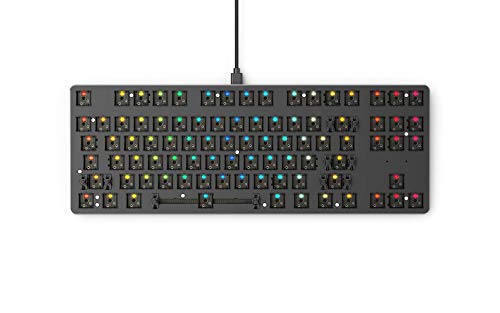


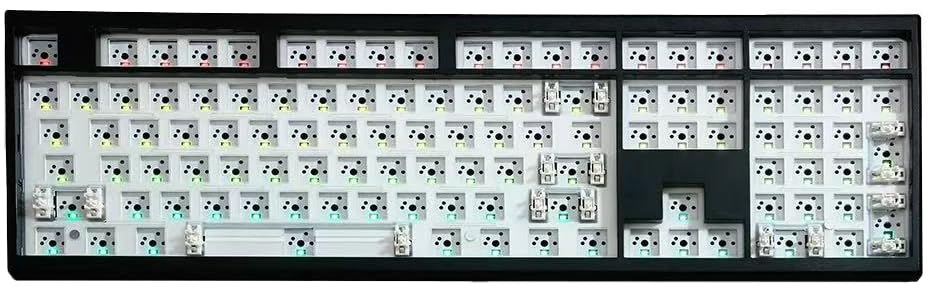
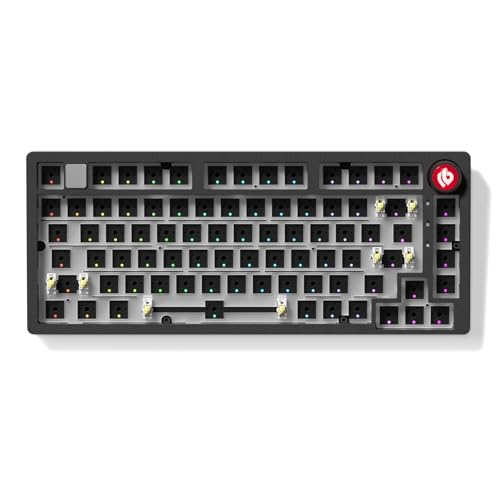
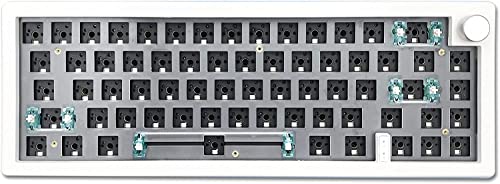

What Comes in a Barebone Keyboard
Barebone kits vary, but most include a case, a PCB (printed circuit board), a mounting plate, and stabilizers for the long keys. Some include a USB cable, a knob, or a foam layer. They do not include switches or keycaps unless the listing says so, and you will also need a switch puller and a keycap puller for easier building.
Hot-Swap or Soldered
Hot-swap PCBs have sockets that let you press switches in and pull them out without a soldering iron. They are the best choice for beginners and for people who like to experiment with different switches. Soldered boards need a soldering iron and some practice, but they can be slightly more stable and are common in custom builds.
Choosing a Layout
Pick the layout before you choose anything else, because it decides the keycap set you need and the size of the board.
- Full size (100%): includes a number pad and function row, and suits people who enter numbers often.
- Tenkeyless (80%): drops the number pad for more desk space while keeping function keys and arrows.
- 75%: a compact layout that keeps arrows and function keys in a tight block.
- 65% and 60%: smaller boards that drop function keys and, in the case of 60%, arrow keys, and suit small desks.
Check which keys you use every day. If you rely on arrow keys or function shortcuts, a 65% or 75% layout may feel better than a 60%.
Key Features to Compare
Switch Compatibility
Most kits support 3-pin and 5-pin MX-style switches. Hot-swap sockets usually accept both, but some require removing plastic pins from 5-pin switches. Check the listing for supported switch types, and confirm whether the board supports south-facing LEDs if you plan to use certain keycaps.
Plate Material
The plate holds the switches and changes the sound and feel. Aluminum plates feel stiff and sound crisp. Brass adds weight and a deeper tone. Polycarbonate flexes slightly and gives a softer, quieter sound, and FR4 sits between them. Some boards use plateless designs. If you like a deeper thock, look for polycarbonate or foam-dampened plates.
Case Material and Weight
Plastic cases are light and cheaper, while aluminum cases feel solid and reduce flex. Heavier cases tend to sound fuller. If you move your keyboard often, weigh the case and think about portability.
Stabilizers
Stabilizers support the space bar, shift, and enter keys. Pre-lubed stabilizers reduce rattle, and screw-in stabilizers are more stable than clip-in ones. Poor stabilizers are the most common complaint about budget kits.
Connectivity and Software
Wired USB-C kits are simplest. Wireless kits with Bluetooth or a 2.4 GHz receiver add convenience but may cost more and need a battery. Boards that support VIA or QMK software let you remap keys and layers without extra tools.
RGB and Extras
Per-key RGB and underglow look good but add cost and can interfere with keycap choice. A rotary knob, a screen, or a gasket-mount design are nice extras, though not essential.
Best Barebone Keyboards by Budget
Under $60
Entry kits are plastic or light aluminum with hot-swap sockets and basic stabilizers. They are good for learning, but expect to tune the stabilizers and add foam.
$60 to $150
This is the sweet spot. You get aluminum cases, gasket mounts, better stabilizers, and more layout options, often with VIA support.
$150 and Above
Premium kits offer CNC aluminum cases, high-end plates, and refined sound. They suit enthusiasts who want a long-term keyboard and are ready to invest in switches and keycaps.
Building Tips
Gather the parts first: switches (one per key plus spares), keycaps that match your layout, and tools. Test the PCB with tweezers or a switch tester before installing everything. Press switches straight into the plate until they click, and check that pins are not bent. Add foam between the PCB and case for a deeper sound, and lube the stabilizers if they rattle.
Common Mistakes to Avoid
The most common mistake is buying keycaps that do not cover your layout, such as ISO keys for an ANSI board. Another is choosing a kit with soldered PCB without a soldering iron. Other mistakes include forgetting tools and spares, ignoring the stabilizer quality, and overspending on a case before you know what sound you like.
Frequently Asked Questions
What features matter most in a barebone keyboard?
Layout, hot-swap support, stabilizer quality, and case and plate material matter most, followed by connectivity and software support.
Do barebone keyboards include switches and keycaps?
Most do not. Check the listing to see what is included, and plan to buy switches and keycaps separately.
Is a barebone keyboard good for beginners?
Yes, especially hot-swap kits. You can build without soldering and change switches later if you want a different feel.
How many switches do I need?
One per key, plus a few spares. A 65% board uses about 67 switches, a tenkeyless about 87, and a full-size about 104.
What tools do I need?
A keycap puller, a switch puller for hot-swap boards, tweezers, and a small screwdriver. Add a soldering iron only for soldered builds.
Can I use any keycaps?
Only keycaps that match the layout and profile. Check the key count and sizes for the bottom row before buying.
Final Thoughts
Choose your layout first, prefer hot-swap if you are new to building, and spend on stabilizers and case quality before extras. Use the product table above to compare current kits. The best barebone keyboards give you a solid base that you can tune with switches and keycaps over time. For related reading, see our guides to the best sounding keyboards and the best wireless keyboards.

