Best Balance Boards for Standing Desks 2026 Comfort Guide
Disclosure: We may earn a commission when you buy through links on this page, at no extra cost to you. As an Amazon Associate I earn from qualifying purchases. Learn more

Find balance boards for standing desks that improve posture and movement. Compare stability, size, and comfort for all day standing work. Shop smart.
Choosing the best balance boards for standing desks starts with how much movement you want while you work. A balance board adds gentle instability to standing, encouraging small shifts that engage leg and core muscles. The right board feels active without distracting you from work, and it should fit your desk space and your shoes.
The comparison table below compares the main board types, and this guide explains stability levels, size, and safe use. Read it before buying, so the board supports movement without turning your workday into a balancing act.



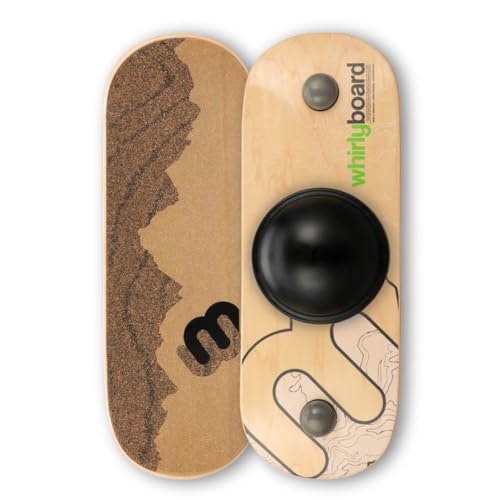

Stability Levels and Movement
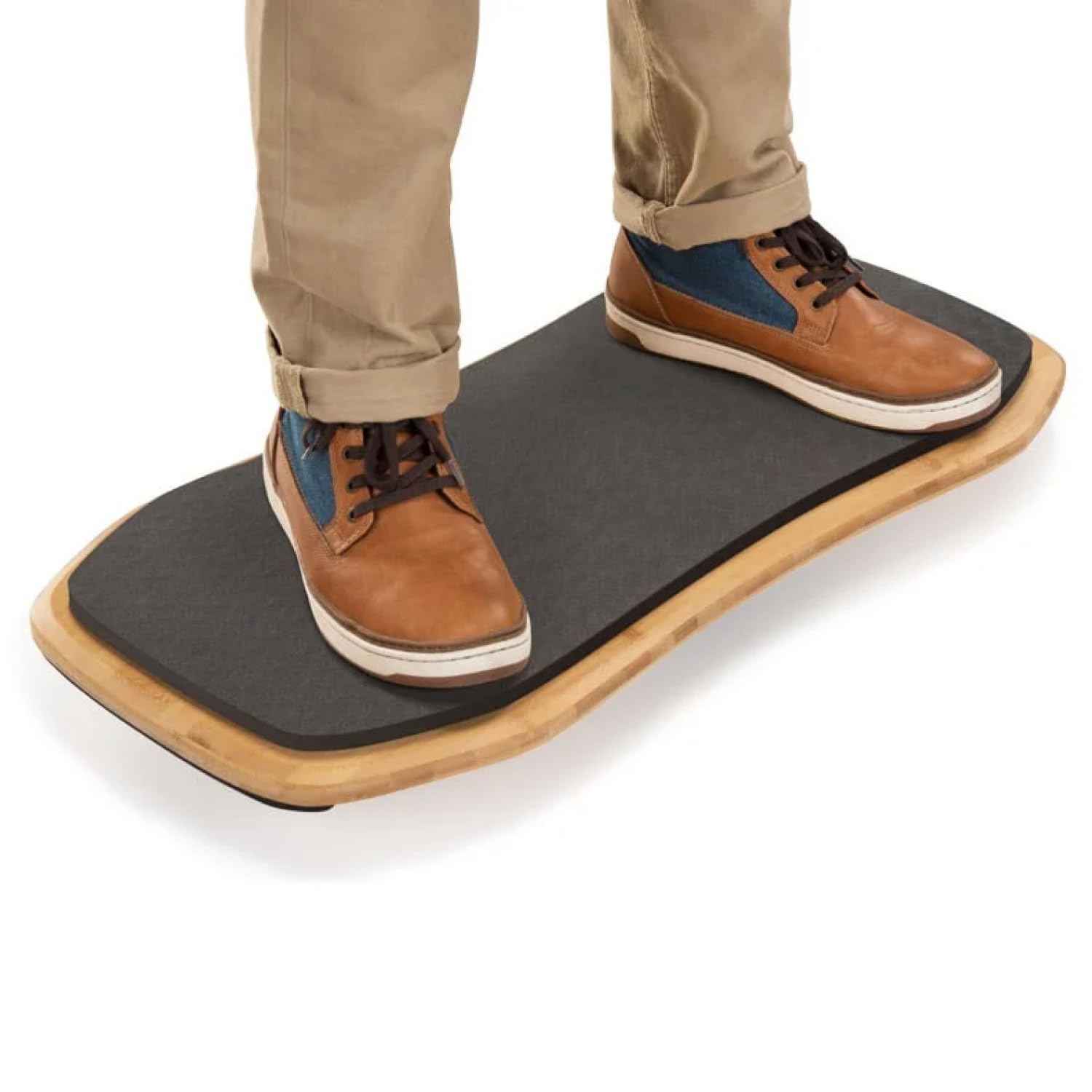
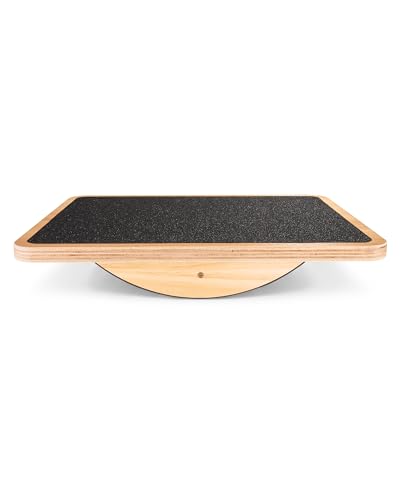
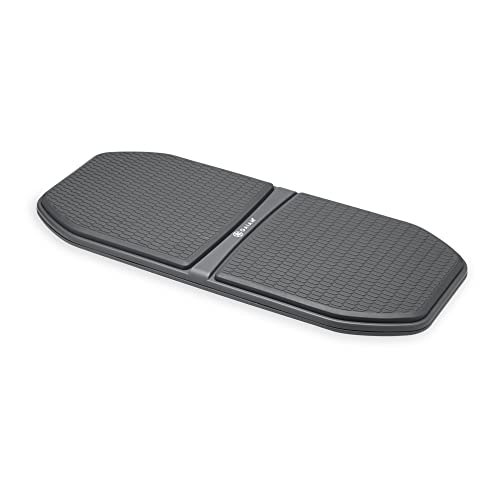
Balance boards range from gentle rockers that tilt slightly to wobble boards that move in all directions. Beginners should start with a gentle rocker, which adds movement without demanding constant attention. More active boards suit experienced users who want a stronger challenge, but they can distract during focused work.
Consider your work type: writing and reading tolerate gentle movement well, while precise mouse work or video calls may suffer on a very unstable board. Many users keep a board for part of the day and stand on a mat for the rest, alternating as focus and fatigue change.
Size, Desk Space, and Shoe Choice
Board size must fit your standing area without hitting desk legs, cables, or nearby furniture. Measure your available floor space and compare it with board dimensions, leaving room to step on and off safely. A board that is too large for the space becomes a trip hazard rather than a wellness tool.
Shoes affect board feel greatly: flat shoes grip better, while thick soled trainers dull feedback. Some users prefer socks or bare feet for maximum feel, but check board surface grip first. A textured top surface helps, especially if you work in socks.
Posture, Fatigue, and Gradual Use
Balance boards can improve posture awareness by encouraging weight shifts and core engagement, but they do not replace good desk setup. Set monitor height, keyboard position, and desk height correctly first, since a board cannot fix a poorly adjusted workstation. Stand with knees slightly soft, not locked, and shift weight regularly.
Start with short sessions, perhaps 15 to 30 minutes, and build up gradually. Feet, calves, and lower back may tire at first, which is normal. Alternate board, mat, and sitting through the day, and stop if you feel pain rather than mild fatigue. Movement should feel refreshing, not punishing.
Warning Signs and When to Seek Advice
Stop using a balance board and seek advice if you experience persistent joint pain, ankle instability, dizziness, or pain that worsens with use. People with balance disorders, recent ankle or knee injuries, neuropathy, or conditions affecting balance should talk with their clinician or a physiotherapist before using a balance board.
Balance boards are wellness tools, not medical treatment. They support movement and posture awareness, but they do not treat back pain, joint disease, or balance disorders. If symptoms persist, a professional assessment matters more than a different board. Always prioritise safety over activity goals.
Materials, Durability, and Floor Protection
Wooden boards look good and feel solid, while plastic boards are lighter and often cheaper. Check weight capacity against your body weight plus any extra load, and inspect the base for grip that protects floors. A board that slides on hard floors is unsafe, so use it on a mat if needed.
Clean the top surface regularly to maintain grip, especially if used in socks or bare feet. Check for cracks, loose parts, or worn grip, and replace a damaged board promptly. A well made board lasts years with basic care, while a cheap board that flexes excessively feels unstable and unsafe.
A Final Check Before You Order
Before ordering, measure your standing space, note your experience level, and decide how much movement your work tolerates. Compare those notes with the product table above, and start with a gentler board if you are new to balance training. A board that feels easy at first can still add valuable movement.
Try the board in short sessions and keep a mat nearby for breaks. If pain, dizziness, or instability appears, stop and seek professional advice. The best board is one that adds pleasant movement to your day without distracting you or causing harm.
Balance Boards and Desk Ergonomics
A balance board works best as part of a well set up workstation, not as a fix for poor ergonomics. Monitor height should place the screen top near eye level, keyboard height should keep elbows near ninety degrees, and desk height should allow relaxed shoulders. A board cannot compensate for a monitor placed too low or a keyboard too high.
Footwear and flooring interact with board use: a board on a hard floor may slide, while a board on thick carpet may feel unstable in a different way. A thin mat under the board can improve grip and protect floors, while also cushioning feet during longer sessions. Test the combination before committing to daily use.
Alternate board use with sitting and plain standing throughout the day, since variety protects joints and muscles better than any single posture. Set reminders to change position hourly, and listen to fatigue signals rather than pushing through discomfort. Ergonomics is about movement variety, not about finding one perfect posture.
Balance Boards for Different Users
Office workers new to standing desks should master plain standing first, then add a gentle board for part of the day. Rushing into an unstable board while also adjusting to standing often causes fatigue and poor posture. Build standing tolerance over weeks, then introduce board sessions gradually alongside mat standing.
Active users who already exercise regularly may enjoy a more challenging board sooner, but work demands still matter. A board that suits a workout may distract during detailed computer work, so keep a gentler board for work hours and a challenging board for breaks if desired. Match board difficulty to task, not just fitness.
Older adults or anyone with balance concerns should seek professional advice before using a balance board, and start with support nearby, such as a desk to hold. Safety outweighs activity goals, and a physiotherapist can suggest appropriate balance training. A board should build confidence, never create fall risk.
Keep the area around your balance board clear of cables, bags, and loose rugs, since stepping off unexpectedly onto clutter causes trips. A clear, flat space around the board lets you step on and off safely throughout the day without thinking about hazards underfoot.
Frequently Asked Questions
Are balance boards good for standing desks?
Balance boards add gentle movement to standing, which can reduce stiffness and improve posture awareness during desk work. They suit users who already stand comfortably and want more activity. They do not replace sitting breaks, walking, or proper desk setup, and they should be introduced gradually.
How long should I use a balance board each day?
Start with short sessions of 15 to 30 minutes and build up as comfort allows, alternating with a mat and sitting. Total time depends on fitness, footwear, and work type. Stop if you feel pain or excessive fatigue, and spread board use through the day rather than doing one long session.
Can beginners use a balance board?
Yes, if they choose a gentle rocker board and start slowly near a stable support. Beginners should practice stepping on and off safely and keep sessions short. People with balance problems, recent injuries, or medical conditions affecting balance should seek professional advice first.
Do balance boards help back pain?
Balance boards may improve movement and posture awareness, but they do not treat back pain or medical conditions. Persistent, worsening, or severe back pain deserves professional assessment. Use a board as part of a broader routine that includes good desk setup, movement breaks, and, where advised, physiotherapy.
What shoes should I wear on a balance board?
Flat shoes with good grip work well, while thick cushioned trainers dull feedback. Some users prefer socks or bare feet for maximum feel, provided the board surface grips well. Avoid slippery socks and high heels, and ensure the board sits securely on the floor before stepping on.
Final Thoughts
The best balance boards for standing desks add gentle, enjoyable movement without distracting you from work. Use the product table above to compare stability and size, start gradually, and stop if pain or dizziness appears. Movement that feels good is movement you will keep doing.