
Best Bags for Tablets: Buying Guide for 2026
Disclosure: We may earn a commission when you buy through links on this page, at no extra cost to you. As an Amazon Associate I earn from qualifying purchases. Learn more

Use this guide to the best bags for tablets to compare fit, padding, pockets, and carry comfort, and choose a bag that protects your tablet daily.
A tablet is easy to crack, scratch, or bend when it rides loose in a tote or backpack, and a bag that looks right in photos can still fit poorly in real life. This guide to the best bags for tablets walks you through fit, padding, pockets, and carry comfort so you can choose with confidence.
Start by measuring your tablet with its case on, then compare those numbers with the pocket size a maker lists. The comparison table below pulls the main options together, and the sections after it explain how to read the details that actually protect your screen.


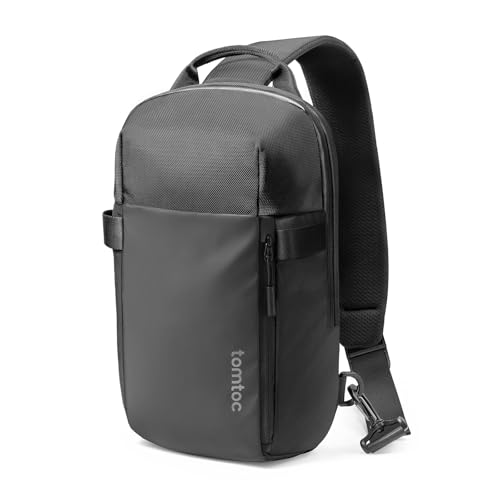


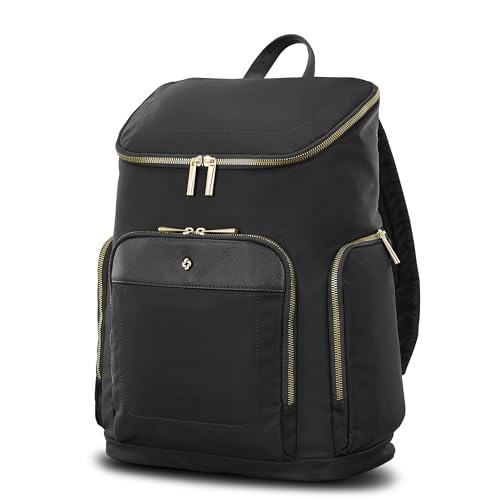
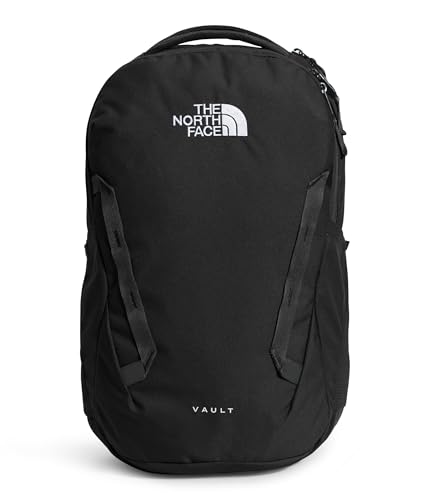

Choosing by Use Case Instead of by Looks
Most tablet bags fall into a few clear use cases, and naming yours first prevents the most common buying mistake. A daily commuter needs fast access and weather protection, a student needs room for books and a charger, and a traveler needs a bag that slides over luggage handles and keeps documents separate. Once your use case is clear, the right size and layout usually become obvious.
Balanced Choice for Most People
For most buyers, the sweet spot is a padded shoulder bag or slim backpack with a separate tablet compartment, one large pocket for a charger and notebook, and a small zipped pocket for keys and a phone. Expect to pay about $40 to $90 for this level, which usually brings stronger zippers, thicker foam, and straps that stay comfortable on a thirty minute walk. You give up some specialty features, like a hard shell or a built in luggage sleeve, but you gain a bag that works for work, class, and weekends without feeling oversized on light days.
Value Choice for Light Daily Carry
If your tablet mostly travels between home and a nearby office or classroom, a simpler bag at around $25 to $45 can be a smart buy. At this level, keep the features that protect the device, namely a padded compartment, a secure closure, and a strap that does not dig into your shoulder. Skip decorative hardware, extra exterior pockets you will not use, and faux leather that cracks at fold points within a year. A basic bag carried gently will outlast a fancy bag that gets tossed around, so match the price to how rough your routine really is.
Simple Choice for First Time Buyers
If this is your first dedicated tablet bag, choose a layout that is hard to get wrong. Look for one main compartment, a clearly padded tablet pocket that opens from the top, and a front pocket you can reach without setting the bag down. Avoid bags with many narrow slots and hidden zips at first, because complicated layouts often mean your charger ends up pressed against the screen. A simple bag also makes a good test of your habits. After a month you will know whether you crave more pockets or a different carry style, and that knowledge makes any second purchase far smarter.
How to Choose the Best Bags for Tablets: Buying Guide
This is the core decision section. Work through each point in order, because fit comes before padding, padding comes before pockets, and pockets come before style. A beautiful bag that fits badly is still the wrong bag.
Size and Fit for Your Tablet
Measure your tablet diagonally for screen size, then measure its height, width, and thickness with the case and any keyboard cover attached. The inside pocket should be about half an inch taller and wider than the tablet, so you can slide it in without forcing the corners, but not so loose that it shifts and rubs on every step. If you are still choosing a device, our guide to the best pc tablets can help you see how larger models change the bag size you will need. When a listing only gives a screen size, check the full product dimensions in the details section before you buy.
Padding and Drop Protection
Padding matters most at the corners and along the bottom edge, because those are the points that hit the ground first in a drop. Press the compartment walls with your fingers when the bag arrives. The foam should feel dense and spring back slowly, not collapse flat like a thin sheet of fabric. A suspended pocket, where the tablet compartment stops an inch above the bottom of the bag, adds real protection when you set the bag down hard on concrete. Hard shell panels protect well against crushing in a crowded train, but they add weight and make the bag less forgiving when you need to squeeze in a book or jacket.
Weight and Portability
An empty tablet bag should feel light in your hand, ideally under two pounds for a shoulder style. Every extra pound in the bag itself is a pound you carry all day on top of the tablet, charger, water bottle, and everything else you add. Test the strap with the bag loaded, not empty, because thin straps that feel fine in a store can dig in after fifteen minutes with real weight. Backpack styles spread weight across both shoulders and suit longer walks, while crossbody and shoulder bags win on quick access in buses, cafes, and airport lines.
Cables, Chargers, and Accessory Storage
Your charger brick, cable, stylus, and earbuds need a home that is not the tablet pocket. Loose accessories pressed against the screen are a leading cause of scratches and pressure marks. Look for at least one separate zipped pocket for the charger and one slim slot for a stylus, so small items do not wander. If you carry a folding keyboard, measure it and confirm it fits the main compartment flat, without bending. Cable loops or a small elastic strap inside the pocket keep cords tidy and stop them tangling around your keys every time you reach in.
Weather Resistance and Everyday Durability
No soft bag is fully waterproof unless the maker says so plainly, so treat water resistant claims as protection against light rain and splashes, not a storm. Coated fabrics and covered zippers shed drizzle well on a short walk to the car. If your commute includes long walks in real rain, plan on a rain cover or choose a bag with sealed seams. For durability, check the stitching at strap anchors and zipper ends, because those stress points fail first. A bag with a stated warranty of a year or more is a useful sign the maker expects the seams to hold.
Organization and Storage Layout
Good organization means you can find things without unpacking. A practical layout for most people is a padded tablet pocket at the back, a main space for a notebook or change of clothes, and a front pocket split into two or three sections for daily small items. Think about your own list before you buy, and if you are also shopping for a new device, the advice in our guide to the best tablets to purchase pairs well with this step, since a bigger tablet or a keyboard case changes the layout you need. Families sharing one bag may want a brighter interior lining, which makes small dark items far easier to spot.
Tablet Bags vs Other Options
A dedicated tablet bag is not the only way to carry a tablet safely. The options below each make sense for some people, and knowing the trade offs helps you avoid buying a bag when a simpler solution already fits your life.
Padded Sleeves
A sleeve is a padded envelope with no strap and few or no pockets. It is the lightest and cheapest way to protect a tablet inside another bag you already own, and it suits people who always carry a backpack or large tote. The downside is that a sleeve alone is awkward to carry to a meeting or cafe, and it holds almost nothing besides the tablet itself. Choose a sleeve if your tablet never travels on its own.
Backpacks With a Tablet Pocket
A backpack with a padded tablet section carries more and balances weight better than any shoulder bag, which makes it the better pick for students and long commutes. The trade off is access, since you must take the pack off to reach your tablet, and size, since a full backpack looks out of place in formal settings. If you carry a laptop too, a backpack often replaces two bags with one. Choose this route when total load matters more than quick access.
Briefcases and Messenger Bags
Messenger bags and slim briefcases present a polished look for offices and client meetings, and most include a tablet pocket as part of a laptop sized layout. They hold documents flat and keep a professional shape even when half empty. The cost is capacity and comfort on long walks, because a single shoulder carries the whole load. For households where kids carry tablets to school or activities, a smaller and simpler style often works better, and our guide to the best tablets for kindergarteners shows the smaller devices those bags need to fit.
How to Make Your Tablet Bag Last Longer
- Empty and air it weekly. Crumbs and grit collect at the bottom of pockets and scratch screens over time, so shake the bag out and leave it open to air for an hour.
- Clean spills right away. Wipe coated fabric with a damp cloth and mild soap, then dry it fully before closing the zips, so moisture does not stay trapped against the lining.
- Do not overload the strap anchors. If the bag feels strained when you lift it by one strap, carry less or use both handles, because torn anchor stitching is the most common end of life failure.
- Store it unzipped and unstuffed. Foam padding keeps its shape longer when it is not compressed in a closet for months, and open zips let any damp lining dry.
- Check zippers monthly. A zipper that starts to catch usually needs cleaning, not force. Run a dry cloth along the teeth and remove lint before it becomes a broken zip.
Bags for Tablets: Your Questions Answered
What features matter most in bags for tablets?
Fit, corner padding, and a separate pocket for your charger matter most. Get the size right first, because a pocket that is too tight stresses the tablet corners and one that is too loose lets it slide and rub. After fit, look at how the strap attaches and whether the zipper opens wide enough for easy access in a hurry.
How do I know my tablet will fit a bag?
Measure your tablet with its case on and compare all three dimensions with the inside pocket size, not the outside bag size. Leave about half an inch of extra height and width. If a listing gives only a screen size, search the same listing for full dimensions or ask the seller, because two tablets with the same screen size can differ by an inch in body size.
Should I carry my tablet in a backpack or a dedicated bag?
Choose a dedicated bag if the tablet is the main thing you carry and you want fast access during the day. Choose a backpack if you also carry books, a laptop, or gym clothes, or if your walk is longer than about twenty minutes. Many people own both, using the backpack on heavy days and the smaller bag when the tablet travels alone.
How long should a tablet bag last?
A well made tablet bag used daily should last about three to five years before zippers or strap stitching wear out. Bags at lower prices often last one to two years of daily use. You can extend any bag life by not overloading it and by fixing a loose thread early, before the seam starts to open under load.
Do I need a waterproof bag for a tablet?
Most people do not need a fully waterproof bag, but water resistant fabric is worth having if you walk or cycle in rain. It handles drizzle and splashes from passing cars. For heavy rain, a simple rain cover or even a sealed plastic sleeve inside the bag protects better than most coated fabrics, at a fraction of the cost of specialty waterproof models.
Is a padded sleeve enough for school or work?
A padded sleeve is enough if it always rides inside a backpack or tote and your tablet does not travel alone. It is not enough if you carry the tablet by itself to meetings or classes, because a sleeve has no strap, no charger pocket, and little drop protection at the corners. In that case, a small bag with a handle and one accessory pocket is the safer step up.
Our Verdict
The right choice starts with an honest measurement of your tablet, then corner padding that actually absorbs a drop, then a layout that keeps your charger away from the screen. Match the carry style to your longest regular walk, and spend more only on the features your routine truly uses. Compare your shortlist with the product table above, and the best bags for tablets for your day will be the one that fits, protects, and disappears on your shoulder.

