
Best Audio Recorder for DJ Sets: A First Time Buyer's Guide for 2026
Disclosure: We may earn a commission when you buy through links on this page, at no extra cost to you. As an Amazon Associate I earn from qualifying purchases. Learn more

Shopping for the best audio recorder for dj sets for the first time? Learn the terms, compare options, and avoid rookie mistakes with this easy guide.
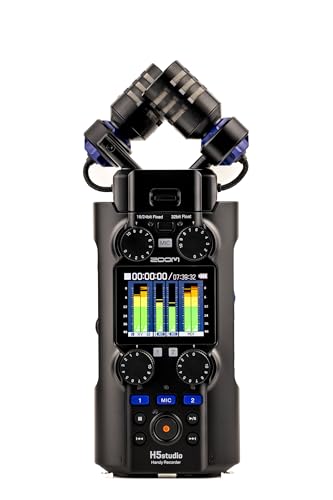
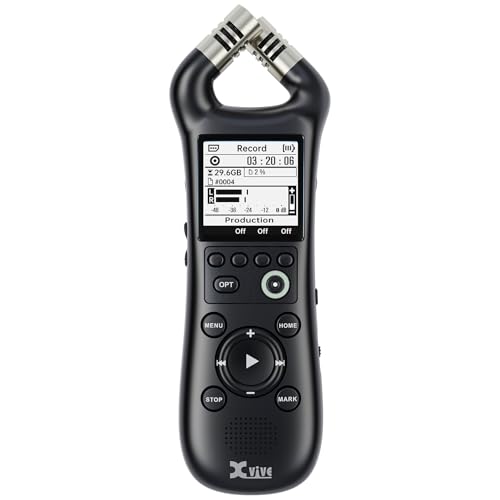
Your set sounded clear in the booth, but a phone recording from the dance floor rarely proves it. A small recorder fed straight from the mixer captures the music as you played it, without crowd noise covering every transition. Choosing the best audio recorder for dj sets starts with a few plain terms and one honest look at how you play, and the product table below gathers the main choices in one place.
You do not need studio knowledge to use one well. You need the right input for your mixer, levels that stay clear when the music gets loud, and enough battery and storage for a full set. The sections below move from the basics to setup and care, so a first purchase feels calm.



Audio Recorders 101: The Basics for DJ Sets
An audio recorder is a small device that saves sound as a digital file on a memory card. For DJ use, its main job is simple. A cable carries the signal from a mixer output into the recorder, the recorder turns that signal into a file, and you copy the file to a computer later for listening or sharing.
Most mixers offer a record output that sends the full mix at a steady level, separate from the speakers in the room. That direct feed is what you want, because it holds the music alone. The built in microphones on many recorders serve a different purpose, such as capturing crowd reaction. Readers comparing recorder styles more broadly can see our guide to the best recorder for dj sets.
Who Should Buy Which Audio Recorder for DJ Sets?
Your venue and set length shape the right choice more than any single spec does.
Club and Bar DJs Who Play Long Sets
You may record for three or four hours while the booth stays busy and dark. Prioritize battery life, generous card storage, and clear level meters you can read at a glance. A control lock matters too, since a bumped button should never pause the recording.
Mobile DJs Who Play Weddings and Private Events
You set up fast in a new room each time, and your mixer changes with the booking. Choose a compact recorder with flexible inputs and cables that suit more than one mixer. If low weight guides your shortlist, see our guide to the best portable recorder for dj sets for travel focused options.
Home and Streaming DJs Still Learning Their Craft
You record mainly to review your own transitions and hear mistakes honestly. A simple model with easy menus and a clear headphone output serves you better than extra microphone modes. If your whole rig is still new, see our guide to the best dj sets for beginners alongside this one.
Recorder Specs That Matter When You Capture a DJ Set
When you compare the best audio recorder for dj sets, read the spec sheet in a fixed order. Inputs come first, then level control, then format, storage, and battery.
Features That Matter for DJ Sets
Start with a line input, the socket made for a signal from a mixer rather than for a microphone. Look for manual level control, so you set the recording volume yourself and it stays where you put it. A limiter, a safety track recorded at a lower level, or 32 bit float recording gives protection when a drop hits harder than expected.
Recording Format, Storage and Battery Life
WAV files keep full detail and suit editing, while MP3 files are smaller and suit quick sharing. For most DJ sets, WAV at 44.1 or 48 kHz and 16 or 24 bit gives clean results. One hour of stereo WAV takes roughly 0.6 to 1 gigabyte, so a 32 gigabyte card holds many full sets. Battery life should cover your longest set with time to spare, and USB power helps on long nights.
Warranty and Customer Support
Most recorders carry a warranty of about one year, and some makers offer longer cover on parts of the range. Read what the warranty excludes, since liquid damage and cracked screens are often outside it. Support matters because first time owners ask about file formats, card errors, and software updates. Choose a maker with clear manuals and easy contact options in the US.
Price vs Value
Basic recorders under $100 can capture a mixer feed, but they may offer weaker level control and smaller screens. Mid range options at about $150 to $300 usually add better inputs, clearer meters, and stronger headroom tools. Premium options at about $300 to $600 add XLR inputs, more tracks, and advanced float recording. Pay for input quality before extra microphone modes.
Safety and Certifications
Treat the recorder as electrical gear in a crowded booth. Use the charger and batteries the maker supplies or approves, and stop using a battery that looks swollen or damaged. Look for proper safety marks on chargers rather than unmarked bargain parts. Keep drinks away from sockets and cables, and keep headphone volume moderate, since the booth is already loud.
Rookie Mistakes to Avoid
Most ruined set recordings come from a short list of simple errors.
- Recording with the built in microphones from the booth gives you a distant, boomy file dominated by the room and the monitor speaker.
- Setting levels during a quiet intro and never checking again lets the loudest drop clip and distort for the rest of the set.
- Leaving automatic gain on makes the volume pump up and down, so quiet passages swell and loud passages flatten.
- Starting a set with a nearly full card or a low battery lets the recorder stop while the night is still going.
- Skipping a short test recording means a wrong input choice is only discovered after the gig, when nothing can be redone.
Setting Up Your Recorder Before the First Gig
Read the manual before first use, since input names and menu steps vary by model. Then work through this order at home, not at the venue.
- Charge the recorder fully and format the memory card inside the recorder itself.
- Connect the mixer record output to the recorder line input with the correct cable.
- Play one of your loudest tracks and set the level so the peaks stay below the top of the meter.
- Press record, switch on the control lock, and record about one minute of music.
- Play that minute back on headphones and listen for distortion, hum, or silence.
If the test sounds clean, clear it and start a fresh recording before your set. Keep the recorder where you can glance at its meter, away from drink cups and speaker stacks.
Care and Maintenance of Your Audio Recorder
Wipe the body with a soft dry cloth after a gig and let any damp case air out before storage. Keep the recorder in a padded case with its cables coiled loosely, away from heat. Clean and inspect regularly, checking sockets, cable ends, and the card slot for dust or damage.
Copy your files to a computer soon after each gig, then format the card in the recorder rather than deleting files one by one. Test cables before a big night, since a cable that crackles when moved will ruin a feed quietly. If your model uses removable batteries, take them out before long storage.
Audio Recorders: Your Questions Answered
What features matter most in an audio recorder for DJ sets?
A line input, manual level control, and protection against clipping matter most in an audio recorder for DJ sets. When money is tight, spend on those three before anything else. One check comes first, though. Find the record output on your own mixer and note its socket type, because that detail decides which cables and inputs your recorder must have.
Are expensive audio recorders worth it for DJ sets?
Expensive audio recorders are worth it for DJ sets only when you record paid work often and need the extra protection they offer. Extra tracks, XLR inputs, and float recording save files that a basic model might lose. If you record one practice set a month at home, that safety net rarely earns its cost.
What recording format and sample rate should first time buyers choose for DJ sets?
First time buyers should choose WAV at 44.1 kHz and 24 bit for DJ sets. That setting matches music files and streaming tools, and the extra bit depth gives you room if your levels run a little low. Switch to MP3 only when you need a small file fast, such as sending a short sample of the night to a promoter.
How much should I spend on an audio recorder for DJ sets?
Most first time buyers should spend about $150 to $300 on an audio recorder for DJ sets. That range usually covers the inputs and level control this guide puts first. Budget for the full kit, though. A memory card, the right cable, and a case can add about $30 to $60, and a recorder without its cable records nothing.
How long can an audio recorder record a DJ set without stopping?
An audio recorder can usually record a DJ set of many hours without stopping, as long as the card and battery last. Some models split long recordings into separate files, yet playback joins them in order on a computer. Before a long night, check the remaining time on the screen, since that figure reflects your chosen format.
How do I maintain an audio recorder used for DJ sets?
You maintain an audio recorder used for DJ sets by keeping it clean, dry, and updated with care. Update the software only on a quiet day at home, never on the day of a gig, since a failed update can leave the recorder unusable. After dusty outdoor events, blow loose grit away from the sockets gently.
Final Thoughts
For a first purchase, keep the order simple. Confirm the recorder takes a feed from your mixer, set levels yourself, and give the night enough card space and battery. Warranty, price, and safety marks then help you choose between models that already pass those tests.
Compare your shortlist in the product table above, run one home test before any real gig, and your best audio recorder for dj sets will quietly do its job while you focus on the crowd.


