
Best Audio Monitors: A Buyer Checklist Guide for 2026
Disclosure: We may earn a commission when you buy through links on this page, at no extra cost to you. As an Amazon Associate I earn from qualifying purchases. Learn more

Compare the best audio monitors with a plain buyer checklist covering driver size, power, placement, and inputs, plus what each price band buys for a desk.
An audio monitor is a speaker, not a screen. The word monitor in this class means a speaker built to play sound as flat and honestly as possible, so you hear what is actually in a recording rather than a flattering version of it. If you are comparing best audio monitors for a desk, a small studio, or video work, this guide gives you a checklist to work through before you spend anything. The small speakers built into a display belong to a different class entirely, covered in our guide to best monitor audio speakers.
You do not need production experience to use the checklist. Each criterion below states what to look for, what a weak version looks like, and who should care most. Set the checklist beside the product table below, and you will know which pair fits your room, your source gear, and your work.

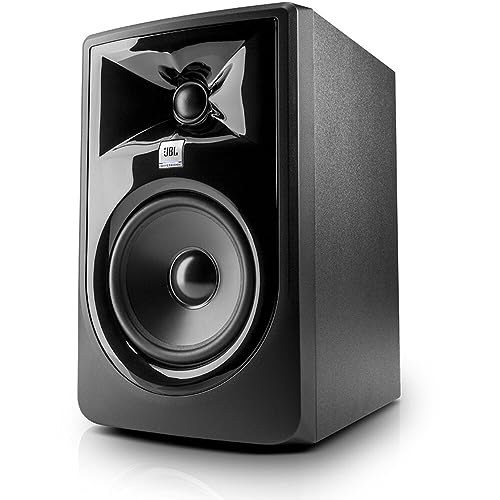


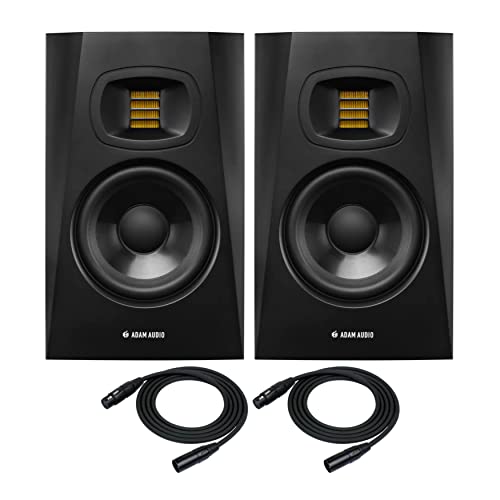
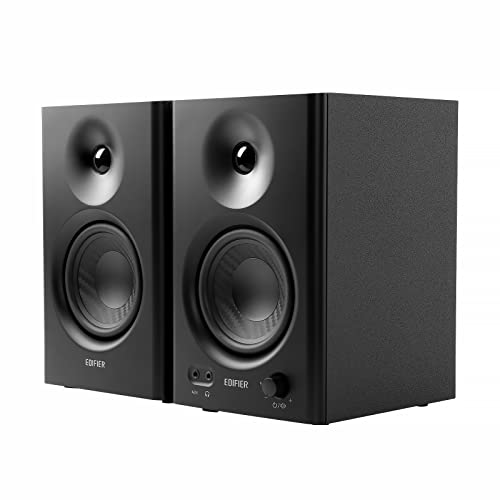


The Checklist: Criteria That Matter Most
Start with the classification, because it decides everything else. An audio monitor is a standalone speaker class, voiced flat on purpose, and it is judged on accuracy rather than excitement. Readers building a setup around best monitors for audio production work through the same six criteria in the same order, because each one limits the next.
Driver Size and Low End
Driver size is the first honest limit on low end. A compact woofer of about 3 to 5 inches suits a small desk and close listening, while a woofer of about 5 to 8 inches moves more air and reaches lower in a bigger room. The same driver class behaves differently in a small room than in a large one, so match the driver to the room before you chase any other spec. A small driver in a big room sounds thin no matter how the listing describes it.
Powered or Passive: Where the Amplifier Lives
Most pairs in this class are powered, which means the amplifier sits inside the cabinet and is matched to the drivers by the maker. Passive pairs need a separate amplifier, which adds cost, cables, and one more matching decision. Powered pairs keep the chain short and the setup simple. Check whether a price covers a pair or a single cabinet, since monitors in this class are often priced one at a time while home speakers are usually priced in pairs.
Frequency Response and Honest Numbers
Accuracy is the point of the class, so read the response figures with care. A useful listing states a range with a tolerance, such as plus or minus 3 decibels, because a range with no tolerance can hide large dips and peaks. That flat target is the core idea behind best studio audio monitors, where the goal is to hear flaws in a mix instead of forgiving them. Treat any response claim with no tolerance as marketing rather than data.
Inputs and Connectivity
Your source decides which inputs matter. Balanced inputs on XLR or TRS cables reject hum along longer runs, while unbalanced RCA inputs suit short desk cables from a computer or a small mixer. Many listeners get the cleanest result from a dedicated interface, the subject of our guide to the best audio interface for monitors. Count the inputs you truly need, and check for a volume or input sensitivity control on the cabinet itself.
Placement, Stands, and Ear Level
Placement governs whether the sound you paid for reaches you honestly. Set the tweeters at ear level in your normal seat, angle both cabinets toward that seat, and let the pair and your head form a rough triangle. Stands or isolation pads lift the cabinets off the desk, which cuts vibration and the muddy low end that comes with it. A pair pushed into corners or flat against a wall gains boomy bass that no setting fully removes, so leave space behind the cabinets where the room allows.
Room Size and Listening Distance
Monitors in this class are built for near listening, roughly an arm length to about six feet away. In a small room, a compact pair at modest volume stays clear, while a large pair can overload the space and stir up every wall reflection. In a larger room, step up one driver size rather than pushing a small pair to its limit. If you mostly listen from across the room, a conventional home speaker class may suit you better than this near listening class.
What Your Budget Buys: Three Price Bands
Prices in this class are usually quoted per pair for powered models. The bands below describe what actually changes as you spend more, and the product table above is your comparison point for each band.
Entry Band for a First Desk Setup
Pairs at about $100 to $300 per pair cover a first desk setup well. Expect compact drivers, basic inputs, and limited low end, which still beats display speakers by a wide margin for clarity. This band suits spoken word editing, early mixing practice, and general listening at close range.
Middle Band for Serious Listening
Pairs at about $300 to $700 per pair add larger drivers, flatter response with a stated tolerance, and balanced inputs. Cabinet build improves, and controls on the cabinet make daily adjustment easier. For most small studios and serious desks, this is where accuracy per dollar peaks.
Upper Band for Larger Rooms
Pairs at about $700 to $1,500 per pair bring bigger drivers for larger rooms, lower distortion at higher volume, and room adjustment switches that trim bass near walls. The gains are real but narrower than the step before. They reward a well arranged room more than a crowded desk.
Quick Buyer Checklist
Answer each question before you order. A no on any line points back to the criterion above that explains the fix.
- Is the price quoted for a pair or for a single cabinet?
- Does the response listing state a tolerance in decibels?
- Will the tweeters sit at ear level in your seat?
- Do the inputs match your source without adapters?
- Is the driver size matched to your room size?
- Can you leave space behind the cabinets?
- Does the pair leave room in the budget for stands or pads?
Red Flags to Watch For
- A response range with no tolerance stated, which can hide deep dips in the middle range.
- Power figures quoted only as peak watts, which say little about clean volume in daily use.
- A low price that quietly covers a single cabinet, which doubles the real cost of a pair.
- Gaming display vocabulary in the listing, such as refresh rate or pixel response, which signals the text was copied from a screen product and the speaker figures may be just as careless.
- No stated cabinet dimensions or weight, which makes desk fit and stand choice a guess.
Choosing Audio Monitors for Your Situation
The same checklist bends a little by use. Two situations cover most buyers in this class.
Best Audio Monitors for PC
At a computer desk, space and a low noise floor matter most. A compact pair leaves room for the keyboard and the screen, and our guide to best small audio monitors covers that size class in depth. Choose balanced or well shielded inputs where you can, because a computer is a noisy electrical neighbor, and keep a volume control within reach on the desk itself.
Best Video Audio Monitors
For video work, dialogue clarity carries the edit. A flat middle range keeps voices honest, so you hear whether a voice recording is thin or boomy before your audience does. Wired connections matter as well, since they keep sound locked to the picture without the delay that wireless links can add. A compact pair near the screen beats a large pair across the room for this work.
Tips to Get the Most From Your Audio Monitors
- Set input sensitivity so your source sits in its clean middle range rather than near its maximum.
- Recheck placement after any desk move, because small shifts change the low end you hear.
- Keep grilles and rear ports free of dust with a dry cloth.
- Use boundary or room switches, if fitted, only after placement is settled, not before.
Audio Monitors: Your Questions Answered
Are audio monitors the same as regular home speakers?
No, audio monitors aim for a flat response while home speakers often lift the bass and treble to flatter music. That flattering shape can hide problems in a recording you are editing, which is why the monitor class exists. The trade is that casual listening can sound plain at first, because nothing is being sweetened. Give your ears a week with the flatter sound before judging a pair harshly.
Do powered audio monitors need a separate amplifier?
No, a powered pair carries its amplifier inside the cabinets, matched to the drivers at the factory. You connect your source, set the level, and listen. One practical point buyers miss is power outlets: each cabinet needs its own socket, so a pair needs two free outlets near the desk. A power strip with room for two plugs solves this, and it keeps cable runs short and tidy.
What driver size suits a small bedroom studio?
A woofer of about 4 to 5 inches suits a small bedroom studio for most listeners. That size reaches low enough for voices and most instruments at close range without exciting the walls. Shared housing adds a second limit, since low end travels through walls to neighbors, so modest volume matters as much as driver size. Mixing at lower volume in a small room is also more accurate, because reflections stay down.
Can audio monitors work for films and games?
Yes, audio monitors handle films and games well, with clear dialogue as a real strength. Two gaps catch buyers out: most pairs have no remote control, so volume lives on the cabinet or at the source, and a pair gives you stereo only, with no center channel for the dedicated dialogue track in a surround mix. If films are your main use, weigh those two points before choosing this class.
Why do my audio monitors hum?
A hum usually comes from the electrical side rather than the speakers themselves. Common causes include unbalanced cables running beside power leads, a ground loop between devices on different outlets, and noisy dimmer switches on the same circuit. Plug the whole setup into one outlet strip, switch to balanced cables where the gear allows, and move signal cables away from power bricks. If the hum changes when you touch the cabinet, have the wiring checked.
The Bottom Line
The short version: buy the driver size your room can support, insist on a response figure with a tolerance, and place the pair at ear level. Readers who follow that order end up with the best audio monitors for their space instead of simply the largest pair a budget allows. Compare your finalists in the product table above, run the quick checklist once more, and order with confidence.


