
Best Asian Webcams in 2026: The Buyer Checklist We Use
Disclosure: We may earn a commission when you buy through links on this page, at no extra cost to you. As an Amazon Associate I earn from qualifying purchases. Learn more

Compare Asian webcams by resolution, low light results, field of view, autofocus, microphones and mounts, with a checklist for live calls and streams.
Brands based in Asia now make many of the webcams sold in the United States, from simple call cameras to sharp streaming models. The best asian webcams share clear video, honest specifications and support you can reach. This guide gives you a checklist to compare them with, so you can read the product table below and know which numbers matter.
Start with your main use, because a camera for daily team calls faces different demands than one for live lessons. Then check English manuals, firmware updates and warranty service inside the United States. A low price helps little if help and returns are hard to reach.



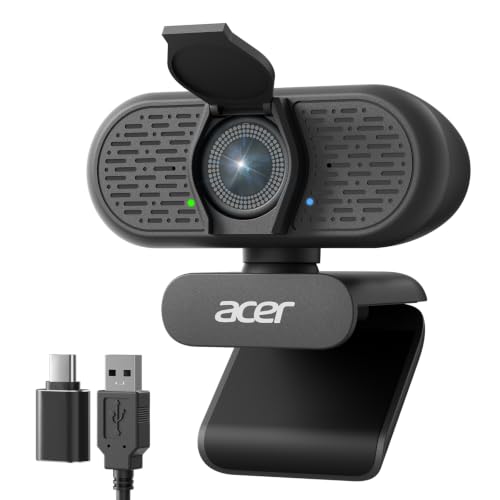
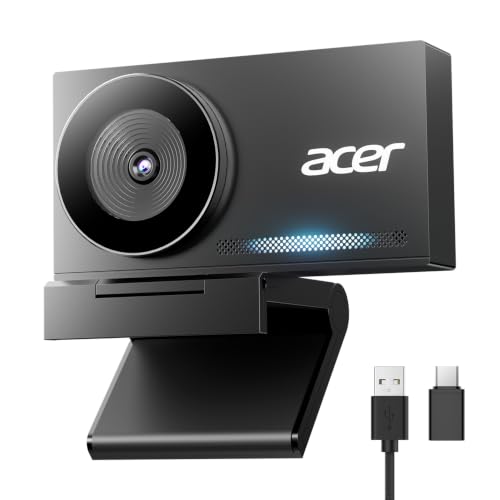
Who Should Buy an Asian Webcam?
Most buyers fall into one of three groups below.
Remote Workers Who Want Strong Value
You join calls every day and want a clear picture without paying for studio features you will never open. Asian brands often pack a 1080p sensor, a decent microphone and a privacy cover into models that cost about $30 to $60. Look for a field of view near 78 to 85 degrees so your face and shoulders fill the frame. If budget is your first filter, see our guide to the best inexpensive webcams for the trade offs at the low end.
Streamers and Teachers Who Appear Live Often
You speak to an audience, share a screen and sometimes show objects or a whiteboard, so framing and motion matter more to you. Choose 1080p at 60 frames per second if you move a lot, or a wider view near 90 degrees if you stand and demonstrate. A tripod thread lets you move the camera off the screen and to eye level, and good autofocus keeps you sharp as you lean toward a prop.
Home Users Who Want Simple Setup and Clear Support
You may set the camera up once and expect it to work each time you open a call app. Choose a model that follows the common UVC standard, because it needs no driver and works as soon as you plug it in. Check that the guide and the companion app are in clear English before you buy, because support pages in English save real time if a setting goes wrong.
Key Features to Compare
Work through these five factors in order, because the first two decide how you look on screen.
Resolution and Frame Rate
Resolution tells you how much detail the sensor captures, and frame rate tells you how smooth motion looks. A 1080p camera suits most calls and streams, while 1440p and 4K models add detail that helps if you crop the image or record close views. Frame rate matters when you move or hold up products, and 60 frames per second looks smoother than 30. Call apps often cap what viewers receive, so match this factor to your app first when you compare best asian webcams side by side.
Sensor Performance in Low Light
Many home offices have one window and a ceiling light, and that mix exposes weak sensors fast. A larger sensor and a wider lens opening gather more light, so your face stays clear with less grain and less harsh brightening from the software. Judge evening samples rather than a single brightness claim, because a camera can look fine at noon and muddy at dusk. If picture quality in poor light is your top concern, see our guide to the best quality webcams.
Field of View and Framing
Field of view is the width of the scene the lens captures, stated in degrees. A view near 70 to 78 degrees suits one person who wants a close, tidy frame with little background. A view near 85 to 95 degrees suits two people, a teacher at a board or anyone who moves while speaking. Very wide views can bend lines at the edges and show more of a messy room. Sit about 2 to 4 feet from the lens, with space above your head in the frame.
Autofocus and Image Controls
Autofocus keeps you sharp as you shift in your chair, while fixed focus models keep one set distance sharp and cost less. Autofocus suits presenters who show items to the camera, but a slow system can pulse while it hunts. Useful controls include exposure, white balance and a zoom you can set and save. If you use a computer on a desk all day, see our guide to the best webcams for pc for placement and connection advice.
Microphones, Mount and Privacy Cover
Most webcams carry one or two microphones, and a pair usually picks up your voice more evenly from either side. Noise reduction helps in a room with a fan, but it cannot fix a camera placed far from your mouth, so keep it within about 3 to 5 feet. The mount should grip screens of different depths and tilt without slipping, and a tripod thread adds options. A privacy cover or lens cap protects you when the camera stays plugged in all day.
Choosing an Asian Webcam for Your Situation
Buying from a brand based overseas adds two checks that local brands rarely raise. First, confirm the warranty names a service route you can use without shipping the camera abroad. Second, confirm the app, manual and support pages are in English and current, because an outdated app can leave settings hard to reach.
Best Live Asian Webcams: What to Check
Live use adds pressure that recorded video does not, because viewers see every stutter as it happens. For the best webcam for streaming experience, favor a stable wired USB connection, since a cable avoids dropouts and delay between voice and picture. Check that the camera works with common streaming software and holds its exposure when a window brightens mid stream. Saved settings are worth more live, because you set them once and trust them on air.
Final Checks Before You Order a Webcam From an Asian Brand
Answer these before you order, and treat any no as a reason to keep looking.
- Does the resolution match what your call or streaming app can actually send?
- Will the field of view frame you well at the distance where you sit?
- Does the camera follow the UVC standard so it works without a driver?
- Are the manual, app and support pages available in clear English?
- Does the warranty offer service or returns inside the United States?
- Does the mount fit your screen and offer a tripod thread if you need one?
- Is there a privacy cover for the hours when the camera is not in use?
Common Mistakes to Avoid
- Buying a 4K camera for an app that caps calls at 720p wastes money on detail no viewer will see.
- Choosing the widest lens for a small room shows clutter and bends the edges of the frame.
- Ignoring support and warranty terms leaves you stuck if the camera fails after the return window.
- Placing the camera far below eye level strains your neck over a long call.
- Leaving the lens uncovered all day risks an open camera if an app starts by mistake.
- Judging low light quality from a noon sample leads to grainy evening calls.
Setup and Care Tips for Your Webcam
Place the camera at eye level or just above it, and light your face from the front rather than from a window behind you. Plug the cable straight into the computer instead of a crowded hub during first setup, because a weak hub can cause flicker that looks like a camera fault. Open your call app, pick the camera by name, set resolution once, then join a practice call to check framing and sound.
Clean the lens with a dry microfiber cloth, since dust and fingerprints soften the picture more than most settings do. Keep the cable free of sharp bends, and store a spare camera in its box. Check the support page a few times a year for firmware updates, and install them with call apps closed.
Asian Webcams: Your Questions Answered
Do Asian webcams work with Windows and Mac computers?
Yes, Asian webcams that follow the UVC standard work with both Windows and Mac computers without a driver. You plug the camera in, open your app and select it as the video and sound source. One extra check is the cable end, because newer laptops may need USB C while older desktops offer USB A, and a small adapter solves that gap.
How much should you pay for a good Asian webcam?
A good Asian webcam for daily calls usually costs about $30 to $60, while models with 1440p or 4K sensors and faster frame rates cost about $80 to $150. Paying more mainly buys low light quality and smoother motion. If you record lessons you sell, the higher tier can pay for itself in fewer retakes.
Can an Asian webcam record a room with two people?
Yes, an Asian webcam can frame two people if its field of view is near 85 to 95 degrees and you sit a little farther back. Sit side by side at a similar distance from the lens so autofocus does not favor one face. A small tripod can also raise the camera and widen the usable frame.
Does an Asian webcam need special software to work?
No, an Asian webcam does not need special software for basic calls, because the UVC standard handles video and sound on its own. The brand app is optional and mainly unlocks saved settings, zoom control and firmware updates. If the app is not in English, you can skip it and still use the camera fully in your call apps.
How long does an Asian webcam usually last?
An Asian webcam usually lasts several years because it has few moving parts besides the tilting mount. The cable near the plug and the mount hinge age first, both stressed by daily adjustment. A camera that flickers or drops from the app often has a cable fault, so test it on a second computer before you replace it.
Final Thoughts
Match resolution and frame rate to your app, pick a field of view that fits your room, and confirm English support and a United States warranty before you pay. Use the product table to compare the models that pass your checklist.
When you judge best asian webcams by how you look on a call and how easy help is to reach, the right choice becomes clearer.


