
Best Archival Printers: Buyer Checklist for 2026
Disclosure: We may earn a commission when you buy through links on this page, at no extra cost to you. As an Amazon Associate I earn from qualifying purchases. Learn more

A checklist for the best archival printers, covering pigment ink, paper paths, print longevity and running costs for photos and fine art.
An archival print should look the same in twenty years as it does the week you make it. That outcome depends less on headline resolution and more on ink chemistry, paper choice, and how a printer handles thick media. This checklist helps you judge best archival printers on the specs that control fade resistance, from pigment ink sets and paper paths to cost per print and driver support. Work through each section, then compare your shortlist in the comparison table below with your own paper and print sizes in mind.


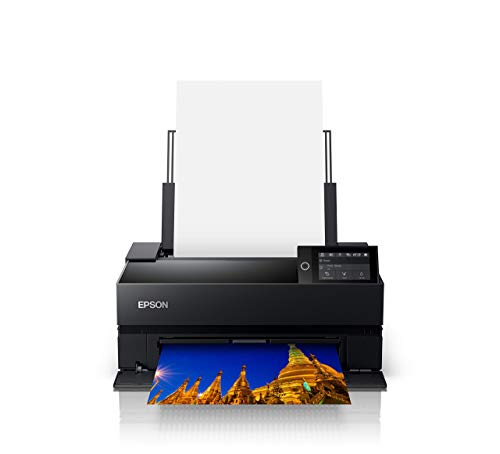
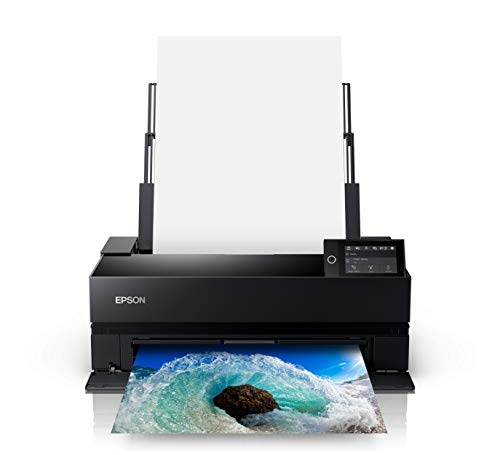


How We Evaluate Archival Printers
Archival quality starts with rated print longevity, which makers estimate for specific ink and paper pairs under glass. Change the paper and the rating changes, so always read ratings as pairs, never as a single number for the printer alone. Start your comparison with our guide to the best quality printers if output quality in general is your first concern, then apply the stricter archival checks below.
Printer Type: Inkjet, Laser and Tank
Pigment inkjet is the archival standard for photos and art, because pigment particles sit on the paper surface and resist water and light far better than most dyes. Laser output lasts well for text documents but lacks the color depth and paper choice of photo inkjets. Tank printers lower ink cost, yet many use dye inks that fade sooner. Dye-based inks suit snapshots and documents, while pigment-based sets are the choice for prints meant to hang for years.
Cost per Page and Ink Costs
Figure cost per print with your real paper size, since a large photo can use several times the ink of a small one. Multi pack pigment cartridges and larger tank volumes lower that cost over time. Watch for printers that force a full set change when one color runs out; individual cartridges waste less. Also budget for cleaning cycles and test prints, which are part of serious printing. Cheap ink from unknown sources can void the longevity story entirely, because fade ratings assume the maker ink set.
Ease of Setup and Calibration
Good archival printing depends on color management, so setup quality matters. Look for clear driver based paper profiles, support for standard ICC profiles, and a simple nozzle check and alignment routine. Printers with a built in calibration tool hold color steady across months. Poor setups bury media settings in menus, which leads to wrong ink loads and muddy shadows. Plan an hour for first setup: load profiles for your chosen papers, print a known test image, and note the settings that work in a small logbook.
Footprint and Noise
Wide format archival printers are large, and they need clearance behind them for a straight rear paper path. Measure the full working footprint with the rear feed open and output tray extended, not just the closed body. Noise is modest on most inkjets, but long cleaning cycles and paper handling on thick stock are audible in a quiet studio. A sturdy, level table matters more than a stylish stand, because vibration during printing can show up as banding on slow, high quality passes.
Connectivity and Mobile Printing
For color managed work, a wired or stable WiFi connection to your main computer matters most, since you will print through a driver or editing app with profiles applied. AirPrint and maker apps are handy for quick proofs from a phone, but they often bypass the fine media settings archival work needs. Check that the maker still supports your operating system version. A printer that loses driver support becomes hard to use long before its print heads wear out, which undercuts the whole idea of a long life tool.
Reliability and Support
Read the warranty terms for print head coverage, because heads are the costly part on pigment printers. Strong support means current drivers, a real manual with media limits, and user communities where paper settings are shared. Reliability also depends on use pattern. Pigment inkjets like regular work; a printer that sits idle for months is more likely to clog. If your volume is low, choose a model known for short, effective cleaning cycles and plan a small weekly print to keep ink moving.
Print Speed
Speed is the least important archival spec, and makers quote it for draft modes you will never use for final work. A careful large print can take several minutes, and that is normal. What matters more is consistency: no banding at the quality setting you choose, and even drying without smears on your paper. Batch printing helps if you sell or exhibit work. Print one proof, confirm color under your viewing light, then run the batch at the same settings so every copy matches.
Three Price Tiers That Pass Our Checklist
The tiers below describe what each budget level usually delivers, without naming models. Match them against the product table above and against the largest print size you truly plan to make.
Best Overall Tier
The overall tier, often around $600 to $1,200, suits photographers and artists who print for display or sale. Expect a wide pigment ink set with separate matte and photo black inks, a straight rear path for thick fine art paper, and sizes up to about 17 inches wide. Running costs settle down thanks to larger cartridges. The limits are size, weight, and the need for regular use. If you print monthly or more at larger sizes, this tier offers the best balance of longevity, color depth, and paper freedom.
Best Value Tier
Value archival printers, often around $250 to $600, fit home photographers printing up to about 13 inches wide. You still get pigment inks and good paper handling, but with fewer ink colors, smaller cartridges, and slower output. Fade performance on matched papers can be excellent, which is what counts most. This is also a sensible step for people moving up from the best computer printers for home, since the workflow feels familiar while print life improves a great deal. The main trade off is cost per large print.
Best Compact Pick Tier
Compact archival models, often around $300 to $700, serve small studios and desks where space rules out a wide body. They focus on letter and A4 sizes, with a few handling 13 inch paper in a fold away rear slot. Ink sets stay pigment based, so longevity holds up even though the body shrinks. Output trays and paper stacks are smaller, so batch work takes more attention. Choose this tier when space is the binding limit and most of your finished prints are modest in size, such as cards, small editions, and family photos.
Quick Buyer Checklist
Answer these questions before you order. They cover the points buyers most often regret skipping, from paper path limits to ink costs.
- Does the printer use pigment inks, with a stated fade rating on the papers you plan to use?
- Can it feed the thickest paper you own through a straight or rear path?
- Does the largest print size match your real needs, with room for borders?
- Are individual ink cartridges or tanks available at a cost you accept per print?
- Does the maker provide ICC profiles for the papers you care about?
- Will you print at least every week or two to keep the heads healthy?
- Does your desk fit the printer with the rear feed and output tray fully open?
Red Flags to Watch For
Be wary of longevity claims with no named paper, since a rating without a paper pair means little. Dye ink printers marketed with the word archival deserve extra scrutiny; ask which ink set earns the claim. Missing media thickness limits, no rear feed on a photo model, and ink sets sold only in forced bundles all point the wrong way. Short driver support history is another warning, especially on older discounted models. Finally, treat any promise that third party inks match maker fade ratings with doubt unless test data backs it.
Tips to Get the Most From Your Archival Printer
Print a small page weekly to prevent clogs, and run a nozzle check before any important job rather than after a failure. Use genuine or reputable ink, because the longevity ratings you paid for assume that ink chemistry. Store paper flat, away from humidity, and handle sheets by the edges so skin oils do not mark the coating. Let prints dry fully before framing, ideally a full day for heavy ink coverage. Keep a note of paper, profile, and settings for every print you love, so you can repeat it exactly.
Archival Printers: Your Questions Answered
Are ink tank printers worth it?
Tank printers are worth it when the tank ink is pigment based and rated for long life on your papers, because refill volumes cut cost per print sharply. Many tank models, however, use dye inks aimed at everyday photos, and those prints fade faster in light. Read the ink type before the tank size. If you print documents more than display work, a tank model can still make sense, as readers comparing the best printers for pictures often find when they weigh cost against display life.
Do I need pigment ink for archival prints?
For prints meant to last, yes. Pigment particles sit on the paper surface and resist light and moisture better than most dyes, which is why makers quote their longest fade ratings for pigment sets on specific papers. Dye-based printers are fine for everyday photos, but check the rated life for your paper before you rely on them for display work.
Inkjet or laser: which is cheaper long term?
For text documents, laser usually wins on cost per page and speed, and toner output resists water well. For photos and art, the comparison changes: laser cannot match inkjet color depth or paper choice, so the cheaper page is not the same product. Serious archival work favors pigment inkjet despite higher ink costs. A mixed household often ends up with a small laser for paperwork and one archival inkjet reserved for prints that need to last.
What does cost per page mean?
Cost per page is the ink and paper cost of one finished print, usually quoted for a standard page with modest coverage. Photo pages cost far more than the quote suggests, because ink coverage can be several times higher and fine art paper costs more per sheet. Estimate your own figure by tracking one cartridge set across a counted stack of prints. Include spoiled sheets and cleaning cycles for an honest number, then compare that figure across the models on your shortlist.
The Bottom Line
Put pigment ink, a paper path that fits your media, and a print size you will actually use at the top of your list. Those three choices decide whether your prints last and whether the printer earns its space. Return to the product table above, match each finalist against this checklist, and pick the best archival printers option that fits your papers, your desk, and your printing rhythm.


