
Best Android Phones for Business: Buying Guide for 2026
Disclosure: We may earn a commission when you buy through links on this page, at no extra cost to you. As an Amazon Associate I earn from qualifying purchases. Learn more

Compare the best android phones for business by security, battery life, software updates, display and storage, with a simple checklist for work buyers.
A work phone has to do far more than make calls. It holds client email, banking apps, documents and two factor sign in codes, often all on the same screen. Choosing the best android phones for business means balancing security, battery life and update support before price.
Name the job the phone must do each day, from field reports to video calls with clients. Then use the product table to match screen size, storage and durability to that job.
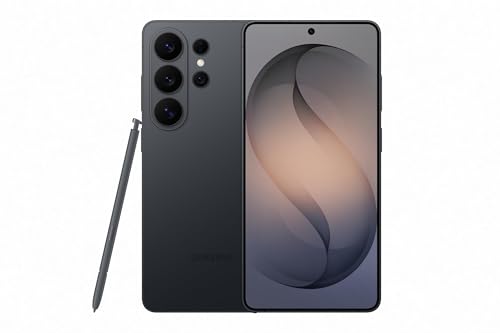


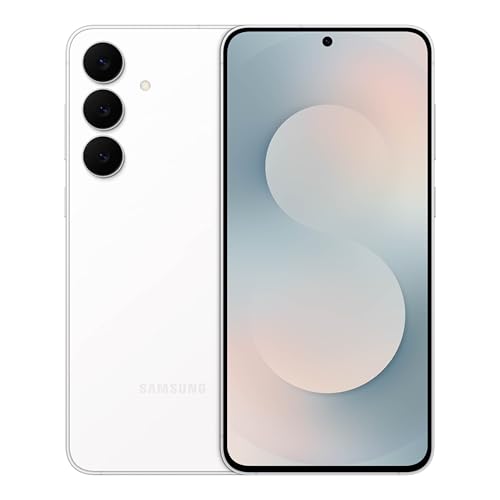
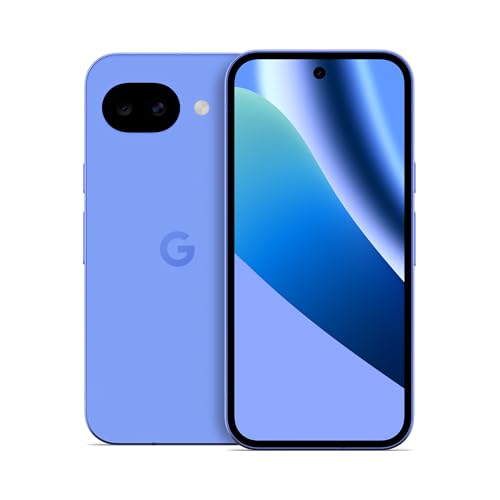
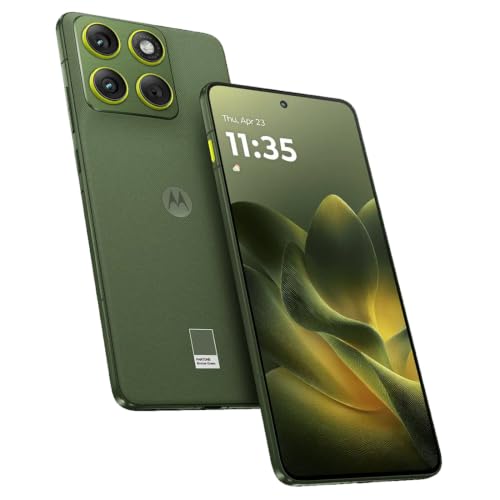
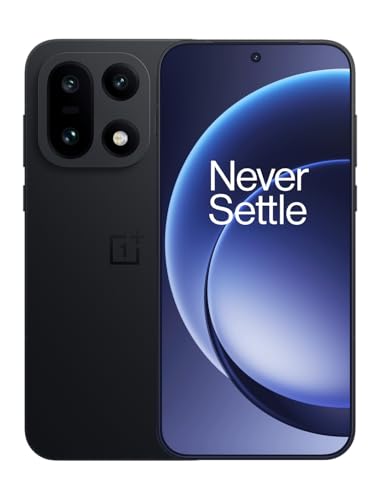
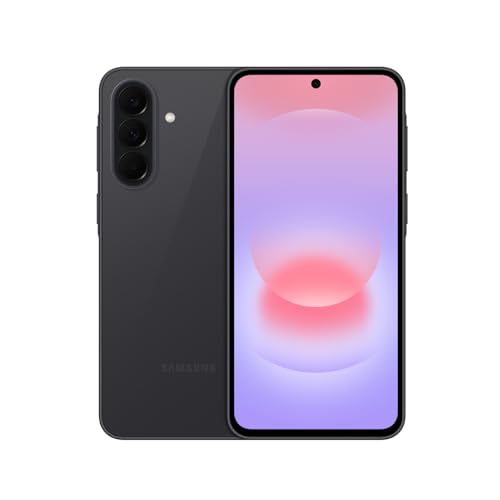


Who Should Buy an Android Phone for Business?
Business buyers do not all need the same handset. A consultant who travels alone, a technician on site and an owner equipping ten staff will weigh battery, toughness and management tools differently. Find your group below first.
Solo Professionals Who Work From Their Phone
Consultants, agents and freelancers often run their whole office from one handset. You need a bright screen for documents outdoors, a battery that lasts through a day of calls and navigation, and enough storage for photos, contracts and offline files.
Field Teams Who Work Away From a Desk
Technicians, drivers and site staff need toughness before camera flair. Look for water resistance, a screen you can read in sunlight and a battery that survives long shifts with location services running. Touch response that works with gloves and a loud speaker help on noisy sites.
Owners and Managers Buying Phones for Staff
If you buy for a team, consistency saves money and time. One model across staff makes cases, chargers and repairs simpler, and management tools let you set up work apps, enforce screen locks and wipe a lost phone remotely. Prioritize long software support over peak speed, since a modest handset that stays secure for years beats a faster model that stops receiving updates early.
Key Features to Compare
When you compare the best android phones for business, the right order is security first, then support length, battery, screen and speed. A fast phone with short update support becomes a risk, while a secure phone that dies by mid afternoon slows work down.
Security and Management Tools for Work Data
A business phone should support a separate work profile, so company apps and files stay apart from personal photos and messages. Strong biometric unlock, such as a fingerprint reader, plus automatic security patches keep client data safer if the phone is lost. Management software lets an administrator push apps, require passwords and erase work data remotely. Solo buyers should still turn on device finding and remote erase before adding any work account.
Software Updates and Years of Support
Software updates fix security flaws and keep banking, payment and company apps working. Look for at least four years of security patches and several major Android version upgrades, stated clearly by the maker. A phone with long support can stay in service longer, which lowers the total cost per year of ownership. Short support is a false saving, because an unsupported phone may need replacing while its hardware still feels fast.
Battery Life and Charging Speed for Long Work Days
Battery size is listed in mAh, and many work suitable models sit around 4,500 to 5,500 mAh. Real endurance depends on screen brightness, 5G use and navigation, so treat the figure as a guide rather than a promise. Fast wired charging helps when you have twenty minutes at a desk between meetings, and wireless charging suits shared office docks. If your day is mostly travel, value a larger battery over a slimmer body.
Display Size and Quality for Documents and Calls
An OLED screen gives strong contrast for reading documents and viewing charts in bright rooms. Screens around 6.1 to 6.7 inches balance readability with comfortable typing, while larger screens suit staff who review plans and spreadsheets on the move. Refresh rate affects scrolling, and 120 Hz feels smoother in long email threads. Outdoor brightness matters most for field staff, so check the stated peak brightness rather than judging by showroom lighting.
Processor, Memory and Storage for Multitasking
Everyday speed comes from the processor and RAM working together. Around 8 GB of RAM keeps email, maps, chat and a browser open without constant reloading, while heavy multitasking benefits from more. Storage of 128 GB suits cloud based workers, but 256 GB is safer if you keep photos, video and offline files on the phone. If raw speed is your top concern, see our guide to the best performing android phones.
Camera, Connectivity and Build for Client Facing Work
A business camera is mainly a tool, since it scans documents, records site progress and joins video calls. A clear main camera and a good front camera matter more than extreme zoom for most roles. For connectivity, 5G speeds up large file uploads away from office WiFi, and an unlocked phone lets you change carriers or add a local SIM while traveling. Build ratings such as IP68 describe resistance to dust and water.
Types of Android Phones for Business Use
Most business handsets fall into three groups, which differ mainly in where the money goes, toward cameras, toward overall balance or toward basic value.
Camera Focused Phones for Content and Client Work
Camera focused phones put budget into lenses, image processing and video quality. They suit real estate agents, sales staff and creators who photograph products, sites or events for clients. Choose this type only when image quality earns money or wins trust.
Mid Range Phones for Most Staff Roles
Mid range phones balance screen quality, battery life and price, and they now include many features once limited to costly flagships. For most office and field roles they are the sensible default for staff who need reliable email, calls, maps and company apps.
Budget Phones for Simple or Large Fleets
Budget phones cover calls, messaging, email and basic apps at the lowest cost, which helps when you equip seasonal staff or keep spare handsets ready. Expect slower cameras, dimmer screens and shorter update support, so check the support promise carefully. For value focused options, see our guide to the best inexpensive android phones.
Common Mistakes to Avoid
Each of these errors costs time, money or security once the phone is in daily use.
- Buying on camera specs alone leaves you with weak update support, so the phone may become unsafe for work apps sooner than expected.
- Choosing 128 GB when your team stores video offline leads to full storage warnings and missed recordings during site work.
- Skipping a work profile mixes personal and company data, so a lost phone puts client information at greater risk.
- Ignoring carrier bands on an imported phone can leave you with poor 5G coverage or no signal in the areas where you work.
- Paying for maximum speed but neglecting battery size means staff end the day tied to a charger instead of serving clients.
Care and Maintenance Tips for a Business Android Phone
Fit a case and screen protector on day one, since a cracked screen can take a work phone out of service for days. Clean the charging port gently with a dry, soft brush if charging becomes unreliable, and keep the phone out of parked cars and direct heat, which age the battery faster. Restart the phone each week to clear minor glitches.
Back up photos, documents and contacts to a cloud account or office system each week, so a lost phone does not mean lost records. Set your home screen with calendar and task tools for faster access, and for ideas see our guide to the best widgets for android phones.
Android Phones for Business: Your Questions Answered
What features matter most in a business android phone?
A secure phone that your company apps fully support matters most. Before buying, confirm that your email, expense and industry apps run on that Android version and that the maker allows work profile use. Also check speaker clarity in a noisy room, since a phone you cannot hear on calls fails at its most basic job.
Should I buy an unlocked android phone for business use?
Yes, an unlocked phone is usually the safer choice for business use. It lets you change carriers when coverage or pricing improves and makes travel simpler with a local SIM. One caution is to confirm the exact model is approved by your carrier for features such as WiFi calling, since support can vary by handset variant.
Is a mid range android phone good enough for business work?
Yes, a mid range phone handles email, calls, documents, maps and video meetings comfortably for most staff. The real limits appear with heavy video editing, very large files or years of demanding apps. If a role depends on those tasks daily, step up for more RAM and storage rather than paying for camera features the job never uses.
Does a business android phone need 5G?
A business phone does not need 5G everywhere, but 5G helps in cities and busy venues where 4G slows down. It matters most if you upload large files or use the phone as a hotspot for a laptop. In rural areas, strong 4G coverage and a carrier with good local reach will serve you better than a 5G badge.
How much storage does a business android phone need?
Choose 256 GB if you are unsure, because it leaves room to grow. Apps, system files and message attachments quietly consume space, and a phone kept nearly full can slow updates and backups. Cloud based staff can manage with 128 GB, but keep at least a fifth of storage free for meeting recordings and scans.
How many years of software updates should a business android phone get?
Look for at least four years of security updates, counted from the model launch date rather than the day you buy it. A discounted older model may look cheap yet have only two years of cover left. Ask the seller for the support end date in writing before a fleet order.
Final Thoughts
For most buyers, the safest route is a secure handset with long update support, a battery that lasts your full work day and storage matched to how you handle files. Check the product table before you order, and the best android phones for business choice becomes a practical one rather than a gamble on headline specs.

