Best Ambidextrous Mouse for Every Need in 2026: How to Pick the Right One
Disclosure: We may earn a commission when you buy through links on this page, at no extra cost to you. As an Amazon Associate I earn from qualifying purchases. Learn more

Compare the best ambidextrous mouse by shape, side buttons, weight and connection, matched to study, travel, remote work and gaming on a real budget.
There is no single ambidextrous shape that suits every hand, desk, or game. A student sharing a family computer, a traveler working from a train seat, and a player who aims with the left hand all ask different things from the same basic shape class. This guide walks through the best ambidextrous mouse choices by use first, so you can match shape, buttons, and connection to the way you actually sit and click. The product table below lines up the main options side by side.
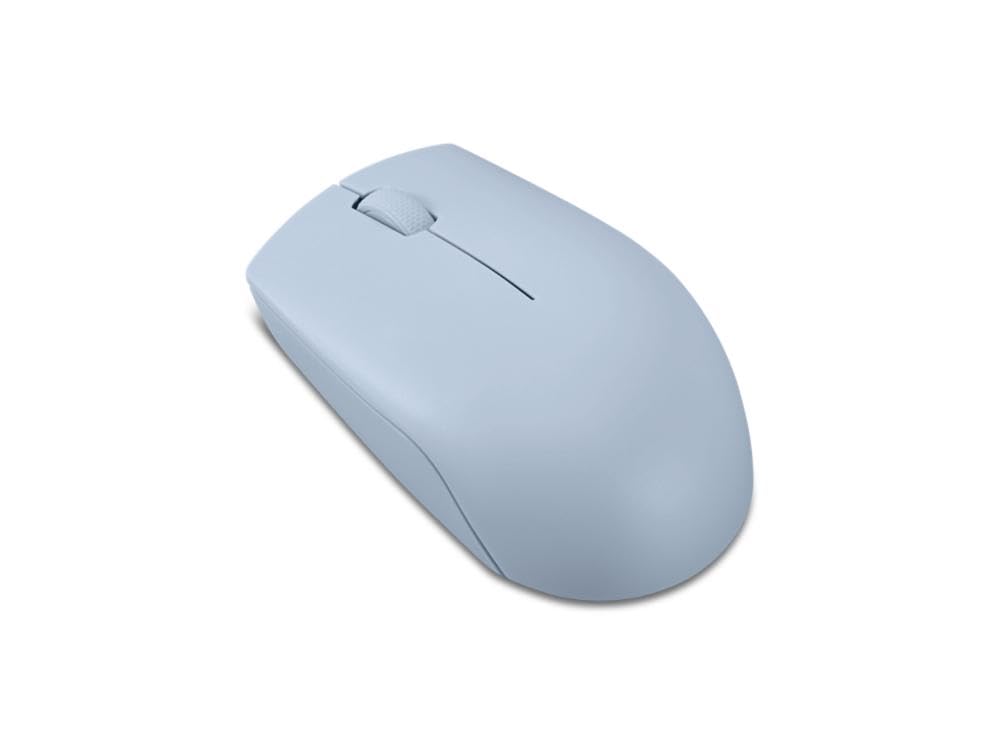
One point deserves stating plainly before any feature list: ambidextrous is a shape class. The shell is mirrored down the middle, so either hand can hold it, and that symmetry is the whole purchase. The trade is just as plain: a symmetric shell gives up the sculpted palm support and thumb rest that a shaped shell builds in for one hand only. If you switch hands, share a desk, or prefer a flat and neutral grip, that trade is worth making on purpose.







Who Should Buy the Best Ambidextrous Mouse for Each Need?
Start from the chair you sit in most, not from the feature list. The four groups below cover the needs that actually separate one symmetric mouse from another.
For Students and Everyday Users
A shared home or dorm desk is where symmetry earns its keep, because the mouse changes hands without complaint. Look for a stable wired model or a simple Bluetooth model with a battery that lasts a school term, and expect to pay about $20 to $45. Fancy sensors and feather weights add nothing here. What matters is a shell size that fits teenage and adult hands alike, and a scroll wheel that does not rattle.
For Travelers and Commuters
A travel mouse lives in a bag pocket, so a low and flat shell packs better than a tall one and survives being crushed against a charger. Bluetooth matters because it removes the small receiver that is so easy to lose in a hotel room. Battery life runs to months in this class, and a pouch keeps the buttons from waking the mouse inside the bag. Our guide to the best mouse for laptops goes deeper on the size and battery tradeoffs for daily carry.
For Remote Workers and Creators
Long days reward quiet clicks, a wheel that can tilt or spin freely through long documents, and pairing with two or three devices so one mouse serves a laptop and a desktop. Reliability beats speed here, because a dropped connection in a call costs more than a slower cursor. Some desks are simpler bought as a matched set, and our guide to the best mouse and keyboards covers those bundles, which are a separate purchase class from a standalone mouse.
For Gamers and Power Users
Players ask the most of this shape class: a sensor that does not spin out at fast swipes, clicks with no mush, and a weight that does not tire the wrist over long sessions. Symmetric shells are a long tradition in competitive play because the grip stays neutral at any angle. Our guide to the best mouse for gaming covers the wider field, while the best gaming mouse ambidextrous models are built for serious play in this shape class.
Key Features to Compare
Side buttons are where the symmetric class splits into three different purchases. Some shells carry buttons on both sides, some carry them on the left side only, and some carry none at all. Buttons on both sides serve either hand fully, one side only quietly makes it a right hand design, and a clean shell suits fingertip players who never use side buttons. Decide which of the three you are buying before you compare anything else.
Durability and Warranty
Switch ratings are the headline durability figure, and they run from about 20 million to about 90 million clicks depending on the class. Treat the number as a rough class marker rather than a promise, since dust and grip pressure wear a mouse in ways a rating counter never sees. A warranty of two years or more signals real confidence in the switches and wheel. On wired models, check that the cable has strain relief at the shell, because that joint is where wired mice usually die.
Weight and Build Quality
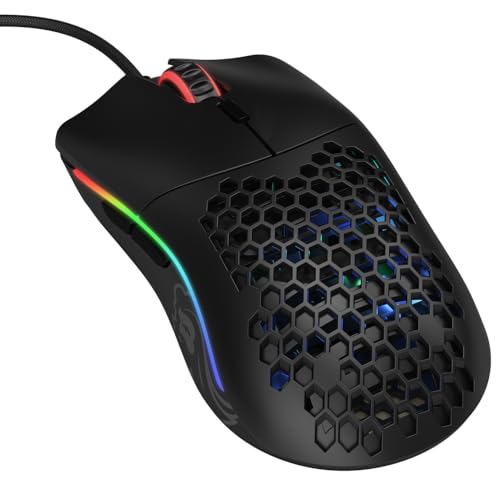
Weight classes split cleanly: under about 60 grams feels light and fast for fingertip play, about 60 to 90 grams suits most hands and grips, and heavier shells feel planted for slow office work. A matte coating grips better than a glossy one once hands warm up, and large smooth feet let the mouse glide without scratching on a bare desk. Perforated shells cut weight but let in dust and crumbs, so solid shells are the safer buy for a desk that also holds lunch.
Wired vs Wireless (2.4 GHz, Bluetooth)
A wired connection is still the simplest class: no battery, no receiver, and no wake up delay. The 2.4 GHz wireless class with a small USB receiver matches wired response closely enough for gaming, and our guide to the best ambidextrous wireless gaming mouse compares those cable free gaming shells. Bluetooth is the office and travel class, pairing without a receiver at the cost of a small wake up delay. Rechargeable models with USB C ports end the disposable battery habit, and a receiver storage slot inside the shell is worth real money to travelers.
Ergonomics, Size, and Grip Style
Measure your hand from fingertip to wrist crease before you shop, because shell length classes are built around that number. Palm grip users want a taller hump that fills the hand, claw grip users want a shorter shell with a defined rear slope, and fingertip users want the lightest and flattest shape they can find. Read comfort claims with care: a mouse supports hand comfort during long sessions, but it does not treat wrist pain. Pain that persists, numbness, or tingling belongs to a clinician, not to a product page.
Compatibility (PC, Mac, Console)
Every model in this class works as a basic pointer on Windows, Mac, and Linux the moment it connects. The differences hide in the software: button remapping and DPI steps are often set in a maker app that may run on one system only, while onboard memory models carry their settings to any machine. Console support is the narrowest class, since most consoles accept a mouse only in certain games and menus. If you plan to remap side buttons on a Mac, confirm the app exists for Mac before you pay.
Common Mistakes to Avoid When Buying an Ambidextrous Mouse
- Shopping by the headline DPI figure, which says almost nothing about how a sensor tracks at the speeds you actually use.
- Skipping the side button layout, then finding the buttons sit under the wrong thumb for your main hand.
- Guessing shell size instead of measuring your hand, so the hump lands in the wrong part of your palm.
- Buying a wireless model with nowhere to store the receiver, and losing the receiver within a month.
- Expecting a symmetric shell to cradle your hand like a sculpted one, when the flat shape is the deliberate trade.
How to Make Your Ambidextrous Mouse Last Longer
Blow dust out of the sensor window and the gaps around the buttons with dry air every few weeks, because grit in a switch gap is the usual cause of phantom double clicks. Keep the firmware current through the maker app, since updates often fix wheel and connection bugs. Use a smooth pad so the feet wear evenly instead of grinding down on a rough desk edge. Store the receiver in its slot inside the shell when you travel, and keep drinks on the other side of the desk, because one spill ends more mice than any switch rating.
Ambidextrous Mouse: Your Questions Answered
What DPI range does an ambidextrous mouse need for work and gaming?
Most users need far less than the headline figure suggests. Office work feels right at about 800 to 1,600 DPI, and most players settle between 400 and 3,200 DPI depending on screen size and game pace. The number that matters more is whether the sensor tracks cleanly at your setting without smoothing or jitter. An adjustable range you can step through on the mouse beats a huge maximum you will never use.
Is a wired or wireless ambidextrous mouse better for gaming?
For most players, a good 2.4 GHz wireless model now feels the same as wired during play, and it removes cable drag across the desk. Wired still wins on two plain points: it never needs charging before a session, and it costs less for the same sensor class. Choose wired for a fixed desk on a budget, and wireless when the desk is shared or the setup moves.
Does an ambidextrous mouse work with Mac computers and game consoles?
Yes as a basic pointer, with limits worth knowing before you buy. Clicking, scrolling, and standard buttons work on Mac and on consoles that accept mouse input, usually only inside supported games and menus. The catch is configuration: remapping side buttons or setting DPI steps often needs the maker app, and some apps are Windows only. Models that store settings on the mouse itself dodge that problem, since the settings travel with the hardware.
Are ambidextrous mice a good choice for left handed players?
They are the main choice, and the good ones are genuinely mirrored rather than merely flat. Check that the side buttons exist on the right side of the shell for a left thumb, and that the software lets you swap the primary click without fighting the settings. Some symmetric shells place buttons on the left side only, which quietly makes them right hand mice.
How long do the switches in an ambidextrous mouse usually last?
Rated figures run from about 20 million to about 90 million clicks, which translates to years of normal use in any class. Real life usually ends a switch through dust or a worn spring rather than the rated count, and the first symptom is a click that registers twice. Keeping the button gaps clean stretches any switch class further than the rating implies.
Wrapping Up
Buy the shape first, the buttons second, and the connection third. Decide whether your hand wants buttons on both sides, one side, or none, then pick wired, 2.4 GHz, or Bluetooth to match your desk. Chosen that way, the best ambidextrous mouse for you is simply the one whose class matches your day. Look back at the product table above to compare the options side by side before you order.