Best Black PC Cases in 2026: Which Type Is Right for You?
Disclosure: We may earn a commission when you buy through links on this page, at no extra cost to you. As an Amazon Associate I earn from qualifying purchases. Learn more
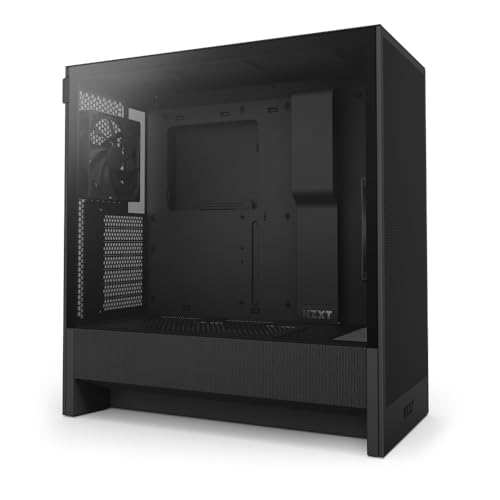
Builders choosing the best black pc cases can compare types by size, airflow, board fit, and cable room, plus typical price bands.
Start with air, not colour. A case is an airflow and fit purchase: the colour is the last fact to read, and a sealed glass front that looks clean on a desk trades moving air for that look every hour the machine runs. Choose the best black pc cases by how they breathe and what they hold, and the black finish becomes the easy part of the decision.
Read the case from the board outward. The form factor class decides which boards fit, which coolers clear, and how much room your hands get, so size comes before style in every section that follows. The comparison table below sets the four main types side by side, and the rest of this guide works through cooling, cable room, noise, and price in that order.
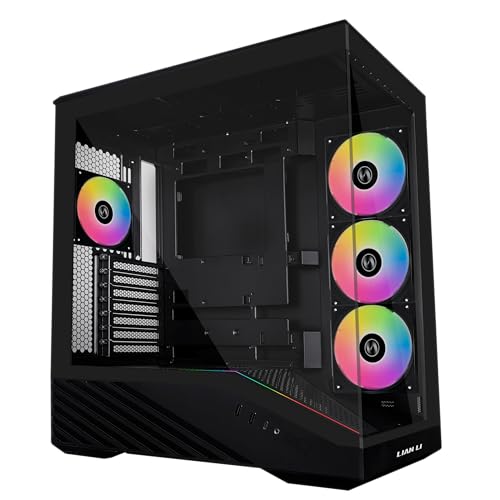


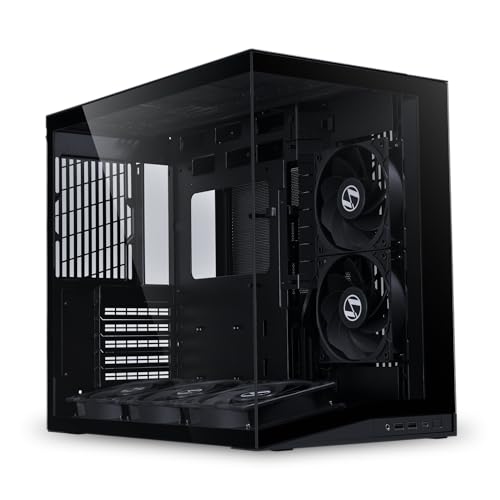


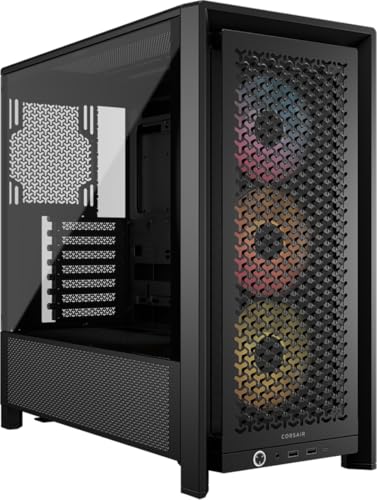
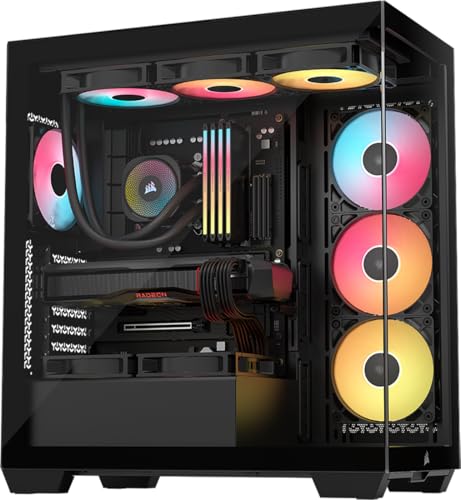
Types of Black PC Cases Compared
The table below gives the working facts for each type: what it holds, where it struggles, and what it usually costs.
| Type | Best For | Pros | Cons | Typical Price |
|---|---|---|---|---|
| Full tower | Large builds and water cooling | Room for big radiators, many drives, easy cable work | Heavy, tall, needs floor space | About $150 to $300 |
| Mid tower | Most home builds | Fits standard boards, good airflow choice, wide price spread | Less room for the largest radiators | About $60 to $180 |
| Micro tower | Smaller boards and tidy desks | Compact, lighter, lower cost | Tighter cable room and cooler limits | About $45 to $110 |
| Small form factor | Minimal desks and living rooms | Smallest footprint, quiet looks | Careful part planning, warmer inside | About $80 to $220 |
Full Tower Cases
Full towers are the room class. They swallow large boards, long graphics cards, thick radiators, and rows of drives without a fight, and the spare space makes building and cleaning calmer work. The costs are size and weight: a loaded full tower is furniture, not luggage. Choose this type when your build list is long, your cooling plans are ambitious, or you upgrade parts often enough that working room matters every single time.
Mid Tower Cases
Mid towers are the default class for home builds, and the default exists for good reasons. A standard board fits, a tall air cooler usually clears, and front mesh versions move plenty of air for gaming and work loads. Price spread is wide, so the same type covers careful budget builds and polished show builds. If you have no special size demand, start here and only leave the class when a part or a desk forces the move.
Micro Tower Cases
Micro towers shrink the box around smaller boards and reward tidy planning. They suit office machines, family computers, and modest gaming builds that use one graphics card and a couple of drives. Airflow paths are shorter, which can help, but cable room behind the tray is thin and large coolers often fail the clearance check. Measure every part before ordering, because this class forgives guessing less than the bigger types do.
Small Form Factor Cases
Small form factor cases treat volume as the budget, so every litre is planned: compact power supplies, short cables, and coolers chosen by millimetre. The reward is a machine that sits on a small desk or beside a television without dominating either. Heat is the honest trade, since dense parts share little air. Builders who enjoy planning get the most from this class, and the specialist guide to best itx pc cases covers its smallest board standard in depth.
Full Tower vs Small Form Factor: Which Should You Choose?
These two types answer opposite questions. The full tower asks how much you might add later, while the small form factor asks how little space you can happily give up now. Cooling headroom belongs to the tower, desk peace belongs to the compact case, and noise follows the same split because bigger cases fit slower, quieter fans. Parts freedom is the tiebreaker: if your build list keeps growing, buy room; if your build list is fixed and short, buy small and enjoy the desk.
How to Choose the Right Black PC Case
Five checks settle most purchases: board fit, cooling support, cable room, noise, and power supply space. Ranking lists can inform the search, but treat sweeping claims like best pc cases of all time as a starting point only, since a score that mixes decades of builds cannot know your desk, your board, or your noise limits. Work through the checks below with your own parts list in hand.
Board Size and Form Factor
The board is the fixed point of the build. Standard ATX boards need a mid tower or larger, smaller micro ATX boards open the micro tower class, and the smallest boards belong to compact cases. Check standoff layout, board width against cable grommets, and rear port space before anything else. Our guide to best matx pc cases covers the middle board size, a sweet spot for builders who want a smaller box without compact case planning.
Airflow and Cooling Support
Air has to enter, cross the hot parts, and leave. Mesh fronts and tops give air the easiest path, while solid panels with side vents restrict it and make fans work harder for the same result. Count fan mounts, check radiator sizes at the front and top, and confirm your cooler height against the case width. Fans themselves are a component purchase of their own, covered separately in our guide to best pc case fans.
Graphics Card and Cooler Clearance
Long graphics cards are the most common fit surprise in modern builds. Compare card length against the case limit with the front fans or radiator fitted, not against the empty shell figure. Tall air coolers need width, and thick radiators plus fans need combined space at the top or front. A case that clears your parts by a few millimetres is fine; a case that clears them only on paper is a return waiting to happen.
Cable Room and Build Finish
Cable space decides how the build looks and how it feels to work on. Room behind the motherboard tray, sensible cutouts with rubber edges, and a power supply shroud turn a first build from a wrestle into a sequence. Deep channels also keep cables out of the airflow path. If you open your machine often for upgrades or cleaning, weight this factor higher, because tidy cable room pays you back on every visit inside.
Noise and Panel Choice
Glass, solid steel, and mesh panels sound different. Solid panels with foam lining hush fan and coil noise but usually cost some airflow, while mesh runs cooler and lets more sound escape. Glass shows the build and hides nothing, including dust and cable slips. Think about where the machine lives: a bedroom desk rewards quiet panels, while a machine under a desk in a busy room can trade noise for air without bothering anyone.
Power Supply Fit and Drive Space
Confirm the power supply format and length your case accepts, especially in compact types that use smaller supply classes. Then count drive needs honestly. Most home builds now run on one or two solid state drives, so huge drive cages matter less than they once did, while creators with archive drives still need real bays. Leave one spare bay and some supply headroom for the upgrade you have not planned yet.
Choosing Black PC Cases for Your Situation
Colour is a real factor once the working checks pass, and it changes more than looks. The two colour questions below come up in almost every shortlist conversation.
Best White and Black PC Cases
Two tone builds pair a white shell or interior with black panels, frames, or glass borders, and the mix changes how a build reads on the desk. A white interior reflects light and makes parts and cables easier to see during building and cleaning, while black frames hide seams and cable shadows. Dust shows sooner on white edges, and matching white parts can narrow your choices and raise cost. Pick this direction when the machine is on display and you enjoy the contrast.
Best Non Black PC Cases
Fully light or coloured cases suit rooms where a black box would look heavy or disappear into shadow. Lighter shells show internal dust less starkly at the glass, though dark dust still marks pale fans and filters over time. Colour choice also affects part matching, since coloured cases pair best with neutral black internals rather than competing accents. Treat colour as the finish on a sound type decision: the airflow, board fit, and cable room rules from this guide apply in exactly the same way.
Tips to Get the Most From Your Black PC Case
- Vacuum or wash dust filters about every three months, sooner in homes with pets, because clogged filters quietly strangle airflow.
- Set fan curves in the BIOS or board software so fans stay slow and quiet at idle and only rise under real load.
- Keep the floor around a floor standing case clear, since bottom intakes breathe carpet dust first.
- Route spare cables into the shroud area rather than the main chamber so the air path stays open.
Black PC Cases: Your Questions Answered
Should a black PC case use air cooling or liquid cooling?
Air cooling suits most black PC case builds, because a good tower cooler is simple, quiet at idle, and has no pump to wear out. Liquid cooling earns its space when a hot processor sits in a compact case or when you want radiator fans to run slowly under load. The case decides what is possible: check radiator mounts and thicknesses before choosing. Either way, a mesh front helps both systems more than any other single feature.
How big should a black PC case be for a first build?
A mid tower is the safest size for a first black PC case, because it fits standard boards, forgives cable mistakes, and leaves room for a bigger graphics card later. Smaller cases reward experience, since every part must be planned in order. If your desk is shallow, measure its depth before falling for a full tower. Leaving a hand width of space behind the case for cables and exhaust air is a good rule.
Do black PC cases show dust more than lighter cases?
Yes, black PC cases show settled dust clearly, because pale dust contrasts strongly against dark paint and glass. The difference is cosmetic rather than functional, since the same dust collects inside any colour of case. A quick wipe of the top panel and glass about once a week keeps a black case looking sharp. Filters matter more than colour here: a filtered intake slows the dust that reaches your parts in the first place.
How much should a first black PC case cost?
A first black PC case usually makes sense at about $60 to $120, where steel quality, cable room, and included fans are honestly good. Below that band, cases often skimp on filters, panel fit, or fan count, which you then pay to fix. Above it, money buys glass quality, quieter panels, and easier building rather than better cooling by default. Spend the difference on the monitor or storage if your build budget is tight.
Can a small black PC case hold a long graphics card?
Some small black PC cases can hold a long graphics card, but only when the layout was designed around it, so the stated clearance is the whole answer. Check the limit with front fans fitted, since a radiator or fan can shorten the usable space by a wide margin. Compact cases also route card heat close to other parts, so plan airflow deliberately. When in doubt, a mid tower removes the question entirely and costs less.
Wrapping Up
Type first, then board fit, airflow, and cable room, with colour as the final polish. The product table collects the shortlist once those checks are done. Read that way, the best black pc cases are simply the cases whose working facts match your build, wearing the finish you wanted all along.