Best All Round Gaming Mouse: Everything to Know Before Your First Purchase in 2026
Disclosure: We may earn a commission when you buy through links on this page, at no extra cost to you. As an Amazon Associate I earn from qualifying purchases. Learn more

Shopping for the best all round gaming mouse for the first time? Learn the terms, compare options, and avoid rookie mistakes with this easy guide.
Buying your first gaming mouse feels confusing because every listing shouts about DPI, polling rates, and switches. You need balance, not the most extreme numbers. The best all round gaming mouse for you handles fast shooters, slower strategy games, and daily desk work with one comfortable shape. This guide explains each choice so you can read the comparison table below.
Start with three answers: your hand size, the games you return to most, and whether your desk also holds a laptop for work or study. Those answers guide almost every decision that follows.


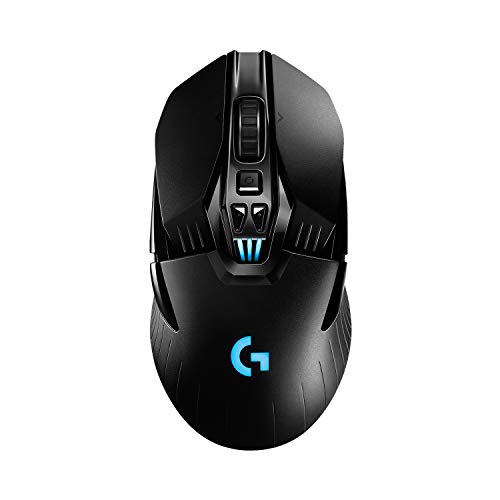

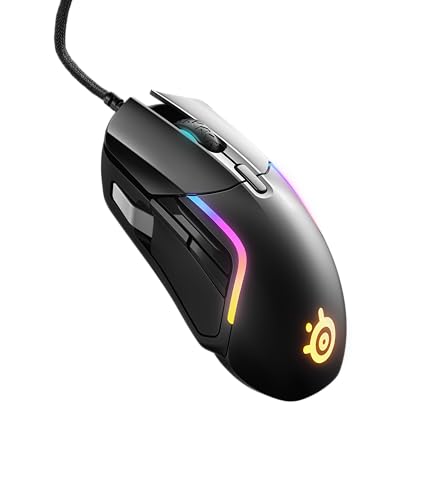


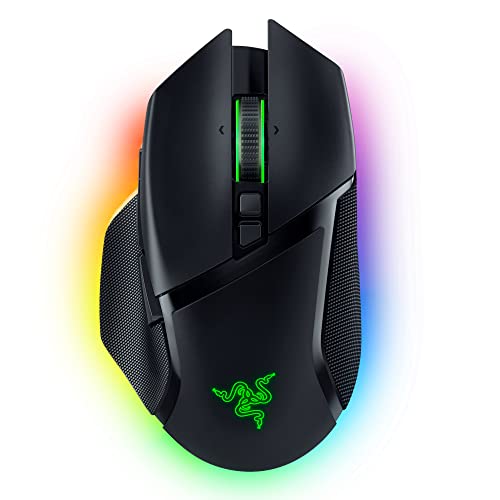
All Round Gaming Mouse Basics for First Time Buyers
An all round gaming mouse is a balanced mouse, not a specialist tool. Specialist models chase one extreme, such as many side buttons or the lowest weight for fast flick shots. An all round model sits between those extremes, with a sensor that tracks fast and slow movement well, a shape that suits more than one grip, and enough buttons for daily tasks. That balance is what makes the best all round gaming mouse a sensible first purchase.
Wired models often cost under $40, wireless models about $40 to $80, and premium models about $80 to $150. On a tight budget, see our guide to the best inexpensive gaming mouse first.
Who Should Buy an All Round Gaming Mouse
An all round model suits you when no single game or task owns your desk.
Players Who Switch Between Fast Shooters and Slower Strategy Games
You play quick aim based games on some nights and calm strategy games on others. Choose a reliable sensor, two side buttons, and a shape you can lift and reset without strain. Light models favor fast aim, and heavier ones feel steadier for slow camera work. If competitive shooters are almost all you play, see our guide to the best mouse for gaming.
Desk Users Who Mix Work, Study, and Play on One Mouse
Your mouse moves from documents and classes to games in the same evening. Look for firm clicks, a wheel that steps clearly through long pages, and a connection you can swap between computers. Many models pair with one computer by receiver and another by Bluetooth, so a switch moves you from desktop to laptop.
Players Who Travel or Use Compact Desks
You play on a laptop in small rooms where desk space is tight. Compact travel models weigh less, pack flat in a bag, and often store their receiver inside the body. Onboard memory matters for you too, because your button settings travel with the mouse to a different computer.
Key Features to Compare
Compare the six factors below in order. Shape and connection matter more than any headline number.
Wired, Wireless Receiver, and Bluetooth Connections
A wired mouse never needs charging and responds steadily, though its cable can drag on the desk edge. A 2.4 GHz wireless connection uses a small USB receiver and now matches wired response closely enough that most players cannot feel a gap in wireless latency. Bluetooth needs no receiver and saves battery, but responds a little slower and suits calm games better than fast shooters. Choose wired for the simplest start and a receiver for clean desk gaming.
Sensor, DPI, and Polling Rate
The sensor reads the surface under the mouse and turns hand movement into cursor movement. DPI describes how far the cursor travels for each inch you move the mouse, so higher DPI feels faster and lower DPI feels more controlled. Most players settle between about 800 and 1600 DPI for shooters. Polling rate describes how often the mouse reports its position, and 1000 Hz is a solid standard. Gains above that are small for a first purchase.
Click Switches and Extra Buttons
Each main button sits over a switch that registers your click. Mechanical switches use metal contacts and feel crisp and familiar, while optical switches register the click with light and avoid wear from contact. Most all round models carry five to seven buttons, including two thumb buttons for going back a page, using an ability, or pushing to talk. Extra buttons help only if your thumb reaches each one without shifting your grip.
Battery Life and USB C Charging
Wireless models run about 40 to 90 hours on one charge over a receiver connection, and longer over Bluetooth. Your real figure depends on daily play time, so a model at the low end may still last two weeks. USB C charging is convenient because one cable charges your mouse, phone, and other gear. Many models also work while plugged in, so a low battery is only a short pause.
Weight, Shape, and Grip Style
Models around 50 to 80 grams feel quick to lift, while models around 80 to 100 grams feel calmer for slow, precise work. An ergonomic shape supports one hand with curves, while a symmetrical shape suits either hand and more grips. With a palm grip your whole hand rests on the mouse, with a claw grip your fingers arch, and with a fingertip grip only your fingers touch it. Measure your hand from fingertip to wrist crease and match it to the size notes. A mouse that fits beats a lighter one that does not.
Software, Macros, and Onboard Memory
Most gaming mice pair with a companion app where you set DPI steps, assign buttons, and record macros that run a short sequence from one press. Keep macros simple, such as a push to talk key, and check game rules because some titles ban certain macro use in ranked play. Onboard memory stores settings inside the mouse itself, so your layout arrives with you on a new computer and you skip installing the app again.
Getting Started: Setup and First Use of a Gaming Mouse
Charge a wireless mouse fully, then connect by cable or place the receiver in a USB port close to your desk. A receiver hidden behind a large tower can lose signal, so use an extension cable or a front port. Install the companion app, update its firmware, and set two or three DPI steps.
Glass and glossy finishes confuse many sensors, while a cloth pad gives even tracking. For pairing ideas, see our guide to the best gaming mouse and pad. Then play a familiar game for fifteen minutes first, because your hand needs time to learn the new shape.
Common Mistakes First Time Gaming Mouse Buyers Should Avoid
- Chasing the highest DPI figure leaves your cursor jumpy and your aim hard to control.
- Choosing a shape from photos alone leaves you with a mouse that strains your hand in long sessions.
- Playing fast shooters over Bluetooth adds delay that makes quick aim feel late and uneven.
- Placing the wireless receiver far from the mouse invites dropouts at the worst moments.
- Skipping a mouse pad leaves tracking uneven, so the sensor can skip mid movement.
Care and Maintenance for a Gaming Mouse
Wipe the shell with a soft damp cloth once a week, and use a dry soft brush to clear dust from the wheel grooves and button seams. Keep the sensor lens clean, because a smudged lens can cause uneven tracking. Skin oils build up on the main buttons and make them feel slick.
Check the feet on the underside every few months. Worn feet make the mouse scratch and drag, and fresh feet restore a smooth glide. If your pad is due for a swap, see our guide to the best gaming mouse mat. Store the receiver inside the mouse for travel, and charge the battery before it sits empty for weeks.
Frequently Asked Questions
Does an all round gaming mouse work with Mac computers and game consoles?
Yes, an all round gaming mouse works with Mac computers and with many consoles for basic pointing and clicking. The limits sit in the software, because companion apps are often built for Windows first, so save custom button settings to onboard memory on a Windows computer before you switch. Console support depends on each game, since many titles accept mouse input only in certain modes.
What DPI setting does an all round gaming mouse need for most games?
Most players need only about 800 to 1600 DPI for most games on an all round gaming mouse. To settle yours, raise or lower the setting in small steps of about 100, then play a full match before judging it. Your in game sensitivity setting multiplies the DPI figure, so a small DPI change can feel large once both settings combine.
Should a first time buyer choose a wired or wireless gaming mouse?
A first time buyer can choose either, and wireless suits most desks well now. One point buyers often miss is packing, because a wired mouse travels with no receiver to lose and no battery to check before a trip. Pick wireless if cable drag bothers you on a small desk, and pick wired if you want the lowest price and zero charging for good.
How long does a wireless gaming mouse battery last between charges?
A wireless gaming mouse battery usually lasts about one to three weeks of daily play between charges. Lighting is the fastest drain you control, so turning the lights down can add many hours, and a high polling rate shortens life as well. Plug the mouse in during a meal break on the day the low battery light appears, rather than waiting for it to die mid game.
Can an all round gaming mouse handle office work as well as games?
Yes, an all round gaming mouse handles office work well, and some gaming features help there too. A wheel with a free spin mode races through long spreadsheets and documents, then clicks back to stepped scrolling for careful reading. The thumb buttons also work as back and forward controls in a browser, which saves trips to the corner of the screen all day.
Wrapping Up
Start with fit, because shape and grip decide whether a mouse feels right after an hour. Then choose your connection, check that the sensor and buttons cover your games, and let price settle the tie. Compare your shortlist with the product table above.
Chosen with those points in mind, the best all round gaming mouse becomes a tool you forget about while you play. That is the real sign you picked well.