Best Alexa Smart Thermostat: Everything to Know Before Your First Purchase for 2026
Disclosure: We may earn a commission when you buy through links on this page, at no extra cost to you. As an Amazon Associate I earn from qualifying purchases. Learn more
Learn the key terms, compare features and avoid common mistakes when choosing the best alexa smart thermostat for the first time.
Buying your first smart thermostat can feel like learning a new language, with talk of C wires, heat pumps, and geofencing before you even reach the price. This guide slows everything down and explains the best alexa smart thermostat choices in plain English, from the basic terms to the final setup. By the end, you will know what your home needs, what you can safely skip, and how to avoid the mistakes that frustrate most first time buyers.
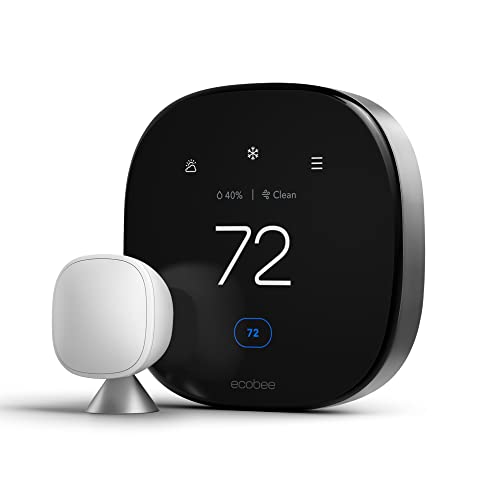
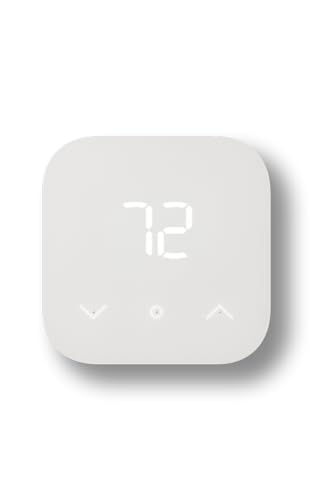
Keep the product table open as you read, and match each term you learn to a model in the table. If you already know your system type, our guide to the best smart thermostat compatible with alexa goes deeper on voice features.


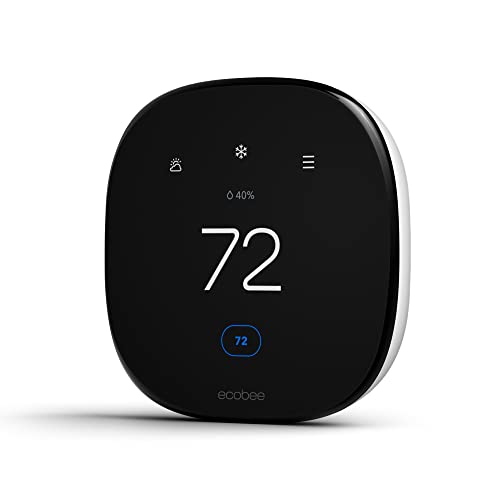

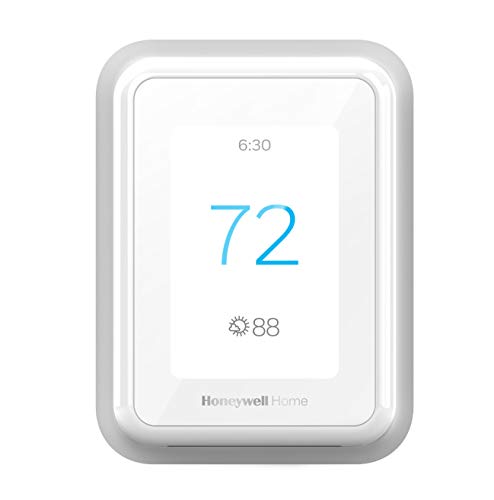


Alexa Smart Thermostats 101: The Basics
A smart thermostat replaces your old wall control and connects to your home WiFi, so you can set the temperature from an app or by asking Alexa. Inside, it still does the same job as a basic thermostat: it reads the room temperature and tells your furnace, air conditioner, or heat pump when to run. The smart part is everything around that job. Schedules adjust themselves, sensors notice when you are home, and energy reports show where your money goes each month.
Three terms unlock the whole category. A zone is an area controlled by one thermostat, and most homes have one or two. A stage describes how hard your system can work, since many systems have a low and a high setting for heating or cooling. The C wire, or common wire, delivers constant power to the thermostat, and most smart models need one to run their screens and radios without draining batteries.
Key Specs Explained in Plain English
Spec sheets look technical, but each line answers a simple buying question. Work through the six areas below and you will understand any product page you open.
Home Size and Zone Coverage
Your home size matters mainly through zones, not square feet. If one thermostat now controls your whole house, one smart thermostat replaces it, no matter how large the house is. If you have two thermostats, plan on two smart units or leave one basic unit in place. For a single zone home where the bedroom always feels colder than the hallway, choose a model that supports wireless room sensors. Those small sensors tell the thermostat to average several rooms, which fixes most comfort complaints without new wiring.
Performance Ratings in Plain English
Thermostats do not carry cooling power ratings of their own, because your furnace or air conditioner does the heavy work. What you should check instead is system compatibility: how many heating and cooling stages the thermostat can control, and whether it supports heat pumps, dual fuel systems, boilers, and accessories like humidifiers. A model that matches your stages lets your system run at low power for gentle comfort and high power only when needed. Listings that hide this information behind vague claims are a reason to slow down and check the maker compatibility tool.
Energy Efficiency and Operating Cost
Look for ENERGY STAR certification, which signals that the thermostat meets tested standards for saving energy through schedules and smart recovery. The thermostat itself uses only a few watts, so its own running cost is pennies per month. The savings come from behavior: easing the temperature back while you sleep or work, then recovering before you return. Most makers estimate savings around eight to fifteen percent on heating and cooling for typical homes, though your habits decide the real number. A clear monthly energy report in the app helps you see the effect yourself.
Filter Reminders and Replacement Cost
Your heating and cooling system breathes through an air filter, and a clogged filter wastes energy and strains the equipment. Good smart thermostats count system run time and remind you when a filter change is due, which beats guessing by the calendar. Standard filters cost only a few dollars, while thick media filters cost more and last longer. When you budget, also note the price of extra room sensors, which often cost around $30 to $50 each, and confirm whether any app features require a subscription before you commit.
Installation and Placement
Installation is a wiring job, not a construction job. You turn off power at the breaker, label the wires from your old thermostat, mount the new base, and connect each wire to the matching terminal. Most people finish in about thirty to sixty minutes. Placement is already fixed by your existing wiring, and that is usually fine, since builders put thermostats on interior walls away from windows and vents. If your spot sits in direct sun or above a heat vent, room sensors can correct the bad readings without moving any wires.
Noise Level and Sleep Mode
A thermostat should be one of the quietest devices in your home. Some models click softly when they switch your system on, and that is normal relay behavior, but loud or constant clicking is not. Screens matter more for sleep than sound. Choose a display that dims at night or wakes only when you walk up to it, and set a sleep schedule that holds one steady temperature so the system cycles less often. If the wall unit sits in a bedroom, these two settings decide whether you notice it at all.
Rookie Mistakes to Avoid
- Buying before checking compatibility, then finding the thermostat cannot run your heat pump or boiler.
- Assuming you have a C wire without looking behind your current thermostat first.
- Removing wires without labels or photos, which turns a simple swap into a guessing game.
- Judging a model by screen size instead of sensor support, alerts, and app quality.
- Skipping the schedule setup, which leaves the smart thermostat acting like a basic one.
Every one of these mistakes is free to avoid. Ten minutes of checking before you order saves a return, a cold evening, and a call for help. Shoppers who want a second opinion on overall quality can compare notes with our guide to the best rated smart thermostat after they finish this one.
Getting Started: Setup and First Use
After mounting the unit, power the system back on and follow the on screen steps to join your WiFi network and link your Amazon account in the Alexa app. Test voice control right away with a simple command, such as asking Alexa to set the temperature two degrees warmer, and confirm the thermostat responds. Next, build a basic schedule around your wake time, work hours, and bedtime, and place any room sensors in the rooms you use most. During the first week, check the app each evening to see when the system ran. Small schedule tweaks in week one usually fix the comfort issues people blame on the hardware.
Alexa Smart Thermostats: Your Questions Answered
Do Alexa smart thermostats really work?
Yes, they reliably handle daily commands like changing the temperature, switching modes, and reporting the indoor and outdoor temperature. Voice control works best for quick changes, while the app remains easier for building schedules and reading energy reports. One tip that improves results fast is giving each thermostat a clear room name in the Alexa app, so a command meant for the bedroom never adjusts the living room unit by mistake.
How often should I replace my furnace filter?
Replace a standard thin filter every one to three months, and a thick media filter every six to twelve months. Homes with pets or dusty conditions sit at the short end of that range. Your thermostat reminder counts actual run time, so follow it over any fixed calendar rule. Keep a note of your filter size inside the thermostat app or on the filter frame, because buying the wrong size is the most common reason a change gets postponed.
Is a smart thermostat expensive to run all the time?
No, the thermostat itself costs very little to run, since it draws about as much power as a phone charger. The expense people worry about is heating and cooling, and a smart schedule usually reduces that bill rather than raising it. To verify your own result, compare a full billing month with the same month last year and adjust for unusually hot or cold weather. If usage rose, a sensor in a warm spot or an overlapping schedule is the usual cause.
What thermostat setup does my home size need?
Your home needs one thermostat per zone, plus room sensors only where temperatures feel uneven. A compact apartment needs one unit and nothing else. A two story home with one system benefits most from one thermostat plus a sensor upstairs, where heat collects in summer. Homes with two separate systems need two thermostats to gain app and voice control everywhere. Count your current thermostats first, because that number is your shopping list.
Where is the best place to install a smart thermostat?
The ideal spot is an interior wall in a central living area, about five feet above the floor, away from sunlight, drafts, and supply vents. Most first time buyers keep the existing location, which is fine in the majority of homes. Avoid moving a thermostat just for looks, since new wiring adds cost and wall repairs. If the current spot reads badly, add a room sensor in your main room and let the thermostat trust that reading instead.
The Bottom Line
Start with compatibility, then wiring, then the features you will use weekly, such as sensors and schedules. Everything else is polish. The best alexa smart thermostat for a first purchase is the one that matches your system, installs without drama, and still feels simple after the first month. Look back at the product table, confirm your C wire situation, and take the step. If you want to compare voice behavior across brands before you decide, our guide to the best smart thermostat that works with alexa is a helpful next read, and our overview of the best thermostat alexa covers simpler options too.