
Best Alarm Clocks for iPad Made Simple: A Clear Buying Guide for 2026
Disclosure: We may earn a commission when you buy through links on this page, at no extra cost to you. As an Amazon Associate I earn from qualifying purchases. Learn more

Shopping for the best alarm clocks for ipad for the first time? Learn the terms, compare options, and avoid rookie mistakes with this easy guide.
Using an iPad as your alarm clock sounds simple until the first morning the battery is low, the stand slips, or the screen lights the whole room at 2 in the morning. Buyers in this category are usually choosing a charging dock, a stand with a speaker, or a bedside setup built around an alarm app. This guide explains the best alarm clocks for ipad options in plain language, starting from the basics and ending with a calm setup you can trust.
No prior knowledge is assumed. Each term is explained when it first appears, and each section ends with the level you should actually choose, so the comparison table below is easy to use once you reach it.
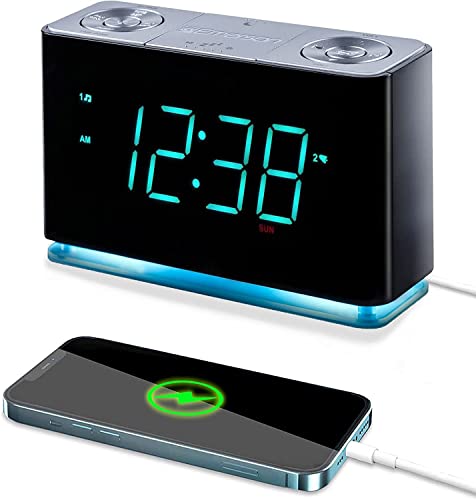


Alarm Clocks 101: The Basics
An iPad alarm setup has three parts: the iPad itself, the app or built in clock that sets the wake time, and the dock or stand that holds and charges it overnight. The dock matters more than most first time buyers expect, because it decides the viewing angle, the charging speed, and whether the screen faces you or the ceiling. A speaker dock adds a fourth part, louder and clearer sound than the iPad speakers alone, which helps in larger bedrooms or for users who sleep deeply.
Two terms recur throughout this guide. A charging pass through means the dock takes power from your wall adapter and passes it to the iPad, so one cable does both jobs. A viewing angle describes how far the stand tilts back, and a slight tilt toward the bed reads better than a fully upright stand at nightstand height. If you later want a dedicated device instead, our guide to the best alarm clock covers standalone options that need no tablet at all.
Key Specs Explained in Plain English
Product pages borrow laptop language that barely applies to an alarm setup. The sections below translate each common spec into what it really means at your bedside, and what level is enough.
Features That Matter for iPad
An iPad alarm setup needs features a normal dock may lack. The stand must fit your exact iPad size and hold it steady with its case on, because removing a case every night gets old within a week. The charger must deliver enough power to charge while the screen shows a clock face all night. Look for a cable route that exits behind the nightstand and a base heavy enough that tapping snooze on screen does not rock the device. Confirm the dock leaves the iPad speakers unblocked or replaces them with its own speaker.
Processor and Performance Tier
The processor is the chip that runs the iPad, and for alarm duty almost any recent iPad chip is more than fast enough. Clock apps, music streaming, and a glowing clock face use a tiny share of modern performance, whether the chip is an A series or an M series model. Performance tier only matters if the same iPad also handles work, games, or video editing during the day. For a retired iPad used only as a clock, spend nothing on processing power and put your budget toward the dock, speaker, and stand quality instead.
Stand Build and Stability
Build matters a great deal at the bedside. A stand or dock made with a metal frame and a firm hinge holds its angle for years, while a thin plastic stand slowly sags until the screen faces the ceiling. Check the grip pads on the base and the lip that holds the iPad, because a device that slides during a half asleep tap can fall. A weighted base is the single best build clue for bedside stability.
Sound: iPad Speakers vs a Speaker Dock
The built in iPad speakers are thin and easy to sleep through, especially in a larger bedroom. A speaker dock or a paired Bluetooth speaker gives a fuller, louder wake tone, and a physical volume button lets you adjust it at night without lighting the screen. Also check the iPad silent and Focus settings, because a muted device or a sleep Focus can change how alarms sound, so confirm the alarm volume in the clock app itself.
Battery Life in Real World Use
Battery life works differently for a bedside iPad, because the device usually stays plugged in overnight. The real questions are charging speed and battery health over time. A dock should restore a low battery well before morning even while the screen stays lit, and fast charging over USB C helps if you also use the iPad during the day. Keep the iPad plugged in only overnight rather than around the clock, and let it run on battery during the day, because constant full charge ages a battery faster.
Display Size, Resolution, and Brightness
Display size decides how far away you can read the time, and most iPad screens, from the compact mini size to the largest models, read clearly from a bed. Resolution matters little for large clock digits, so do not pay extra for it in this role. Brightness control matters a great deal. The setup must dim very low at night or use a dark clock face with red or soft amber digits, because a bright screen can disturb your sleep and your partner. If light based waking interests you, compare with our guide to the best sunrise alarm clock designs.
Rookie Mistakes to Avoid
First time buyers tend to repeat the same few errors. Scan this list before you order any dock or speaker stand.
- Buying a stand that fits the iPad only without its case, then struggling with a loose or overly tight fit every night.
- Trusting the iPad battery overnight without a charger, so one forgotten charge leaves you with no alarm at all.
- Leaving screen brightness on automatic, which can flare brightly after a notification and disturb your sleep.
- Choosing a speaker dock that blocks the iPad charging port, forcing you to remove the tablet to charge it elsewhere.
- Skipping a test alarm, so the first real use is a work morning when a muted volume setting or a silent mode switch ruins the plan.
Getting Started: Setup and First Use
Start by updating the iPad system software and your alarm app, then set two alarms a few minutes apart as a simple safety pair. Place the dock where you can read it without sitting up, angle the screen slightly toward the bed, and route the cable so it cannot pull the stand when you reach for water at night. Run a full test on a free morning, including snooze and the backup alarm, and check that the sound comes from the source you expect at the volume you set. Families setting up a tablet alarm for a child should also see our guide to the best children's alarm clocks for simpler dedicated options. Once the test passes, keep the same arrangement nightly, because consistency is what makes an alarm setup feel dependable.
Frequently Asked Questions
What features matter most in alarm clocks for ipad?
A stable stand, reliable overnight charging, and strong low brightness control matter most for an iPad setup. Those three decide whether the device stays put, stays powered, and lets you sleep in a dark room. Speaker quality comes next if your bedroom is large or you sleep deeply. One feature many buyers overlook is a physical volume button on a speaker dock, which lets you adjust sound at night without unlocking the screen and facing its full brightness.
Is it safe to leave an iPad plugged in all night?
Yes, modern iPads manage charging on their own and stop at full. To protect battery health over the years, keep the iPad on the dock only overnight when you can, use a dock that does not trap heat, and avoid soft bedding under the device. Follow the maker guidance for your model.
Will an iPad alarm still sound in silent mode or a sleep Focus?
Alarms set in the Clock app sound even when the ringer is muted, but a very low media volume or a mismatched Bluetooth speaker connection can still leave you with a quiet wake. Test the exact setup once on a free morning, including the speaker dock, before you rely on it.
Which iPad dock features are worth paying for?
Pay for a stable weighted base, a fit that works with your case, and a clear cable route. A built in speaker with physical volume buttons is the next most useful extra. Skip bundles with accessories that play no part in waking you.
How long should an alarm clock last?
A good dock or speaker stand should last five years or more, and the iPad itself often serves longer in this light role than in daily carry use. The parts that age are the charging cable, the stand hinge, and the iPad battery. Replace the cable at the first sign of fraying near the connector. If you later prefer a purpose built unit for a spare room, our guide to the best simple alarm clocks and the overview of the best bedside alarm clocks can help you compare formats.
Final Thoughts
Judge an iPad alarm setup by stand stability, charging you can trust, and brightness you can tame, and ignore laptop style specs that do not affect your morning. The product table above gathers suitable docks and speaker stands so you can compare those points quickly. Set up carefully, test on a free morning, and the best alarm clocks for ipad arrangement will feel as dependable as any dedicated clock on your nightstand.


