
Best Air Coolers for CPU 2026: A Cooling Guide
Disclosure: We may earn a commission when you buy through links on this page, at no extra cost to you. As an Amazon Associate I earn from qualifying purchases. Learn more

The best air coolers for cpu compared by size, clearance, noise, airflow and installation for gaming and everyday PCs.
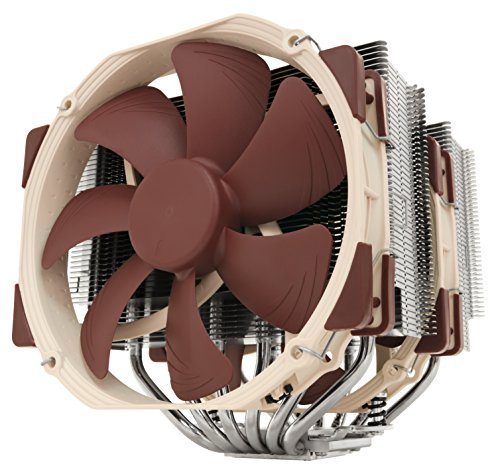
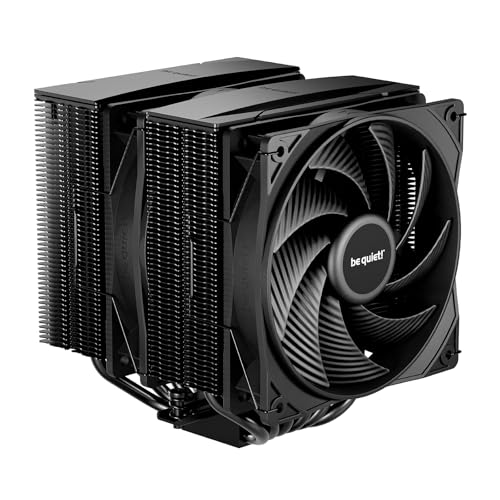
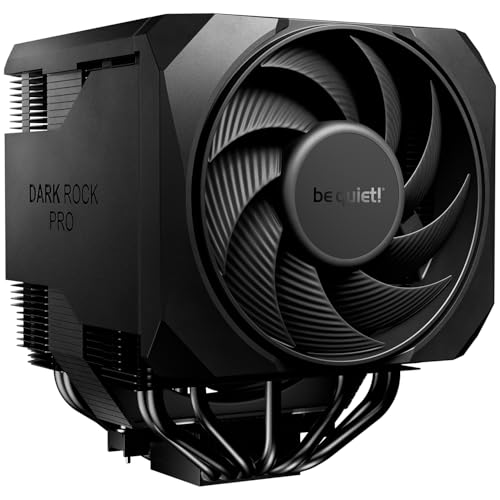
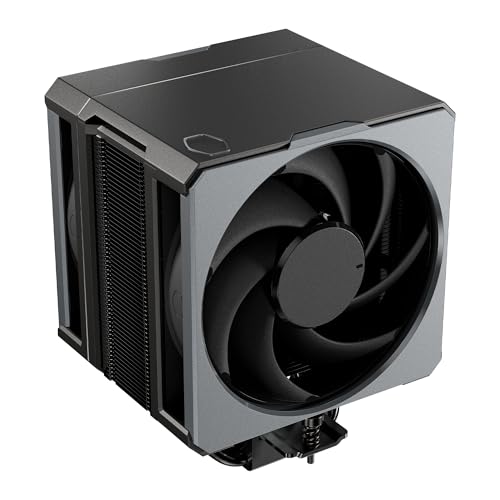
A good CPU cooler keeps your processor fast, quiet, and reliable, while a poor cooler lets heat throttle performance and shorten component life. A clear best air coolers for cpu guide helps you compare size, clearance, and noise for your case and workload. The comparison table below gives a quick overview.
Air coolers use metal fins and fans to move heat away from the processor, and they offer simplicity and durability compared with liquid systems. This guide explains thermal performance, case fit, fan noise, and installation in plain language, so you can choose a cooler that suits your computer and your tolerance for noise.





How Air Cooling Works and Why It Matters
A processor generates heat under load, and a cooler transfers that heat from the chip through a base plate and heat pipes into fin stacks, where fans blow it out of the case. If heat builds up faster than the cooler removes it, the processor slows itself to protect against damage, which shows up as stuttering games, slow renders, and noisy fans. A well matched cooler keeps temperatures stable, so performance stays consistent during long sessions.
Case airflow matters as much as the cooler itself, since hot air trapped inside a case recirculates and raises temperatures for every component. Intake fans should bring cool air in, exhaust fans should push hot air out, and cables should not block the main airflow path. Before blaming a cooler, check case airflow, dust buildup, and fan direction, since those factors often explain high temperatures.
Size, Clearance, and Case Fit
Cooler height must fit your case with clearance to spare, since a tall tower cooler can press against a side panel or block memory slots. Measure case clearance, memory height, and graphics card position before you buy, and check the cooler specifications for height, width, and memory clearance. A cooler that fits on paper but blocks your first memory slot may force an awkward compromise.
Weight and mounting also matter, since a very heavy tower cooler stresses the motherboard during transport and requires a secure backplate. Check socket compatibility for your processor, and confirm that mounting hardware is included for your socket type. If you move your computer often, a lighter cooler or a secure mounting system reduces the risk of damage during transport.
Fan Noise, Speed, and Control
Fan noise decides daily comfort, especially for home offices and bedrooms where a loud computer quickly becomes annoying. Larger fans generally move more air at lower speeds and lower noise than small fans spinning fast, so a large fan cooler often sounds quieter under load. Check fan size, speed range, and whether fan curves can be adjusted in your system settings.
Noise character matters too, since a smooth low hum is easier to tolerate than a whining or rattling fan at the same volume. Listen for bearing quality and vibration, and keep fans clean, since dust buildup increases noise and reduces airflow over time. If silence matters greatly, favour a larger cooler with slow fans and a case designed for quiet operation.
Thermal Paste, Installation, and Maintenance
Thermal paste fills tiny gaps between processor and cooler base, improving heat transfer, and a small pea sized amount in the centre usually spreads evenly under pressure. Too much paste can spill onto the socket, while too little leaves air gaps that insulate heat, so follow the cooler manual and avoid reusing old paste after removing a cooler. Clean old paste carefully with a suitable cleaner and a lint free cloth before applying fresh paste.
Installation should be done on a stable surface with good light, following the manual step by step and tightening screws evenly in a cross pattern. Do not force mounting hardware, and check that the cooler sits level without rocking. After installation, monitor temperatures under load for a few days, and check for unusual fan noise or loose mounting before closing the case permanently.
Budget Tiers and Choosing for Your Workload
Office and browsing computers need only modest cooling, since processors rarely sustain high loads, and a compact affordable cooler often suffices. Gaming and content creation computers need stronger cooling, since processors sustain high loads for hours, and a larger tower cooler with dual fans may be worthwhile. Overclocking and workstation loads demand the strongest air cooling available, with careful attention to case airflow and fan control.
At lower prices, prioritise correct socket fit, adequate height clearance, and a quiet fan over exotic fin designs. Mid range coolers often add larger fin stacks, dual fans, and better mounting systems that improve temperatures and reduce noise. Higher priced air coolers approach liquid cooling performance for many workloads while keeping the simplicity and reliability that many builders prefer.
Related guides include best coolers for cpu, best cpu liquid coolers, and best cpu aio coolers.
A Final Check Before You Buy
Before you order, measure case clearance, memory height, and graphics card position with a tape measure, and compare those numbers with the cooler height and width specifications, rather than trusting a compatibility list alone. Compatibility lists cover common combinations but cannot account for tall memory modules, thick graphics card backplates, or side panel fans in your specific build. A cooler that looks compatible online may still block a memory slot or press against a side panel, so physical measurements are the only reliable check before purchase.
Plan installation carefully, including a clean workspace, good lighting, thermal paste, and the correct screwdriver, and follow the manual step by step without rushing. Remove the old cooler gently, clean old paste fully, apply a small central amount of fresh paste, and tighten mounting screws evenly in a cross pattern so pressure spreads uniformly. After installation, run a stress test or a long gaming session while monitoring temperatures, and listen for unusual fan noise or vibration that could signal a loose mount or a cable touching a fan blade.
Finally, set up a simple maintenance routine, including dust filter cleaning, fan inspection, and temperature checks every few months, since dust buildup silently raises temperatures and noise over time. Keep case airflow paths clear, avoid blocking intake vents with books or boxes, and note baseline temperatures after installation so future changes are easy to spot. A cooler that is measured correctly, installed carefully, and maintained regularly will keep your computer fast and quiet for years.
Frequently Asked Questions
Do I need a large tower cooler for gaming?
You need a cooler that handles your processor sustained load within safe temperatures, which for many gaming processors means a mid size or large tower cooler. Compact coolers can suffice for modest processors and well ventilated cases. Monitor temperatures during long gaming sessions, and upgrade if throttling or loud fan noise appears regularly.
Is air cooling better than liquid cooling?
Air cooling offers simplicity, fewer failure points, and easier maintenance, which suits many builders, while liquid cooling can handle very high heat loads in compact spaces. For most gaming and everyday computers, a good air cooler performs well and lasts longer with less risk. Choose liquid only when heat load, case size, or silence goals clearly favour it.
How do I know if a cooler fits my case?
Compare cooler height with your case maximum cooler clearance, and check memory height and graphics card position against cooler width. Also confirm socket compatibility and mounting hardware for your processor. When in doubt, choose a slightly smaller cooler with proven fit over a larger cooler that risks blocking memory or pressing the side panel.
How often should I replace thermal paste?
Replace thermal paste when you remove the cooler, when temperatures rise unexpectedly, or every few years as part of routine maintenance. High quality paste lasts longer, while cheap paste may dry sooner under sustained heat. Clean old paste fully before applying fresh paste, and use only a small amount in the centre.
Why is my computer loud even with a good cooler?
Loudness may come from case fans, graphics card fans, dust buildup, or poor airflow rather than the CPU cooler alone. Clean dust from fins and filters, check fan curves, and improve case airflow before replacing the cooler. A single loud fan anywhere in the case can dominate noise, so identify the source by listening closely during load.
Final Thoughts
A well chosen air cooler keeps your processor cool and quiet without complexity, and it protects performance during long gaming and work sessions. The product table above can help you compare size and design, but case fit and airflow should guide the final choice. Measure carefully, install patiently, and monitor temperatures after setup. Keep filters and fins clean, and temperatures will stay stable through long sessions.
Compare best air coolers for cpu on height clearance, fan size, noise, and socket fit, and choose the cooler that suits your case and workload. A calm, cool computer is a pleasure to use every day.


