
Best Affordable Wireless Cameras: A First Time Buyer's Guide for 2026
Disclosure: We may earn a commission when you buy through links on this page, at no extra cost to you. As an Amazon Associate I earn from qualifying purchases. Learn more

Shopping for affordable wireless cameras for the first time? Learn the key terms, compare camera types, and avoid rookie mistakes with this simple guide.
Buying your first real camera feels confusing because every listing leads with numbers that mean little on their own. The best affordable wireless cameras solve two problems at once, giving you better photos than a phone and sending those photos to your phone without cables. This guide starts with the basics, then walks through the specs that matter. Use the comparison table below to match each idea to a price.
Wireless here means a photo camera with WiFi or Bluetooth built in, not a camera that watches your home. You shoot, open the maker app on your phone, and move copies across for sharing, backup, or printing.

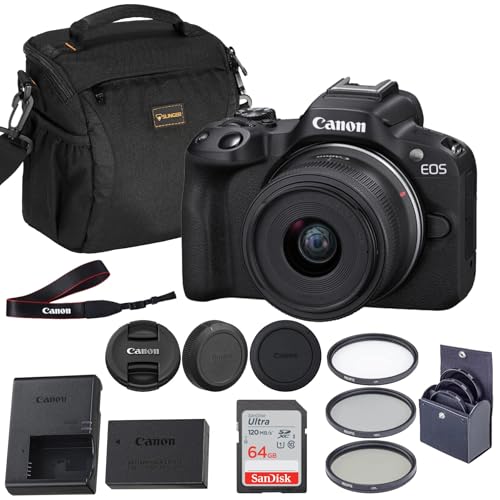


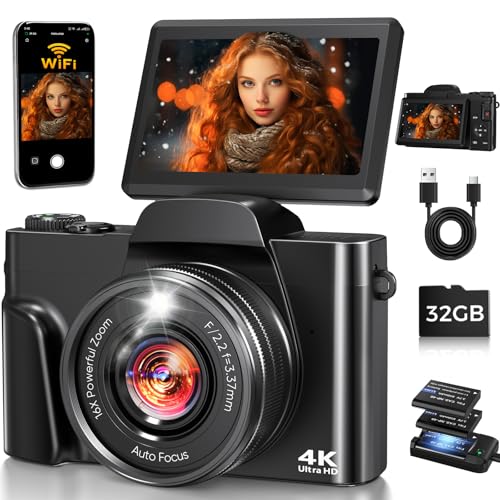
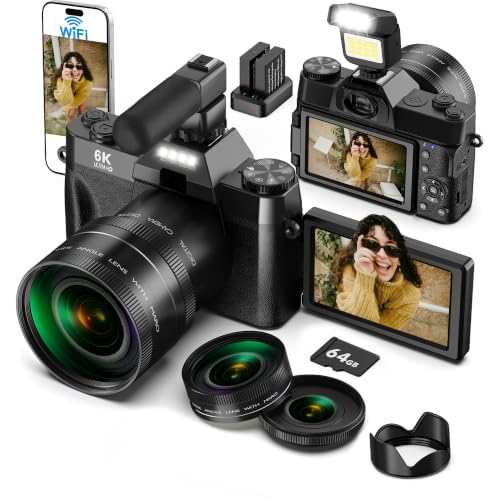
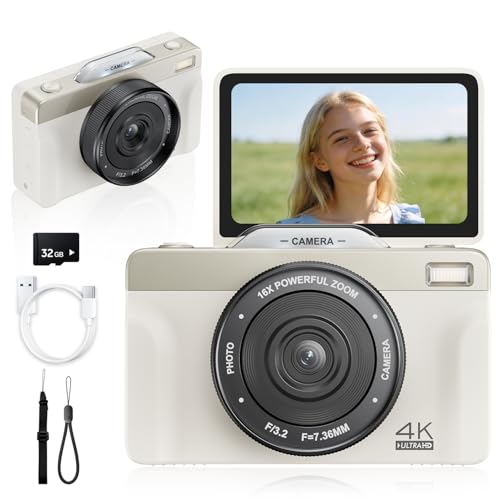
Wireless Photo Cameras 101: The Basics for New Buyers
A wireless photo camera pairs with your phone in two ways. Bluetooth keeps a light link open, so the camera can tag locations and wake the WiFi link when you want full size copies. WiFi does the heavy lifting and moves photos and short clips.
Two broad types dominate this price range. Point and shoot compacts have a fixed lens and a small body that slips into a jacket pocket. Mirrorless cameras have larger sensors and let you swap lenses later, but they cost more and grow heavier as you add lenses. If you meant home monitoring instead of photography, see our guide to the best affordable wireless home security cameras, because those cameras serve a different job.
Who Should Buy an Affordable Wireless Photo Camera?
When you compare best affordable wireless cameras side by side, notice that the phrase covers small compacts for casual photos and simple mirrorless kits for people who want to grow. The three groups below cover most first time buyers.
Families and Travelers Who Share Photos the Same Day
You want good photos of trips, birthdays, and school events, sent to family before the day ends. A compact with a helpful auto mode and a fast app suits you best. Choose a model that sends copies in the background while you keep shooting.
New Creators Who Post Photos and Short Clips Often
You care about looking natural on camera and posting without a computer in between. Look for a screen that flips to face you, a microphone input if you plan to talk, and steady video. A camera that reconnects to your phone on its own saves real time each week.
Learners Moving Beyond a Phone Camera
You want control over blur, brightness, and focus, and you are willing to learn one setting at a time. A basic mirrorless kit gives you that path, with dials you can grow into and lenses you can add later. Start with the lens in the box, because skill improves photos faster than extra gear does.
Camera Specs That Shape Photos and Sharing
Read these six factors in order, and use them to compare the best wireless cameras against simpler models that cost less.
What $300 to $600 Buys in Sensor and App Features
For about $300 to $600 you can expect a solid sensor, reliable auto focus, and photo sharing that works well. What gets cut at this level is usually weather sealing, the fastest burst speed, and the brightest screens. Do not save money by giving up a decent sensor or a usable app, because those two things shape every photo and every share.
Sensor Size and Image Quality in Affordable Cameras
The sensor is the part that records light, and a bigger sensor usually handles dim rooms and bright skies better. Small compacts often use a 1 inch sensor, while mirrorless kits at this price use the larger APS C size, and full frame sits well above this budget. Megapixels matter less than makers suggest, because more pixels on a tiny sensor can add noise in low light.
Lenses, Optical Zoom and Image Stabilization
Optical zoom moves glass inside the lens to bring a subject closer while keeping detail, while digital zoom only crops the picture and softens it. A compact with about 3 to 10 times optical zoom covers family scenes and travel views well. Image stabilization steadies small hand movements, which helps most at dusk and during video. On a mirrorless camera, check whether stabilization lives in the body, the lens, or both.
Video Capabilities for First Time Creators
Many models here record 4K video, but the useful details sit below that headline. Look for a frame rate of 30 frames per second for smooth everyday clips and a microphone input if voices matter to you. Some cameras crop the view in 4K mode, which makes small rooms feel tighter.
Battery Life and Charging on Budget Wireless Cameras
Makers rate most small cameras at about 250 to 400 shots per charge, and heavy WiFi transfer or video use lowers that number fast. Carry a spare battery on travel days, because a dead camera cannot share anything. USB C charging is worth having, since you can top up from the same power bank you carry for your phone.
Ease of Use and App Transfer for Your Skill Level
A good first camera guides you instead of fighting you. Clear auto modes, a touch screen that lets you tap to focus, and menus in plain words all shorten the learning curve. Test the companion app in reviews of the app store before you buy, because a clumsy app is the top complaint about budget wireless models. If you are weighing simpler options, see our guide to the best affordable digital cameras for cameras that skip some wireless features.
First Setup: Pairing the App and Sending Test Photos
Charge the battery fully, insert a memory card, and set the date before your first outing. Pair the camera with the phone app at home, where your network is calm, and send three test photos to learn the steps. Set the camera to its full auto mode, take a short walk, and shoot the same scene near and far, indoors and outside.
At home, look at those test shots on the biggest screen you have and note what looks soft or dark. Clean the lens with a lens cloth, not your shirt, because shirt fabric can hold grit that scratches glass. Back up your first folder of photos before you format the card.
Rookie Mistakes to Avoid
These errors catch almost every first time buyer.
- Judging a camera by megapixels alone leads you to a tiny sensor that struggles in dim light.
- Ignoring the phone app leaves you with photos stuck on a card you rarely open.
- Buying extra lenses before learning the kit lens wastes money on gear you may never carry.
- Using digital zoom instead of moving closer gives you soft photos that fall apart when printed.
- Skipping a spare battery means your camera dies during the event you bought it for.
Care and Maintenance for Wireless Photo Cameras
Wipe the lens and screen with a clean lens cloth and store the camera in a dry padded case away from heat. Keep the lens cap on during travel, and use the strap whenever you walk, because most damage at this level comes from drops. Remove the battery if you will not shoot for a month or more, and store it partly charged.
Update the camera software and the phone app when the maker offers updates, because these often fix pairing problems and focus bugs. Format the memory card in the camera after each backup, not on your computer, so the card file system stays healthy. If you also browse general models, our guide to the best digital cameras explains how the wider category splits by size and lens type.
Frequently Asked Questions
Which affordable wireless camera type is better for low light photos?
A mirrorless camera with an APS C sensor is usually better for low light photos at this budget. Its larger sensor gathers more light, so indoor shots stay cleaner at settings where a small compact starts to look grainy. A lens with a wide maximum aperture helps even more, because it lets in extra light at dusk.
Is a smartphone enough instead of an affordable wireless camera?
A smartphone is enough if you only view photos on a phone screen and never zoom far. A dedicated camera pulls ahead when you print, crop, or shoot distant subjects, because its optical zoom and larger sensor keep detail a phone cannot recover. Cameras also give you real dials and a grip that helps during long events.
How much should a first time buyer spend on an affordable wireless camera?
Most first time buyers do well spending about $300 to $600 on the camera itself. Below that range, sensors shrink and apps often feel rough, while above it you pay for speed and sealing you may not need yet. Shoppers who ask for the best most affordable wireless cameras usually mean this range with a spare battery included in the plan. Leave a little for a card, a case, and that spare battery.
Do affordable wireless cameras need a memory card if they send photos to a phone?
Yes, an affordable wireless camera still needs a memory card for normal shooting. The camera saves full size photos and video to the card first, and the phone usually receives smaller copies for quick sharing. Built in storage, where it exists, is small and fills during a single busy day. Move the card files to a computer each week as your main backup.
Can affordable wireless cameras send photos without a home WiFi network?
Yes, most affordable wireless cameras can send photos with no home network nearby. The camera creates its own short range WiFi signal, and your phone joins that signal through the app to pull the photos across. Bluetooth handles the first pairing and can move small preview copies on its own.
The Bottom Line
Start with the sensor and the app, then check zoom, battery life, and how the camera feels in your hands. A compact suits you if sharing speed and low weight matter most, while a simple mirrorless kit suits you if you plan to learn. Compare your short list against the product table above before you decide.
Chosen with those points in mind, the best affordable wireless cameras give first time buyers clear, shareable photos without cables or confusion. Buy the simplest camera that fits your subjects, learn it well, and enjoy pictures your phone could not have made.


