
Best Affordable Speakers for PC for 2026 Made Simple: A Clear Buying Guide
Disclosure: We may earn a commission when you buy through links on this page, at no extra cost to you. As an Amazon Associate I earn from qualifying purchases. Learn more

Shopping for the best affordable speakers for pc for the first time? Learn the key terms, compare connection types, and avoid common buying mistakes.
If you have never bought computer speakers before, the spec sheets can feel like a foreign language of watts, ohms, and channel numbers. The good news is that a desk setup only needs a few decisions made well: how the speakers connect, how much space you have, and how you mostly listen. This guide to the best affordable speakers for pc setups walks from the basics to a confident purchase, in plain language.
Most first time buyers spend around $30 to $120 and get a dramatic upgrade over laptop or monitor speakers. Keep the comparison table below open as you read, and check each candidate against the terms and mistakes covered here.

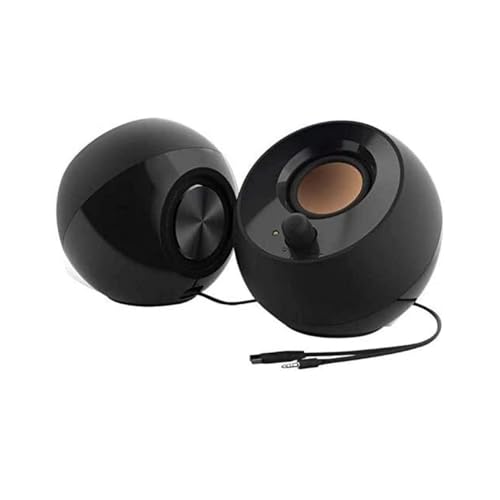
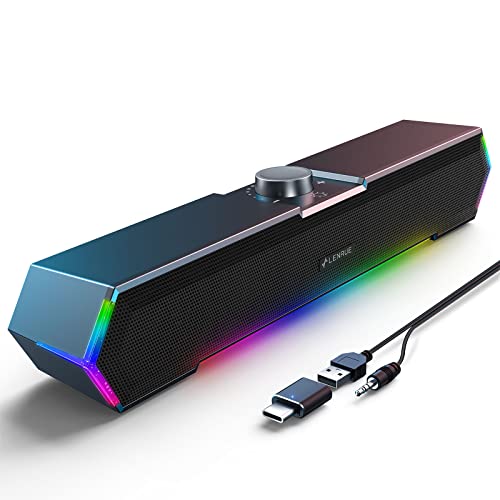

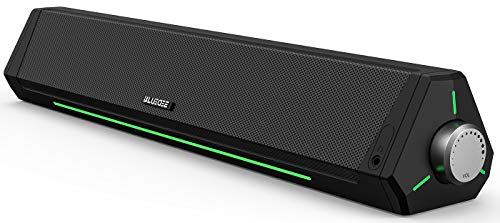
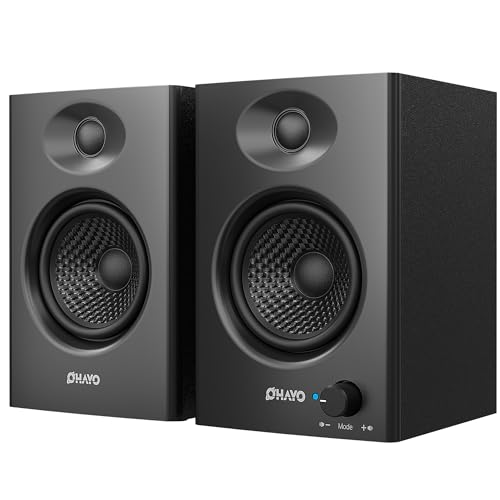
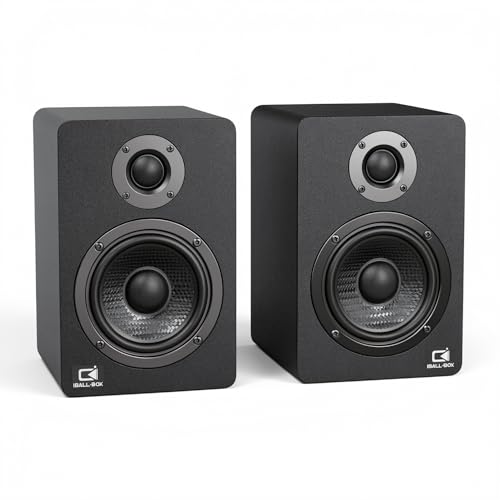

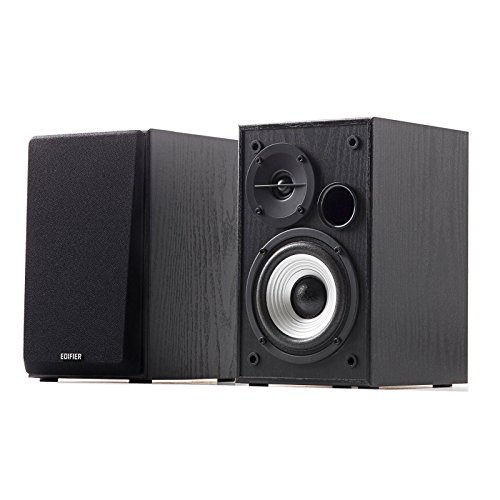

Speakers 101: The Basics
A speaker turns an electrical audio signal into sound by moving a cone, called a driver, back and forth. Small drivers called tweeters handle high notes, and larger drivers handle voices and bass. Nearly all affordable PC speakers are powered, meaning the amplifier is built in and you plug them into the wall or a USB port; you do not need a separate receiver. A 2.0 setup means two speakers with no separate bass box, while 2.1 adds a subwoofer that sits on the floor and handles low notes the small desk speakers cannot reach.
Your computer sends sound through a cable or Bluetooth. A standard 3.5 mm plug works with almost any PC, USB audio can sound cleaner because the speakers convert the signal themselves, and Bluetooth removes cables but can add a small delay that matters in fast games. Volume and tone controls on the speaker itself are worth having, so you are not reaching for software sliders during calls. If your desk also holds a monitor with weak built in sound, external speakers bypass it entirely and usually double as the biggest comfort upgrade in a home office.
Key Specs Explained in Plain English
What You Can Realistically Get on a Budget
Around $30 to $80 buys a solid 2.0 pair with clear voices for calls and video, enough volume for a small room, and either USB or 3.5 mm connection. Around $80 to $150 adds a subwoofer option, better cabinets, Bluetooth, and controls that feel less flimsy. What gets cut at budget prices is deep bass, very high volume without distortion, and premium materials. Do not cut corners on the connection your PC actually supports, and do not pay for surround claims on a two speaker set, because two speakers cannot create true surround sound no matter what the box says.
Features That Matter for PC Use
Desk use has its own priorities. Front facing volume and headphone jacks save constant reaching behind speakers, and a compact footprint matters when a monitor, keyboard, and notebooks already crowd the desk. Look for magnetically shielded or modern powered designs that will not buzz near your monitor, and cables long enough to spread the pair apart for stereo effect. If you join calls daily, clear midrange matters more than bass, because voices live in the middle frequencies. Gamers should add low latency wired connection to that list, which is why many also compare options in our guide to the best pc speakers for gaming before deciding.
Sound Quality and Tuning
Sound quality at a desk is mostly about clarity at modest volume, since you sit about an arm length away. Frequency response figures give a rough idea of range, but a smooth response matters more than extreme numbers, and honest ratings around 80 Hz to 20 kHz are typical for small pairs without a subwoofer. Watt ratings are the least reliable number on the box; continuous power, sometimes labeled RMS, is more meaningful than peak watts. If voices sound muffled in your test tracks or distortion creeps in at half volume, no feature list can rescue that speaker for daily use.
Ecosystem and App Features
Most affordable PC speakers keep software simple, and that is a strength. Some Bluetooth and USB models offer a companion app or on board presets for music, movie, and game modes, plus a basic equalizer to trim bass at night. Firmware updates arrive through USB on a few models and can fix hum or connection bugs, so check the maker support page after setup. Avoid setups that require an app just to change volume or inputs. A physical knob you can reach without looking will get used every day, while app only controls often get ignored.
Durability and Water Resistance
Desk speakers live indoors, so water resistance ratings such as IPX4 or IP67 are rarely relevant here and should not drive your choice. Those ratings matter for portable outdoor speakers, not for a pair that sits beside your monitor. What does matter is build: cabinets that do not rattle, cables with some strain relief where they enter the speaker, and buttons that feel firm. Dust is the main enemy at a desk, so wipe grilles gently and keep drinks behind the keyboard line, because a spilled coffee is the most common way PC speakers die.
Power and Charging, Explained Simply
PC speakers do not run on batteries in normal use, so battery life claims on a listing usually mean you are looking at a portable Bluetooth speaker being sold for desk use. True PC models draw power from a wall adapter or a USB port. USB powered sets are tidy and fine for calls and video, but they draw limited power and play quieter than wall powered sets. If you want room filling volume or a subwoofer, choose wall power. A portable model still works at a desk, just know you will be recharging it every few days, which most desk users tire of quickly.
Rookie Mistakes to Avoid
- Buying by peak watt numbers, which can be several times the real continuous power and say little about sound quality.
- Choosing speakers too large for the desk, then crowding them behind the monitor where the sound is blocked.
- Paying for Bluetooth only connection, then noticing audio delay in games and video calls.
- Forgetting to check what outputs your PC has, especially on newer laptops with few ports.
- Placing both speakers side by side in the center, which throws away the stereo separation you paid for.
Getting Started: Setup and First Use
Place the speakers at equal distance on either side of your monitor, angled slightly toward your chair, with tweeters near ear height if you can manage it with small stands or books. Connect power first, then the audio cable or USB lead, then set your PC sound output to the new speakers in system settings. Start at low volume and play a familiar song and a spoken video to check balance and clarity. Update firmware if the maker offers it, and keep the manual and cables in a drawer rather than a box in storage. Listeners building a fuller desk setup sometimes pair speakers with one of the best pc tablets for a second screen, but speakers come first for sound. If you hear hum, move the power adapter to a different outlet and route audio cables away from power bricks before assuming the speakers are faulty.
Frequently Asked Questions
What features matter most in speakers for pc?
Connection type, clear midrange for voices, and desk friendly size matter most. Choose USB or 3.5 mm wired connection for reliability and low delay, add Bluetooth only as a bonus. A front volume knob and headphone jack improve daily life more than extra watt claims. If you watch films or play bass heavy games, a 2.1 set with a subwoofer adds real depth. Readers who care most about pure sound quality can compare notes in our guide to the best sounding pc speakers before they buy.
Is noise cancelation relevant for PC speakers?
No, speakers do not cancel room noise, and any cancelation wording on a speaker listing usually refers to echo reduction for built in microphone calls, which budget PC speakers rarely include well. Your room and volume do the work instead: a clear speaker at moderate volume is easy to follow over household noise. If outside noise is your real problem, closed back headphones solve it better than any desk speaker. Do not pay extra for a cancelation claim when comparing PC speakers.
How long does the battery last on PC speakers?
Most PC speakers have no battery at all, because they are designed to stay plugged in at your desk. Wall powered and USB powered models run as long as your PC session lasts, with no charging routine. Portable Bluetooth speakers used at a desk typically last ten to twenty hours per charge at moderate volume. If the idea of recharging your desk speakers weekly sounds annoying, that reaction is your answer: choose a plug in model and remove battery life from your decision completely.
Wired or wireless: which sounds better for PC use?
Wired sounds better and stays in sync, which is why it remains the default for PC speakers. USB audio in particular bypasses a noisy laptop headphone jack and often sounds noticeably cleaner. Bluetooth is convenient for phone music breaks and tidy desks, and modern versions are stable, but compression and a small delay can show in fast games. The practical best of both is a wired speaker that also includes Bluetooth, so your PC stays wired while your phone connects without cables.
Do I need a special codec for PC speakers?
No special codec is needed for wired PC speakers, because cables and USB carry the full signal without Bluetooth compression. Codecs only enter the picture if you connect by Bluetooth, and there the standard codec sounds fine for desk listening at affordable prices. Both devices must support the same higher quality codec to gain anything, and PC support varies by operating system and hardware. Spend your budget on the speakers themselves first; codec support is a minor tiebreaker at this price, far behind fit, connection, and tuning.
Our Verdict
For most first time buyers, a wall powered 2.0 pair around $50 to $100 with USB or 3.5 mm connection, a front volume knob, and cabinets that fit your desk is the right answer. Add a subwoofer set only if films and games dominate your evenings. Compare finalists in the product table above, and if your desk upgrade is part of a bigger refresh, our guide to the best affordable pc monitors pairs naturally with this one. Pick on clarity and fit, and the best affordable speakers for pc will feel obvious rather than overwhelming.


