
Best Affordable LED TVs: Sizes, Panels, and How to Choose 2026
Disclosure: We may earn a commission when you buy through links on this page, at no extra cost to you. As an Amazon Associate I earn from qualifying purchases. Learn more

Best affordable led tvs: Screen size, panel type, HDR and refresh rate explained for bedrooms and living rooms on a modest budget.
LED TV shopping gets confusing fast. One listing leads with screen size, the next leads with HDR, and a third talks about gaming features you may never use. This guide slows the process down and compares each type side by side, so you can match a screen to your room, your seating distance, and the way you actually watch.
The best affordable led tvs are not the ones with the longest feature list. They are the ones that spend your money on picture basics, the right size, and the ports you need. Use the comparison table below to see the main types at a glance, then read on for the trade offs behind each one.


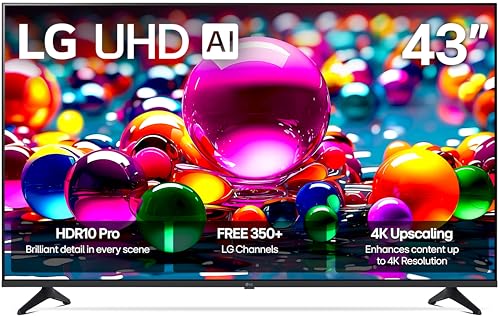
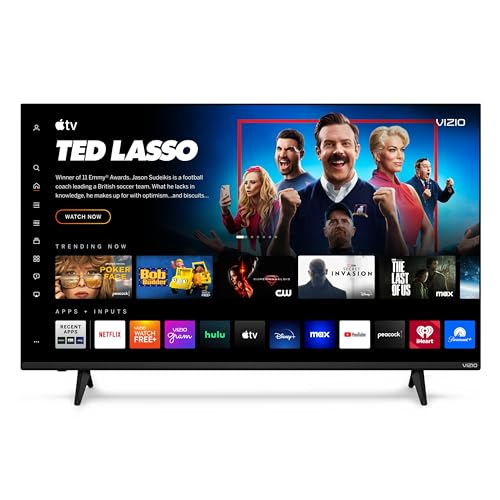
Types of LED TVs Compared
Almost every affordable LED TV uses an LCD panel lit by LED backlights, but the backlight layout, panel type, and feature set change the picture a lot. Think of the types below as starting points. Once you know which type fits your room, the rest of the decision becomes much simpler.
Large Screen Options
Large screen models, usually 65 inches and up, put immersion first. Movies and sports fill more of your view, and details in 4K content become easier to see from a normal sofa distance. The trade off is that a big panel shows flaws in low quality streams more clearly, and the TV itself needs a wide stand or a wall mount rated for its weight.
Choose this type if your seating sits about 8 to 12 feet from the screen and the room can handle the width. Measure your wall and your media console before you fall for a sale price, and check the VESA pattern if you plan to mount it.
Midsize Sets for Living Rooms and Bedrooms
Midsize models, usually 43 to 55 inches, are the practical choice for most homes. They fit standard media consoles, suit a sofa about 6 to 9 feet away, and cost far less than large screens. A 4K panel at this size looks sharp, and the lighter weight makes wall mounting easier.
Choose this type if one TV must serve everyday streaming, news, and the occasional movie night. Check the number of HDMI ports and the smart platform before you buy, since these shape daily use more than a small gain in screen size.
Compact Sets for Kitchens, Dorms, and Second Rooms
Compact models, usually 32 to 43 inches, focus on the essentials: a decent 4K panel, a simple smart platform, and two or three HDMI ports. They suit bedrooms, dorms, kitchens, and second rooms where the viewing is mostly news, streaming shows, and casual sports. Prices often sit around $200 to $400 depending on size and sale timing.
The savings usually come from lower brightness, simpler backlight control, and basic speakers. That is a fair trade for a bright sitcom, but a dim panel can struggle in a sunny room. If the TV will be your main screen for movies, consider stepping up one tier rather than buying the cheapest set in the store.
Large Screens vs Midsize Sets: Which Should You Choose?
These two types solve different problems. A large screen wins on immersion, group viewing, and the feeling of a small theater at home. A midsize set wins on price, easy placement, and comfortable viewing in smaller rooms.
Compare them on four points. First, viewing distance: large screens need room to sit back, while midsize sets work from closer seats. Second, content: films and sports favor size, while daily news and streaming shows look fine on fewer inches. Third, ports: movie fans may want extra HDMI inputs for a soundbar and a console. Fourth, cost: money spent on extra inches is money not spent on brightness or better processing. Pick based on the room you have, not the biggest number on the box.
How to Choose the Best Affordable LED TVs
Start with size and seating distance, then judge the panel, brightness, and motion handling. Features like voice remotes and extra apps are nice, but they cannot fix a screen that is too dim or too small for the room. If you want broader context on value models, see our guide to the best affordable tvs for how budget sets differ across brands and sizes.
Refresh Rate and Response Time
Refresh rate tells you how often the panel can update the image each second. A 60 Hz panel suits most streaming and broadcast TV. A native 120 Hz panel gives smoother motion for sports and gaming, and modern consoles can output 120 frames per second in some games, which is where HDMI 2.1 ports matter.
Response time describes how fast pixels change, and lower numbers mean less blur behind fast moving objects. Be careful with marketing numbers, because brands measure this in different ways. For casual viewing, motion looks fine on most sets. For fast games, prioritize a game mode with low input lag over headline refresh claims.
What You Can Realistically Get on a Budget
Around $250 to $500 buys a solid 4K LED TV in common sizes, with a usable smart platform and HDR support on paper. What you usually give up is high brightness, strong local dimming, and premium speakers. Picture quality in a dark room will be good rather than great, and black levels may look gray during night scenes.
Do not save money by cutting screen size below what your room needs, and do not accept a set with too few HDMI ports for your gear. Those two limits annoy you every day. A simpler remote or a basic smart menu, by contrast, is easy to live with or easy to replace with a streaming stick later.
HDR and Brightness
HDR expands the range between dark and bright parts of the image, so highlights in a sunset or a stadium floodlight keep their detail. HDR10 is the common baseline format, while Dolby Vision adjusts the picture scene by scene on supported content. Support for a format only helps if the panel gets bright enough to show the effect.
Brightness is measured in nits. Budget sets often land in a modest range that works in controlled light, while brighter sets handle sunny rooms and HDR highlights better. If your room has big windows opposite the screen, brightness and anti glare handling matter more than a small gain in resolution.
Panel Technology
VA panels usually give deeper contrast and better black levels, which suits movie nights in darker rooms. IPS panels give wider viewing angles, so seats off to the side keep better color, but contrast tends to be lower. Many affordable TVs use one of these two panel families, and the right choice depends on your seating layout.
OLED and Mini LED sit above the budget tier in most cases. OLED gives near perfect blacks but costs more and needs a little care with static images. Mini LED improves backlight control on an LED set and raises brightness. To understand how these designs relate, read our overview of the best led lcd tvs and how panel types compare.
Tips to Get the Most From Your LED TV
Small setup steps make a budget screen look noticeably better. Switch the picture mode away from the vivid setting, which pushes color and sharpness too far, and try a movie or cinema mode for more natural skin tones. Turn off motion smoothing for films if faces look unnaturally smooth, a look many viewers dislike.
Clean the screen with a dry or lightly damp microfiber cloth only, and never spray cleaner straight onto the panel. If your set has an OLED panel in another room, use its pixel refresh feature as the maker directs. Finally, check for software updates after setup, since updates often improve apps and fix early bugs.
LED TVs: Your Questions Answered
How long do LED TVs last?
Most LED TVs last about seven to ten years of normal home use. The backlight slowly dims over time rather than failing all at once, so a very old set may still work but look washed out. Keeping brightness at a sensible level, giving the vents room to breathe, and using a surge protector all help a set reach the long end of that range.
Is 4K worth it on an affordable LED TV?
Yes, 4K is worth it for most buyers, especially at 55 inches and larger. Streaming services now offer plenty of 4K content, and the extra detail holds up when you sit closer. On small screens under about 43 inches, the gap between 1080p and 4K is harder to see, so you can save money there if the other features suit you.
What size LED TV should I get for my room?
Match the size to your viewing distance first. A rough guide is to sit about one to one and a half times the screen diagonal away for mixed viewing, so a 55 inch TV suits roughly 6 to 8 feet. In a small room, a smaller panel is easier on the eyes, since a huge screen forces constant head movement from a close seat.
VA or IPS: which panel is better?
Neither is better for everyone. VA panels give deeper blacks and stronger contrast, which suits movie nights in darker rooms. IPS panels give wider viewing angles and steady color for bright rooms and seats off to the side, usually with lower contrast. For a strict budget, either family is a sensible buy, so choose by your room and seating layout.
Does refresh rate matter for non gamers?
It matters less for non gamers, but it is not irrelevant. Sports fans may enjoy the smoother motion of a native 120 Hz panel, and fast camera pans in action films can look cleaner. For news, dramas, and most streaming, a good 60 Hz panel looks perfectly fine. Spend first on size, brightness, and contrast, then on refresh rate if the budget remains.
Wrapping Up
Keep the decision simple: pick the right size for your distance, choose the panel type that fits your seating, and make sure the set is bright enough for your room. After that, check that you have the HDMI ports your gear needs. The product table above pulls the shortlist together so you can compare the best affordable led tvs for your space without starting over. If premium history interests you, our look at the best tvs of all time shows how far the category has come, and gamers on a budget can compare notes in our guide to the best affordable tvs for gaming. For a wider look at panel choices alone, see our guide to the best led tvs.


