
Best Affordable Laptops for Writers: Keyboard, Screen, and Battery Compared 2026
Disclosure: We may earn a commission when you buy through links on this page, at no extra cost to you. As an Amazon Associate I earn from qualifying purchases. Learn more

Best affordable laptops for writers: Keyboard feel, screen comfort and battery life matter most for drafting, and a budget profile helps you choose.
A writer asks less of a laptop than a video editor does, but asks it for far longer each day. Your keyboard, screen, and battery shape every session, while raw speed barely matters once a document opens. That is why cheap laptops that look fine on a spec sheet can still be miserable to write on.
The best affordable laptops for writers get the daily basics right: a comfortable keyboard, a clear and calm display, long battery life, and quiet, reliable storage for years of drafts. Use the comparison table below to spot candidates, then use this guide to judge the details that decide whether you will enjoy using them.
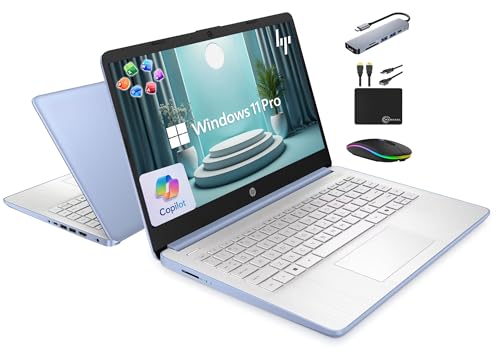
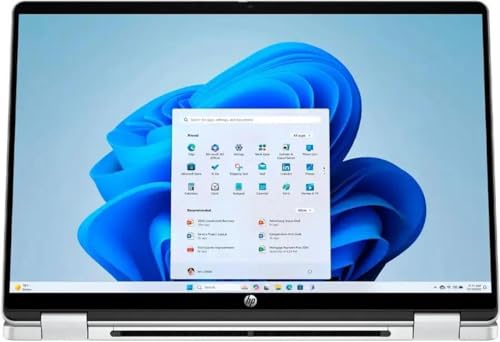


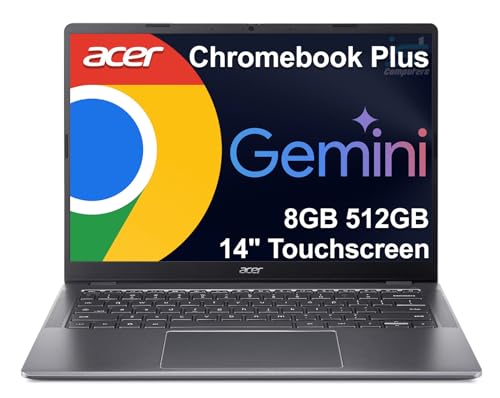
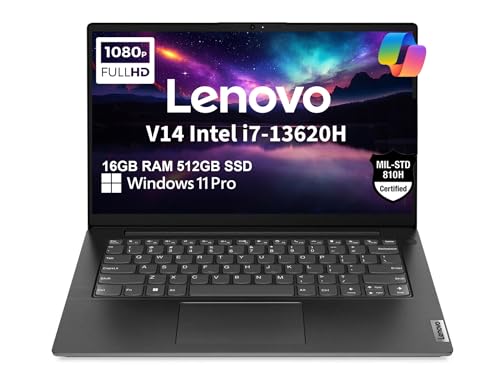


Three Writer Profiles at a Glance
Rather than naming models that change every season, this section describes three profiles worth paying for. Match your routine to a profile first, then look for machines that fit it in the product table above.
The All Round Profile
The all round profile suits most full time and serious part time writers. It pairs a midrange processor with 16 GB of RAM, a 512 GB SSD, a backlit keyboard with solid key travel, and a bright 14 inch screen. Expect to pay around $600 to $900. You accept integrated graphics and a modest speaker setup, neither of which affects drafting. What you gain is a machine that opens large manuscripts instantly, runs reference tools without stutter, and lasts a full working day away from an outlet.
The Value Profile
The value profile targets writers whose work is almost entirely text. It keeps the good keyboard and a full HD screen but accepts 8 to 16 GB of RAM, a 256 GB SSD, and a plastic body. Prices often land around $350 to $550. The compromise shows up in multitasking headroom rather than in the writing itself, so it suits focused drafters who close extra apps. If your documents live in the cloud and your research needs are light, this profile covers you for years.
The Beginner Profile
The beginner profile favors simplicity and support over specs. A straightforward Windows laptop or a Chromebook style machine with a clean keyboard, automatic updates, and a clear return policy lets a new writer start without setup stress. Expect around $300 to $500. The compromise is flexibility, since very cheap machines limit software choices. Choose this profile if you are building a writing habit and want the tool to disappear, not become a hobby of its own.
How to Choose the Best Affordable Laptops for Writers
What You Can Realistically Get on a Budget
Around $350 to $550, you can get a comfortable keyboard, a full HD screen, and enough speed for documents, email, and research. Around $600 to $900, you add better screens, metal builds, larger storage, and longer battery life. What gets cut at the lowest prices is screen brightness, speaker quality, and port variety. Do not save by accepting a cramped or mushy keyboard, because you will feel that saving in your hands every day. A writer specific shortlist approach also appears in our guide to the best writer laptops.
Features That Matter for Writers
Writing loads a laptop lightly but constantly. The features that matter are the ones touching your senses and your focus: key feel, screen clarity, fan noise, and battery life. A quiet machine protects concentration in libraries and shared rooms. Fast wake from sleep matters too, because ideas arrive at odd moments and a slow wake loses them. Storage speed shapes how quickly large documents and backups open, while processor power mostly sits idle during drafting.
Processor and Performance Tier
Any current entry to midrange chip from the Intel Core, AMD Ryzen, or Apple M series families handles word processing and browsing with ease. More power helps only if you keep dozens of research tabs open, dictate with voice software, or run heavy reference managers. For pure drafting, spend on the keyboard and screen before the processor. One caution: the very cheapest chips paired with tiny memory feel slow at basic multitasking, so judge the whole configuration, not the chip name alone.
Graphics (Integrated vs Dedicated GPU)
Integrated graphics are all a writer needs for documents, web research, and video calls. A dedicated GPU adds cost, weight, and fan noise while contributing nothing to drafting, unless you also edit video or play games on the same machine. If writing is the main job, skip the dedicated card and put that money toward a better display or a larger SSD. Dual purpose buyers are the exception, and they should size the graphics to the heavier task.
Weight and Portability
Under about 3 lb, a laptop travels easily between home, office, and cafe, and writers who move daily feel that difference in a shoulder bag. Heavier 15 and 16 inch machines trade portability for screen space, which some writers prefer for side by side drafts and notes. Include the charger in your mental math, since a bulky brick adds real weight. If you write in one place, weight matters little, and a larger screen may serve you better. Lightweight designs are compared in our guide to the best notebook laptops.
Display Size, Resolution, and Brightness
A 13 to 14 inch screen suits mobile writers, while 15 to 16 inches helps when you compare drafts or keep research beside your text. Full HD resolution is the sensible floor for crisp text. Brightness around 300 nits or more keeps the screen readable in bright cafes and near windows. A matte finish reduces glare during long sessions, and a taller aspect ratio shows more lines of text at once, which many writers find quietly valuable. Refresh rate matters little for text work.
Keyboard, Trackpad, and Build
This is the section to read twice. Look for keys with clear travel and a firm bottom out feel, a layout without shrunken keys in odd places, and backlighting if you write at night. Check, in your mind at least, where the manufacturer placed the arrow keys and whether the palm rest stays cool. A precise trackpad matters when you edit by cursor rather than mouse. Aluminum builds resist bag wear, but a well made plastic body can feel just as solid at this price.
Types of Laptops
Budget Laptops
Budget laptops are full Windows machines at the lowest prices. They run every writing app and handle research well when memory is adequate. Their screens and speakers are basic, but the writing experience can be surprisingly good. They suit writers who want maximum software freedom for minimum money.
Ultraportables
Ultraportables are thin, light machines with better screens, quieter cooling, and longer battery life. They cost more for the same processor speed, and writers are exactly the buyers who benefit, because the premium goes into comfort rather than raw power. They suit daily travelers and cafe writers.
2 in 1 Convertibles
Convertibles fold into tablet form and often support a pen. Writers use them to annotate drafts, sign documents, and read in armchair mode. The keyboards are sometimes slightly shallower, so check key feel carefully. They suit writers who also mark up a lot of other people's work. Broader budget options appear in our guide to the best and affordable laptops.
Chromebooks
Chromebooks run browser based tools with fast startup, simple updates, and strong battery life. They suit writers who draft in cloud documents and want minimal maintenance. The limits are offline apps and some specialized writing software. Check that your exact tools work well in a browser before choosing one.
Tips to Get the Most From Your Laptop
- Keep the operating system and firmware updated, because updates fix sleep and battery bugs that interrupt writing sessions.
- Avoid running at 100 percent charge all the time if a charge limit setting exists, especially on a desk bound machine.
- Use a padded sleeve when commuting, since screens crack more often from bag pressure than from drops.
- Clean vents with compressed air a few times a year so fans stay quiet during long sessions.
- Back up drafts in two places, one of them off the laptop, and test that the backup opens.
- Learn your editor's distraction free mode and autosave settings before your first long session.
Frequently Asked Questions
What features matter most in laptops for writers?
Keyboard feel, screen clarity, battery life, and quiet operation matter most. These shape every hour you spend drafting, while processor speed fades into the background after the first week. One extra check: look at the layout photos closely for the placement of the delete and arrow keys, because odd layouts slow editing long after headline specs are forgotten.
Is a dedicated GPU worth it?
Not for writing alone. Documents, research, and calls never push graphics hardware, so a dedicated card only adds cost, weight, and noise. It becomes worth it when the same laptop must also handle video editing or gaming. If that is you, size the rest of the machine for writing comfort and let the heavier hobby set the graphics budget.
Should I buy a laptop or a tablet?
Buy a laptop for serious drafting, because real keyboards, full file access, and window management make long documents manageable. Tablets are pleasant for reading and light edits, and many students pair one with shared computers. Writers who split time between classes and essays may also find our guide to the best affordable laptops for students useful for balancing both roles.
How much RAM do I need?
Eight gigabytes covers simple drafting, but 16 GB is the comfortable choice if you keep research tabs, reference tools, and communication apps open together. RAM is cheap insurance against the slow creep of browser memory use. On machines where memory cannot be upgraded later, buying 16 GB now usually adds years of smooth service.
Is a Chromebook enough for school?
Yes, for most school writing, because essays, slides, and research all work well in a browser, and teachers commonly share work through cloud tools. It falls short when a course requires specific installed software or heavy offline work. Check your course tool list first, and if everything named runs in a browser, a Chromebook is a calm and low cost answer.
Our Verdict
Judge by keyboard first, screen second, and battery third, and let the processor be adequate rather than impressive. Pick the profile that matches your routine, compare it with the product table above, and choose the best affordable laptops for writers that you will still enjoy opening every morning a year from now.


