Best Affordable i5 Laptops: Buying Guide for 2026
Disclosure: We may earn a commission when you buy through links on this page, at no extra cost to you. As an Amazon Associate I earn from qualifying purchases. Learn more

A plain guide to the best affordable i5 laptops: processor generation, memory, storage, screen, and type.
Intel Core i5 sits in the middle of the Intel range: strong enough for office work, study, photo sorting, and light creative tasks, without the price jump of higher tiers. When you shop for best affordable i5 laptops, the processor label tells only part of the story. Memory, storage, the screen, and the build of the laptop decide how it feels every day. This guide explains what to check and how to read the comparison table below.
Affordable Core i5 laptops cost from about $480 for a light 15 inch model to around $1,000 for an i5 gaming laptop. Most buyers find the best value between $500 and $750.


What an i5 Processor Gives You
A Core i5 handles web browsing with many tabs, video calls, streaming, spreadsheets, and photo editing without strain. Newer generations are faster and more efficient than older ones, so a recent i5 from the 12th, 13th, or later generation is a better buy than an older chip with the same name. Letters after the number matter too: a U series chip is efficient and suits thin laptops, a P series chip balances speed and battery life, and an H series chip is faster but runs hotter and drains the battery sooner, which is why you see H chips in gaming laptops.
Types of i5 Laptops
Everyday 15 Inch Laptops
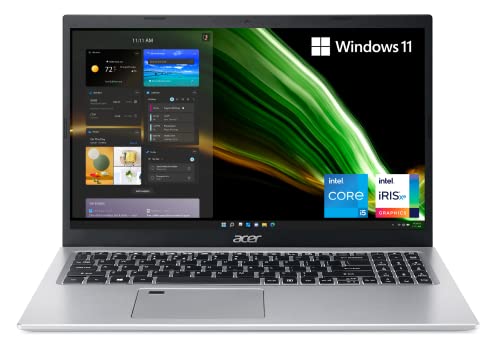
These are the most common affordable i5 laptops, such as the Acer Aspire 5 and Dell Inspiron 15 lines. They have full HD screens, 8 to 16 GB of memory, and a fast solid state drive. They suit students, families, and home workers.
Thin and Light i5 Laptops
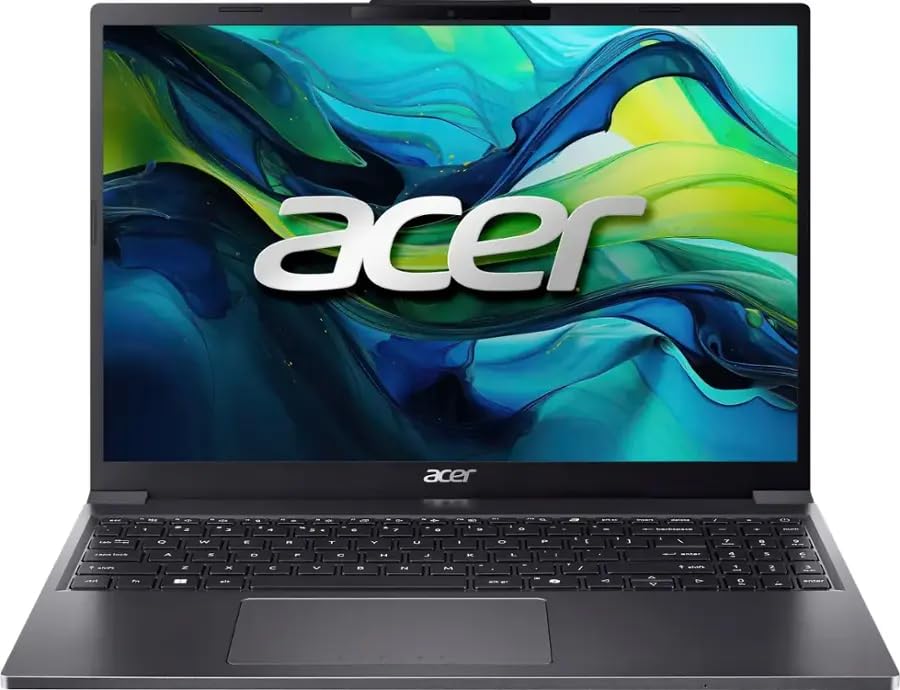
Models such as the Acer Aspire Go and ASUS Vivobook focus on lighter weight and longer battery life. They suit commuting and travel. Check the build and screen, since thin laptops can cut corners on both.
Business Style i5 Laptops
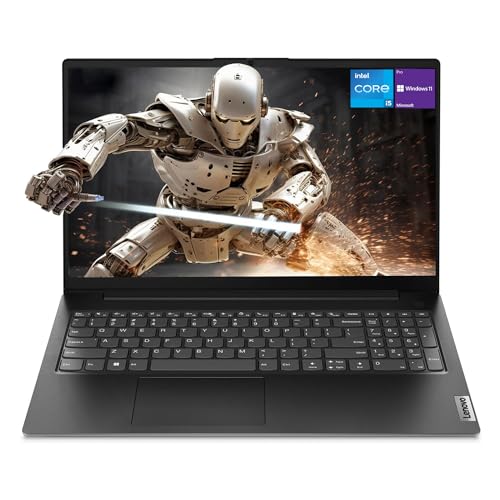
Laptops such as the Lenovo V15 offer sturdier bodies, good keyboards, and more ports. They suit office work and long typing sessions.
Gaming i5 Laptops
Some i5 laptops pair an H series chip with a dedicated graphics card. These cost more and suit gaming and heavier creative work. See our guide to the best gaming laptops affordable for more on this type.
Key Specs to Check
Memory and Storage
8 GB of memory is the minimum, and 16 GB is better if you keep many tabs and apps open. A solid state drive of 256 GB to 512 GB is a good target. A hard drive only laptop will feel slow.
Screen
Choose a full HD (1920 by 1080) screen at least, preferably IPS for better viewing angles. Brightness of 250 nits or more is comfortable indoors. Touchscreens add cost and weight and are not needed for most users.
Battery and Weight
Thin laptops often last 8 to 12 hours on light use, while gaming laptops last far less. A 15 inch laptop weighs around 3.5 to 4.5 pounds, and gaming models weigh more.
Ports and Connectivity
Look for USB-A, USB-C, HDMI, and a headphone jack, plus Wi-Fi 6 or newer. If you use a docking station, check for USB-C with display output.
What You Can Realistically Get on a Budget
Around $480 to $650 buys a 15 inch Core i5 laptop with 8 to 16 GB of memory and a 512 GB drive, which handles daily tasks well. Around $650 to $750 buys a better screen, a sturdier build, or a business style machine. Around $950 to $1,000 buys an i5 gaming laptop with a dedicated graphics card. Treat the lowest priced options carefully and check seller reviews and the return policy.
Choosing by How You Work
If you spend most of the day in a browser, documents, and video calls, a light i5 laptop with 8 GB of memory and a good screen will feel fast. If you edit photos or do light video work, choose 16 GB of memory, a sharper screen, and a larger drive. If you travel, put weight and battery life ahead of everything else. If you game, pick an i5 H series chip with a dedicated graphics card. Matching the laptop to your routine matters more than chasing the highest specs.
Windows, Warranty, and Upgrades
Most affordable i5 laptops ship with Windows 11 Home. Check the warranty, usually one year, and look for models with an accessible panel for memory and storage upgrades. Adding memory is the cheapest way to extend the life of a laptop. Some thin models solder the memory, so confirm before you buy.
Common Mistakes to Avoid
- Choosing by the i5 name alone while ignoring the processor generation.
- Accepting 4 GB or 8 GB of memory that cannot be upgraded.
- Buying a laptop with a low resolution screen.
- Paying extra for a touchscreen or fancy design you will not use.
- Ignoring battery life if you work away from outlets.
Setup and Care
Update Windows and your drivers, remove trial software, and set up a backup. Keep vents clear, use the laptop on a hard surface, and avoid heat. Use the battery care setting if it is available, and clean the screen with a soft cloth. A padded sleeve protects the laptop in a bag.
Before You Buy
Look up the exact processor model, since Intel sells many chips under the Core i5 name with very different power and speed. Check the memory type and whether it can be upgraded, confirm the storage is a solid state drive, and read the return policy. If you can, look at photos of the screen and keyboard from real owners, because these are the parts you notice every day.
Also compare weight and charger size if you move around. A laptop that is one pound heavier feels very different after a month of carrying it to class or work. Finally, plan for a case or sleeve and a backup drive, so your investment stays protected.
Frequently Asked Questions
Is an i5 laptop good enough for most people?
Yes. A recent Core i5 handles office work, study, streaming, and light creative tasks comfortably.
How much memory do I need?
8 GB is the minimum and 16 GB is better for heavy multitasking.
Is a dedicated graphics card necessary?
Only for gaming and heavy graphics work. Everyday tasks run fine on built in graphics.
How long should an i5 laptop last?
Four to six years with normal use. Memory and storage upgrades can extend that.
i5 or Ryzen 5: which is better?
They are close in performance for most tasks. Compare the specific models, memory, and screen rather than the brand.
Final Thoughts
Look at the processor generation, memory, storage, and screen together, and pick the type that suits how you work. Use the product table above to compare current models, and see our guide to the best affordable laptops for students if study is your main use. With the right balance, best affordable i5 laptops deliver daily speed without a high price.