Best Affordable Gaming Headsets for Every Need in 2026: How to Pick the Right One
Disclosure: We may earn a commission when you buy through links on this page, at no extra cost to you. As an Amazon Associate I earn from qualifying purchases. Learn more

Match the best affordable gaming headsets to your platform, microphone needs, and comfort so you skip features you will never use.
There is no single budget headset that suits every player, because affordable models are built around different compromises. One spends its budget on the microphone, another on wireless hardware, and a third on cushions you can wear all evening. The trick is knowing which compromise matches your setup before you spend anything. This guide matches the best affordable gaming headsets to real needs first, then walks through the features that decide daily satisfaction.
Start with the device you play on and the way you use voice chat, because those two answers rule out half the market at once. The product table gathers current budget options in one place. The sections after it explain what to check, what to skip, and how to keep an inexpensive headset working well long after the return window closes.

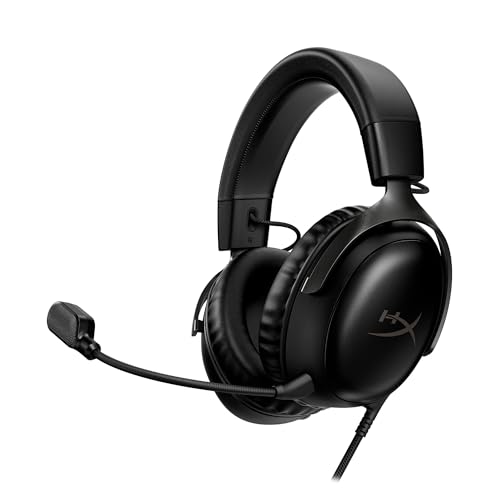


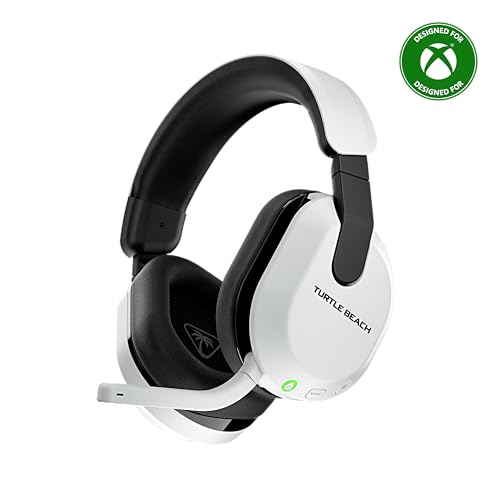


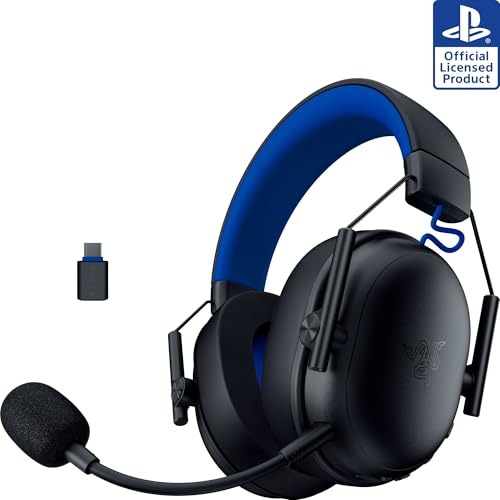

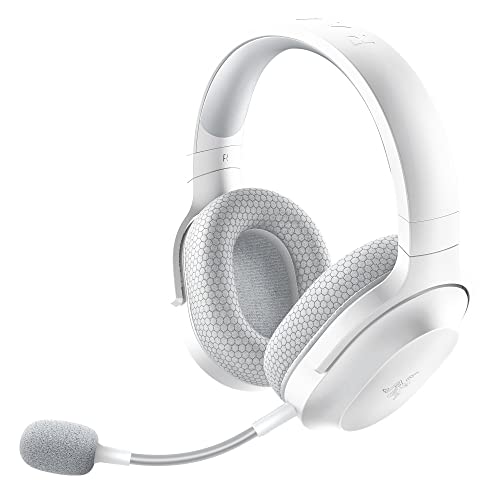

Which of the Best Affordable Gaming Headsets Fits You?
Budget headsets reward buyers who know their own situation, because every dollar spent on one feature is a dollar taken from another. These are the three situations that come up most often, along with the priorities that follow from each one.
For Team Players Who Rely on Voice Chat
If your games are won and lost on callouts, the microphone is your headset. Prioritize a boom microphone that sits close to the mouth, a mute control you can hit without looking down, and clear midrange sound so voices cut through game audio. Wired models at this budget usually give you the best microphone for the money, because none of the price went to batteries or radios. A detachable microphone is a real bonus if the same headset will also travel to school or work during the week.
For Students and Everyday Players
Students need one headset to cover games, classes, and music in a small room, often across more than one device. Look for a standard headphone jack or a USB connection your laptop accepts, simple inline controls, and a build that survives being tossed into a backpack every day. If you choose wireless, charging speed matters more than the largest battery claim, because a quick top up between classes beats a huge battery you forget to charge. Keep the budget honest: at this level, comfort and a decent microphone beat exotic features that only appear in marketing copy.
For Console Players in Shared Rooms
Console players game on a couch, often with family nearby, so closed back ear cups that keep your sound in are worth more than an open and airy design. Check the controller connection first, because most console headsets plug into the controller or connect through a console specific wireless standard. A short cable, a simple volume dial on the cup, and a microphone that folds away all matter more in a living room than studio style tuning. If someone watches TV beside you, passive isolation from a good seal helps you concentrate and keeps the peace.
Key Features to Compare
Six factors decide whether a budget headset feels like a bargain or a regret. Work through them in this order, because the first one can disqualify a headset before sound quality ever gets a say.
Platform Compatibility Comes First
A headset you cannot connect is not a bargain at any price. Wired models with a standard 3.5 mm plug work almost everywhere, including controllers, laptops, and handheld consoles. USB models suit PC players and often add volume and mute controls on the cable or the ear cup.
Wireless is where compatibility narrows sharply: a USB dongle built for low latency gaming may work on a PC and one console family but not the other, and plain Bluetooth often cannot connect to consoles at all. Read the platform list printed on the box, not the headline on the listing, before you buy.
Sound Quality and Tuning
Driver size numbers look impressive and predict very little, because tuning matters more than diameter at this price. A balanced tuning keeps footsteps, dialogue, and music all clear at once, while heavy bass tuning sounds exciting in a trailer and muddy in a busy firefight. Frequency response ranges printed on budget boxes follow no shared standard, so treat them as decoration rather than data.
Clear stereo imaging, meaning the ability to place a sound left, right, near, or far, helps your play more than any bass boost. If a headset offers an equalizer through its app or software, that flexibility is worth more than any single factory tuning. One more setting lives outside the headset entirely: most games and chat apps have their own audio sliders and voice processing, and ten minutes spent balancing game volume against chat volume improves clarity more than a pricier driver would.
Microphone Clarity Decides Team Play
Your teammates hear the microphone, not the drivers, so the microphone decides how you sound in every match. A flexible boom that stays where you bend it beats a tiny built in microphone, which tends to pick up room echo and keyboard noise along with your voice. Background noise handling matters if your room has a fan, a window air unit, or siblings nearby.
After any purchase, record a short voice message in your normal gaming spot and listen back before the return window closes. Surround sound badges, by contrast, describe software processing and say nothing about the microphone at all.
Comfort for Long Sessions
Comfort is a feature you notice in hour three, not minute three. Clamp force holds the headset in place, but too much of it turns into a headache, and since no standard measurement exists, a generous return policy is your safety net. Ear cushion material changes heat buildup: smooth leather style pads seal well and warm up, while fabric pads breathe better and leak a little more sound.
Headband padding and total weight matter as well, because a heavy headset slowly pulls your posture forward. Glasses wearers should look for softer pads, because a hard seal presses the frames into the side of the head.
Battery Life and Charging
Wireless freedom is paid for in charging habits. Budget wireless headsets commonly offer about 20 to 40 hours per charge, and maker figures assume moderate volume, so expect less in real use. A quick charge feature that returns a few hours of play from a short plug in rescues forgotten charging nights.
Check whether the headset still works while charging, or with a cable as a backup, because a dead battery should never end a session. Our guide to best affordable wireless gaming headsets compares the wireless only field in more depth.
Cables, Controls, and Splitter Adapters
Small hardware details cause a surprising share of budget returns. Desk players want a cable long enough to reach the back of a PC without pulling, while couch players want a shorter cable that stays out of the way, so check the stated length against your setup. Many older PCs use separate headphone and microphone jacks, and a headset with a single combined plug needs an inexpensive splitter adapter to make the microphone work there. Inline volume and mute controls are worth having on wired models, because reaching for software settings mid game costs you the round.
What You Can Realistically Get on a Budget
Under about $50, expect wired connections, plastic builds, fixed microphones, and sound that is good rather than refined. Between about $50 and about $100, wireless dongles, detachable microphones, better padding, and app support enter the picture. The best affordable gaming headsets usually live in that second band, and what the low bands give up is consistent: build materials, microphone polish, and wireless hardware are where the savings live.
If your budget will stretch once, stretch it on the microphone and the cushions, the two parts you interact with every minute. Readers who do not game at all may pay less still, since plain best affordable headsets skip the gaming extras entirely, while buyers ready to spend beyond this class can see what the best quality gaming headsets add for the extra money. The same match the need logic applies to the screen in front of you, which our guide to best affordable gaming monitors covers for budget desks.
Protect Your Hearing While You Play
No headset can prevent hearing damage, and no volume feature makes loud listening safe. The risk comes from volume and time together, so moderate volume plus regular breaks is the sensible habit. A practical check: if you would have to shout to hear your own voice over the game audio, the volume is too high.
Ringing ears after a session mean the volume was too high, and repeated ringing is a warning to turn things down and give your ears real rest. If you have concerns about your hearing, ask your doctor. Parents buying for younger players can look for volume limiting settings, while remembering that a software limit can often be overridden and is a helper, not a guarantee. Many phones, consoles, and PCs also let you set a maximum volume at the system level, which works alongside sensible habits and does not depend on the headset at all.
Common Mistakes to Avoid When Buying Gaming Headsets
- Choosing by driver size or the widest frequency response number, neither of which predicts how a budget headset actually sounds.
- Buying a wireless headset before checking that its dongle or Bluetooth connection works with your exact console.
- Spending the whole budget on sound and ignoring the microphone, then sounding muffled to every teammate.
- Assuming surround sound on the box means extra speakers inside, when on budget models it is software processing of a stereo signal.
- Keeping a headset that hurts after twenty minutes because it was cheap, when comfort problems only grow over longer sessions.
How to Make Your Gaming Headset Last Longer
Budget headsets tend to fail at predictable points, and most of those failures are preventable. Keep the firmware updated on wireless models, because updates fix pairing bugs and battery reporting errors. Store the headset on a stand or a hook instead of under a pile of gear, since crushed ear cups and bent microphone booms are the most common early deaths. Wipe the ear pads after long sessions and wash fabric pads when the maker allows it, because sweat slowly breaks down cushion foam and coatings.
Unplug cables by gripping the plug rather than the cord, and charge wireless models before the battery sits empty for weeks. If the headset travels in a bag, a simple soft case keeps the boom and cups from being crushed, and coiling the cable loosely instead of wrapping it tight around the cups prevents the internal breaks that make one side go silent.
Gaming Headset Questions Answered
Do I need a special codec for wireless gaming?
For gaming, latency matters more than codec bragging rights, because a delayed soundtrack makes footsteps and dialogue land late. A gaming dongle connection avoids most delay, while standard Bluetooth can lag enough to notice in fast games. If a headset lists a low latency Bluetooth codec, that helps for phone and handheld play. One point spec sheets hide: the device at the other end must support the same codec, or the connection quietly falls back to a basic one.
Is virtual surround sound worth paying for on a budget headset?
Usually not as a paid extra, because virtual surround on budget headsets is software that widens a stereo signal rather than adding real channels. Good stereo imaging already tells you where footsteps come from, and many games include their own headphone modes that do the same job at no cost. Spend the money on fit and microphone instead. If the feature is bundled free, try it in your main game and keep whichever setting your own ears prefer.
Can one gaming headset work on my console, PC, and phone?
Yes, if you choose the connection types carefully, because a 3.5 mm plug covers consoles through the controller, most PCs, and many phones or adapters. Wireless is the limiting factor, since a dongle made for one console family rarely works with the other. List every device you own first, then match the box against that list before ordering. A wired headset with a detachable cable is the simplest one headset answer, and it never needs charging.
How long should an affordable gaming headset last?
With normal care, expect about two to three years before something wears out, and the ear pads almost always go first. Cracked plastic at the headband joint is the second most common failure, which is why a metal reinforced band is worth a small premium. Replaceable pads and cables quietly double the useful life of a headset. Keep the receipt as well, because budget warranty handling often turns on proof of purchase rather than on registration.
Is active noise cancelling worth it at this price?
At budget prices, active noise cancelling is usually weak, because the microphones and processing it needs are expensive to do well. A closed back headset with a good seal already blocks a surprising amount of room noise for free. Pay for cancelling only if you play in a genuinely loud space, such as a shared room with a TV running nearby. Otherwise, treat the feature as a small bonus on a headset you chose for sound and fit.
Should I buy a used gaming headset to save money?
A used headset can be a smart buy, but inspect the wear points first, because ear pads, headband joints, and microphone booms age faster than the electronics. Ask about battery health on wireless models, since a worn battery is the one flaw you cannot see in photos and rarely can replace. Budget for fresh ear pads in the price, both for hygiene and because compressed pads change the fit and the seal. If the pads are not replaceable on that model, a new budget headset is usually the better value.
Final Thoughts
Affordable headsets reward buyers who decide by need: platform first, microphone second, comfort always. Wireless freedom and surround badges can wait until those basics are right. Match your shortlist against the product table above, check the connection against every device you own, and keep the volume sensible while you play. Chosen that way, the best affordable gaming headsets become an easy, durable buy for your setup instead of a gamble.