Best Aesthetic PC Cases in 2026: What Actually Matters Before You Buy
Disclosure: We may earn a commission when you buy through links on this page, at no extra cost to you. As an Amazon Associate I earn from qualifying purchases. Learn more

Learn what actually matters in the best aesthetic pc cases: airflow, glass panels, board fit, and cable room, so your build looks clean and runs cool.
A good looking build starts with the enclosure, because the case is what people see on your desk and what your parts breathe through all day. Shoppers comparing the best aesthetic pc cases usually want two things at once: clean looks and sensible cooling for the hardware behind the glass. This guide covers empty enclosures only, since finished devices like the ones in our guide to the best pc tablets are complete computers, not shells you build into.
Instead of scoring complete PCs, use the points below to judge any case: airflow, panel design, board fit, cable room, and cooling support. The comparison table below lines up the main styles side by side, so you can match a look to your desk, your board, and your budget before you spend anything.
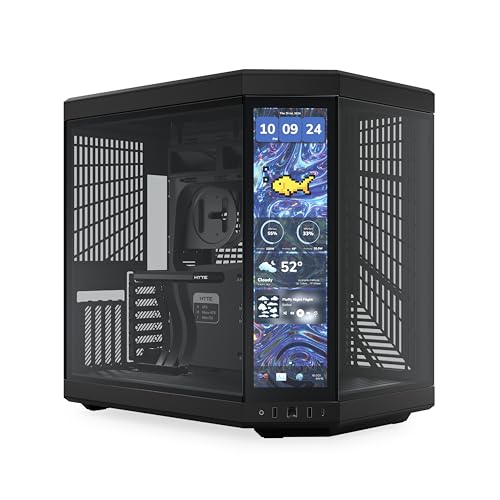

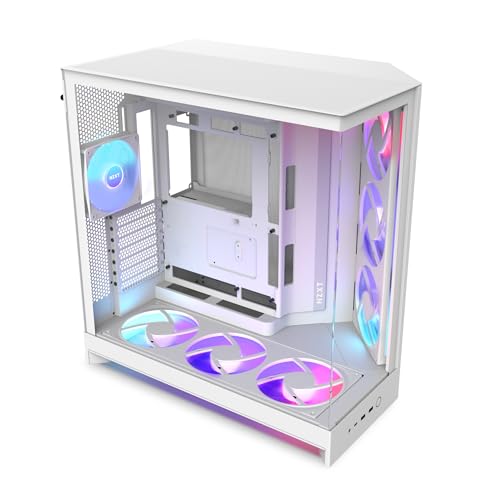
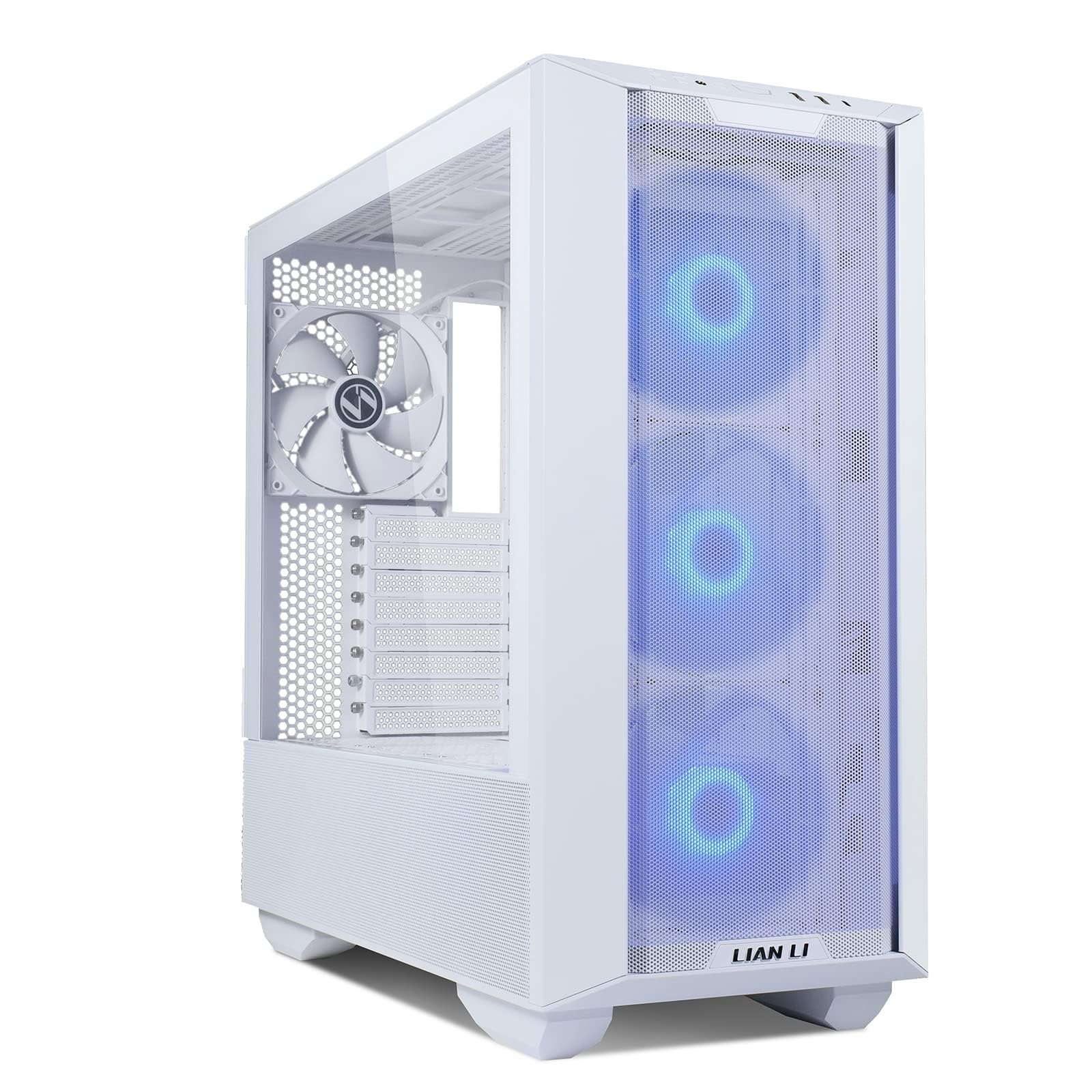

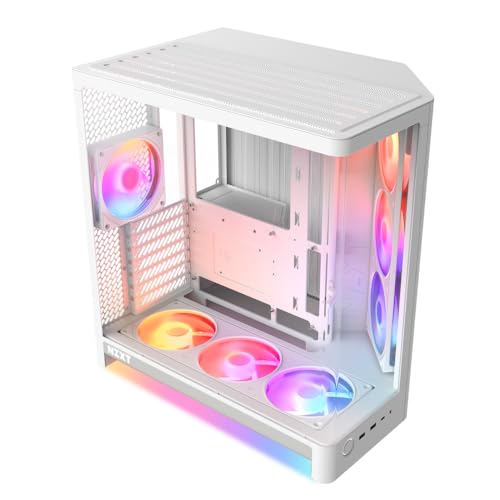
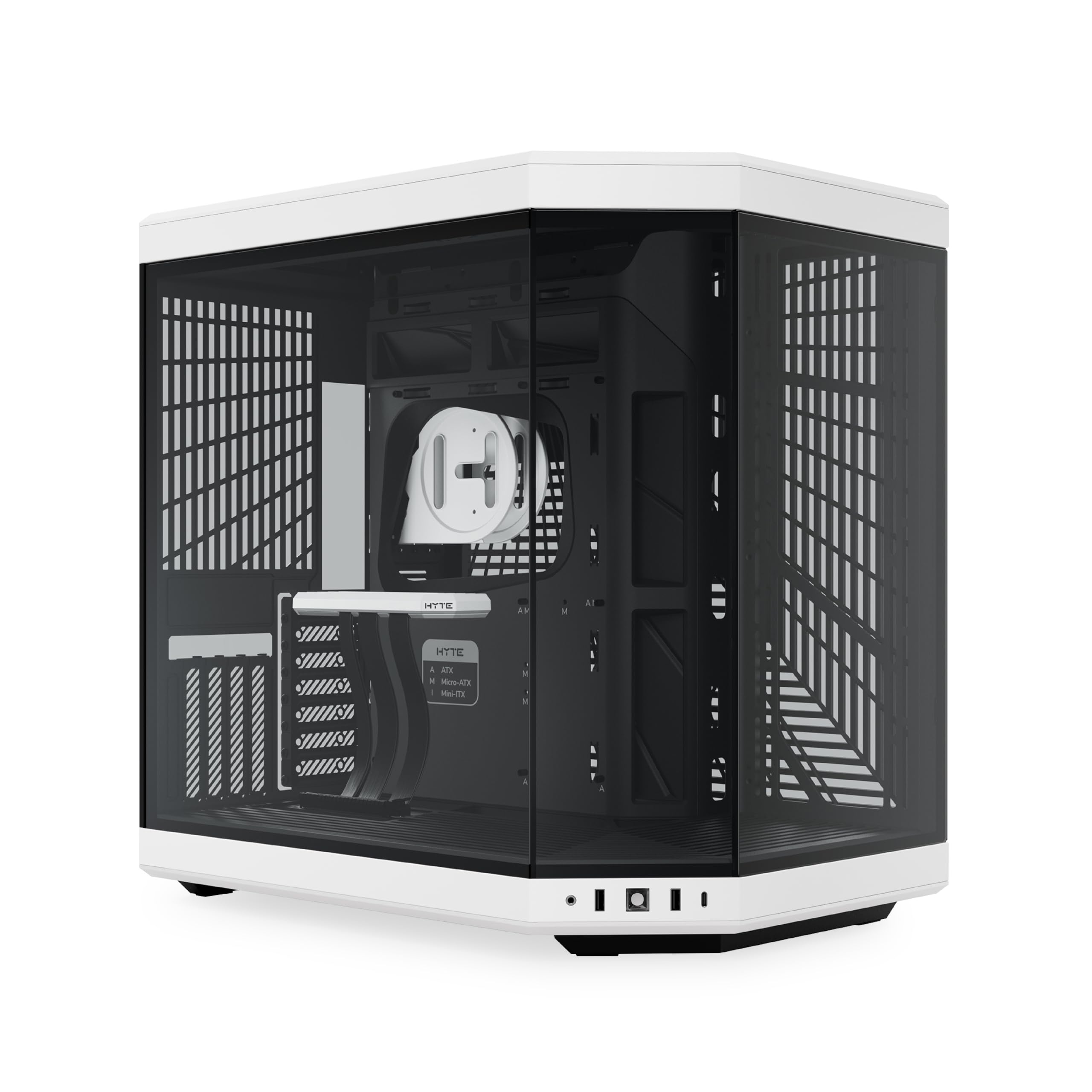


What Actually Matters Before You Buy
Looks pull you in, but five practical points decide whether a pretty case stays pleasant to live with. Work through them in this order and most bad purchases filter themselves out.
Airflow Trades Against Looks
Airflow is where appearance and performance collide most often. A solid glass front looks clean and shows off lit fans beautifully, yet it traps heat because the fans behind it have almost no path for fresh air to enter. Mesh front panels look busier, but they let intake fans pull air freely, so parts run cooler and the fans can spin slower and quieter. If you love the glass look, choose a case with generous side vents or a raised front panel, and plan on strong top and rear exhaust so hot air has somewhere to go.
Glass Panels Show the Build and the Dust
A tempered glass side panel turns your parts into the decoration, which is the whole point of this category. Clear glass shows everything, including sloppy cables, while tinted glass hides minor mess and softens bright lighting at night. Glass also adds real weight, so a full glass case is a poor pick if you move your PC often. Remember that glass is a display surface: fingerprints and dust show quickly, and a panel you cannot remove easily becomes a chore you start avoiding.
Form Factor Decides Which Boards Fit
Size is a hard limit, not a style preference, because the form factor class governs which board class the case accepts. Builders set on a tiny desk footprint should compare the best itx pc cases, while compact builds with a little more working room fit the best matx pc cases instead. Full ATX boards need a mid tower or larger. Before ordering, check two clearances in the spec list: graphics card length, often about 300 to 420 mm depending on case size, and CPU cooler height, since a tall air cooler can stop a glass panel from closing.
Cable Room Makes or Breaks the Clean Look
Through glass, your cables are part of the display, so the space behind the motherboard tray matters as much as the front. Look for about 20 to 30 mm of depth in the cable channel, rubber grommets on the pass through holes, and plenty of tie down points along the route. A power supply shroud hides the thickest cables and the spare connectors you are not using. Cases with shallow channels force you to crush cables flat, which bulges the rear panel and makes the whole build look strained.
Cooling Support: Fans and Radiators
Count the fan mounts and check radiator support before falling for a color scheme. Most mid towers accept radiators of about 240 to 360 mm at the front or top, and liquid cooling tubes need clearance that small cases often lack. The fans themselves are a separate component purchase, and our guide to the best pc case fans covers that choice, while this page stays with the mounts and space the case gives them. A case with mounts in the right places lets you add cooling later instead of replacing the enclosure.
Lighting, Color, and Interior Layout
Built in lighting looks best when it has something to reflect from. White interiors bounce light around and make colors glow, while black interiors give a moodier look and hide cable shadows better. Addressable lighting needs a compatible header on your board, so confirm the connection type before you buy. Also look at the small things: a flat, uncluttered floor in the case, covered front panel cables, and a rear side that looks tidy even where nobody planned to show it off.
Three Build Styles, Three Different Priorities
Most pretty cases fall into one of three styles, and each style asks you to give up something different. If your taste runs to classic designs rather than current fashion, our roundup of the best pc cases of all time shows how case styling has changed over the years.
Full Glass Showcase Builds
Showcase cases wrap the build in glass on two or three sides and suit a PC that lives on top of the desk as a display piece. They flatter careful cable work and lighting, and they punish messy builds without mercy. Expect to pay more, carry more weight, and think harder about intake air. Choose this style when the build itself is the hobby and you enjoy keeping it spotless.
Compact Small Form Builds
Compact cases trade internal space for a small footprint and a sculptural look on the desk. They reward exact measurements, because the graphics card, cooler, and power supply all compete for the same few liters. Parts often cost more in small sizes, and a mistake in clearance can mean returning a component. Pick this style when desk space is tight and you are willing to plan the build on paper first.
Quiet Minimalist Builds
Minimalist cases use solid panels, flat colors, and few or no windows, and they suit shared rooms and work desks. Sound dampening material on the panels softens fan noise, though it also holds in some heat, so these cases work best with modest parts rather than the hottest hardware. The look ages well because there is no lighting trend to go stale. Choose it when the PC should disappear into the room instead of performing for it.
Quick Buyer Checklist
- Does the front panel use mesh, or have real vents, where the intake fans sit?
- Is the graphics card clearance at least 20 mm longer than your card?
- Does the case fit your board size: ITX, mATX, or ATX?
- Is there at least about 20 mm of cable space behind the motherboard tray?
- Does it support the radiator size you plan to use, about 240 to 360 mm?
- Can you remove the dust filters by hand for cleaning?
- Does the glass tint match how much of the build you want on show?
Red Flags to Watch For
- A sealed glass front with no side vents on a case marketed for gaming parts.
- No published figures for graphics card length or cooler height clearance.
- Fixed drive cages that block the front radiator space you were counting on.
- Very thin steel panels that flex, buzz, and make the whole case feel cheap.
- A warranty under one year on a case priced like a premium model.
Tips to Get the Most From Your Case
Clean the dust filters about every three months, because clogged filters quietly undo good airflow. Route cables clear of fan blades and use the tie points the maker provided, since a cable resting on a spinning fan wears through its insulation. Wipe glass with a dry microfiber cloth to avoid streaks, and leave a few inches of open space behind and above the case so exhaust air can escape into the room.
Aesthetic PC Cases: Your Questions Answered
Do glass front panels make a PC run hotter?
Yes, a sealed glass front usually raises internal temperatures because the intake fans draw air through gaps instead of an open face. The gap is manageable when the case has vented sides and strong exhaust at the top and rear. Leaving about four inches of open space behind the case helps more than most people expect. If your parts already run warm, a mesh front with a glass side gives you most of the look with far less heat.
What case size should a first time builder choose?
A mid tower that fits ATX boards is the easiest starting point. It gives your hands room to work, forgives imperfect cable routing, and accepts the widest range of coolers and graphics cards. Mid towers also tend to cost less than compact cases with the same build quality. You can always move the same parts into a smaller or flashier case later, once you know the clearances by heart.
Can a compact case fit a long graphics card?
Some can, but the card has to share space with the front fan or radiator, so the printed clearance shrinks fast. Many compact cases accept cards of about 300 mm, yet thickness matters too: a three slot card can block the fan mounts below it. Measure your exact card, including the power connector bend at the top or end. If the figures are close, pick the case with the removable front bracket, since that buys back a few vital millimeters.
Are white PC cases harder to keep clean than black ones?
Not really, and in one way they are easier: pale dust shows plainly on black paint but nearly disappears on white. Scuffs and dark fingerprints reverse the story, showing more on white finishes. White interiors also reveal sloppy cables sooner, which is either a flaw or free motivation to tidy up. Choose the color that suits your room, and expect to dust either one about as often.
How many case fans does a good looking build actually need?
Two intake fans and one exhaust fan cover most builds, and that layout keeps dust out by maintaining slight positive pressure. Extra fans add little cooling once the basics are in place, though they can fill out a lit front panel nicely. Slow, large fans usually beat fast, small ones for noise. Spend the savings on a case with better cable room instead, since tidy cables improve both airflow and appearance.
The Bottom Line
Judge every pretty case on airflow first, board and card fit second, and cable room third, and the looks will take care of themselves. The best aesthetic pc cases are the ones that still please you after the first cleaning, the first upgrade, and the first summer of warm rooms. Compare the styles in the product table above, run the checklist against your own parts list, and buy the enclosure that fits both your hardware and your desk.