Best Active Monitor Speakers: Size, Inputs and Placement Guide
Disclosure: We may earn a commission when you buy through links on this page, at no extra cost to you. As an Amazon Associate I earn from qualifying purchases. Learn more

Driver size, inputs, room tuning, and placement explained for the best active monitor speakers.
Active monitor speakers have the amplifier built into the cabinet, so you plug in your audio interface and start mixing. They are made to sound honest rather than flattering, which helps you hear problems in a recording before listeners do. This guide to the best active monitor speakers explains how to choose a size, which inputs you need, and how to set them up in a small room.
Use the product table below to compare models from compact desktop pairs to larger studio monitors, then read on for the checks that matter before you buy.


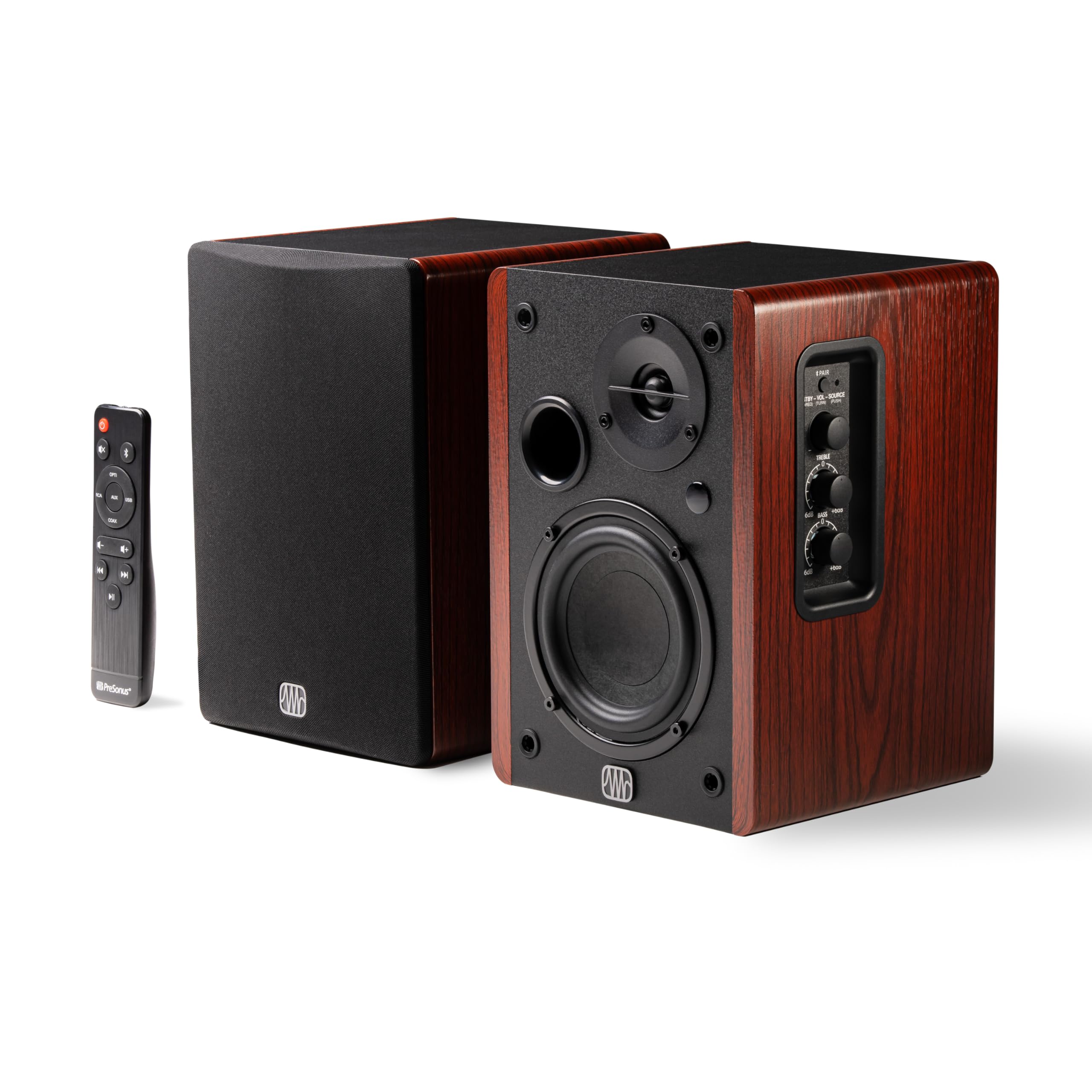
Why Choose Active Monitor Speakers
Because each speaker has its own amplifier matched to its drivers, an active monitor needs no separate power amp and avoids mismatches between amp and speaker. The built in crossover splits the signal between the woofer and the tweeter, and the amplifier is tuned to each driver. For a home studio this means fewer cables, a smaller footprint, and a more predictable sound than a pair of passive speakers with a random amplifier.
Choosing the Right Size
3.5 to 4.5 Inch Monitors
Compact monitors suit small desks, bedrooms, and shared spaces. They reproduce midrange and highs well and can sound clear at low volume, but they give limited bass below about 60 to 70 Hz. Pair them with a small subwoofer if you work with bass heavy music.
5 Inch Monitors
Five inch models are the most popular choice for home studios. They give a good balance of bass depth, size, and price, and they work well in rooms of around 100 to 150 square feet.
6.5 to 8 Inch Monitors
Larger monitors move more air and go deeper in the bass, which helps in bigger rooms and for electronic or hip hop mixing. They need more space and a treated room, because bass issues become clearer in small, untreated rooms.
Features to Compare
Inputs and Connections
Balanced XLR or TRS inputs reduce noise and suit audio interfaces. RCA and a 3.5 mm input help with phones and casual listening. Some monitors add Bluetooth or USB, which makes them handy as desk speakers too. Check that the inputs match your interface.
Room Tuning Controls
Switches for high frequency trim, low frequency roll off, and a boundary setting help adjust the speakers to your room. If the speakers sit near a wall, a bass cut avoids a boomy sound.
Frequency Response and Bass
Look for a flat response over the range you work in rather than a big bass number. A smaller woofer simply cannot go as low as a larger one, and a model that claims too much may boost bass artificially.
Power and Volume
For a small room, 40 to 80 watts per channel is plenty. More power matters only if you need clean headroom at high levels.
Build and Size
Check the cabinet size against your desk, and check the weight if you plan to use stands. Front ported cabinets are easier to place near a wall than rear ported ones.
Budget and What to Expect
Compact 3.5 to 4.5 inch pairs start at about $100 to $200 and are enough for casual mixing and desk listening. Five inch pairs from about $200 to $450 give a more accurate and fuller sound for serious home studio work. Larger 8 inch pairs cost about $500 and up. Among the best active monitor speakers, price usually buys flatter response, lower distortion, and better room tuning controls. Remember to budget for balanced cables, isolation pads or stands, and a few absorption panels, which can matter as much as a step up in speaker model.
Setting Up Active Monitor Speakers
Place the two speakers and your head in an equal sided triangle, with the tweeters at ear height. Angle the speakers inward so they point at your ears. Keep them away from corners and a few inches from the wall to avoid extra bass. Use isolation pads or stands to keep the desk from vibrating. Connect the speakers with balanced cables, set the volume knobs at the same level, and begin at a low volume.
Treating the room helps as much as buying better speakers. A few absorption panels at the first reflection points and in the corners clean up the sound noticeably.
Care and Safety
Keep vents clear and wipe cabinets with a dry cloth. Switch the speakers off when not in use for a long time, and turn the volume down before powering on to avoid pops. Check the cables for loose plugs that cause hum. Listen at moderate levels, since long sessions at high volume can harm hearing.
Common Mistakes to Avoid
The most common mistake is buying large monitors for a small, untreated room, which exaggerates bass problems. Another is placing speakers on a desk without pads, which blurs the sound. A third is choosing on bass numbers instead of a flat response. Take your time, and listen to familiar tracks before you decide.
Frequently Asked Questions
What size active monitors should I buy for a bedroom studio?
Five inch monitors are the usual choice, and 4 to 4.5 inch models are fine for a small desk. Choose the bigger size only if your room has treatment and space.
Do active monitors need a subwoofer?
Not always. A pair of 5 or 8 inch monitors is enough for most mixing. A subwoofer helps when you work on bass heavy music or small monitors.
What inputs do I need?
Balanced XLR or TRS inputs suit an audio interface. If you also want to play music from a phone, look for RCA, 3.5 mm, or Bluetooth.
Can I use studio monitors for casual listening?
Yes. They sound accurate and detailed, though some people find them less flattering than consumer speakers.
How far apart should the speakers be?
Place them about as far apart as they are from your head, forming an equal sided triangle.
Final Thoughts
Match the size to your room, check the inputs, and set the speakers up carefully. Use the product table above to compare the best active monitor speakers by size and price. For a related guide, see the best active monitors.