
Best AC Modem Routers Made Simple: A Clear Buying Guide for 2026
Disclosure: We may earn a commission when you buy through links on this page, at no extra cost to you. As an Amazon Associate I earn from qualifying purchases. Learn more

Shopping for the best ac modem routers for the first time? Learn the terms, check cable compatibility, and avoid common mistakes with this easy guide.
A modem router does two jobs in one box, and that single fact explains most of the confusion around it. If you have cable internet and you are tired of paying a monthly rental fee for equipment, learning how the best ac modem routers work can save you money and simplify your setup at the same time. This guide starts with the basics, in plain English, and builds toward a confident first purchase.
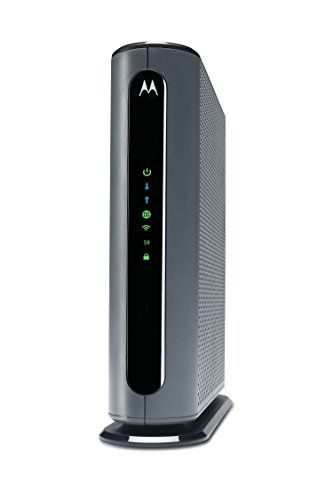
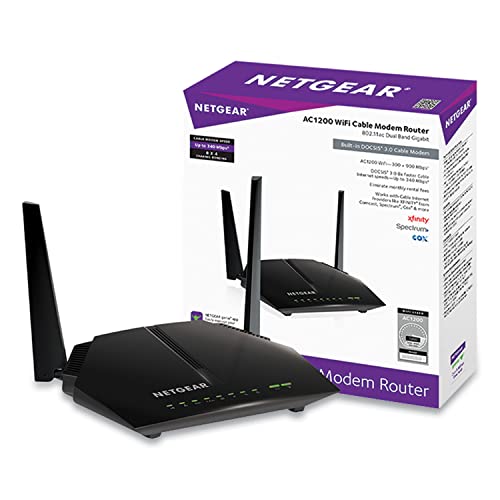
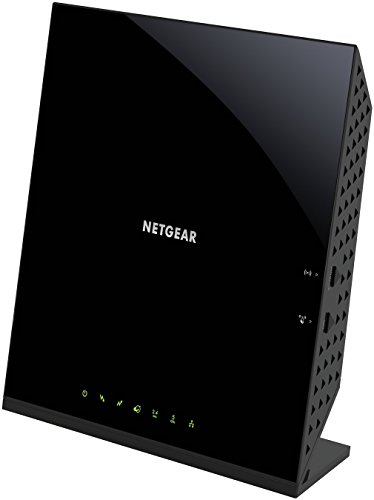
You do not need to be a network engineer to get this right. You need to confirm three things: that the device works with your internet provider, that it can handle your plan speed, and that its wireless side covers your home. The comparison table below gives you a quick scan of options, and the sections that follow explain each spec so the numbers actually mean something.



AC Modem Routers 101: The Basics
A modem talks to your internet provider over the cable line coming into your home. A router takes that connection and shares it with your phones, laptops, TVs, and everything else, mostly over WiFi. A modem router combines both jobs in one device, so you have one box, one power cord, and one set of settings to manage instead of two.
The AC in the name refers to WiFi 5, a wireless standard also written as 802.11ac. It broadcasts on two bands: 2.4 GHz, which travels farther and passes through walls better, and 5 GHz, which is faster over shorter distances. Numbers such as AC1900 describe combined theoretical top speeds across bands, not the speed any single device will see. Treat those numbers as size classes, not promises.
One more term matters before anything else: DOCSIS. That is the standard cable modems use to talk to the provider network. DOCSIS 3.0 units are older and still fine for slower plans, while DOCSIS 3.1 units support the fastest current cable plans and will stay useful longer. Readers who would rather keep the two jobs separate can compare the approach in our guide to the best modems and routers sold as standalone units.
Key Specs Explained in Plain English
Provider Compatibility and DOCSIS Version
Compatibility is the one spec you cannot compromise on. A cable modem router must be approved by your provider for your exact plan, or the provider may refuse to activate it at all. Check the provider approved list before you buy, and note that these devices are for cable internet only, not fiber or DSL service.
DOCSIS 3.1 is the safer buy if your plan is anywhere near gigabit speed or if you expect to upgrade your plan within a few years. Shoppers on one major cable network can go deeper with our guide to the best modems and routers for xfinity, which walks through that approval process in detail.
WiFi Standard and Speed Class
An AC modem router uses WiFi 5, which remains plenty fast for streaming, video calls, schoolwork, and everyday browsing in most homes. Newer standards such as WiFi 6 and WiFi 6E add efficiency in crowded homes and a 6 GHz band on some models, but they only help if your phones and laptops support them too. Match the speed class to your plan with headroom to spare.
If you pay for about 300 Mbps, a mid class AC unit will not hold you back. If you pay for gigabit service, look at higher class units or a DOCSIS 3.1 model, and compare naming conventions with our guide to the best routers ac shoppers consider as separate router options.
Security and Parental Controls
Look for WPA3 security if you can get it, and WPA2 as the acceptable minimum, since older security modes leave your network open to known attacks. Good units let you set up a guest network, which keeps visitors and smart home gadgets off the same network as your banking laptop. Parental controls vary widely.
Basic time limits and site blocking are often free, while detailed reports and filtering sometimes sit behind a monthly subscription, so read the fine print before you count on them. Whatever you buy, change the default admin password during setup and turn on automatic updates if the device offers them.
Number of Devices and Traffic Handling
Modern homes connect far more devices than they realize: phones, tablets, TVs, doorbells, bulbs, speakers, and game consoles can push a household past thirty connections. Technologies with names like MU MIMO and OFDMA describe how efficiently a router talks to several devices at once instead of making them wait in line. AC era units handle a typical family load well, but if your home runs several video calls and 4K streams at the same time every day, that congestion, not raw speed, is what you will feel. In that case a newer standard or a mesh setup may serve you better than a bigger AC number.
Coverage and Home Size
Coverage claims on boxes assume ideal conditions that no real house has. As a rough guide, a single modem router placed near the center of a home covers a small to mid size apartment or a one story house of about 1,500 square feet. Brick walls, metal ductwork, aquariums, and floors between levels all shrink that range.
Placement matters because the modem router must sit where the cable outlet is, which is often a corner of the house, the worst possible spot for coverage. If your cable outlet is stuck in a corner and the far bedrooms struggle, read about mesh options in our guide to the best modem & routers for larger homes before assuming a stronger single box will fix it.
Ports, Setup, and App Management
Count the wired ports before you buy. Four gigabit Ethernet ports suit most homes, letting you wire a TV, a game console, or a work computer for the most stable connection possible. A USB port, when present, can share a printer or storage drive on your network.
Setup should take about fifteen minutes through a phone app or browser page: connect the cable line, power on, wait for the provider activation page, and follow its steps. A clear app that shows connected devices, lets you pause a child tablet at bedtime, and alerts you about updates is worth real money over the life of the device.
Rookie Mistakes to Avoid
- Buying before checking the approved list. A bargain unit your provider will not activate is not a bargain, so confirm compatibility and plan tier first.
- Confusing cable with fiber or DSL. These combo units work on cable service only, and no setting or adapter will change that.
- Paying for speed your plan cannot deliver. A top class router cannot make a 200 Mbps plan run at 900 Mbps, so buy with modest headroom instead.
- Hiding the unit in a cabinet. Closed furniture and basement corners smother the signal, so give the device open air near the middle of your living space when you can.
- Keeping the rental while owning. Return the provider equipment and get a receipt, or the rental fee may quietly stay on your bill.
Getting Started: Setup and First Use
Start by calling your provider or opening its activation page, then connect the coaxial cable snugly by hand, attach the power cord, and wait for the status lights to settle, which can take ten minutes on the first boot. Activate the device with the provider before changing any settings, and confirm that a phone and a laptop both get online.
Next, set your own network name and a long password, change the admin password, and update the firmware before you settle in. Place the unit as centrally and as high as the cable run allows, ideally on a shelf rather than the floor. Write the network details on paper and keep them somewhere safe, because the day a relative visits is the day nobody remembers the password.
Frequently Asked Questions
How often should I replace my router?
Plan on replacing a modem router every four to six years. Replace sooner if your provider drops support for its DOCSIS version, if security updates stop arriving, or if you upgrade to a plan speed the unit cannot deliver. Random dropouts that survive a factory reset are another honest sign. Because the modem and router are combined, one aging half can force replacing a unit whose other half still works fine.
Will a new router speed up my internet?
A new router can remove a bottleneck, but it cannot raise the ceiling set by your plan. If your old unit caps out below your plan speed, or its signal dies two rooms away, a better placed modern unit will feel dramatically faster in daily use. Run a wired speed test at the modem first. If the wired result already matches your plan, your issue is coverage or congestion, not the provider feed.
Mesh or a single router: which is better?
A single modem router is better for most apartments and compact homes because it costs less and is simpler to run. Mesh is better when your home is large, has several floors, or has walls that block signals, because extra nodes relay the connection into dead zones. Note that most mesh systems still need a modem in front of them, so cable shoppers often keep a basic approved modem and add mesh behind it for coverage.
Do I need WiFi 7 yet?
No, most households do not need WiFi 7 yet. It helps mainly with very fast plans, dense smart homes, and newer phones and laptops built for it, and it usually means giving up the all in one modem router format. If your current AC unit covers your home and handles your plan, waiting costs you nothing. Upgrade when a device you own can actually use the new standard or when support for your unit ends.
The Bottom Line
Narrow your choice in this order: provider approval first, DOCSIS version and plan speed second, coverage for your floor plan third. Get those three right and almost any well made AC unit will serve you quietly for years while the rental savings pay for it. Look back at the product table above with those filters in hand, and the best ac modem routers for your home will usually narrow down to one or two obvious candidates.


