Best 5 Inch Screen Smartphones: Everything to Know Before Your First Purchase for 2026
Disclosure: We may earn a commission when you buy through links on this page, at no extra cost to you. As an Amazon Associate I earn from qualifying purchases. Learn more

Shopping for the best 5 inch screen smartphones for the first time? Learn the key terms, compare sizes, and avoid common mistakes with this guide.
If you prefer a phone you can use with one hand and carry in any pocket, a compact model still makes sense, even as most phones grow larger. This beginner friendly guide explains the best 5 inch screen smartphones in plain language, from display terms to carrier checks, so your first purchase feels calm and informed.
We move from basics to key specs, then to mistakes to avoid and simple setup steps. Use the comparison table below to see current compact options as you learn what each spec means.
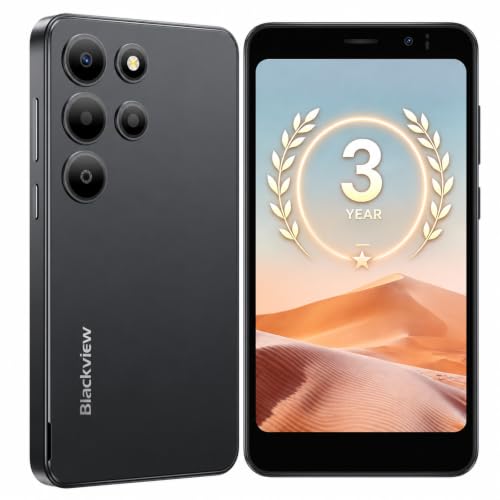
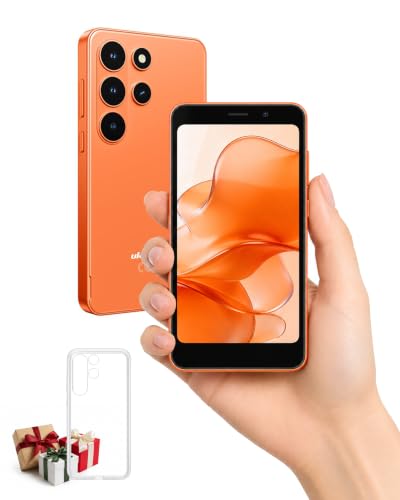
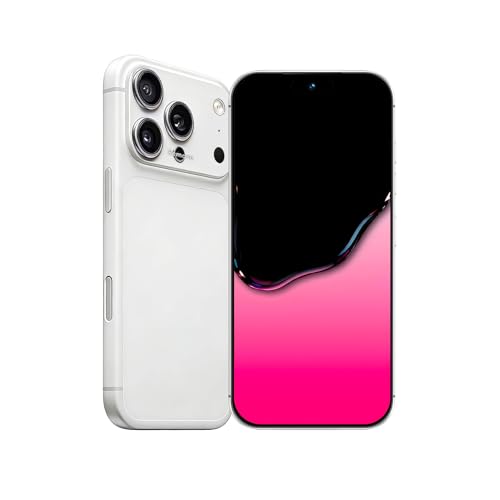
5 Inch Screen Smartphones 101: The Basics
Screen size is measured diagonally from corner to corner. A 5 inch display is compact by modern standards, which makes the phone easier to grip, lighter in a pocket, and simpler to use on a bus or in a crowd. The trade off is a smaller view for video, maps, and split screen tasks, plus often a smaller battery than a large phone carries.
Compact phones still do everything a large phone does, including calls, messaging, photos, banking, and navigation. What changes is comfort and battery room, not basic ability. Many buyers in this class value an unlocked phone, which works on different carriers and avoids carrier installed extras. Others buy through a carrier for payment plans. Either route can be right, as long as the phone supports your carrier bands and will get updates for years. Start with hand comfort, then check those two practical points.
If you want an even smaller view, compare our guide to the best smartphones under 5 inch screen after you finish the basics here. Buyers measuring by the full body rather than the display can also check our guide to the best smartphones under 5 inches for a different way to compare compact sizes.
Key Specs Explained in Plain English
Display Size and Quality
Look for an OLED display if your budget allows, because OLED gives deep blacks, strong contrast, and good outdoor readability at lower brightness. Resolution around 1080p looks sharp at this size, since the pixels sit close together. Refresh rate describes how often the picture updates each second. A 90 Hz or 120 Hz screen feels smoother when scrolling than a standard 60 Hz screen, though it uses more battery. Brightness matters outdoors, so favor models known for clear sunlight viewing if you walk, ride, or work outside often.
Carrier Compatibility and 5G
An unlocked phone must support the bands your carrier uses in the United States, including the main 5G bands for your area. Check the exact model number, because the same phone name can hide regional versions with different bands. 5G improves speed where coverage is strong, but good 4G LTE coverage still handles calls, maps, and video well. If you travel abroad, confirm roaming bands and whether the phone accepts a physical SIM, an eSIM, or both. That detail decides how easily you can add a local plan.
For a closely related short list, see our guide to the best 5 inch smartphones and check each model against your carrier before ordering.
Software Updates and Support Window
Updates keep a phone safe and compatible with apps. Look for at least four to five years of security updates and several years of system updates from the release date, not from the day you buy. A compact phone bought late in its life may cost less but receive updates for a shorter time. Banking and health apps drop support for old systems first, so a long support window protects daily essentials. Set updates to install automatically overnight so you never run an old, exposed version by accident.
Build, Durability, and Water Resistance
An IP68 rating means the phone is tested against dust and submersion in fresh water for a limited time, which covers rain and an accidental drop in a sink. It does not make the phone waterproof for swimming, and water resistance weakens after drops or repairs. Strong front glass helps against scratches and cracks, but a case still matters at this size because compact phones are easy to fumble. Check that buttons feel firm and that the frame has no sharp edges for long one hand use.
Camera System
Judge cameras by results you care about, not by lens count. A good main camera with optical stabilization takes steadier photos and video, especially indoors. Night mode helps in dim restaurants and evening streets by combining several frames into one brighter image. An ultrawide lens suits group photos and tight rooms, while a telephoto lens helps with distant subjects but is rare in compact models. For most first time buyers, a strong main camera plus a useful ultrawide covers daily life well. Front camera quality matters if you join video calls often.
If smaller still appeals to you, our guide to the best sub 5 inch smartphones covers the smallest options and their trade offs.
Rookie Mistakes to Avoid
- Buying by screen size alone and ignoring update years, band support, and storage.
- Choosing the smallest storage tier, then filling it with photos within a year.
- Assuming every version of a phone works on your carrier without checking the model number.
- Skipping a case because the phone feels sturdy in the store.
- Paying for a large phone plan with hotspot data you will never use on a compact device.
When shopping for the best 5 inch screen smartphones, the most costly mistake is buying a phone near the end of its update window at a small discount. You save a little once and lose years of safe use. A slightly older flagship class compact with long support left often beats a brand new budget model with short support. Check the release date and the maker update promise in writing before you decide, and keep a screenshot of that promise with your receipt.
Getting Started: Setup and First Use
- Charge the phone fully, then run system updates before moving your data.
- Use a case and screen protector from the first day, while the glass is flawless.
- Transfer accounts with the maker transfer tool and confirm photos arrived before wiping the old phone.
- Turn on automatic backup for photos and messages, and test a restore file exists.
- Set a strong passcode and enable face or fingerprint unlock for daily ease.
- Keep software updated and restart the phone every week or two.
Take one more practical step in the first week. Add your carrier account app, your bank app, and an authenticator app while your old phone is still nearby for approval codes. That order prevents the classic lockout where the new phone needs a code sent to itself. Also record the IMEI from the settings screen in a safe place at home, because you will need it if the phone is ever lost, stolen, or sent in for service.
Readers who later want a larger view can compare our guide to the best smartphones 6 inch screen to see what changes with one more inch.
FAQs
Do I need 5G on a 5 inch screen smartphone?
5G is useful but not essential for most daily tasks. Calls, messaging, maps, music, and standard video all run well on strong 4G LTE. Choose a 5G model if you plan to keep the phone for four years or more, live in a city with good 5G coverage, or use your phone as a hotspot. In rural areas, band support and antenna quality matter more than the 5G label itself.
Is a mid range phone good enough as a first smartphone?
Yes, a mid range compact phone is good enough for most first time buyers. Modern mid range models handle everyday apps, photos, and navigation smoothly. Spend first on storage, update years, and display brightness rather than on the fastest processor. Gamers who play demanding titles for long sessions are the main group who should step up, because sustained speed and cooling are where premium models pull ahead clearly.
How many years of updates should a phone get?
Aim for at least four to five years of security updates and three or more system updates. Security updates matter most, because they protect banking, email, and health apps you use daily. Count the window from the phone release date, not your purchase date. A discounted model released two years ago may only have two safe years left, which changes its true value even if the hardware still feels fast.
How much storage do I need on a compact smartphone?
Most buyers should choose 256 GB if the price gap is modest, or 128 GB as a sensible minimum. Photos and video fill space fastest, and apps grow larger each year. If you record video at family events, travel often without a laptop, or keep offline music and maps, extra storage pays for itself. Cloud backup helps, but it does not replace local room when you are offline or on a slow connection.
Should I buy an unlocked smartphone?
Buy unlocked if you want freedom to change carriers, travel with local plans, and avoid carrier extras. An unlocked phone often costs more upfront but gives you control and usually receives updates directly from the maker. Carrier models can be cheaper through promotions, yet may lock you in until the device is paid off. Either way, confirm band support for your carrier in writing before the return window closes.
Our Verdict
Prioritize hand comfort, a bright OLED display, long update support, and confirmed carrier bands. With those four points settled, the best 5 inch screen smartphones become a short, clear list for any first time buyer. Compare your finalists in the product table above, pick storage with room to grow, and set up backup and updates on day one.