Best 24 Inch Smart TVs: Buying Guide 2026
Disclosure: We may earn a commission when you buy through links on this page, at no extra cost to you. As an Amazon Associate I earn from qualifying purchases. Learn more
Pick the best 24 inch smart tvs for a bedroom, kitchen, or dorm by comparing picture quality, apps, sound, and viewing distance.
Choosing the best 24 inch smart tvs is mostly about getting the size right for a small space. A 24 inch screen fits a bedroom, a kitchen counter, a dorm room, or a home office without dominating the wall, and it keeps the price and the power use modest. The trade off is detail at a distance, so viewing position matters more than it does with a large living room screen.
The product table lists the main options together, but the sections that follow explain what actually changes daily use. Screen quality, smart software, sound, and connections decide whether a small TV feels like a proper television or like a compromise you notice every evening.
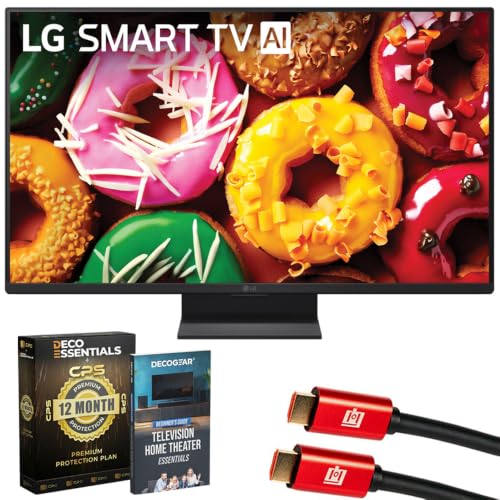
Who Should Buy This Size
This size suits a second room, a small apartment, a student room, or a kitchen where the screen sits close to the viewer. It also works well as a bedroom television for viewers who watch from the bed rather than from across a large room. If the main sofa sits more than about six or seven feet from the screen, a larger size will usually feel more comfortable for films and sport.
Buyers who mainly stream shows, watch news, or use the TV as a monitor for casual viewing will find this size practical. Gamers who play fast titles may want to check input lag and refresh rate, since small models vary more than their size suggests. Measure the space and the viewing distance before ordering, and check the stand width against the furniture.
Key Features to Compare
Resolution matters at close range, where a full high definition panel looks noticeably sharper than a basic high definition panel. Panel type affects viewing angle and contrast, so a screen watched from the side, as in a kitchen, needs a wider viewing angle than a screen watched head on. Brightness matters in sunny rooms, where a dim panel washes out quickly.
Smart software decides how easy the TV is to live with. Check that the apps you use are available, that the remote feels simple, and that updates are regular. Sound is often thin on small models, so check for a headphone socket, Bluetooth audio, or an optical output if you plan to add a soundbar later. Connections for a console, a stick, or an antenna should match your existing kit.
- Panel resolution and type
- Brightness and viewing angle
- Smart apps and remote ease
- Sound outputs for a soundbar
- HDMI, USB, and antenna inputs
Types Compared
Basic smart models cover streaming and broadcast with simple software and modest sound. Better small models add sharper panels, wider viewing angles, and faster menus, which matter most in bright rooms or for viewers who sit off center. Some models double as monitors, with lower lag and PC friendly inputs, while others focus on simple TV use with a friendly remote.
A bedroom model may prioritize quiet operation and a sleep timer, while a kitchen model benefits from a wide angle and easy cleaning. A dorm model may need compact packaging and a light weight for moving. Naming the room first helps you choose between these emphases rather than paying for features you will never use.
Budget and Long Term Value
Small smart TVs are usually affordable, often around $90 to $300, but the cheapest models can frustrate with slow menus and weak sound. Spending a little more often buys a sharper panel and smoother software that stays pleasant for years. Check warranty length, software support, and whether the maker still updates older models, since a TV that loses app support ages faster than its panel.
Measure stand width, depth, and weight, and confirm wall mount compatibility if you plan to hang the screen. A mount can free counter space in a kitchen and improve viewing height in a bedroom. Keep the box for the return window and try the main apps on the first evening.
Common Mistakes to Avoid
The most common mistake is placing a small screen too far away and then blaming the picture. Sit closer, or choose a larger size, rather than expecting a small panel to fill a large room. A second mistake is ignoring sound, since thin speakers can make dialogue hard to follow even when the picture looks good.
A third mistake is buying on price alone without checking app availability. If your main streaming service is missing, the TV will disappoint no matter how good the panel looks. Check the app list before you buy, and confirm that the remote has the shortcuts you actually use.
Care and Everyday Use
Clean the screen with a soft dry cloth and avoid harsh sprays, which can damage coatings. Keep vents clear and avoid enclosing the TV in a tight cabinet, since heat shortens electronic life. Use a surge protected outlet when storms are common, and update software when prompted so apps keep working smoothly.
Set picture mode to a natural or cinema setting for evening viewing, since vivid shop modes often look harsh at home. Adjust brightness for the room rather than leaving it at maximum, which saves energy and reduces eye strain. A simple routine like this keeps a small TV pleasant for years.
Related Guides Worth Reading Next
For a plain 24 inch comparison, read our guide to 24 inch TVs. If you want a bit more screen, see the 32 inch smart TVs guide, or step up further with 50 inch smart TVs and 55 inch smart TVs for living rooms. If you plan to use the screen at a desk, our 24 inch monitors guide covers that choice.
A Closer Look Before You Decide
A small screen rewards careful placement more than a large screen does, since every inch of viewing distance changes how sharp the picture feels. In a kitchen, mount or place the set where glare from windows stays behind the viewer, and choose a wide viewing angle so cooking and eating positions both see a clear picture. In a bedroom, center the screen on the bed and keep the remote within easy reach for late night viewing without bright menu hunting.
Many buyers also use a 24 inch screen as a second display for a laptop or a casual gaming monitor, which makes input lag and PC compatibility worth checking. A model with a dedicated PC mode and a simple input switch saves frustration when the screen changes roles during the day. Try the main apps, the antenna channels, and any connected device on the first evening, so any missing service or awkward remote layout shows up while exchange remains easy.
Frequently Asked Questions
Is a 24 inch TV big enough for a bedroom?
Yes for most bedrooms, because viewers usually sit or lie within three to six feet of the screen. At that distance a 24 inch panel fills enough of the view for shows, news, and casual films. If the bed sits far from the wall, or several people watch together, a larger screen may feel more comfortable. Measure the distance before deciding.
What resolution should I choose?
Full high definition is a good target at this size, since it looks sharp at close range and suits streaming and broadcast well. Basic high definition can still look fine from a little further away, but text and fine detail may look softer. Ultra high definition adds little visible benefit on a 24 inch screen at normal distances, so do not pay a large premium for it alone.
Do small TVs have good smart apps?
Most small smart TVs cover the major streaming services, but the exact list varies by maker and region. Check that your preferred apps are present and that the interface feels fast enough in a shop demo or a review video. If an app is missing, a small streaming stick can fill the gap, but that adds cost and a second remote to manage.
Will the sound be good enough?
Built in sound on small TVs is usually adequate for news and light viewing in a quiet room, but dialogue can sound thin in a noisy kitchen or a large bedroom. A soundbar, headphones, or external speakers improve clarity a lot. Check for Bluetooth, optical, or headphone outputs before you buy if you plan to add audio later.
Can I wall mount a 24 inch TV?
Most models support a standard small wall mount, but you should confirm the mounting pattern and weight limit before ordering. A mount improves viewing height and frees furniture space, which matters in small rooms. Use fixings suited to your wall type, and leave room behind the set for cables and airflow.
Final Thoughts
The best 24 inch smart tvs make sense when the room, the distance, and the apps line up. Choose a sharp panel, software that covers your services, and sound outputs that leave room to improve audio later. That balance gives a small screen that feels complete rather than compromised.
The product table brings the main options together, so use it beside the checklist in this guide when you compare size, features, and price before you order.