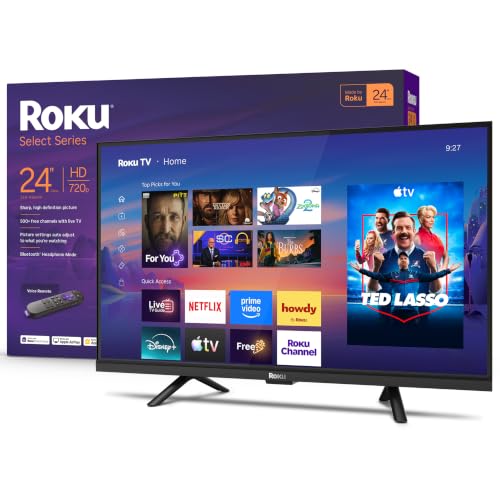
Best 26 Inch TVs Made Simple: A Clear Buying Guide for 2026
Disclosure: We may earn a commission when you buy through links on this page, at no extra cost to you. As an Amazon Associate I earn from qualifying purchases. Learn more
Shopping for the best 26 inch tvs for the first time? Learn the key terms, compare panel, ports, and sound, and avoid common rookie mistakes easily.
Buying your first small TV can feel oddly complicated. The boxes are covered in terms like HDR, nits, and panel types, yet the screen itself is a simple thing: a display for a bedroom, kitchen, dorm, or spare room. If you are comparing the best 26 inch tvs for the first time, this guide starts with the basics and builds up only as far as you need.
You will learn what the size really means, which specs deserve your money, and which ones you can safely ignore. Each section explains one idea in plain language. By the end, you will be able to pick with confidence and set the TV up correctly on day one.
Best 26 Inch TVs 101: The Basics
Screen size is measured diagonally, from one corner of the picture to the opposite corner, so a 26 inch TV is wider than it sounds, roughly 23 inches across. Sets in this class are personal screens. They serve one or two viewers at close range, usually about four to seven feet, in places where a large TV would dominate the room or simply not fit the furniture.
A modern small TV does three jobs at once. It receives broadcast channels through an antenna, it streams apps over your home WiFi, and it displays other devices, such as a game console or a laptop, through its HDMI ports. When people shop for the best 26 inch tvs, they are really balancing those three jobs against a modest budget. Almost every set in this class costs about $130 to $300, and the differences inside that range are about picture polish, app choice, and sound, not about basic ability.
One more basic worth knowing: the TV and the stand are a package. Check the full width with its feet, the depth of the stand, and the weight if you plan to mount it. A screen that fits on paper can still crowd a dresser once cables are attached at the back.
Key Specs Explained in Plain English
Panel Technology (IPS, VA, OLED, Mini LED)
The panel is the part that makes the picture, and at this size you will meet two types. IPS panels keep colors looking right when you watch from the side, which helps in a kitchen or a shared dorm room. VA panels face you with deeper blacks, which helps for movies in a dark bedroom, but their picture fades sooner from an angle. OLED and Mini LED are premium technologies sold in larger sizes, so any small set using those words deserves a careful second look at the fine print. For a first purchase, choose IPS for shared viewing and VA for solo viewing.
Smart Platform and Sound
The smart platform is the menu system that runs your apps, such as Netflix, YouTube, and free streaming channels. Roku, Google TV, and Fire TV are the common choices, and all work well; pick the one whose menus feel clearest to you or the one your household already uses. Sound is the honest weakness of small TVs, because slim cabinets hold tiny speakers. Look for a dialogue or speech mode in the sound settings, which lifts voices above music and effects and matters more than raw loudness in a bedroom.
HDR and Brightness
HDR stands for high dynamic range, a way of showing brighter highlights and deeper shadow detail in the same scene. HDR10 is the standard format, and Dolby Vision is a more advanced version found on some sets. On a small screen the effect is gentle rather than dramatic, so treat HDR as a welcome bonus, not a reason to stretch your budget. Brightness is measured in nits, and a small indoor TV around 250 to 350 nits looks fine in normal room light. If your room has strong sun, position matters more than any number on the box.
Connectivity and Ports
Ports are the sockets on the back or side, and HDMI is the important one, since consoles, streaming sticks, and cable boxes all use it. Two HDMI ports cover most first time setups, and three is comfortable headroom. A USB port plays photos or videos from a thumb drive, and an antenna connection brings in free local channels, which many new buyers forget they can watch at no monthly cost. Before ordering, list your devices on paper and match the count. Running out of ports is the most common and most avoidable frustration in this class.
Resolution and Screen Size
Resolution is the number of dots that form the picture. At 26 inches, full HD at 1080p is the sweet spot: sharp for shows, sports, and games at normal small room distances. Cheaper sets at 720p look softer, especially with text and subtitles up close. You may also see sets described with monitor style resolutions, but for TV viewing 1080p is the line to hold. Sit closer than about four feet and 720p will bother you; sit beyond seven feet and you should question the size itself rather than the resolution.
Rookie Mistakes to Avoid
- Measuring the room, not the seat. What matters is the distance from your eyes to the screen, not the size of the room, so measure from your chair or bed.
- Forgetting the antenna. Many first time buyers pay for streaming while free local channels sit unused for want of an inexpensive indoor antenna.
- Counting ports from memory. Write down every device you will connect, then add one spare port, because a new console or stick always arrives later.
- Judging sound in a loud store. Showroom noise hides weak speakers, so check for a dialogue mode and plan a small external speaker if voices matter to you.
- Skipping the return window. Keep the box and receipt until you have watched at your real distance at night, since picture impressions change at home.
If you discover during this process that your seat is actually ten or more feet from the screen, pause and look one class up. Our guide to the best 50 inch tvs explains the size most living rooms settle on, and it is better to change size before buying than to squint afterward.
Getting Started: Setup and First Use
Setup takes about twenty minutes and needs no special skill. Attach the feet with the included screws on a soft surface, connect the power cable, and follow the on screen steps to join your WiFi and sign in to your apps. Connect your antenna or console to the HDMI and antenna ports before the first channel scan, so the TV finds everything in one pass.
Then fix the picture. Turn off vivid mode, which stores use to shout for attention, and choose the standard or movie preset for natural color. Set the sound to dialogue mode if voices seem buried. Finally, place the remote, the spare batteries, and the quick start guide in one drawer together.
FAQs
How long do 26 inch TVs last?
Most last about seven to ten years of normal use, and small sets often sit at the long end because they run fewer hours each day. The backlight slowly dims over the years rather than failing at once. The apps may stop updating before the picture gives up, and at that point an inexpensive streaming stick restores full service. Moderate brightness and good airflow behind the panel both extend the useful life.
Is 4K worth it on a 26 inch TV?
No. At the distances people watch a 26 inch screen, your eyes cannot pick out detail beyond a good 1080p picture, and true 4K is essentially not sold at this size. The money a 4K badge would cost is better spent on the smart platform you prefer or on clearer sound. If you later buy a large living room set, 4K becomes worthwhile there, where the screen is big enough to show the difference.
Does refresh rate matter for non gamers?
Hardly at all. News, films, and streaming shows arrive at frame rates that a standard 60Hz panel handles with ease, and that is what every set in this class offers. Sports fans may enjoy the motion smoothing setting for fast play, though turning it off for films avoids an odd, overly smooth look. Spend attention on resolution and viewing angle instead, because those two shape every minute you watch.
IPS vs OLED: which is better for a 26 inch TV?
For this size, the practical comparison is IPS against VA, because OLED is a larger screen technology. IPS wins when several people watch from different seats or when you move around the room, thanks to steady color from the side. VA wins for one viewer in a dim room who wants the deepest blacks. Neither is a wrong answer; matching the panel to your seating is the whole decision.
What size should I get for my room or desk?
Let your seat decide. Four to seven feet from the screen is the comfort zone for 26 inches, covering most bedrooms, kitchens, and dorm desks. Closer than four feet, consider whether a monitor style display suits the desk better. If you want a little more screen, our guide to the best 32 inch tvs covers the next step up. Farther than seven feet, step up further; our guide to the best 65 inch tvs shows the far end of that path for main rooms. Readers who enjoy the history behind these choices can browse our guide to the best tvs of all time as well.
The Bottom Line
Hold three lines and a first purchase becomes easy: 1080p resolution, two or more HDMI ports, and a panel matched to how you sit. Add the platform your household already likes, keep the box through the return window, and set the picture to a natural preset on day one. Then choose the best 26 inch tvs option that fits your seat distance and your furniture, and enjoy a screen sized honestly for your room.