Best 1440p Monitors for 2026: Which One Fits the Way You Use It?
Disclosure: We may earn a commission when you buy through links on this page, at no extra cost to you. As an Amazon Associate I earn from qualifying purchases. Learn more

Pick the best 1440p monitors for gaming, work, design or console play with simple panel, refresh rate, size and port checks.
There is no single 1440p monitor that suits every desk, and that is quietly good news. The resolution is only the shared starting point, because the right panel, size and feature set depend on what fills your screen hours. Shoppers comparing the best 1440p monitors are really choosing between a fast gaming display, a color faithful work screen, and several honest compromises in between.
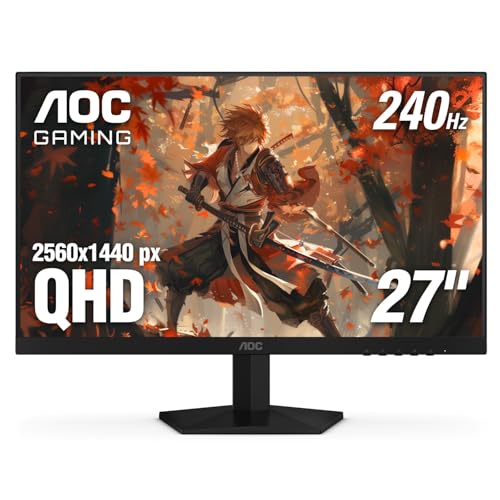
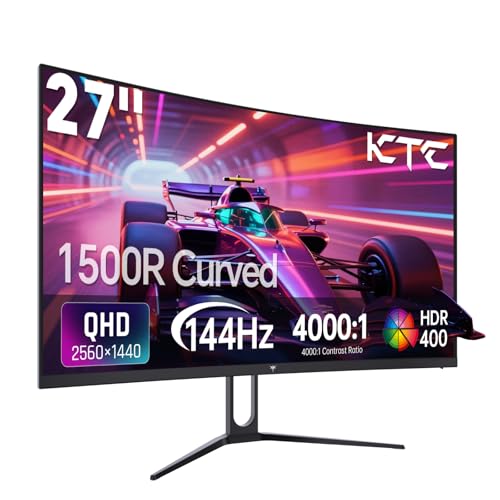
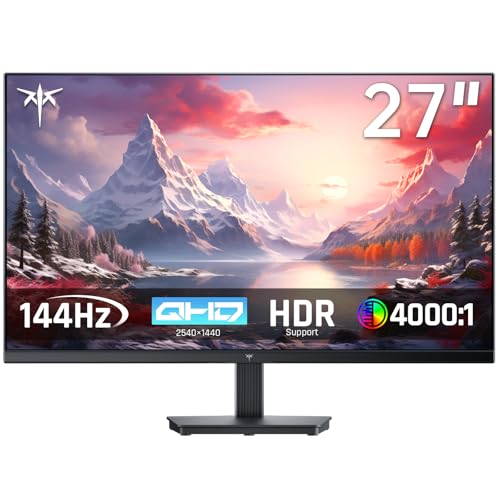
This guide works from use outward rather than from a spec sheet inward. It starts with who each type fits, then covers the three setups buyers ask about by name, then the details that decide the fit in daily use. The product table gathers the current options in one place, so you can match each class against your own routine before you spend anything.




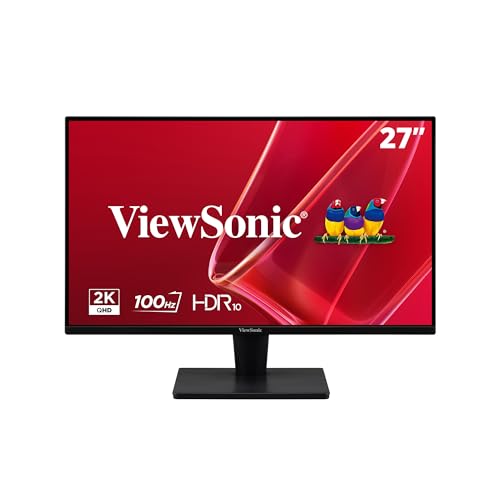

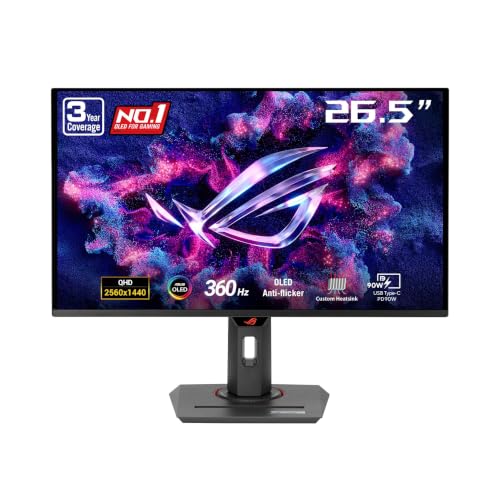


Who the Best 1440p Monitors Fit, and Which Kind
Fast Paced Players Who Live at the Desk
If your evenings are ranked matches and fast shooters, motion clarity is your deciding spec, not color range. Look for a high refresh panel with adaptive sync that matches your graphics card family, and treat the pixel response figure on the box as marketing until a measurement method is stated. Our roundup of best gaming monitors 1440p covers this class in depth. Players who mostly enjoy slower story games can drop a refresh tier and put the savings into panel quality instead.
Mixed Work and Play Desks
The most common 1440p buyer splits the day between documents, calls and a few hours of games at night. For that routine, a balanced IPS panel around the middle refresh range is the sensible center of the market. Text stays crisp for reading, colors are honest enough for family photos, and the screen still feels responsive after work. Spend on a proper height adjustable stand before you spend on exotic gaming extras you will rarely touch.
Photo, Video and Design Desks
Creative work flips the priority order: color accuracy and uniformity matter more than raw speed. You want a panel with wide color coverage, a factory calibration report in the box, and brightness that stays even from edge to edge. A modest refresh rate is no hardship for timeline editing or layout work. Glossy versus matte coating also matters here, because a mirror like finish in a bright studio will fight you all day.
Console Players Who Sit Close
A console on a desk is a different use from a console across a living room, and 1440p suits it well because you sit near enough to see the extra detail. Check that the monitor accepts a full quality signal over HDMI and supports variable refresh from the console itself. The models gathered as best 1440p monitors for ps5 focus on exactly that pairing. A built in speaker is a bonus at a desk, though a small soundbar or headphones will always sound better.
Three Setups Buyers Ask About by Name
A Desk Built Around Design Work
Shoppers who search for best 1440p monitors for design usually need predictable color more than anything else. Prioritize a panel that covers the full sRGB range and most of the wider DCI P3 range, with a low average color error figure stated by the maker. A matte surface, a stand that rotates to portrait for long documents, and a USB C port that charges a laptop while it drives the screen round out the working brief. Ten bit color depth is worth having for gradient heavy work, though it often needs the right cable and settings to switch on.
Running Two 1440p Screens Side by Side
The appeal of dual 1440p monitors is simple: two documents, a call and a reference window, all visible without shuffling. The practical checks are thin bezels so the join is less distracting, matching panel types so the two screens do not render colors differently, and a graphics output count on your machine that can actually drive both. A dual arm mount frees the desk surface the two stock stands would eat. Buy the pair together if you can, because panel batches vary slightly and matched units age more evenly.
Going Bigger Than the Standard Desk Size
The pull of large 1440p monitors is immersion and elbow room, but size dilutes the resolution advantage. Spread 2560 by 1440 pixels across a very large panel and text starts to look like a big 1080p screen, because the pixel density has fallen. Bigger sizes suit racing rigs, flight simulation and sofa distance viewing better than close reading. If you want more width rather than more height, the curved screens in our best 1440p ultrawide monitors guide give you a wider canvas at a density your eyes will thank you for.
The Specs That Actually Decide the Fit
Panel Technology and What It Changes
IPS is the safe all round panel class, with stable colors at wide viewing angles and no real weakness for mixed use, which is why the screens in our best 1440p ips monitors roundup anchor this category. VA panels trade a little viewing angle for much deeper contrast, so films and dark game scenes look richer at night. OLED gives perfect blacks and near instant pixel response, but it carries a burn in risk with static toolbars and costs the most. TN panels still exist at the cheapest fast end, though their washed out colors make them hard to recommend now.
Refresh Rate and Response Time Claims
Refresh rate is real and easy to verify: the screen redraws that many times per second, and higher figures make motion and even desktop scrolling feel smoother. Response time numbers are the opposite, because every brand measures them with a different method and the most flattering setting often causes visible ghosting in reverse. Treat a one millisecond claim as a tier label, not a measurement you can compare across brands. If you play competitively, the very fast models in our best 240hz 1440p monitors list are the class to study, provided the rest of your system can feed them.
HDR Badges and Real Brightness
An HDR badge on a 1440p monitor is a marketing tier, not a promise of the HDR you see on a good television. Many badged models cannot get bright enough, or dim precisely enough in small zones, to show HDR material as intended. What matters for daily use is plain brightness for your room and a contrast figure you can trust, plus local dimming zones if you watch a lot of films. In a bright office, a strong matte coating and honest brightness will do more for you than any HDR logo.
Ports, Cables and the Machine You Own
Here is the pairing fact buyers most often miss: the graphics card you already own decides whether a fast 1440p screen is usable at all. Desktop work and video will run happily on modest hardware, but games at 1440p with high refresh demand a card with real headroom, and no monitor setting can create frames the card cannot render. Check the ports on your machine before ordering, because full refresh at this resolution generally needs DisplayPort or a recent HDMI standard. A USB C input with power delivery turns the monitor into a one cable dock for a laptop, which is worth paying for if you hot desk.
Stand, Mounting and Desk Ergonomics
You will look at this screen for years, so its posture matters as much as its picture. A stand with height, tilt and swivel adjustment lets you set the top of the panel near eye level, which your neck will notice within a week. Fixed stands are the hidden cost of cheap models, because you end up buying a separate arm anyway. A standard VESA mount pattern on the back keeps that option open, and it also matters for resale, since the next buyer may mount the screen on a wall or a shared desk.
Size, Pixel Density and Desk Depth
Size and resolution only make sense together, because together they set pixel density, and density is what your eyes actually judge. At 27 inches, 1440p lands in a comfortable zone where text is sharp without any scaling tricks in your operating system. Go smaller and the same pixels get denser still, which suits laptop style close viewing but can make interface text tiny. Go larger and you should also sit further back, so measure your desk depth before you fall for a big panel. A shallow desk and a huge screen is a genuinely uncomfortable pairing.
What Your Budget Buys at 1440p
Entry models at about $150 to $250 buy the resolution itself with a basic panel, a limited stand and few ports, which is a fair trade for a student or a second screen. The middle band at about $250 to $500 is where the fit improves fastest: better panels, real ergonomic stands, USB C on many models and refresh rates that satisfy most players. Premium models at about $500 to $900 add OLED or high end local dimming, very high refresh, and build quality you can feel in the stand. Above that, you are paying for professional color tooling rather than a better everyday picture. The product table shows how the current range spreads across those bands.
One budgeting habit saves regret: price the whole setup, not just the screen. A longer DisplayPort cable, a monitor arm for a fixed stand model, or a graphics card step up can each add real money to the true cost of the upgrade. If the total strains the budget, a mid range screen with a good stand usually beats a premium panel you have to prop on books. Sales cycles in this category are predictable, so a short wait often moves a model down a band.
Common Mistakes to Avoid
- Buying a high refresh gaming screen for a graphics card that cannot feed it, then blaming the monitor for low frame rates.
- Choosing the largest panel on offer and losing the sharpness that made 1440p attractive in the first place.
- Trusting the HDR badge or the one millisecond response claim without asking how either figure was measured.
- Skipping the port check and discovering your laptop cannot output the full refresh rate over the cable in the box.
- Saving money on a fixed stand and spending it later on a separate arm, riser or a sore neck.
Care and Maintenance Tips
Clean the panel with a dry or barely damp microfiber cloth and nothing stronger, because household glass cleaners can strip the anti glare coating. Turn off any vivid or showroom picture preset and use the standard or sRGB mode for believable color. On an OLED model, let the built in pixel refresh routine run when the screen asks for it, and vary your static content where you can. Keep the rear vents clear of dust, and loosen and retighten a monitor arm once in a while so the joints stay smooth. A surge protector is cheap insurance for a screen you plan to keep for years.
Your 1440p Questions Answered
Is 1440p noticeably sharper than 1080p at a desk?
Yes, at normal desk distances the jump is easy to see, mainly in text and fine detail. The reason is pixel density: the same 27 inch screen holds about a third more pixels in each direction, so letters get smoother edges and photos show finer texture. The effect fades as you sit further away. On a small laptop sized panel the difference nearly vanishes, which is why 1440p earns its keep on full size desk monitors.
Does refresh rate matter if I never play games?
It matters more than most office users expect, though not enough to pay gaming prices for it. A higher refresh screen makes scrolling documents, dragging windows and even moving the mouse feel calmer and easier to follow. You will not gain productivity in any measurable way, and color or comfort specs deserve priority in a work budget. Treat a step up to a mid range refresh figure as a comfort upgrade, not a necessity.
How long does a 1440p monitor usually last?
A decent model should serve about five to eight years of daily use before the backlight dims or a fault appears. LED backlights fade slowly rather than failing suddenly, so an aging screen usually just looks a little less bright. Dead pixel policies differ by brand and are worth reading before you buy, since one bright pixel near the center is hard to unsee. Keep the box if you can, because moving house is when screens get damaged.
IPS or OLED: which suits a bright room better?
IPS suits a bright room better, because its matte coatings and higher sustained brightness handle daylight and overhead lights without fuss. OLED looks stunning in a dim room, but reflections on its glossy surface and its lower full screen brightness work against it near windows. OLED also asks you to mind static elements during long workdays. If your desk faces a window, pick the IPS and spend the difference on a better stand.
Can a console and a PC share one 1440p monitor?
Yes, and it is one of the nicer desk setups, because most models have two or more inputs and switch in a few seconds. Check that at least one input carries the full signal your console outputs, and that the other suits your PC cable. Some screens add a remote or a small joystick menu that makes daily switching painless. Built in speakers or a headphone jack help, since the console and PC rarely share an audio path otherwise.
Final Thoughts
Fitting a monitor to your routine beats chasing a universal winner, because the specs that matter for a ranked player are nearly the reverse of what a designer needs. Start with your dominant use, confirm your graphics card and ports can support the class you pick, and let panel type and size follow from there. If you keep those checks in order, the best 1440p monitors for your desk narrow down quickly. Run your shortlist against the product table before you order, and you will end up with a screen that still feels right years from now.