
Best 1080p Projectors Under 500 in 2026: What Your Money Really Gets You
Disclosure: We may earn a commission when you buy through links on this page, at no extra cost to you. As an Amazon Associate I earn from qualifying purchases. Learn more

The best 1080p projectors under 500 compared by brightness, throw distance, ports and price tier, so you know where extra spending pays off.
Under $500, a projector can be a dim toy for a dark bedroom or a bright, sharp machine that fills a wall with movies and sports. The best 1080p projectors under 500 dollars earn their price on those basics first, and you can judge every model in the product table against them.
This guide is built around budget. It shows who should spend near the top of the range, who can spend far less, and which features are worth paying for at each tier.


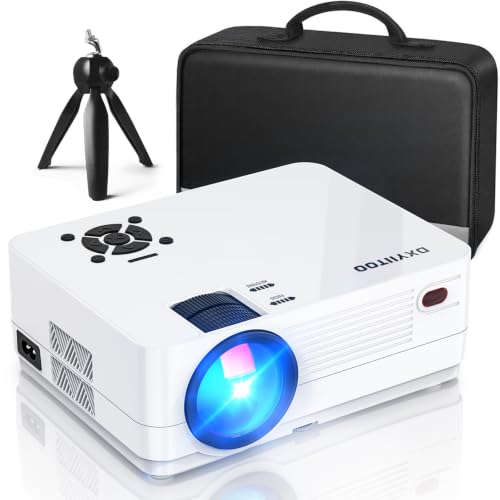
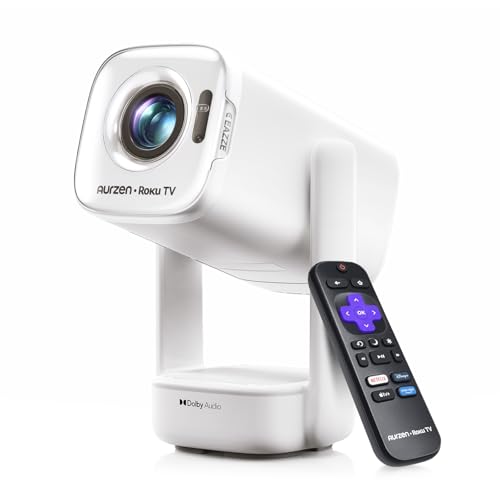

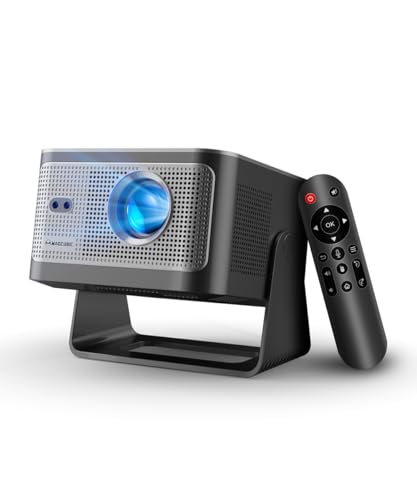
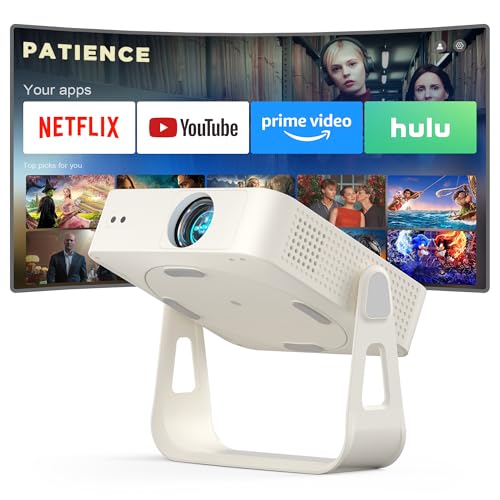
Who Should Buy a 1080p Projector Under $500?
A dark room forgives low brightness, a bright living room does not, and a fixed setup rewards features a portable setup never uses.
Movie Fans Building a First Home Theater
You watch films in a room you can darken. Spend near the top of the budget, around $350 to $500, and put contrast and native resolution ahead of every extra. A zoom lens and a quiet fan suit a fixed seat and screen, because you set the projector up once and then judge it on picture quality.
Living Room Viewers Who Watch Shows and Sports
You watch with some light in the room, often during the day, and the projector may share duty with a television. Brightness matters more than perfect black levels, so look in the middle of the range, about $200 to $400, and choose stronger speakers or a simple sound output. If it will act as your main screen, see our guide to the best tv projectors under 500 for points on daily viewing.
Families Who Move the Projector Between Rooms and the Yard
You set up on a table, watch, and then put the projector away, sometimes outside after dark. Portability, simple focus and automatic keystone correction matter more than the last step of contrast, and a lighter model in the lower or middle tier often fits best. For outdoor nights, see our guide to the best outdoor projectors under 500.
Key Features to Compare
Compare these factors in order. A projector that fails on brightness or throw cannot be saved by extras.
Native Resolution and Sharpness
Native resolution is the number of pixels the projector actually displays, and at this budget it should be a true 1920 by 1080. Many low cost models accept a 1080p or even a 4K signal yet display far fewer pixels. Check the native figure, not the supported signal list. A true 1080p image stays clean at about 100 to 120 inches on a wall or screen.
Brightness Rated in ANSI Lumens
Brightness decides where you can watch. Makers often quote large lumen numbers measured in ways that flatter the product, so compare ANSI lumens when brands publish them, because that standard is measured the same way across models. A dark room can work with a modest rating, while a living room with lamps and windows needs much more.
Contrast, Black Levels and Imaging Technology
Projectors in this range use LCD, DLP or similar imaging systems rather than the panel types sold for monitors, and each shapes contrast and color in its own way. In a dark room, weak contrast makes night scenes look gray, while stronger contrast keeps shadow detail and depth. If you mostly watch after dark, favor better contrast over a longer feature list.
Throw Distance, Zoom and Screen Size
Throw describes how far the projector sits from the screen for a given image size, and it must match your room. A standard throw model may need about 8 to 12 feet for a 100 inch image, while a short throw model fills the same screen from much closer. Measure your room first, then check the throw chart. A zoom lens, often around 1.1x to 1.3x in this range, lets you fine tune image size without moving the unit.
Keystone Correction, Focus and Mounting
Keystone correction squares the image when the projector sits at an angle, and automatic correction helps table setups that change each time. Use it with care, because heavy digital correction crops pixels and softens the picture, so a centered projector always looks better. Check focus at the corners, not only in the middle. For a ceiling mount, confirm the mount holes and weight and that the menu can flip the image.
Ports, Streaming, Audio and Gaming Lag
Most buyers need at least one HDMI port for a streaming stick, a game console or a disc player, plus USB power for that stick. Small built in speakers carry voices in a quiet room but sound weak for films, so check for an audio output or Bluetooth. Gamers should also check input lag, because lower lag keeps controls feeling direct.
What Each Price Point Buys Among the Best 1080p Projectors Under 500
The best 1080p projectors under 500 dollars cluster at the top tier, but the lower tiers serve narrow uses well when your room and expectations match them.
1080p Projectors Under $100
At this level, true native 1080p is rare, brightness is low and the image suits a small screen in a fully dark room. Treat any 1080p claim on a listing at this price with care and verify the native resolution line by line. These models suit kids films, a dorm wall or travel, where price matters more than detail.
1080p Projectors Under $200
At this tier, honest 1080p models begin to appear, with better lenses and more useful brightness. These choices suit a bedroom or a small living room screen of about 80 to 100 inches, watched mostly in the evening. You still give up strong contrast and quiet cooling, but the picture step over the cheapest tier is real.
Around $300 to $500: The Tier Built for a Main Screen
Near the top of the budget you gain the mix that makes a projector pleasant every day: true 1080p detail, brightness that tolerates some room light, better contrast, a zoom lens and often automatic focus. Choose this tier for a fixed home theater or a living room where the projector replaces a television most nights. For home use in general, see our guide to the best home projectors under 500.
Common Mistakes to Avoid
Most returns in this category come from a room mismatch.
- Trusting a headline lumen number instead of ANSI lumens leaves you with an image too dim for your room.
- Buying a projector that only accepts 1080p but displays fewer pixels leaves fine detail soft.
- Ignoring throw distance leaves you with an image too large or too small for your wall.
- Relying on heavy keystone correction to fix a poor position crops the image and reduces sharpness.
- Judging sound by watt claims alone leaves film dialogue hard to follow.
- Skipping the cost of a screen, a mount and a lamp leaves the true total above the purchase price.
Care and Maintenance for a 1080p Projector
Clean the lens with a soft, dry microfiber cloth and gentle strokes, and never use household glass cleaner on it. Dust the vents and clean or replace the air filter per the manual, because blocked airflow makes the unit run hot and loud. Let the fan finish cooling before you unplug or pack the projector away.
Know which light source your model uses. Lamp models dim over time and need a replacement lamp after a few thousand hours, the main long term cost at this price, while LED and laser models last far longer with no lamp to buy. Store the projector dry with the lens cap on, and track lamp hours in the menu.
FAQ
Can you get a good 1080p projector for under $500 for movies at home?
Yes, you can get a good 1080p projector for under $500 for movies at home, as long as it is truly native 1080p and bright enough for your room. Models near the top of the range handle a 100 inch screen in a dark room with ease. Add a simple white screen or a smooth, light wall, because surface texture and wall color change the picture a lot.
How long does a 1080p projector under $500 usually last?
A 1080p projector under $500 usually lasts for years of regular use, and the light source sets the real limit. Lamp models often rate their lamps at a few thousand hours before brightness falls, while LED models rate far longer. Running an eco mode stretches either type and lowers fan noise during long films.
What screen size should you choose for a 1080p projector in a small room?
For a 1080p projector in a small room, a screen of about 80 to 100 inches usually balances size and sharpness best. Sit roughly one and a half times the screen width away, so a 100 inch screen needs a seat about 10 to 12 feet back. If your seats sit closer, choose the smaller screen.
Is a 4K projector worth paying more for than a 1080p projector?
For most buyers at this budget, a 4K projector is not worth paying more for, because true 4K models cost well above $500 and cheap models that accept a 4K signal still display 1080p. Your money works harder on brightness, contrast and a better lens. The exception is a very large screen viewed from close seats.
Does refresh rate matter for a 1080p projector used for sports and games?
Refresh rate matters modestly for a 1080p projector used for sports and games, and input lag matters more. A standard 60 Hz image handles films and broadcast sports well. For games, a low lag mode that turns off extra image processing helps more than a higher refresh claim.
Wrapping Up
Set your tier by your room first: dark, fixed rooms reward contrast, bright rooms reward lumens, and rooms that change reward simple setup. Then confirm native resolution and throw distance. Use the product table above to compare those basics side by side at each price.
When you shop the best 1080p projectors under 500 with that order in mind, the value at each tier becomes clear. Spend the least that gives you a true 1080p picture bright enough for your space.


