Tecknet
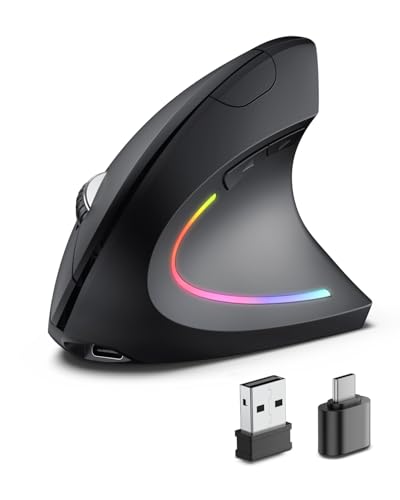
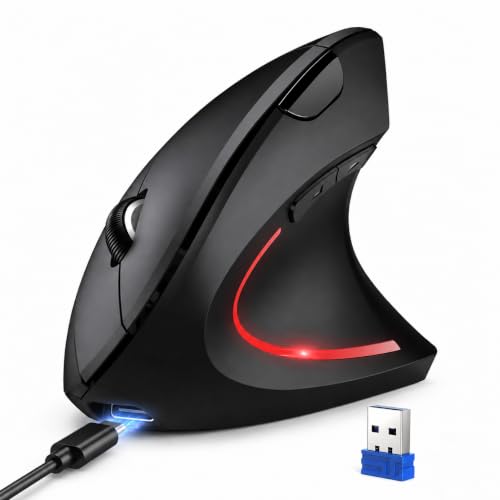
TECKNET Ergonomic Mouse, 4800 DPI Wireless Bluetooth Vertical, 3-Device
Disclosure: We may earn a commission when you buy through links on this page, at no extra cost to you. As an Amazon Associate I earn from qualifying purchases. Learn more
Highlights
- 【Seamless Switching Between Three Devices】The ergonomic mouse features Bluetooth (5.0/3.0) and 2.4GHz USB A modes for connectivity. When connected via Bluetooth, The vertical mouse can effectively reduce the usage of your USB-A port (Bluetooth mode can connect to two devices simultaneously). In 2.4GHz connection mode, simply plug in the USB receiver for a quick connection. Press and hold the bottom button of the mouse for 3 seconds to enter the connection and pairing state. Short press the button to switch connection modes and improve work efficiency.(Note: The 2.4GHz receiver is built into the bottom of the mouse).
- 【Higher DPI & 6 Adjustable Levels】This vertical ergonomic mouse is equipped with a high-performance chip and features 6 adjustable DPI levels (4800/3200/2400/1600/1200/800) to meet your daily needs. wireless mouse upgraded technology allows this ergonomic mouse to operate smoothly on different types of surfaces. When changing the DPI, the light will flash, with the number of flashes corresponding to the DPI level.
- 【Silent Mouse】This computer mouse operates quietly, allowing for usage even in quiet environments like libraries. Additionally, the vertical mouse provides nearly silent clicks, helping avoid disturbances to others and ensuring your work or study remains undisturbed (Note: Only the left and right click buttons of the mouse are silent; other function buttons are not silent).
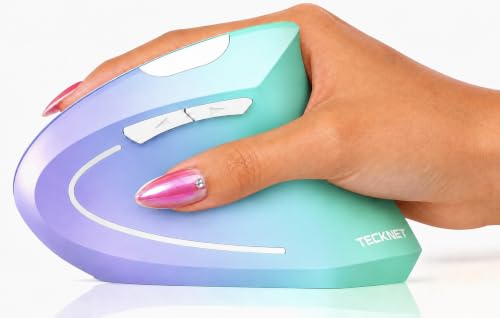
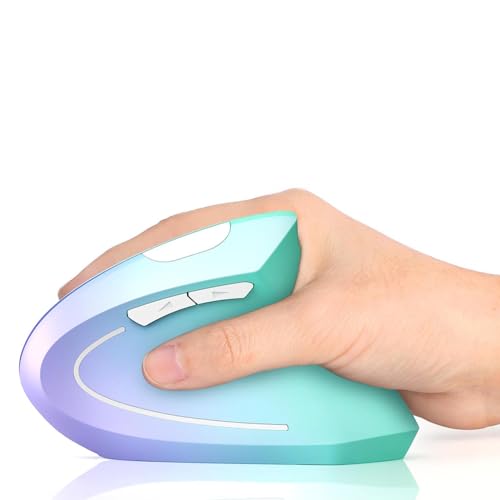
- 【Ergonomic Design】The wireless mouse's ergonomic design offers ultimate comfort by placing your palm at a near-vertical angle on the desktop, reducing pressure and pain on your wrist caused by prolonged inverted mouse usage (Note: Mouse is designed for right-handed use only).
- 【Broad Compatibility and Low Battery Warning】The wireless computer mouse is compatible with various devices, including Windows, Mac, Chrome, and Linux laptops (side buttons are not compatible with macOS). Additionally, this bluetooth mouse for laptops automatically enters deep sleep mode after approximately 10-30 minutes of inactivity to conserve power; you can awake it by pressing the right or left button. Note: We recommend using branded batteries to ensure the mouse's longevity. When the battery is low, the LED light will blink (Requires 2 AAA batteries, not included).
- 【36 MONTHS WARRANTY】If you encounter any problems in using the product, please feel free to contact our professional customer service team, enjoying TECKNET 36 Months Warranty (Registered Only).
Why You'll Love It
- Switch among three paired devices using Bluetooth and a 2.4GHz USB receiver
- Near-vertical right-handed shape reduces wrist pressure during long desk sessions
- Six sensitivity settings up to 4800 DPI adapt to different cursor speed needs
- Quiet primary left and right click buttons prevent noise in shared workspaces
- Deep sleep mode after 10 to 30 minutes saves battery when left idle
- Backed by a 36-month warranty once registered with customer service
Pros
- +Connects up to three devices at once
- +Six adjustable DPI levels up to 4800
- +Silent left and right clicks
- +Long 36-month registered warranty coverage
- +Built-in slot stores the USB receiver
Cons
- -Requires two AAA batteries not included in box
- -Right-hand orientation only
- -Side buttons do not work on macOS
- -Secondary function buttons are not silent
Detailed Review
The TECKNET Ergonomic Mouse is a wireless vertical pointer designed to relieve wrist pressure by positioning your hand at a natural upright angle. It serves multi-tasking office workers and students who use several computers, laptops, or operating systems throughout the workday and want a more comfortable grip.
Multi-device support is a central strength. The mouse connects with up to two Bluetooth devices and one 2.4GHz USB-A connection simultaneously. You can toggle between them using a dedicated button on the bottom, where the 2.4GHz receiver also stores securely. A built-in sensor offers six DPI settings ranging from 800 up to 4800 DPI, allowing you to match pointer sensitivity to detail work or fast navigation across large displays.
For quiet environments like libraries or shared offices, the left and right click buttons are built for near-silent operation. Power management includes an auto-sleep feature that activates deep sleep after 10 to 30 minutes of inactivity, waking back up with a single click. A low-battery indicator blinks to give you early warning before power runs out.
There are a few limits to consider before choosing this model. It is molded exclusively for right-handed use, leaving left-handed users without an option. While it operates on Windows, Chrome, Linux, and Mac systems, the side navigation buttons do not function on macOS. Power relies on two AAA batteries that you must supply yourself, and only the main click buttons are silent while other buttons make standard clicking noises.
Verdict: This mouse is a solid, practical choice for right-handed multi-computer users looking for an upright grip and flexible DPI adjustments. It is especially well-suited for mixed Windows and Chrome setups in quiet workspaces.
Who Should Buy It
A great fit if you:
- Need to switch quickly between multiple laptops or desktops across your desk.
- Want an upright, right-handed design to reduce daily wrist strain.
- Work in libraries or quiet shared offices and need muted click sounds.
- Prefer customized cursor speeds with multiple DPI levels.
Consider something else if you:
- Are left-handed.
- Rely heavily on side shortcut buttons while working on macOS.
- Want a mouse with a built-in rechargeable battery rather than standard AAA cells.
FAQ
How do I switch between connected devices?
Press the button on the bottom of the mouse briefly to cycle through the 2.4GHz USB and two Bluetooth connection modes. Holding the button for 3 seconds enters pairing mode.
Are all the buttons on this mouse silent?
No. Only the primary left and right click buttons are silent; the other function buttons produce standard click sounds.
What type of batteries does it use?
The mouse requires two AAA batteries, which are not included in the package. A built-in LED light blinks when the battery level is low.
Does this mouse work on Apple Mac computers?
Yes, it connects to Mac devices, but the side function buttons are not compatible with macOS.
Product Details
| Brand | Tecknet |
| ASIN | B0DG5SW7F4 |