
Best Controllers for PC: Everything to Know Before Your First Purchase
Disclosure: We may earn a commission when you buy through links on this page, at no extra cost to you. As an Amazon Associate I earn from qualifying purchases. Learn more

A beginner guide to the best controllers for pc: XInput, Hall effect sticks, wired vs wireless and the controller types worth buying.
A keyboard and mouse are great for shooters and strategy games, but racing, sports, platformers and many action games simply feel better with a controller in your hands. If you are buying your first gamepad for a Windows PC, the choices range from $25 budget pads to $200 pro controllers with paddles and adjustable triggers. This beginner guide to the best controllers for pc explains the basics and the specs that matter, so you get a controller that works with your games and feels right in your hands.
We cover how PC controllers work, what terms like Hall effect, polling rate and XInput mean, the rookie mistakes that cause connection headaches, and a simple setup routine. The product table above lists popular options from Xbox, PlayStation, 8Bitdo, GameSir, Razer and others at every price.



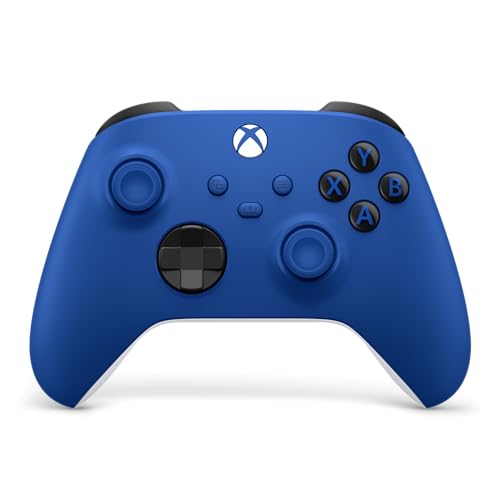
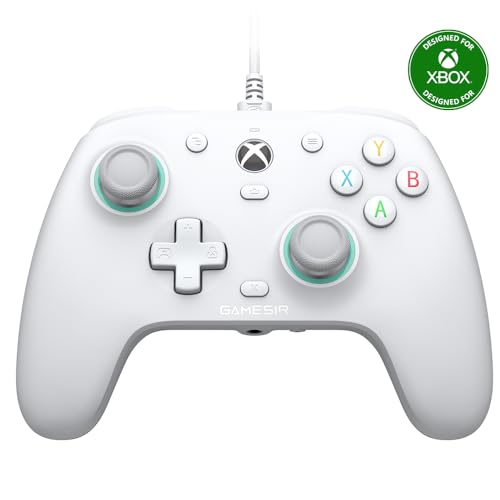
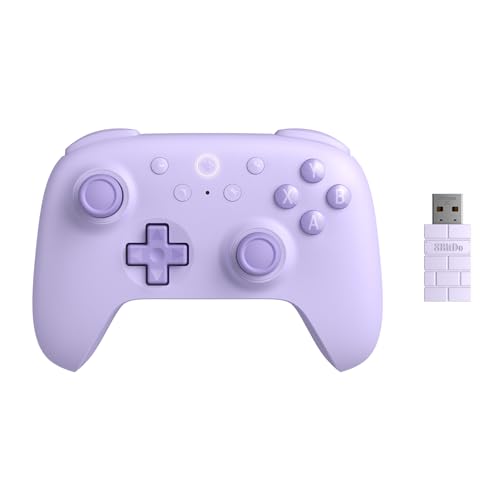
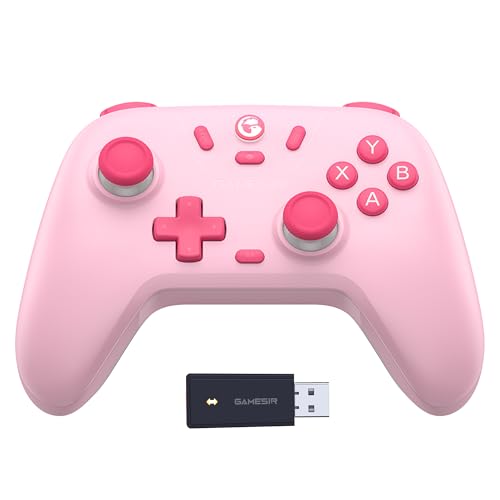
Controllers 101: The Basics
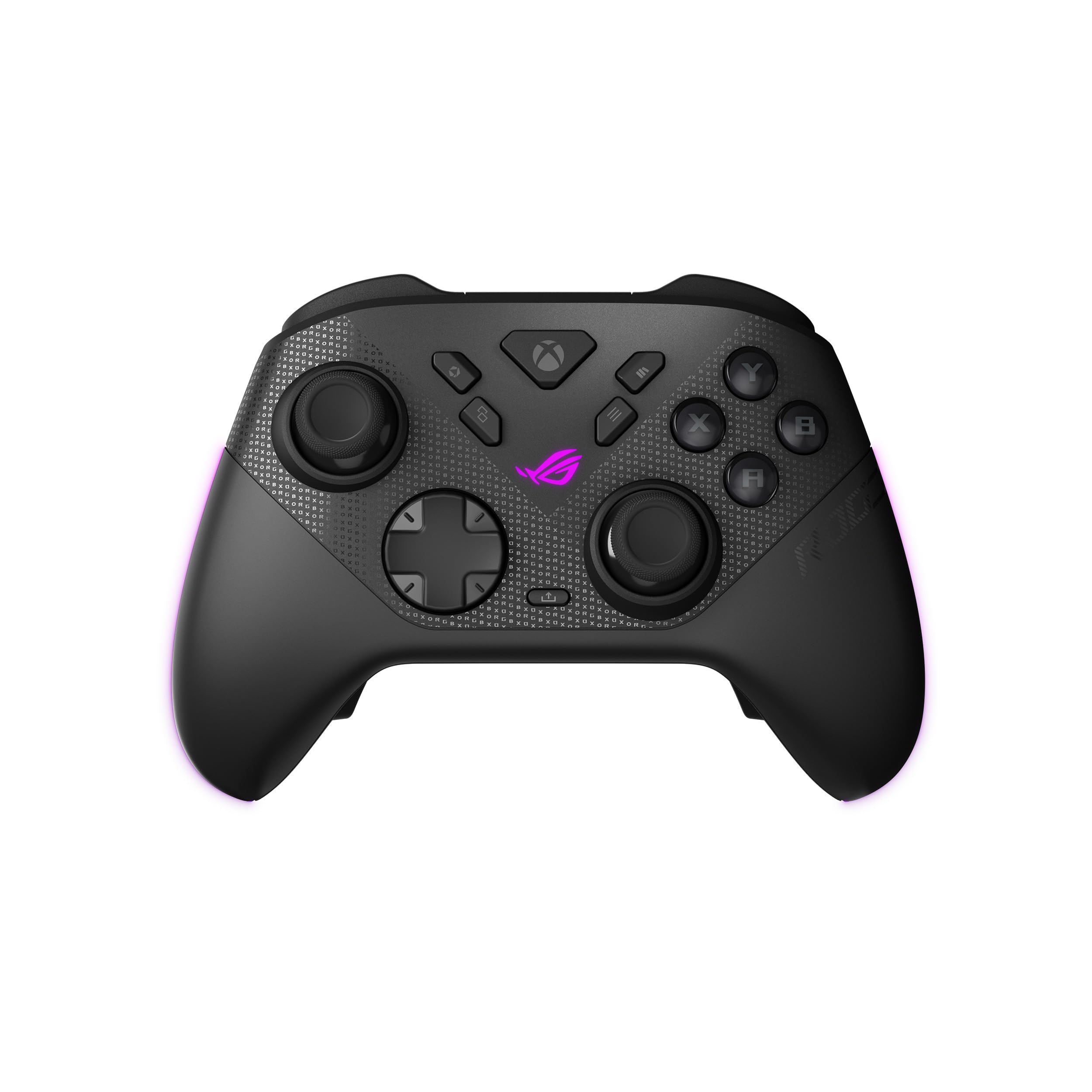
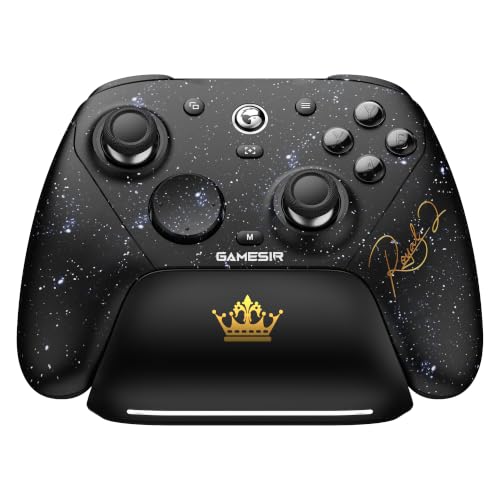
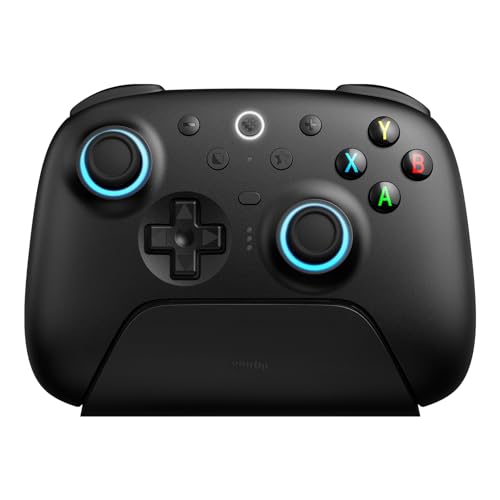
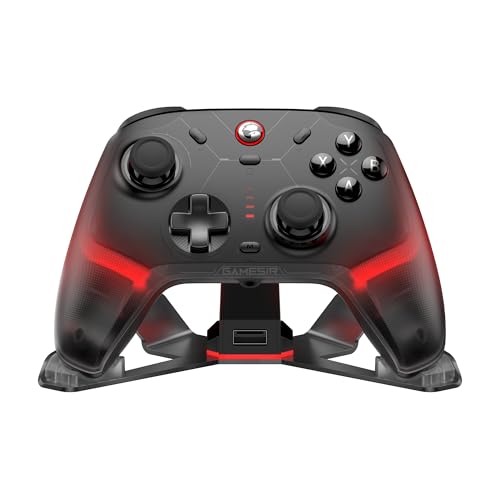
A PC game controller is a handheld gamepad with two analog sticks, a directional pad, face buttons, shoulder bumpers and analog triggers. It connects by USB cable, a 2.4GHz wireless dongle or Bluetooth. Windows supports controllers natively, and most modern PC games are designed with controller support built in.
Two layouts dominate. The Xbox layout, with offset analog sticks, is the default for most PC games, which display Xbox button prompts automatically. The PlayStation layout, with symmetrical sticks, feels more natural to some players, and many games now show PlayStation prompts when you use a DualSense controller.
Controllers fall into three broad price groups. Budget pads from brands like 8Bitdo and GameSir cost around $25 to $60 and often include features like Hall effect sticks that resist drift. Official console controllers from Xbox and PlayStation cost around $55 to $80 and offer excellent build quality and wide compatibility. Pro controllers like the Xbox Elite Series 2, DualSense Edge and Razer Wolverine add back paddles, adjustable triggers, swappable sticks and custom profiles for $130 to $200.
Your games decide which features matter. Casual players and racing fans can stay in the budget or official tier, while competitive players in fast action games may benefit from pro features like paddles that let you jump or reload without taking your thumbs off the sticks.
Steam Deck owners and laptop gamers also benefit from a good controller. Docking a handheld PC to a TV or playing a laptop on a couch is much more comfortable with a wireless gamepad than with a built in keyboard. The same controller can often double for cloud gaming on a phone or tablet.
Controllers for PC: Key Specs Explained in Plain English
Here is what each important spec means and how much weight to give it when choosing your first PC controller.
The best controllers for pc gaming share a few traits: they connect without fuss, feel comfortable for hours and keep working accurately after months of play. The specs below explain how to spot those traits on a product page.
Features That Matter for PC
For PC gaming, the most important feature is XInput support, the standard input method Windows games expect. XInput controllers, including Xbox controllers and most third party PC pads, work instantly in nearly every game. Controllers that use other input modes may need extra configuration through Steam Input or third party software.
Other features that matter on PC include remappable buttons through companion software, extra back buttons or paddles, trigger stops that shorten trigger travel for faster shooting and a profile switch so you can save setups for different games. A headphone jack on the controller is handy if you sit away from your PC.
Hall effect or TMR (tunnel magnetoresistance) joysticks use magnets instead of physical contact sensors, which greatly reduces stick drift over time. They have become common even on budget controllers and are worth looking for if you play a lot.
Vibration and adaptive triggers add immersion. Most controllers offer rumble motors, while the DualSense adds adaptive triggers that change resistance and detailed haptic feedback in supported games. On PC, these advanced features work in fewer titles, so treat them as a bonus rather than a must have.
Wired vs Wireless (2.4GHz, Bluetooth)
Wired controllers connect by USB cable and deliver the lowest latency with no batteries to charge. They are inexpensive and reliable, ideal for desk setups and competitive play. Many wireless controllers also work wired with a USB-C cable.
Wireless controllers with a 2.4GHz dongle offer near wired latency and freedom from cables, which suits couch gaming on a TV connected PC. Bluetooth is convenient and works with phones and tablets too, but it can add a little latency and occasional connection hiccups on some PCs.
Polling rate describes how often the controller reports its position to the PC. Standard controllers use around 125 to 250Hz, while many newer PC controllers offer 1000Hz or even 8000Hz in wired or dongle modes. Higher polling rates can make aiming feel slightly more responsive, but most players notice the difference only in fast competitive games.
Range matters if you play from a couch across the room. A 2.4GHz dongle plugged into the front of the PC, or into a USB extension cable placed near your seat, gives a more stable signal than a dongle hidden behind a metal case.
Ergonomics, Size, and Grip Style
Comfort matters more than any spec. Controllers vary in size, weight, grip texture and stick placement. Official Xbox controllers suit a wide range of hand sizes, while some budget pads feel smaller and lighter. Pro controllers often weigh more because of added metal parts and rechargeable batteries.
Consider your grip and hand size. If you have large hands, look for fuller grips and wider spacing. Textured grips help during sweaty sessions. Adjustable stick tension or swappable stick heights, found on pro controllers, let you fine tune feel for precision aiming.
Button feel varies too. Mechanical or mouse click style face buttons feel crisp and fast, while membrane buttons feel softer and quieter. Neither is better; it comes down to preference.
Younger players with smaller hands may prefer compact controllers, while adults who play for hours often appreciate the fuller shape of official Xbox and PlayStation pads. If you share one PC among family members, a mid sized controller with a common layout is the safest choice.
Battery Life and Charging
Wireless controllers use either rechargeable batteries or AA batteries. Official Xbox controllers often run on AA batteries, which last a long time and are easy to swap, while many third party and PlayStation controllers use built in rechargeable batteries that charge over USB-C.
Battery life ranges from around 10 to more than 40 hours, depending on vibration, lighting and connection type. Charging docks or stands keep controllers topped up and organized. If you play long sessions, look for controllers you can use while charging.
AA powered controllers pair well with a set of rechargeable AA batteries and a charger, which saves money and waste over time. Some brands also sell rechargeable battery packs that fit the battery compartment and charge through the controller's USB port.
Compatibility (PC, Mac, Console)
Most PC controllers also work with Android phones and tablets, and many support the Nintendo Switch. Xbox controllers work natively with Xbox consoles and PC, while PlayStation controllers work with PS5 and PC, with some features like adaptive triggers supported in fewer PC games.
Mac support varies. Recent macOS versions support Xbox and PlayStation controllers over Bluetooth, but third party controllers may have limited support. Steam Input helps a lot by translating many controller types into the input games expect, which makes almost any controller usable in Steam games.
Game launchers handle controllers differently. Steam offers the most complete controller support, while some games on other launchers expect an Xbox layout. If a controller is not recognized, adding the game to Steam as a non Steam game and enabling Steam Input often solves the problem.
Rookie Mistakes to Avoid
- Ignoring input mode. A controller stuck in the wrong mode may not work in some games; check for XInput or use Steam Input.
- Buying for features you will not use. Back paddles and trigger stops are great for competitive play, but casual players rarely need them.
- Overlooking stick drift. Hall effect or TMR sticks last longer, which saves money over time.
- Forgetting latency. Bluetooth can feel sluggish in fast games; use wired or a 2.4GHz dongle for competitive play.
- Not updating firmware. Firmware updates fix bugs and add features, so install the companion app and update.
One more mistake is buying a controller that only works in a special mode with one platform, such as a console only design, and expecting it to work fully on PC. Always check the listing for Windows support and the connection types included in the box.
Getting Started: Setup and First Use
Start wired: plug the controller into your PC with a USB cable and let Windows install drivers. Open the Windows Game Controllers settings or the Steam controller settings to confirm every button and stick works. If the controller has a companion app, install it to update firmware and customize buttons.
For wireless use, plug in the dongle or pair over Bluetooth through Windows settings. In Steam, enable Steam Input for your controller type if a game does not recognize it. Adjust dead zones and sensitivity in games or the companion app so small stick movements feel precise without unwanted drift.
Finally, set up profiles for different game types, such as one for shooters with trigger stops and one for racing games with full trigger travel. Spend a session getting used to the controller before jumping into competitive matches.
Store your controller away from direct sunlight and spills, wipe it with a slightly damp cloth occasionally and avoid pressing sticks sideways when the controller sits on a desk. These simple habits keep buttons and sticks working smoothly for years.
Controllers: Your Questions Answered
What features matter most in controllers for pc?
The most important features are XInput support for easy compatibility, comfortable ergonomics and reliable sticks, ideally Hall effect or TMR to resist drift. After that, consider wireless connectivity with a low latency dongle, extra back buttons, remapping software and battery life. Pro features like trigger stops and paddles help competitive players most.
If you are unsure, start with a well reviewed mid priced controller that supports XInput, 2.4GHz wireless and Hall effect sticks. It covers almost every game and gives you a sense of whether pro features would be worth an upgrade later.
Does it work with Mac and console?
It depends on the controller. Xbox controllers work with Xbox consoles, Windows and recent macOS versions over Bluetooth. PlayStation DualSense controllers work with PS5, PC and Mac. Many third party controllers support PC, Android and Switch, but not Xbox or PlayStation consoles. Check the listing for your exact devices before buying.
For households with several devices, a controller with multiple modes, such as XInput, Switch and Bluetooth for phones, avoids buying a separate pad for each screen.
What polling rate do I need?
For most players, a standard controller polling rate is perfectly fine. Competitive players in fast shooters may prefer 1000Hz controllers for slightly more responsive aiming, and some new PC controllers offer up to 8000Hz in wired or dongle modes. Higher polling rates use a little more battery and matter less than comfort and stick quality.
If you do want a high polling rate, use the controller wired or with its dongle, since Bluetooth connections usually run at lower rates regardless of the controller's maximum.
Are back paddles worth it?
Back paddles are worth it if you play competitive shooters or games where you need to jump, crouch or reload without moving your thumbs from the sticks. They let you keep aiming while pressing other actions. For casual, racing or story games, paddles are a nice extra rather than a necessity.
How do I fix stick drift?
Stick drift happens when a controller registers movement without you touching the stick. First, update firmware and increase the dead zone in the game or companion app, which often masks minor drift. Cleaning around the stick base can help. If drift persists, contact the maker under warranty, or choose a Hall effect or TMR controller next time.
Avoid opening the controller yourself while it is under warranty, since that usually voids coverage.
Wired or wireless: which is better for gaming?
Wired controllers offer the lowest latency and never need charging, which suits competitive play and desk setups. Wireless controllers with a 2.4GHz dongle feel nearly as responsive and are ideal for couch gaming. Bluetooth is the most convenient for switching devices but can add slight latency. Many controllers support both wired and wireless use.
A good compromise is a wireless controller that also works over USB-C, so you can plug in for competitive sessions and go wireless on the couch.
Our Verdict
The best controllers for pc are the ones that match your games, your hands and your budget. Beginners and casual players do well with an official Xbox controller or a budget 8Bitdo or GameSir pad with Hall effect sticks, PlayStation fans can choose the DualSense, and competitive players can step up to pro controllers like the Xbox Elite Series 2, DualSense Edge or Razer Wolverine V3 Pro.
To round out your setup, see our guides to the best game controller for pc, the best gaming pc prebuilt options, the best pc for gamers and the best gaming headphones. Then compare current prices in the product table above.
Whichever you choose, keep firmware updated and set up a profile or two, and the controller will feel tailored to your games.

