Best Computer Engineering Laptops 2026 Buying Guide
Disclosure: We may earn a commission when you buy through links on this page, at no extra cost to you. As an Amazon Associate I earn from qualifying purchases. Learn more

Pick computer engineering laptops by processor, memory, graphics, and battery, with guidance for students and professional engineers. Read this guide first.
A computer engineering degree or job asks a laptop to do many different things in one day: compile code, run a virtual machine, simulate a circuit, draw a schematic, and join a video call. The best computer engineering laptops are the ones that stay quick through all of that without turning into a hot, heavy brick by the end of a lab session. This guide explains which specs actually matter, so you can read the comparison table below with a clear idea of what you need.
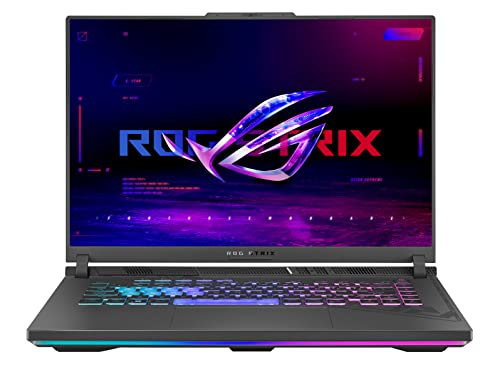
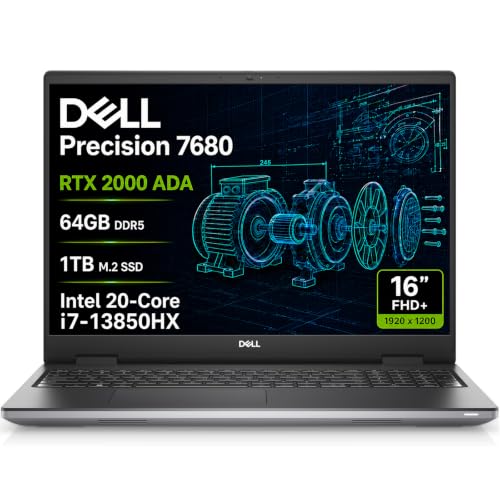
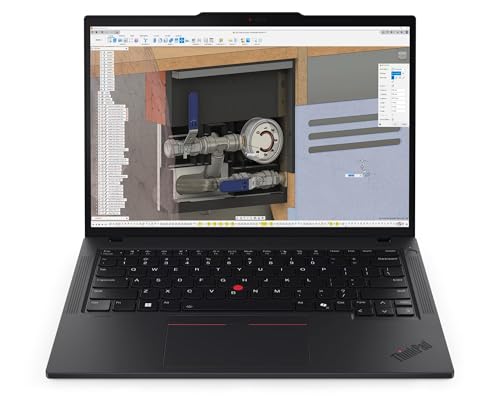
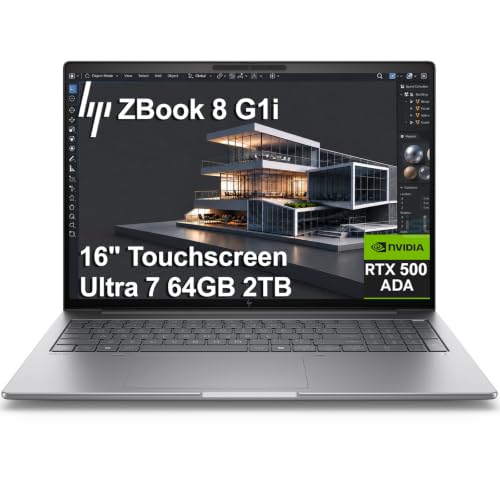
The table covers mobile workstations, premium thin laptops, and balanced student models. Each fits a different mix of coursework, budget, and portability.

Check Your Software First
Before comparing laptops, list the programs you will run. Programming editors, compilers, and most embedded toolchains are light. Circuit simulators, electronic design tools, CAD, FPGA software, and virtual machines are heavier, and they decide how much processor, memory, and storage you need. Your school or employer often publishes minimum and recommended system requirements, so use the recommended column, not the minimum.
Also check operating system needs. Some engineering tools run only on Windows, some favor Linux, and some run well on a Mac with a virtual machine or a compatible alternative. Settling that early avoids buying a laptop that cannot run a required program.
Best Computer Engineering Laptops: Specs That Matter
Processor and Memory
A modern multi core processor shortens compile times and simulation runs. Memory is just as important, because virtual machines, simulators, and browsers with dozens of tabs all compete for it. Choose enough memory for your heaviest workload with some room to grow, and check whether the memory is soldered or upgradeable, since that decides how long the laptop stays useful.
Storage
Fast solid state storage makes startup, builds, and large project files feel quick. Engineering work collects data fast: toolchains, virtual machine images, datasets, and design files add up. Pick a capacity you will not outgrow in the first year, and use an external drive for archives.
Graphics
Integrated graphics are fine for coding, schematics, and most circuit work. A dedicated graphics card helps with CAD, 3D modeling, rendering, and any workload that uses the graphics chip for computing. If your coursework includes those, plan for it and for the extra weight and heat it brings.
Display, Keyboard, and Ports
You will stare at code and diagrams for hours, so a sharp, bright screen with enough vertical space reduces scrolling and eye strain. A comfortable keyboard matters more than most buyers expect. Look for the ports your lab hardware needs, such as USB-A, USB-C, HDMI, and an SD card reader, because dongles multiply fast when you connect boards, probes, and monitors.
Battery, Weight, and Cooling
Powerful laptops use more battery under load, so judge battery claims against mixed use, not video playback. Good cooling keeps performance steady during long compiles and simulations, while a thin laptop can throttle under sustained heavy work. If you carry your laptop all day, weight is a daily cost.
Main Types of Laptops for Engineering Work
Mobile Workstations
Mobile workstations pair strong processors with professional graphics and plenty of memory. They suit heavy simulation, CAD, and long projects, and they often add better build quality, more ports, and upgrade access. They cost more and weigh more than other types, so they fit professionals and students whose coursework demands the power.
Premium Thin and Light Laptops
Premium thin laptops balance speed, battery life, and portability, and they handle coding, light design, and virtual machines well. Some Mac models fit this group and suit students who write code and use cross platform tools. Check which required programs run natively before you commit, and check sustained performance, since slim bodies have limited cooling.
Balanced Student Laptops
Mid priced laptops cover most coursework: programming, documentation, light simulation, and video calls. They are the sensible choice if your budget is tight and your heavy work happens on lab or school machines. Upgradeable memory and storage extend their life, so check that before you buy.
Who Should Buy What
- First and second year students usually do well with a balanced laptop plus a school lab for heavy software.
- Upper level students working on simulation, embedded design, or graphics benefit from a stronger processor, more memory, and a dedicated graphics option.
- Working engineers who run CAD or large simulations should look at mobile workstations with a solid warranty and support.
- Anyone who travels often should weigh battery life and weight alongside speed.
Checks Before You Order
List your software and compare its recommended requirements with the laptop's processor, memory, storage, and graphics. Confirm the ports you need, the screen size you can live with, and the warranty and support terms. Read the return policy, and use the first days to run your real workload. For more options, see our guides to the best laptops for computer engineering students and the best engineering laptops, and for general comparisons the best laptops computers.
Care and Long Term Use
Keep the vents clear, and avoid using the laptop on soft surfaces that block airflow. Update drivers and software on a schedule, back up project files often, and use a padded case for travel. Clean the keyboard and fans periodically, and keep a copy of your important work off the laptop.
Frequently Asked Questions
How much memory do engineering students need?
Coding and light simulation run well on moderate memory, while virtual machines, CAD, and large simulations need more. Check your software's recommended requirements, and choose upgradeable memory when possible.
Do I need a dedicated graphics card for engineering?
Not for coding or most circuit work. A dedicated graphics card helps with CAD, 3D modeling, rendering, and graphics based computing, so it matters if your courses include them.
What screen size suits engineering work?
A larger screen helps with code, schematics, and diagrams, while a smaller one suits carrying all day. Many students pair a portable laptop with an external monitor at home.
Is battery life important for engineering laptops?
Yes for lectures, labs, and travel, but powerful laptops drain faster under load. Carry the charger for long days and judge battery claims against mixed use.
Should I buy a laptop with upgradeable parts?
Upgradeable memory and storage extend a laptop's life, but many thin models solder them. Check the listing before you buy if you plan to keep the laptop for several years.
Final Thoughts
Start with your software, then match processor, memory, storage, and graphics to the heaviest thing you will run. Compare the laptops in the product table above against that list, and the best computer engineering laptops for you will be the ones that handle your work without a struggle and still fit in your bag.