
Best Computer Case: Budget, Midrange, and Premium Picks
Disclosure: We may earn a commission when you buy through links on this page, at no extra cost to you. As an Amazon Associate I earn from qualifying purchases. Learn more
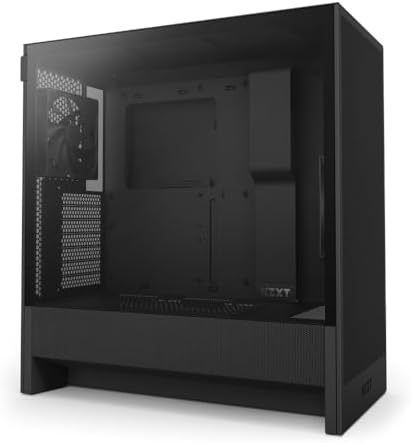
The best computer case by budget: what $70, $100 and $155 cases deliver in airflow, fans and build quality.
A computer case does more than hold parts. It decides how cool your components run, how loud your PC sounds, how easy it is to build and upgrade and how the whole setup looks on your desk. Prices range from about $45 for a basic mid tower to $350 or more for showpiece cases with panoramic glass and premium materials. This guide to the best computer case options sorts them by budget, so you can see what each price tier delivers and where extra money is worth it.
We cover three picks, what to expect at each price level, the features worth paying for, long term costs and common questions builders ask. Every case in the table above is sold new on Amazon US.



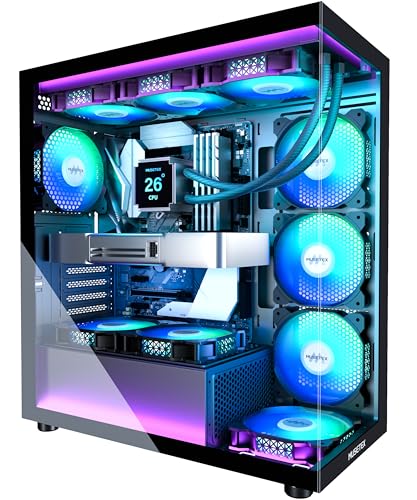
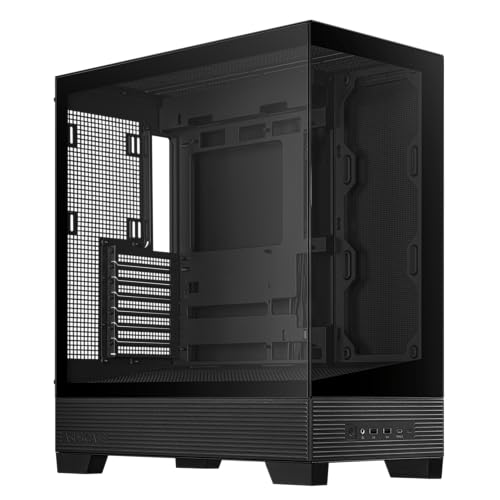
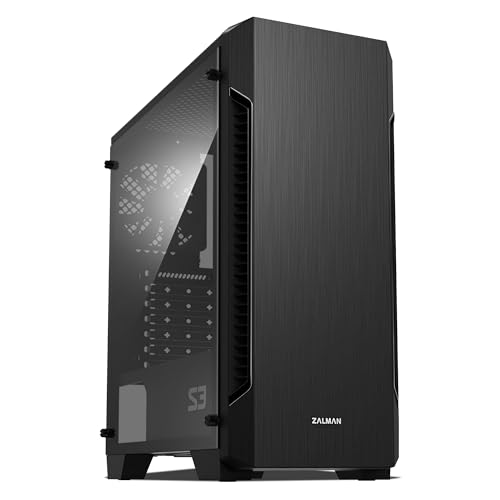

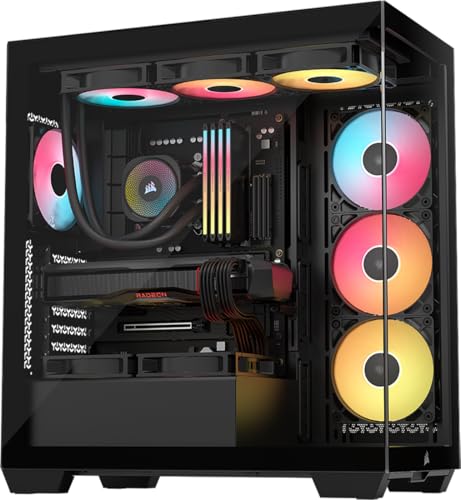

Top 3 Picks by Budget
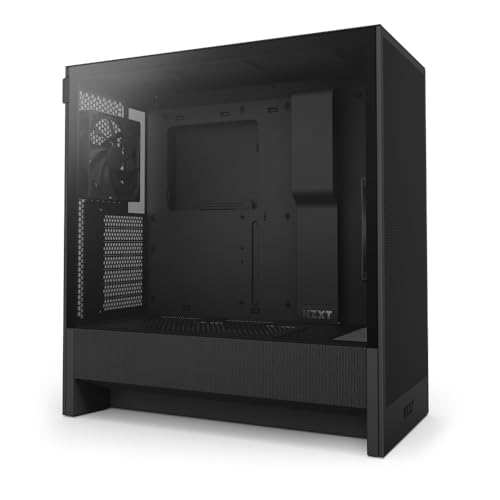
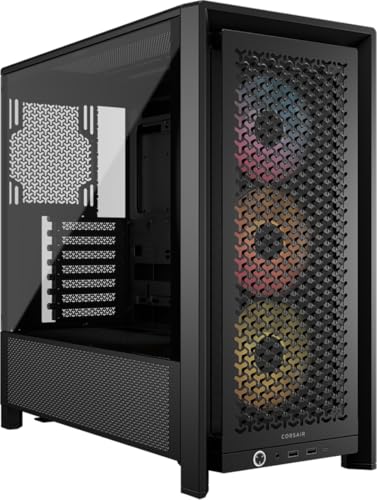
Our picks are the NZXT H5 Flow for budget builds, the Corsair 4000D RS ARGB for most midrange builds and the Fractal Design North as a premium case for builders who care about looks and quiet airflow. All three are ATX mid towers.
We compared airflow design, included fans, radiator and GPU clearance, cable management, front I/O, materials and price, along with the overall pattern in builder feedback. We did not build in these cases ourselves; the notes reflect maker specifications.
Best Budget Pick: NZXT H5 Flow
The NZXT H5 Flow suits first time builders who want strong airflow without spending much, at around $70. It is a compact ATX mid tower with ultra fine mesh on the top, front and side panels, and it ships with two 120mm Quiet Airflow fans, one in front and one in the rear.
Two strengths stand out: a perforated PSU shroud that lets two optional 120mm fans feed fresh air straight to the graphics card, and support for up to a 360mm radiator in front and 240mm on top. Wide cable channels, hooks and straps make tidy builds easier. The limitation is lighting and fan count, since it includes only two plain fans. Skip it if you want RGB out of the box or a large showpiece glass case.

Best Midrange Pick: Corsair 4000D RS ARGB
The Corsair 4000D RS ARGB is for builders who want a proven airflow case with room to customize, at around $100. It includes three Corsair RS ARGB PWM fans in front, which support daisy chained 4 pin PWM connections and a Zero RPM mode for near silent operation at low loads.
Its strengths are flexibility and cooling: the InfiniRail mounting system lets you slide front and roof fans where you need them, up to 200mm in front and 140mm in the roof, and the FRAME modular system allows upgrades such as a different front I/O panel. A Y pattern steel front panel keeps airflow high. The trade off is size, since it is a full sized mid tower. Skip it if you want a compact or small form factor build.

Best Premium Pick: Fractal Design North
The Fractal Design North suits builders who want a PC that looks like furniture, at around $155. Its front panel uses bars cut from sustainably sourced walnut or oak with integrated mesh, and this version adds a tempered glass side panel.
The appeal is style with practical cooling: two 140mm Aspect PWM fans come installed, it accepts ATX, mATX and ITX boards, fits a GPU up to 355mm (300mm with a 360mm front radiator) and includes USB Type C on the front. Seven bridgeless expansion slots add flexibility. The limitation is price and RGB, since it costs more and focuses on a natural look. Skip it if you want bright lighting or need to keep costs low.

What Your Money Gets You at Each Price Tier
Computer cases fall into three price bands. Sales shift prices often, so treat these as typical ranges.
Budget Tier: What to Expect
Under around $75, cases such as the NZXT H5 Flow, Zalman S3, ASUS A31 and DARKROCK EC2 offer ATX support, mesh or glass panels and two or three included fans. Many now include front USB Type C. Build quality is decent, but steel may be thinner and cable management simpler.
Some budget cases, like MUSETEX models, bundle six or seven ARGB fans, which looks great but may be louder than branded fans. Budget cases suit first builds and cost conscious gamers.
Budget cases often skip extras such as fan controllers, dust filters on every intake and tool free drive bays. Check that the front and bottom intakes have removable filters, since dust buildup is the main enemy of a cheap, cool running PC. A budget case with good airflow beats a pricier glass box with poor ventilation.
Midrange Tier: The Sweet Spot for Most Buyers
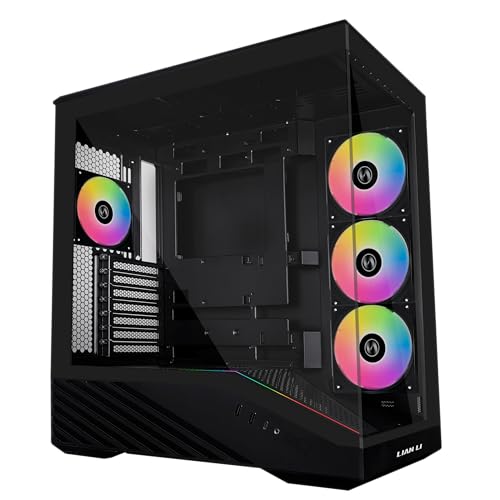
Between around $75 and $130, cases like the Corsair 4000D RS ARGB, Lian Li V100, Lian Li LANCOOL 217 and Montech XR add better airflow designs, higher quality fans, easier cable management, tool free panels and support for large radiators and GPUs.
This tier offers the best value for most builders, with features that make building easier and keep systems cool and quiet.
Midrange cases also tend to have better documentation, more cable tie points and roomier space behind the motherboard tray, which make a first build less frustrating. Many include magnetic dust filters and front USB Type C as standard.
Premium Tier: When Spending More Pays Off
Above around $130, cases such as the Fractal North, Corsair 3500X and Corsair 5000T LX add premium materials, panoramic glass, integrated lighting, modular layouts and sound dampening. Dual chamber designs, like the HAVN HS 420, separate the power supply and cables from the main chamber.
Spending more pays off for showpiece builds, high end GPUs that need extra space or builders who value quiet and premium finishes.
Premium cases often support back connect motherboards, which hide cables behind the tray, and vertical GPU mounts for showing off the graphics card. Check whether those extras require additional brackets or riser cables, which can add to the cost.
Features Worth Paying For in the Best Computer Case (and Ones to Skip)
Airflow, included fans and build quality are worth paying for. Heavy RGB and extra glass are optional. Here is how to weigh each feature.
Noise Levels
Quiet PCs come from good airflow and quality fans running at lower speeds, not just sound dampening foam. PWM fans that slow down at idle, like Corsair's Zero RPM mode, are worth paying for. Very cheap fans can hum or rattle.
Sound dampened panels help a little but can restrict airflow. Skip them unless you run low power components.
Fan size matters too. Larger 140mm fans move the same air as 120mm fans at lower speeds, which usually means less noise, so cases like the Fractal North that ship with 140mm fans have an advantage for quiet builds.
Cooling and Thermals
Mesh fronts and tops let fans pull air freely, which lowers component temperatures. Check radiator support if you plan to use an all in one liquid cooler: 240mm and 360mm radiators are common. Air coolers need enough CPU cooler height clearance.
Good thermals keep components boosting longer and reduce fan noise.
A simple layout works for most builds: front fans pulling cool air in, a rear fan pushing warm air out and optional top fans exhausting heat. Slightly more intake than exhaust, called positive pressure, helps keep dust out because air leaves through gaps rather than being pulled in.
Case Size, Airflow, and Aesthetics
Match the case to your motherboard: ATX, micro ATX (mATX) or mini ITX. Mid towers suit most ATX builds, while compact and small form factor cases save desk space but are harder to build in. Confirm GPU length clearance, such as 355mm in the Fractal North.
Aesthetics are personal. Panoramic glass and RGB look striking, while wood and mesh designs blend into living spaces.
Think about where the PC will sit. A case on the floor collects more dust, so bottom intake filters matter, while a case on a desk is closer to your ears, so quiet fans matter more. Glass panels look best at eye level, which is why many showpiece builds sit on the desk.
CPU and GPU Pairing
Your case should support the parts you plan to use. High end GPUs for 1440p and 4K gaming are long and hot, so choose a case with plenty of length clearance and strong airflow. Midrange GPUs for 1080p fit almost any modern case.
Plan for upgrades: a slightly roomier case accommodates future graphics cards.
Power supply size matters as well. Most mid towers fit standard ATX power supplies, but very long units can crowd the bottom chamber and make cable routing harder. Check the maximum PSU length in the case specs if you plan a high wattage supply.
Long Term Costs to Factor In
Factor in extra fans if your case includes only two, which can add around $10 to $30 per fan. RGB controllers, fan hubs and extension cables add small costs. Dust filters reduce cleaning but need regular rinsing. Cases themselves often last through several builds, so a quality case can be a long term investment that saves money on future upgrades.
Front panel connectors are worth considering for the long run. A case with USB Type C on the front, like the NZXT H5 Flow and Fractal North, stays useful as more phones, drives and accessories move to USB C. Check that your motherboard has a matching internal USB C header.
Finally, think about resale. Popular cases from known brands keep value better when you upgrade, and a clean, well kept case can be reused for your next build or sold to offset costs.
FAQs
How much RAM do I need for gaming?
16GB of RAM is enough for most games today, and 32GB gives extra headroom for streaming, editing and future titles. Choose a dual channel kit for better performance. RAM height can matter for air cooler clearance, so check both the case and cooler specs when planning the best computer cases for your build.
What GPU do I need for 1440p?
A midrange to upper midrange graphics card handles most games at 1440p with high settings. These cards are often longer and run warmer, so pick a case with good airflow and enough GPU length clearance. Check the card's length against the case spec before buying.
Air or liquid cooling: which is better?
Both work well. Quality air coolers are simple, reliable and quiet, while all in one liquid coolers suit high power CPUs and compact builds. Check case radiator support and CPU cooler height clearance to make sure your choice fits.
How long will a gaming PC stay relevant?
A well balanced gaming PC usually stays capable for four to six years, with GPU upgrades extending its life. A roomy, well ventilated case makes those upgrades easier, since it fits larger future graphics cards and better cooling.
Is it cheaper to build or buy a prebuilt PC?
Building is often slightly cheaper and lets you choose every part, including the case. Prebuilt PCs save time and include a warranty for the whole system, and sales can make them competitive. Building also teaches skills that make future upgrades easier.
If you build, your case choice also affects how easy the build is, so a roomy midrange case is a smart pick for a first build.
Final Thoughts
The best computer case for you balances airflow, size and style within your budget. The NZXT H5 Flow is a great budget pick, the Corsair 4000D RS ARGB offers outstanding midrange flexibility and the Fractal Design North delivers premium looks with quiet airflow. Check motherboard size, GPU clearance and cooling support first.
For more PC guides, see the best computer monitors for gaming, the best mid tower computer case, the best prebuilt gaming computers and the best game computer. Then compare current prices in the product table above.


