Best Comfortable Gaming Headsets 2026: A Buyer Checklist for Long Sessions
Disclosure: We may earn a commission when you buy through links on this page, at no extra cost to you. As an Amazon Associate I earn from qualifying purchases. Learn more

Compare comfortable gaming headsets by weight, cushions, clamp force and headband fit, plus a buyer checklist for long gaming sessions at home.
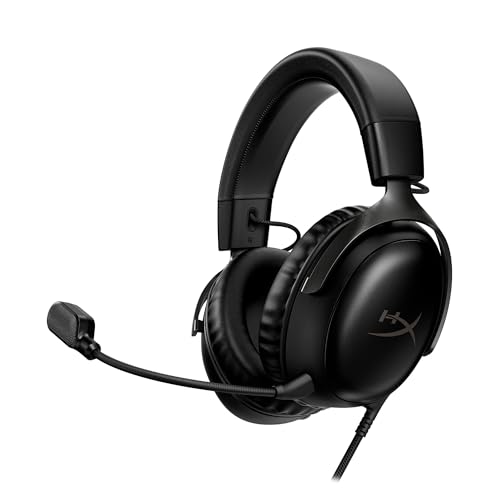
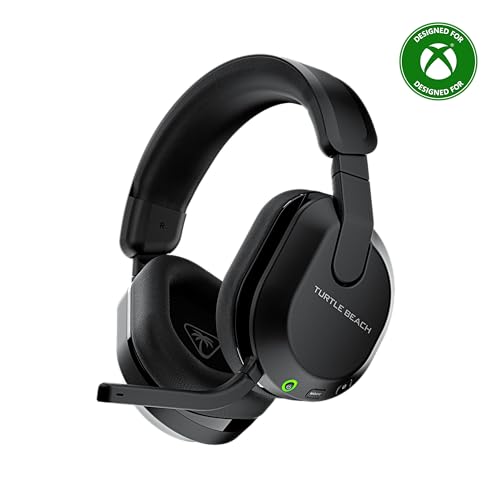
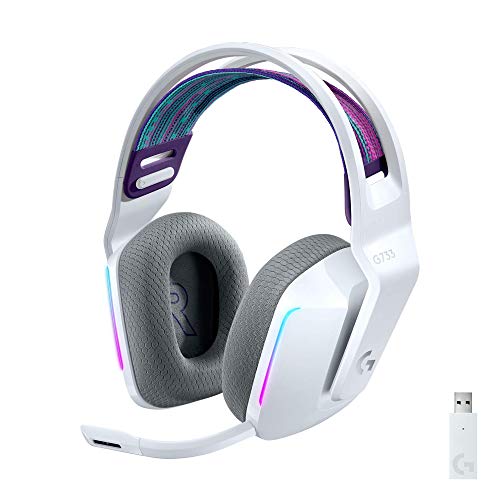
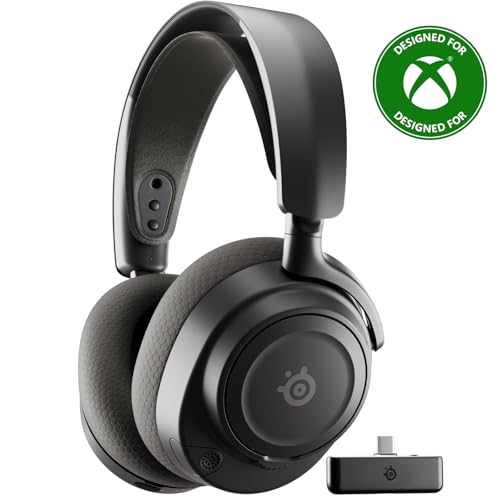
Comfort decides whether a headset stays on for a full evening or comes off after one match. Pressure at your crown and temples builds slowly, so the best comfortable gaming headsets spread that pressure evenly and let your ears breathe. Use the comparison table below to check weight, cushion material and connection type first.
This guide turns comfort into a checklist you can apply to any model, matching fit to long sessions, glasses and shared rooms.



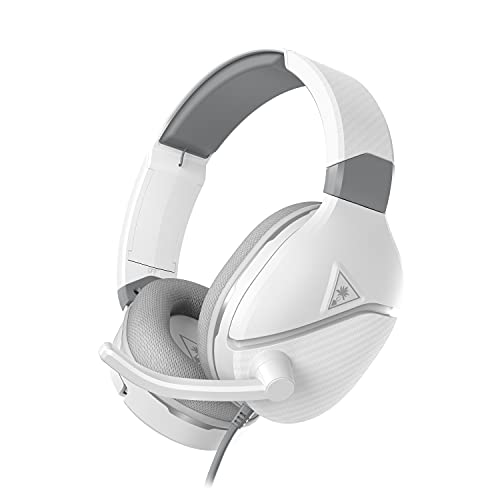
Who Should Buy a Comfortable Gaming Headset?
Start with the problem your current headset causes. A sore crown, sore ears and a stiff jaw point to different fixes.
Players Who Game for Three Hours or More
You need low weight and pressure spread across a wide headband, not concentrated on one narrow strip. Choose fabric covered cushions that stay cooler than smooth pads. A flexible frame helps too, because small movements stop one spot taking all the load.
Gamers Who Wear Glasses While They Play
Frames add pressure where the cups press against your temples, so cup shape matters more for you than for other players. Choose deep cups with soft foam and a softer zone where the arms of your glasses pass. Wear it with your glasses for a full half hour before you decide.
Players in Warm Rooms or Shared Homes
Heat and household noise shape comfort as much as padding does. Fabric pads suit a warm room, while thicker closed cups suit a shared room where you need isolation from a nearby television. If you also take calls between games, see our guide to the best comfortable headsets for options built around voice use as well.
Key Features to Compare for Lasting Comfort
Work through these six factors in order, because the best comfortable gaming headsets get fit right before extras.
Weight and Headband Pressure Distribution
Total weight matters, but where it rests matters more. Many comfortable models weigh about 250 to 350 grams, and a wide padded band or a floating strap spreads that load across your crown instead of one point. Check that the band stays centered when you lean, because a sliding band presses on your forehead and pulls the cups out of place.
Ear Cushion Material, Depth and Breathability
Cushions set both softness and temperature around your ears. Fabric covers breathe well and suit warm rooms, though they block less sound. Smooth synthetic covers seal better and wipe clean, but they trap more heat. Foam depth of about 20 to 30 mm keeps your ear clear of the inner wall. If your ears touch that wall, choose deeper cups.
Clamp Force, Swivel and Fit Adjustment
Clamp force holds the cups against your head, and a firm clamp seals sound in while also pressing on your jaw and temples. You want a hold that stays put when you turn your head, without a constant squeeze. Cups that swivel and tilt to match your ears spread pressure more evenly. Extend both sliders equally, because uneven extension twists the band and loads one ear more.
Sound Tuning and Listening Fatigue
Drivers of about 40 to 50 mm are common, and tuning matters more than size alone. A harsh peak in the high notes can tire your ears within an hour, while balanced tuning with controlled bass stays pleasant for longer. Look for a fairly flat frequency response for clear footsteps and dialogue. An app with a simple equalizer lets you soften sharp notes, so check app support for your platform.
Passive Isolation and Noise Control for Focus
Closed cups block some room noise on their own, and that seal shapes comfort, because a tighter seal usually means firmer pressure. Active noise canceling, often shortened to ANC, lowers steady sounds such as a fan, though it adds weight and does little for voices. Choose ANC only if steady noise breaks your focus. In a quiet room, lighter passive cups usually feel better.
Connection Type, Battery Life and Freedom
A cable weighs almost nothing and never needs charging, but it can pull at one cup when you move. Wireless models remove that pull, yet their battery adds grams and needs charging. Battery life of about 30 to 80 hours is common, and multipoint links keep one headset paired with your console and your phone. A low latency codec matters too, because delayed sound makes voices feel out of step.
Types of Comfortable Gaming Headsets Compared
Most models fall into three types, each trading comfort differently.
Lightweight Wired Headsets for Desk Play
Without a battery, wired models sit at the light end of the range and stay balanced for hours. There is nothing to charge, and sound arrives with no delay. The cable is the one drawback, so route it clear of your chair arm. For cable lengths and connectors, see our guide to the best wired gaming headsets.
Wireless Closed Back Headsets for Shared Rooms
Closed cups and a wireless link suit players who move around and share space with others. You can stand and stretch without removing the headset, and the seal limits sound leaking into the room. Expect more weight and a charging habit. Since build quality varies widely here, compare our guide to the best quality gaming headsets before you pay a premium.
Open Back Headsets for Cool Ears
Open cups let air pass through, so your ears stay cooler and the sound feels wider. The cost is isolation, because room noise reaches you and game sound reaches anyone nearby. This type suits a quiet private room. Bass usually feels lighter here, so players who want strong impact may prefer a closed design.
Comfort Questions to Answer Before You Order a Gaming Headset
Answer each question before you order. One no on weight, depth or glasses fit is reason enough to keep looking.
- Is the weight at or under about 350 grams, or well spread by a strap?
- Are the cups deep enough that your ears will not touch the inner wall?
- Can you replace the ear pads when the foam flattens?
- Does the headband adjust evenly and stay set?
- Do the cups swivel or tilt to match your ears and jaw?
- Does the connection suit your setup, cable, dongle or Bluetooth?
- Does the return window allow one full session at home?
Comfort features such as replaceable pads now appear at modest prices, so if cost is your main limit, see our guide to the best inexpensive gaming headsets.
Common Mistakes to Avoid When Choosing for Comfort
Each mistake below looks minor on a product page and feels major later.
- Judging fit from a five minute try on misses the slow pressure that builds at your temples.
- Choosing the tightest seal in a quiet room gives you a sore jaw from pressure you never needed.
- Ignoring cushion material in a warm room leaves your ears hot and sweaty within the first hour.
- Buying a heavy wireless model for short desk sessions adds charging chores for no gain.
- Skipping the return check leaves you stuck with cups too shallow for your ears.
- Raising the volume to mask room noise tires your ears faster than fixing the seal would.
Care and Maintenance for Comfortable Gaming Headsets
Wipe the pads and headband after long sessions with a soft cloth that is barely damp, then let them dry fully before storage. Sweat and skin oil soften foam and crack smooth covers over time, so this habit slows that wear. Wash removable fabric covers only as the maker directs.
Store the headset on a stand or flat in a case, not crushed under books, because uneven pressure flattens one pad first. Check sliders, swivel joints and cable ends each month for cracks. Replace pads when they stay flat after a night of rest, since flat pads change both comfort and sound.
Comfortable Gaming Headsets: Your Questions Answered
How long does the battery last on a wireless comfortable gaming headset?
Most wireless models run for about 30 to 80 hours between charges, depending on volume, ANC use and the radio link. Short top up charges during a meal break can cover an evening of play on many models, so you rarely need a full charge. Turn the headset off between sessions to avoid standby drain.
How tight should a comfortable gaming headset feel when it is new?
A new comfortable gaming headset should feel snug and even, with no sharp pressure at one temple or one side of your jaw. Foam softens slightly during the first week, so mild firmness is normal, but pain is not. If you get a headache within thirty minutes, extend both sliders by one notch. If the headache returns, return the headset.
Is a wired or wireless comfortable gaming headset better for long sessions?
Neither connection wins for every player, because the tradeoff is weight against cable pull. A wired model is lighter and suits a desk where the cable hangs clear of your arms. A wireless model suits a player who stands or plays from a sofa. If you rarely move during play, the lighter wired option usually wins.
Is active noise cancellation worth it on a comfortable gaming headset?
Active noise cancellation is worth it at home only when steady noise, such as a fan or traffic through a window, regularly breaks your focus. It will not silence voices, and it adds weight your neck carries for hours. Play one session with a fan nearby. If that noise bothers you more than extra grams would, ANC earns its place.
Does the audio codec matter when you choose a comfortable gaming headset?
Yes, the codec matters because it affects delay, and delay affects how relaxed a long session feels. Standard Bluetooth can lag enough that speech and on screen mouths drift apart in cut scenes, which many players find tiring. A gaming dongle or a low latency codec keeps sound in step. Check that your device supports the codec on offer.
Our Verdict
Put fit first. Weight, cushion depth and breathability, and even clamp force decide whether a headset disappears during play or demands attention. Match the type to your room, then use the product table above to confirm the details.
Chosen with this checklist, the best comfortable gaming headsets let you finish a session thinking about the game rather than your ears. Try the fit across one full session, and keep only a headset you forget you are wearing.