Best Colorful Keyboards 2026: Style and Typing Guide
Disclosure: We may earn a commission when you buy through links on this page, at no extra cost to you. As an Amazon Associate I earn from qualifying purchases. Learn more

Colorful keyboards should type well first. Compare switches, keycaps, layouts, and backlighting for desk, gaming, and office use.
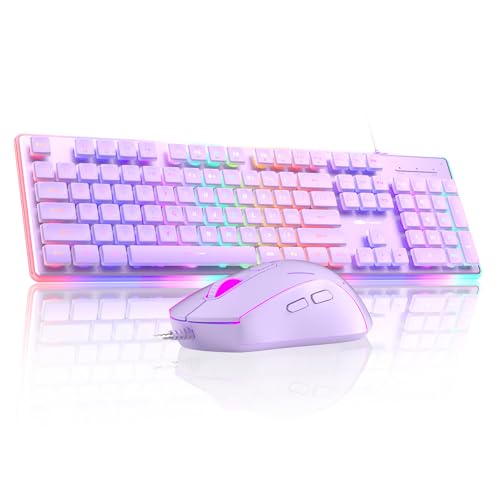
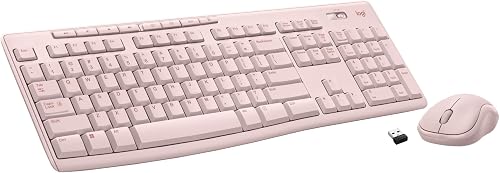
A keyboard can be both a tool and a desk centerpiece, so best colorful keyboards should type well first and look good second. Bright keycaps and backlighting add personality, but switch feel, layout, and build decide whether you enjoy typing all day. The product table below can help you compare switch types, layouts, and lighting before you buy.
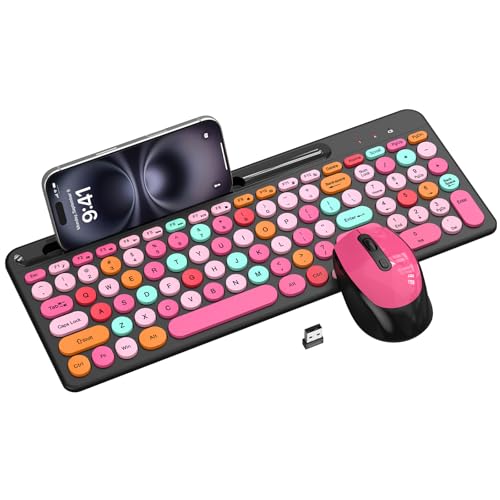
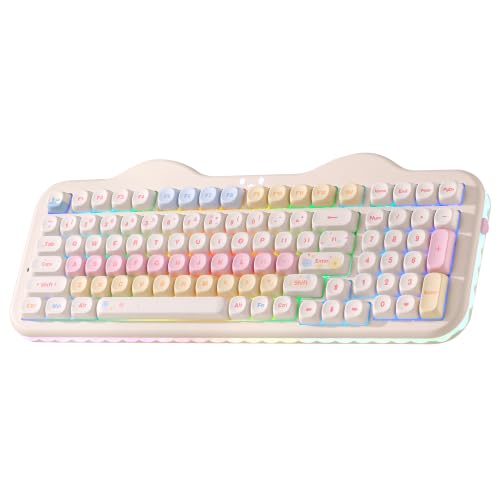
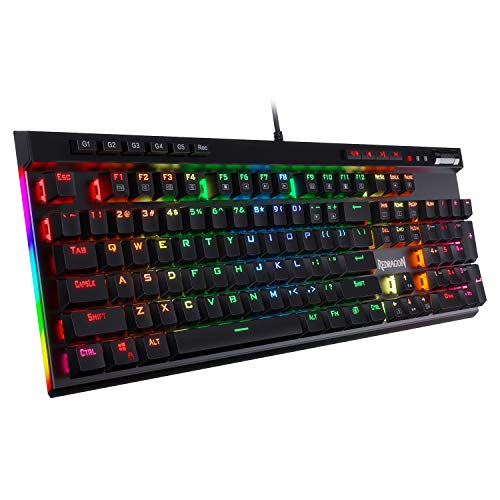
Color comes in many forms, from pastel keycap sets to rainbow backlighting and bold case colors. Backlighting helps in dim rooms, while colored keycaps show even with lights off. Think about your desk, your lighting, and your noise tolerance, since a beautiful keyboard that annoys housemates soon loses charm.





Who Should Buy a Colorful Keyboard
Colorful keyboards suit desk enthusiasts, gamers, and anyone who spends long hours typing and wants a setup that feels personal. They also suit streamers and content creators whose desks appear on camera. Students and home workers often enjoy a bright keyboard that lifts a plain desk.
They are less ideal for quiet shared offices, where loud mechanical switches and bright lights can distract colleagues. Minimalist workplaces may also prefer a plain keyboard that blends in. If you share space, choose quieter switches and subtle lighting that you can dim or turn off.
Key Features Worth Comparing
Switch Feel and Sound
Mechanical switches give tactile feedback and varied feels, from clicky and loud to smooth and quiet. Linear switches suit gaming with smooth keystrokes, while tactile switches suit typing with a gentle bump. Membrane keyboards feel softer and quieter but offer less feedback and shorter life. Try switches in a shop or with a tester kit before committing, since feel is deeply personal.
Keycaps and Layout
Keycap material affects feel and durability, with thick ABS or PBT caps lasting longer and resisting shine. Colorful sets range from full rainbow themes to subtle two tone designs that stay tasteful. Layout matters too, since full size boards suit number work while compact boards save desk space. Check that the layout matches your language and shortcut habits before falling for colors alone.
Backlighting and Connectivity
RGB backlighting offers endless color effects, while single color backlight suits calmer desks. Per key lighting lets you highlight game keys or work shortcuts, though it adds cost and software. Wireless boards reduce cable clutter but need charging, while wired boards offer reliability for gaming. Choose lighting you can dim, since bright effects tire eyes during long sessions.
Getting the Most From Your Keyboard
Clean keycaps occasionally with a soft cloth, and remove caps carefully for deeper cleaning when dust builds up. Customise lighting to a calm scheme for work and a brighter one for play, rather than running rainbow effects all day. Use wrist support and good posture, since a pretty keyboard cannot fix strain from poor ergonomics. Swap keycaps over time to refresh the look without buying a new board.
Mistakes to Avoid
The most common mistake is choosing color over switch feel, then disliking typing on a beautiful board. Another mistake is buying loud switches for a shared room, which annoys everyone nearby. Finally, do not ignore layout, since a compact board without keys you use daily frustrates quickly. Test feel and layout first, then enjoy choosing colors.
For related buying advice, see best gaming keyboard for performance boards, best sounding keyboards for typing feel, and best pc keyboards for general desk use. Best wireless keyboards covers cable-free options, and best keyboards for iphone suits mobile typing.
Living With a Colorful Desk
A colorful desk setup evolves over time, with keycaps, lighting, and accessories changing as tastes and needs shift. Many enthusiasts start with a bright keycap set, then add matching cables, mats, and lighting gradually. Small changes refresh the desk without buying a new keyboard, keeping the hobby affordable and fun. A desk that evolves slowly reflects personal taste better than one bought all at once.
Lighting habits matter for long sessions, since bright rainbow effects tire eyes while calm schemes sustain focus. Set work profiles to gentle colors and save vivid effects for gaming or streaming, switching easily through software. Dim lighting in the evening protects sleep, so schedule softer profiles after dark. Thoughtful lighting turns a fun feature into a genuine comfort tool.
Cleaning keeps a colorful keyboard looking fresh, since bright caps show dust and shine sooner than dark ones. Wipe caps weekly and deep clean occasionally, removing caps carefully with a puller. Avoid harsh chemicals on printed legends, since they fade colors and legends alike. A clean, bright keyboard stays a desk highlight rather than fading into clutter.
A Final Check Before You Order
Before ordering, test switch feel with a tester kit or in a shop, since feel decides long term satisfaction more than color. Confirm layout matches your daily keys, especially number pads, arrows, and function keys that compact boards hide. Check keycap compatibility if you plan future swaps, since nonstandard layouts limit choices. Feel and layout first, color second, keeps regret away.
Compare connectivity honestly, since wireless boards need charging and wired boards need cable management. Gamers often prefer wired reliability, while tidy desk lovers prefer wireless freedom. Check battery life claims against real use, since backlighting drains batteries fast. Choose the connection that fits your desk and patience, not the trendiest option.
Keep packaging for a trial week, typing your normal workload daily and noting fatigue, noise, and lighting comfort. Test lighting in your actual room lighting, since shop lights flatter backlighting misleadingly. If switches feel wrong or layout frustrates within a week, exchange promptly rather than adapting unhappily. A fair trial protects both money and wrists.
Personalizing Without Overdoing It
Personalizing a keyboard works best in layers, starting with keycaps that suit your taste, then adding lighting and accessories gradually. A single bold change, such as a colorful keycap set, transforms a desk without overwhelming it. Adding matching mats and cables later refines the look, while changing everything at once often produces a chaotic result. Gradual personalization lets you judge each change and keep what truly pleases you.
Ergonomics should guide personalization as much as looks, since a beautiful setup that strains wrists fails quickly. Pair your colorful board with a supportive wrist rest, a comfortable chair height, and a monitor at eye level. Take short breaks from typing, stretch hands regularly, and adjust lighting to avoid glare. A setup that feels good after eight hours beats one that merely photographs well.
Frequently Asked Questions
Do colorful keyboards type as well as plain ones?
Yes, colorful keyboards type just as well as plain ones when they use the same switches and build quality. Color comes from keycaps, cases, and lighting, none of which change switch feel by itself. Cheap colorful boards can feel poor, but that reflects build quality, not color. Judge any keyboard by switch type, layout, and build first, then enjoy the colors.
Are mechanical keyboards too loud for offices?
Mechanical keyboards vary widely in noise, with clicky switches loud enough to disturb colleagues and quiet linear or silent switches far gentler. Membrane keyboards are usually quietest, though some mechanical boards with dampened switches come close. If you share an office, choose quiet switches and test sound before buying. O rings and desk mats also reduce noise a little without changing feel much.
Can I change keycap colors later?
Many mechanical keyboards accept standard keycap sets, letting you change colors later without buying a new board. Check keycap size and layout compatibility, since some boards use nonstandard bottom rows or compact layouts. Removing caps needs a simple puller tool, and swapping a full set takes under half an hour. This flexibility makes a good mechanical board a long term desk investment.
Is RGB backlighting useful or just decoration?
RGB backlighting helps in dim rooms by lighting legends, and per key lighting can highlight game controls or shortcuts. For most typing, a single calm color works as well as rainbow effects, which can distract during long sessions. Backlighting also adds cost and software complexity, so weigh it against switch quality. Choose lighting you can dim or turn off, since flexibility beats spectacle.
What layout should I choose for a colorful keyboard?
Choose a full size layout if you use a number pad often for work or data entry. Tenkeyless boards drop the number pad and save desk space while keeping function keys, suiting most typists and gamers. Compact sixty percent boards save the most space but hide function and arrow keys behind layers. Match layout to your daily keys first, since a beautiful board missing keys you need soon frustrates.
Final Thoughts
A great colorful keyboard types beautifully first, with switch feel, layout, and build that suit your daily work. Color then adds personality, whether through keycaps, case, or lighting you can dim. Use the product table above to compare switch type, layout, and lighting options.
Test switches, check layout, and choose colors that lift your desk without tiring your eyes. With that balance, best colorful keyboards becomes a setup you enjoy looking at and typing on every day.