Best Cleaner for Keyboards: Budget, Midrange, and Premium Picks for 2026
Disclosure: We may earn a commission when you buy through links on this page, at no extra cost to you. As an Amazon Associate I earn from qualifying purchases. Learn more
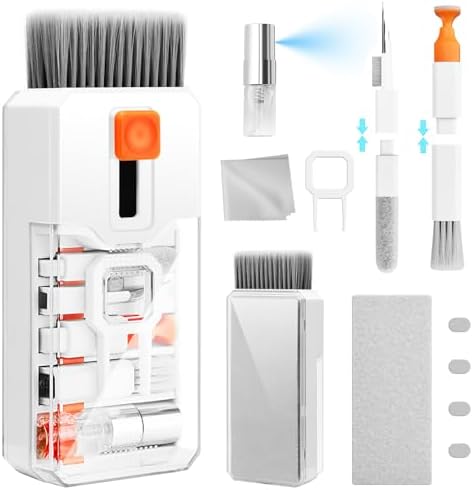
Compare the best cleaner for keyboards at every price point and learn what budget, midrange, and premium options include for safe, streak free care.
Keyboards collect dust, skin oil, crumbs, and coffee splashes faster than almost any other desk item, yet the wrong cleaner can fade legends, cloud a finish, or push moisture under the keys. Choosing a best cleaner for keyboards purchase is really about matching the cleaner type to your board, your mess, and how often you clean.
This guide explains what each price level actually includes, which features are worth paying for, and which ones you can safely skip. Use the comparison table below to see how cleaner types and kit sizes differ, then read on for sizing, safety, and routine advice that keeps keys feeling crisp.


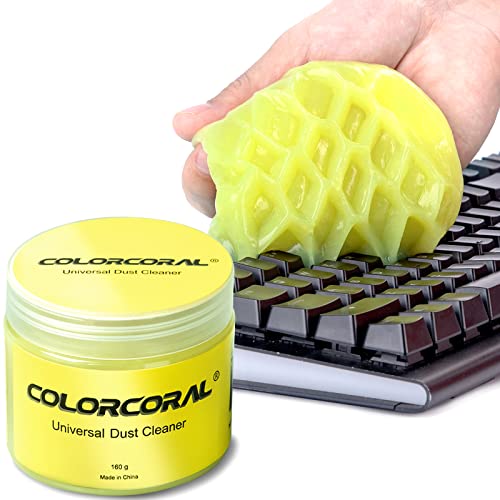

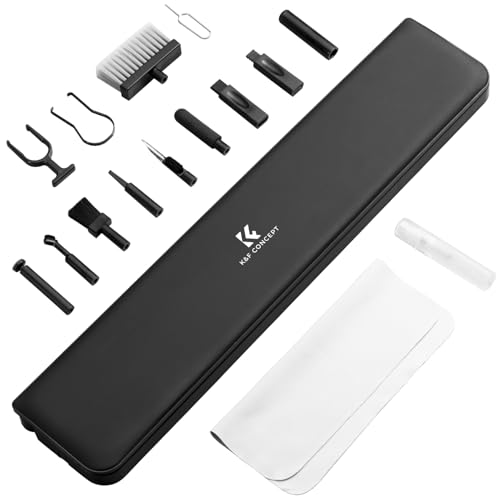


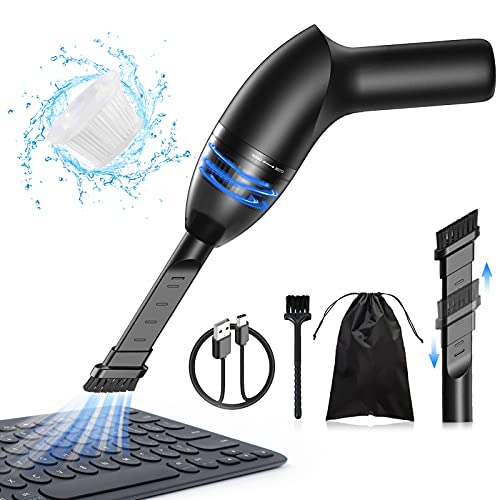
Who Should Buy Which Kind of Keyboard Cleaner?
Start with the board in front of you and the mess it collects. A shallow laptop board, a deep mechanical board, and a shared family keyboard each need a different mix of brushes, liquids, and tools.
Laptop and Slim Board Users With Light Daily Dust
You need gentle tools more than strong liquids. A soft brush, a microfiber cloth, and a small spray bottle handle most dust and fingerprint oil on shallow keys where liquid can slip underneath quickly. Skip soaking wipes for daily use, and keep any spray on the cloth rather than on the board itself. If you are still choosing the board this kit will serve, see our guide to the best pc keyboards for layout and key travel basics.
Mechanical Keyboard Owners Who Remove Keycaps
You benefit most from a kit with a keycap puller, a switch puller, a narrow brush, and room to soak caps in warm water with a mild cleaner. Deep cleaning matters more for you because crumbs and hair settle below the caps where a surface wipe cannot reach. Fast play and long sessions also build oil on the caps, so a cleaner that cuts oil without fading printed or dye treated legends is essential. Readers building a play setup can also see our guide to the best gaming keyboard for switch and layout context.
Shared Desk and Family Users Who Need Germ Control
Your priority is a cleaner that can disinfect contact surfaces safely between users, paired with a cloth routine you will actually repeat. Look for clear label directions, a stated contact time, and a formula that will not leave a sticky film on keys that children touch soon after. Fragrance free options help in shared rooms where scent bothers coworkers or family members.
What Your Money Gets You at Each Price Tier
The product table above shows a wide price spread for what looks like a simple job. The tiers below explain where the extra money goes and where it simply buys packaging.
Budget Tier: What to Expect
Budget options at around $10 or under usually give you one tool done simply, such as a retractable brush, a small pack of wipes, or a tub of cleaning gel. That is enough for dust and loose crumbs on a board you clean often. The trade offs are shorter tool life, thin cloths, and little help for sticky keys or deep debris.
Midrange Tier: The Sweet Spot for Most Buyers
Midrange kits at about $10 to $25 usually combine a brush set, a keycap puller, quality microfiber cloths, and a spray or gel in useful sizes. This is the level where tools feel sturdier, brush bristles hold their shape, and cloths survive repeated washing. Most home and office users land here because one kit covers both quick weekly wipes and a deeper monthly clean.
Premium Tier: When Spending More Pays Off
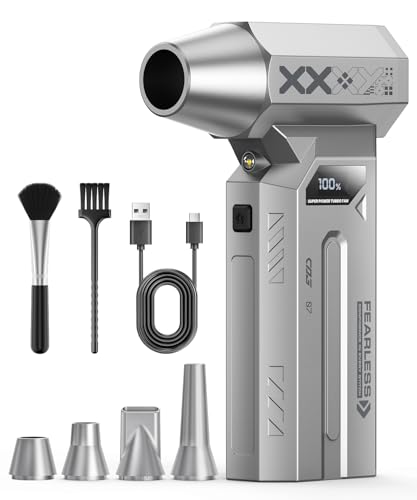
Premium kits at around $25 to $50 earn their price through completeness and durability rather than stronger chemicals. Expect metal handled brushes, larger concentrate bottles, spare cloths, a storage case, and sometimes an electric air blower for dust. These kits make sense for collectors with several boards, streamers whose setup appears on camera, or offices maintaining many desks.
Features Worth Paying For and Ones to Skip
A long feature list does not clean a keyboard any better. When you shop for the best cleaner for keyboards, use the four checks below to separate traits that change results from extras that mostly raise the price.
Cost per Use and Value
Judge a cleaner by how many full cleans it delivers, not by bottle size alone. A concentrate that dilutes into many spray bottles can cost pennies per clean, while a small ready to use spray may run out in a month of shared desk use. Concentrates and refills also cut plastic waste, which matters if you clean often.
Scent and Fragrance Free Options
Scent is a comfort choice, not a cleaning result. Fragrance free formulas suit scent sensitive users, shared offices, and anyone who types close to the board for hours and does not want a perfume cloud at face level. Lightly scented options can make a shared family board feel fresher, but strong scent sometimes signals added ingredients that leave residue. If asthma or allergies are part of your household picture, choose fragrance free and ventilate the room while you clean, regardless of tier.
Effectiveness on the Specific Mess
Match the cleaner to the soil. Dry dust and crumbs need brushes, air, and gel, not liquid at all. Skin oil and sticky drink spots need a mild liquid cleaner on a cloth, worked over one key at a time. A formula that promises to disinfect needs the full wet contact time on its label to do that job. Products sold for limescale or oven grease solve problems keyboards do not have, and their strength can harm key finishes, so leave those cleaners in the kitchen.
Features That Matter for Keyboards
Keyboard safe cleaning comes down to control. You want a spray that mists finely rather than streaming, a formula that dries fast and leaves a streak free finish on glossy caps, and brushes soft enough to avoid scratching. Antistatic brushes help dust release instead of clinging back to the board. Heavy duty formulas, bleach based sprays, and abrasive powders are features to skip entirely, because legends, coatings, and switch housings are far more delicate than counters or tile.
Long Term Costs to Factor In
The first purchase is only part of the cost. Wipes create an ongoing spend because every clean consumes some, while a washable cloth and a concentrate bottle stretch much further. Cleaning gel dries out and picks up debris over time, so plan on replacing a tub a few times a year with regular use. Room dust matters too, since a dusty room refills your board faster, and readers tackling that side can see our guide to the best air cleaners for help cutting airborne dust at the source.
How to Clean a Keyboard Safely, Step by Step
Technique protects your board more than any formula does. Shut the computer down or disconnect the keyboard first, and remove batteries from wireless models. Turn the board over and shake gently so loose crumbs fall out before any tool touches the keys.
Work dry before you work wet. Brush between the keys, use short bursts of air at an angle, and press cleaning gel lightly onto the surface so it lifts dust without being forced between switches. Only then use liquid, sprayed onto a cloth until the cloth is damp, never wet, and wipe the caps and case in small sections. Let everything dry completely before reconnecting, because trapped moisture under a key is the most common cause of a key that stops responding after cleaning.
For a deep clean on a mechanical board, pull the caps, soak them in warm water with a small amount of mild cleaner, rinse, and dry them fully before pressing them back on. How caps sit after cleaning can slightly change feel and tone, a detail that fans of tuned boards explore in our guide to the best sounding keyboards.
Common Mistakes to Avoid
- Spraying cleaner directly onto the keys, which lets liquid pool under the caps and reach the circuit board.
- Using bleach, ammonia, or abrasive powders, which fade legends and cloud key surfaces in a single session.
- Scrubbing with stiff brushes or rough pads, which scratch glossy caps and wear printed letters away.
- Reconnecting the keyboard while it is still damp, which can cause stuck, repeating, or dead keys.
- Pressing cleaning gel deep between keys, which can leave gel residue stuck around the switches.
- Cleaning over food and drink at the desk, which replaces removed crumbs with fresh ones the same day.
How to Make Your Keyboard Cleaning Kit Last Longer
Wash microfiber cloths on their own without fabric softener, since softener coats the fibers and leaves the next wipe smeared instead of clean. Rinse brushes under warm water, shake them dry, and store them bristle side up so the tips keep their shape. Seal cleaning gel in its tub between uses and knead it before each session so trapped dust spreads through the gel instead of sitting on the surface.
FAQ
What features matter most in a cleaner for keyboards?
The features that matter most are gentle chemistry, controlled application, and tools sized for the gaps between keys. A fine mist spray, a soft antistatic brush, and a lint free cloth cover nearly every job. One extra point worth noting is packaging: a bottle with a lockable nozzle travels safely in a laptop bag and will not leak onto the very board you bought it to protect during a commute.
How often should you clean a keyboard with a keyboard cleaner?
A quick brush and wipe once a week suits most users, with a deeper clean every one to three months based on use. Eat at your desk daily and the schedule should tighten, since oils and crumbs build faster than dust alone. A useful trigger is feel rather than the calendar: when keys start to look shiny from oil or feel slightly tacky, the board is due, even if the month is not over yet.
Are natural keyboard cleaners as effective as standard keyboard cleaners?
Natural keyboard cleaners handle dust, oil, and everyday grime about as well as standard options when you give them the same cloth time and pressure. Many use plant based ingredients, carry an EPA Safer Choice label, or are sold as biodegradable, which suits homes that prefer gentler chemistry. The gap appears with germ claims, since a natural formula without a registered disinfect claim should not be trusted to disinfect a shared board between users.
What cleaning products should never be mixed when cleaning a keyboard?
Never mix bleach with ammonia or with vinegar and other acids, because those mixtures can release gases that harm your lungs and eyes. Keyboard cleaning rarely needs more than one product at a time, so the safest habit is to finish with one cleaner, let the surface dry, and only then consider a second step. If a strong smell or eye irritation starts, stop, leave the room for fresh air, and follow the product label directions for exposure.
Is a keyboard cleaner safe to use around kids and pets?
A keyboard cleaner is safe around kids and pets when you follow the label, keep bottles stored out of reach, and let treated keys dry fully before small hands or paws return. Choose fragrance free and low residue options for nursery desks or pet heavy rooms where animals walk across the board. Wipe a board a pet sleeps on more often, and keep cleaning gel put away, since its soft texture can look like a toy or treat.
Final Thoughts
Budget sets the starting point, but fit decides the result: match the cleaner type to your board, keep liquids on the cloth and off the switches, and favor refillable kits if you clean often. The product table above gathers the options by type and size, so you can compare cost per use at a glance. Choose the best cleaner for keyboards routine you will actually repeat each week, and your keys will stay responsive, legible, and pleasant to type on.