
Best Chrome Tablets: A Practical Buying Guide for 2026
Disclosure: We may earn a commission when you buy through links on this page, at no extra cost to you. As an Amazon Associate I earn from qualifying purchases. Learn more

Learn how to choose best chrome tablets with confidence, covering fit, features, costs, and care for a sound daily choice. Read the checks before you order.
Most people who search for a Chrome tablet want a touch screen device that runs ChromeOS, the same system found on a Chromebook, but in a slim tablet body with an optional keyboard. It suits reading, video, homework, and light office work, and it is easy to look after. The best chrome tablets are the ones with a screen you enjoy, a keyboard that feels stable, and a long update window. The comparison table below lists the detachable ChromeOS models we could find, and this guide shows how to choose between them.
The choice is smaller than on the Android side, so the details matter more: processor tier, RAM, storage, stylus support, and how long the maker will keep the system updated.
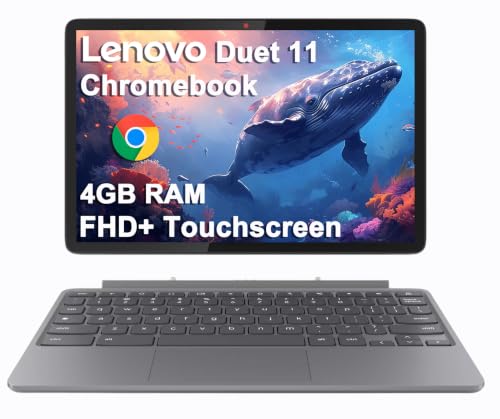



What Counts as a Chrome Tablet
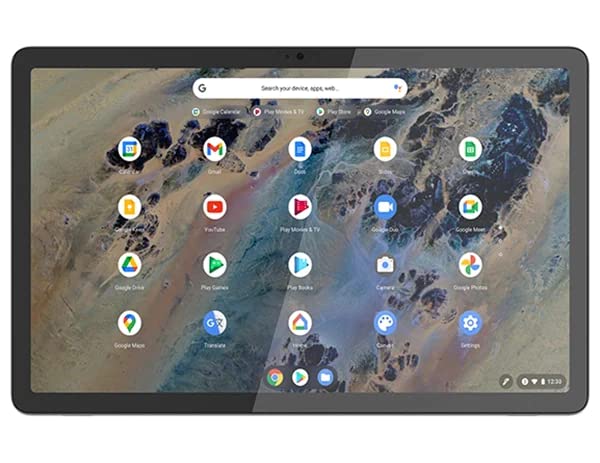
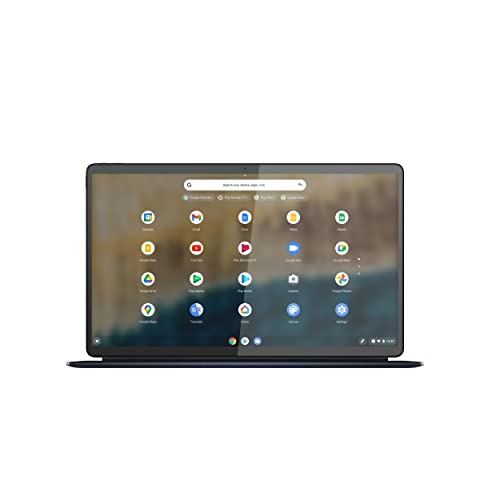
A true Chrome tablet runs ChromeOS and usually ships as a detachable: the screen is a tablet, and a keyboard cover clips on when you want to type. Some are called Chromebook Duet or Chromebook Detachable by their makers. They are not the same as an Android tablet that simply has the Chrome browser installed. An Android tablet uses mobile apps and a touch first layout, while ChromeOS gives you a desktop style browser with windows, a shelf, and a file manager.
If you only want a tablet for streaming and games, an Android model may be simpler. If you want a browser that behaves like a laptop, with split windows and keyboard shortcuts, a Chrome tablet is the better fit.
Who Should Buy a Chrome Tablet
- Students: light, easy to share files from Google accounts, and managed easily by schools.
- Parents buying a first device: simple updates and strong account controls through Family Link.
- Travelers and commuters: thin body, long battery life, and a keyboard that detaches in a bag.
- Light office users: email, documents, video calls, and web apps without Windows maintenance.
It is a weaker match for anyone who relies on desktop software such as heavy video editors or specialist engineering tools. For a broader look at models that run Windows, see our guide to the best pc tablets.
Screen, Size, and Stylus
Most Chrome tablets use a screen of about 10 to 13 inches. A smaller panel is lighter and easier to hold for reading, while a larger one gives room for split windows. Look for a bright display with good color, since the screen is also what you read all day. An OLED panel offers deeper blacks for video, but it costs more.
Some models support a pen that follows the USI standard, which suits note taking and sketching. Check which stylus works with the exact model, since not every pen is compatible, and look at whether the pen is included or sold separately.
Processor, RAM, and Storage
Many detachable models use efficient MediaTek or Snapdragon chips that keep the tablet cool and give long battery life. They handle documents, video calls, and a handful of tabs without trouble. If you keep many tabs open, 8 GB of RAM feels smoother than 4 GB, and the extra memory also helps Android apps run more steadily.
Storage matters less on ChromeOS because files sit in the cloud, but 128 GB gives comfortable room for offline files, downloaded movies, and Android apps. A microSD slot, where offered, is a cheap way to add more.
Keyboard, Hinge, and Build
The keyboard cover decides how well the tablet works as a laptop. Look for keys with clear spacing and a case or kickstand that holds the screen steady on a desk and a lap. Pin connected keyboards do not need charging, while Bluetooth ones do. A back cover that protects the screen corners adds a lot of value when a tablet travels in a school bag.
Update Window and Management
ChromeOS devices receive updates for a fixed number of years, and the end date is listed on the maker page for each model. A tablet with a later end date stays secure longer and keeps getting new features. If a school or workplace manages the device, confirm that it can be enrolled before you buy.
Common Mistakes
- Assuming every desktop program runs on ChromeOS. Check for a web or Android version first.
- Skipping the keyboard cover, then finding that typing on glass is tiring.
- Choosing the cheapest storage tier when you plan to work offline.
- Ignoring the update end date on older models.
- Buying a stylus that is not made for the tablet.
Care and Setup
Sign in with your Google account, let the first update finish, and turn on screen lock. Keep the battery between about 20 and 80 percent when you can, and avoid leaving it in a hot car. Use a padded sleeve when you carry it, and back up important files to cloud storage. For another view of the same category, our guide to the best chrome os tablets compares models by use case.
Frequently Asked Questions
What is a Chrome tablet good for?
Browsing, documents, school work, video calls, and streaming. It is less suited to heavy desktop software that needs Windows or macOS.
Can I use Microsoft Office on a Chrome tablet?
Yes. Office web apps run in the browser, and some mobile Office apps run through the Google Play Store. Check which features you need, since offline access varies.
How much storage do I need?
128 GB suits most buyers. Choose more if you keep large photo libraries or download many movies for travel.
Do Chrome tablets support styluses and keyboards?
Many do, but support depends on the model. Check the exact stylus and keyboard options before you buy.
Are Chrome tablets good for children?
They can work well for schoolwork with parental controls turned on. Set up supervision and a sturdy case before handing the tablet to a child.
Final Thoughts
Decide whether you want a true ChromeOS detachable, pick a screen and storage size that fits your routine, and confirm the update end date. Compare the product table above with your budget, and one of the best chrome tablets will suit school, travel, or home use for years.


