
Best Chairs for WFH: A Practical Buying Guide for 2026
Disclosure: We may earn a commission when you buy through links on this page, at no extra cost to you. As an Amazon Associate I earn from qualifying purchases. Learn more

Your home desk chair carries the whole workday. See what to check in the best chairs for wfh, from lumbar support to seat depth and armrests.
Working from home turns an ordinary chair into the place where you spend most of your waking day, and a poor fit shows up fast as sore shoulders and a tired lower back. The right best chairs for wfh choice supports your posture through calls and focused work without taking over your room. This guide explains the specs that actually matter so you can shop with a clear plan.
Start with your body measurements, your desk height, and the space you have, then compare support features against those basics. Use the comparison table below to line up seat dimensions, weight capacity, and adjustment ranges before you read the detailed guidance.

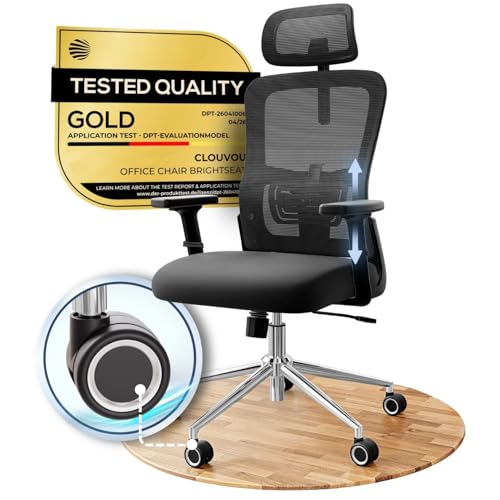

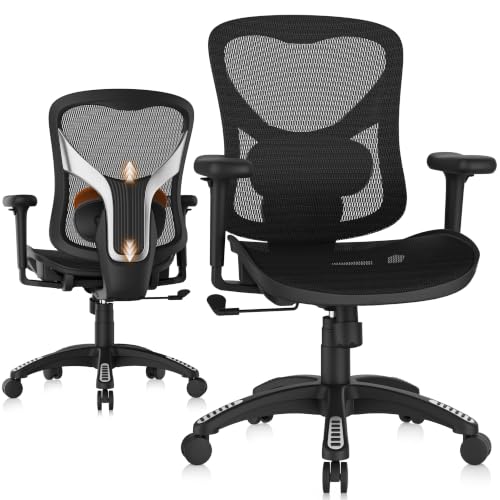
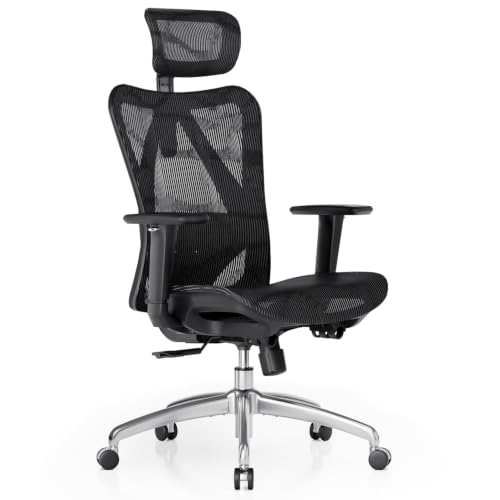
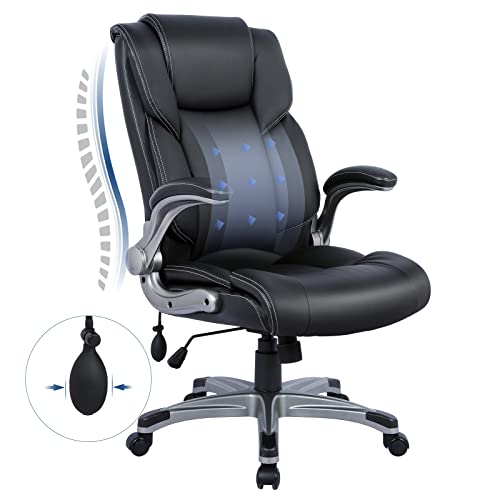
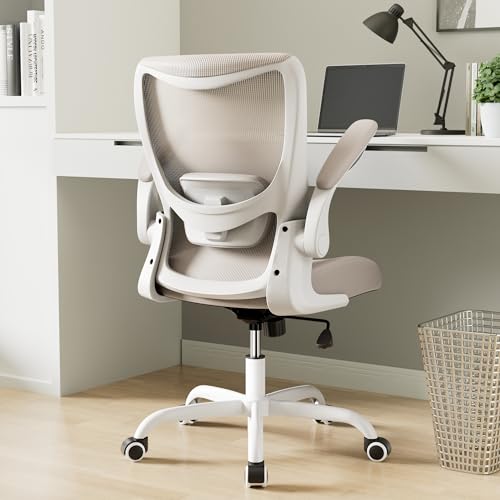

Who Should Buy Which Kind of Chair for Home Work?
Your schedule, your room, and your body shape decide which chair style fits you best. A person at a desk for nine hours needs different support from someone who splits the day between a laptop and calls. Match the groups below to your own routine first, and the feature lists later will make more sense.
Full Time Remote Workers at a Desk All Day
If you sit for long stretches, put adjustability at the top of your list. You need a seat height range that places your feet flat on the floor, a backrest that follows the curve of your spine, and a tilt lock that lets you change position during the day. Adjustable armrests matter because your shoulders stay relaxed only when your elbows rest at about desk height.
Look for a mesh back if your room runs warm, since heat builds up during long sessions. A deeper seat with a rounded front edge also helps, because pressure behind the knees grows the longer you sit still.
Hybrid Workers With Limited Space
If you work from home two or three days a week, a compact chair that tucks close to the desk often beats a large executive style model. Space saving models have a narrower frame, lower arms, and a smaller base. Measure the gap under your desk before ordering, because arm height most often blocks a chair from sliding in.
Readers who rotate between rooms may also want to see our guide to the best office task chairs, since lighter task styles move more easily. Whatever style you pick, confirm the lowest position still fits your storage spot.
Taller, Shorter, and Larger Users
Standard sizing suits average builds, and everyone outside that range needs to check numbers with extra care. Taller users need a higher seat range, a taller backrest, and enough seat depth to support most of the thigh. Shorter users need a low minimum seat height and a shallower seat so the backrest touches the lower back.
Larger users should treat weight capacity as a hard limit, and leave a margin above their own weight for daily durability. A wider seat, a steel frame, and a stronger gas lift matter more than extra padding here.
How to Choose: A Complete Buying Guide
The product table above gives you the raw numbers, and this section explains how to judge them when you compare best chairs for wfh listings. Note the values that fit your body and room, and use that short list as you shop. Small differences in seat depth or lumbar placement change comfort far more than color or styling ever will.
Features That Matter Most for Working From Home
A home office chair works harder than an occasional desk chair because it carries your full workday, five days a week. That workload makes three things essential, real lumbar support, a seat that fits your leg length, and enough adjustments to fine tune the fit. Decorative padding and racing style bolsters add little for desk work.
Ergonomics and Adjustability
An ergonomic fit starts with seat height. Sit with your feet flat, your knees at about a right angle, and your thighs level or sloping slightly down, then check that the chair range lets you reach that position at your desk.
Lumbar support should press gently into the curve of your lower back, and the best designs let you move it up or down or change how firm it feels. A tilt lock holds the backrest at your chosen angle, while tilt tension controls how hard you must lean to recline. Adjustable armrests keep your shoulders down and your wrists straighter while typing.
Pay attention to warning signs after you buy. Persistent back or neck pain, numbness or tingling in your legs or hands, or pain that keeps returning despite careful setup needs attention from a doctor or another qualified professional. Talk with your clinician about your personal needs, especially if you live with a back condition or a recent injury.
Comfort and Cushioning
Cushioning is about support over hours, not softness in the first minute. High density foam holds its shape and spreads pressure across the seat, while very soft foam can compress until you feel the hard base below. A slightly firm seat often feels better at hour six than a plush one that bottoms out.
Seat depth deserves the same care. With your back against the backrest, you want about two or three fingers of space between the seat edge and the back of your knees. A waterfall front edge, where the foam curves down, reduces pressure on your legs during long sessions.
Build Quality and Frame
The frame, base, and gas lift decide how long the chair stays stable and quiet. Steel frames and metal bases handle daily rolling and leaning better than thin plastic parts, most of all for heavier users. A class 4 gas lift is the stronger standard commonly listed for home office chairs, and it supports smoother height changes over a longer life.
Casters count too. Hard casters suit wood and tile, while softer wheels mark delicate floors less. Readers who put durability first may want to see our guide to the best quality chairs for more on frame standards.
Materials and Upholstery
A mesh back breathes well and suits warm rooms and anyone who dislikes the sticky feel of vinyl in summer. Mesh quality varies, so look for a frame that keeps the material taut rather than sagging like a hammock. Most mesh back chairs pair the back with a foam seat.
Fabric feels soft and hides small scuffs well, though it can hold odors and stains more than smooth surfaces. Bonded leather and PU leather wipe clean easily, but they can crack or peel in hot rooms or direct sun. Genuine leather costs more and ages more gracefully.
Size, Dimensions, and Weight Capacity
Measure three things before you order, the floor space for the base, the height to the underside of your desk, and the doorway the box must pass through. A typical base needs a clear circle of about 30 inches, plus extra room behind it to recline and roll back.
Weight capacity should exceed your body weight with room to spare, because the rating also reflects how the lift, base, and frame handle years of daily loading. Check seat width between the arms too, since a chair can carry your weight yet feel cramped at the hips.
Assembly and Delivery
Most home office chairs arrive in a flat box, and assembly usually takes about 20 to 40 minutes with the included tool. Keep the bolts grouped by step, and tighten in stages so the frame pulls together evenly. Fitting the gas lift takes the most force, so a second person helps there.
Types of Chairs for Home Work
Style labels help you narrow the field once you know your measurements. The three groups below cover most home setups. Use the product table above to check that a chair in your preferred group also delivers the support features you noted.
Compact and Space Saving Models
Compact models suit studio apartments, shared bedrooms, and desks in corners or alcoves. They trade a wide seat and tall back for a smaller footprint and a base that turns in tight circles. The trade suits smaller users and shorter sessions well, while very tall users may find the backrest ends too low.
If your desk doubles as a dining table, compare these models with the options in our guide to the best wfh desk chairs, which focuses on chairs sized for home desks. A chair that slides fully under the desktop keeps a multipurpose room usable after work.
Ergonomic Models
Ergonomic models offer the widest range of adjustment, movable lumbar support, seat depth sliders, multi way armrests, and headrests on some designs. They suit full time workers and anyone sharing a chair with a partner of a different build, since the settings can change between users. The cost runs higher, and the many levers take a little practice to set well.
For a broader comparison of full featured designs, see our guide to the best wfh office chairs. More adjustments only help if you use them, so plan a few minutes of setup.
Budget Models
Budget models, often under $150, cover the basics, a padded seat, simple arms, and lumbar shaping built into the backrest foam. They work for part time schedules, guest rooms, and first apartments where cost matters more than fine tuning. The compromises usually appear in foam life and caster quality.
Readers who prefer a formal executive look can also see our guide to the best officer chairs for high back styles. Buy the best fit you can afford now and reassess after a year.
Setup and Care Tips
A careful first setup does more for comfort than any single feature. Set the seat height so your feet rest flat and your knees sit level with or just below your hips, and keep your keyboard close enough that your elbows stay by your sides.
- Adjust the lumbar support so it meets the curve of your lower back without pushing you forward.
- Set armrest height so your shoulders stay relaxed while you type or use a mouse.
- Tighten the base and arm bolts again after the first two weeks, since new joints settle.
- Vacuum fabric and mesh weekly, and wipe smooth upholstery with a damp cloth to lift dust and skin oils.
- Keep leather and coated surfaces out of direct sunlight, because heat dries the surface and speeds cracking.
- Roll the chair on a mat or rug on hard floors to protect the casters and the floor finish.
Your Questions About Home Work Chairs, Answered
What features matter most in a chair for working from home?
Lumbar support, seat height range, and seat depth matter most because they decide whether your posture holds up across a full workday. Start there, then add armrest adjustment and a tilt lock if your budget allows. One point many buyers miss is the returns policy, since a chair can match every spec and still feel wrong on your body.
How do I choose the right size chair for working from home?
Measure your body and your desk, then match both against the listed seat height range, seat depth, and width between the arms. Your feet should rest flat, your back should meet the backrest, and the arms should clear the desk underside. If you fall between sizes, pick the wider adjustment range rather than the larger fixed frame, because range lets you fine tune later.
How long should a chair for working from home last?
A well built chair used daily should stay comfortable and stable for about five to ten years, with casters and gas lifts often wearing first. You can extend that span by replacing worn casters instead of the whole chair, since standard caster stems swap out in minutes. Foam that stays compressed is the usual sign that a seat is near the end of its life.
Is an expensive chair for working from home worth the cost?
It can be, when the extra money buys adjustments that match your body and parts that last through years of daily use. Full time workers gain the most, because small comfort gains repeat across thousands of hours. Part time users may get better value from a simpler chair plus a lumbar cushion.
Should I choose a mesh back or a padded back for working from home?
Choose mesh if your room runs warm or you sit for long stretches, since airflow keeps your back cooler through the afternoon. Choose a padded back if you prefer a softer feel or work in a cool room. Either way, test the lumbar area specifically, because material matters less than whether the support lands in the right place. Households with cats may prefer padded backs, since claws can snag mesh.
Final Thoughts
Fit comes first, so let your measurements, desk height, and daily hours guide every choice, then weigh cushioning, materials, and build quality against your budget. The product table above pulls the key numbers together, and this guide shows you how to read them for your own body and room. When you compare best chairs for wfh options with that short list in hand, the right choice usually becomes clear quickly. Adjust in small steps over the first week, and your chair will support your work far better than a rushed guess.

