
Best Chairs for Video Interviews by Budget: A Buying Guide for 2026
Disclosure: We may earn a commission when you buy through links on this page, at no extra cost to you. As an Amazon Associate I earn from qualifying purchases. Learn more
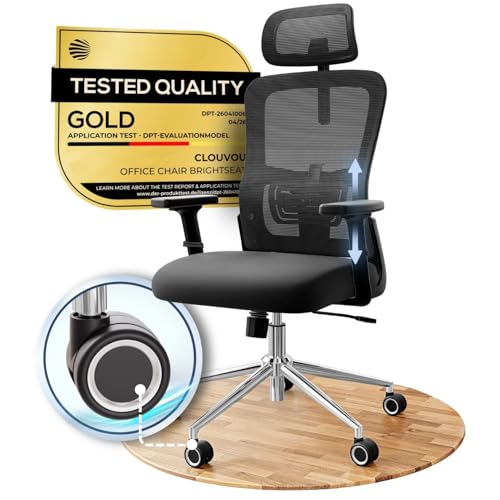
A quiet, supportive seat helps you look composed on camera. See what the best chairs for video interviews offer at each price level.
A chair for a video interview has two jobs at once. It has to support you through preparation, waiting, and a conversation that may run long, and it also has to look calm and professional in the camera frame. Prices stretch from under $100 to about $500, and the gap is not always obvious from photos. This guide to the best chairs for video interviews explains where extra money actually helps and where it does not.
Start with fit, then think about how the chair reads on screen, and only then compare extras. The comparison table below pulls the key specs together so you can sort options by budget first.


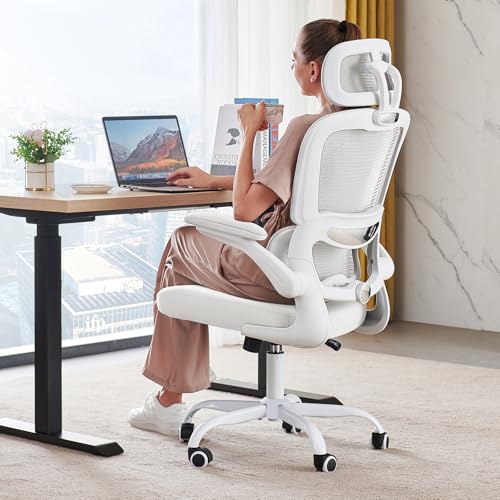

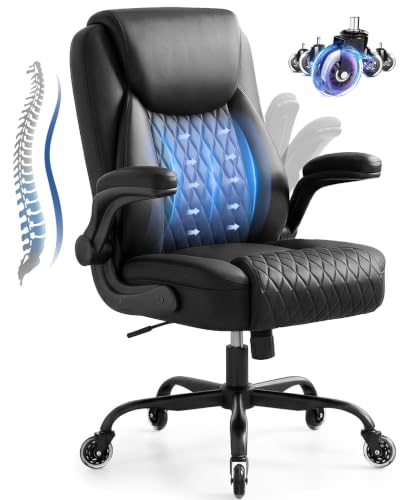
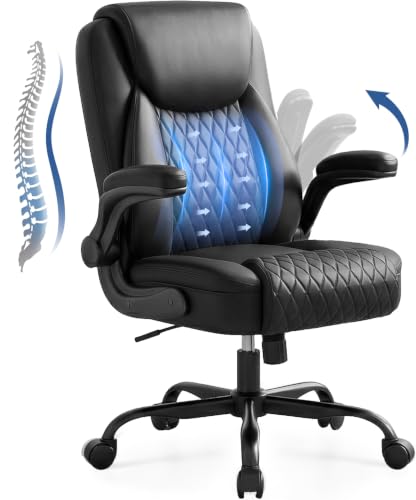

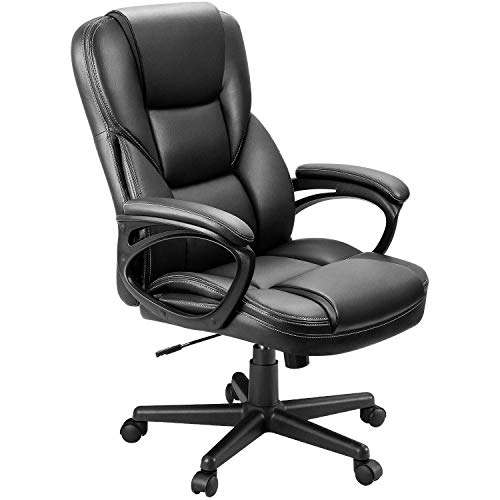
How to Shop by Budget Without Guessing
Setting a Sensible Budget Before You Browse
Decide first how often the chair will carry you beyond interviews. A chair used only for occasional calls can be simple, while a chair that doubles as your daily work seat needs stronger cushioning and more adjustment. Count the hours honestly, because a seat that feels fine for twenty minutes can feel very different after an afternoon of panel interviews and follow up calls.
Reading Listings With a Camera in Mind
Photos in a listing are shot to flatter, so read the measurements and materials instead. Note the seat width and depth, the back height, and the finish, then picture the chair inside your actual frame. A very tall back can tower over your shoulders on screen, while a lower back keeps the focus on you. Matte fabrics and plain colors usually look steadier on camera than glossy finishes that catch light.
A chair in a color close to the wall behind you tends to disappear on camera, which suits most interviews. A bold color should be a deliberate choice, not a surprise. If you like bold styling off camera, compare our guide to the best video game chairs and weigh that sporty look carefully, because racing style bolsters can read as casual in a formal interview.
Matching the Chair to Your Interview Style
Presenters who gesture need a back that moves with them without squeaking, while listeners in long assessments need firm support that holds posture. If your interviews are formal, such as law, finance, or client facing roles, look at our guide to the best officer chairs for the kind of restrained profile that suits those settings.
What Your Money Gets You at Each Price Tier
Budget Tier: What to Expect
Budget chairs at around $75 to $150 usually give you a fixed or simply padded back, basic height adjustment, and a tilt that locks in one position. Foam tends to be thinner, and armrests are often fixed or absent. That can still work for short interviews a few times a month, especially in a small room where a compact frame matters. Expect to replace the chair sooner, and check the weight capacity carefully, because lighter builds often carry lower limits.
Midrange Tier: The Sweet Spot for Most Buyers
Midrange chairs at about $150 to $350 are where most interview candidates and remote workers get the best balance. You typically gain a shaped lumbar support, thicker high density foam, a mesh back option that breathes during long sessions, and armrests that move up and down. Tilt lock with tension control also becomes common, so you can sit upright for the call and lean back while you prepare. This is the tier where the best chairs for video interviews cluster for most people, because the core support features arrive without premium pricing. For people who interview and then stay at the same desk, our guide to the best chairs for video editing covers similar long session needs.
Premium Tier: When Spending More Pays Off
Premium chairs at about $350 to $800 add finer controls and stronger parts. Expect adjustable lumbar depth, armrests that move in several directions, a seat that slides forward and back, and a frame built for daily use over many years. Fabrics and mesh usually hold their shape and color longer, which matters when the chair is visible on camera every day.
Features Worth Paying For (and Ones to Skip)
Features That Matter for Video Interviews
Quiet movement is the feature buyers most often forget. A chair that creaks each time you lean will distract you and the interviewer, so look for a solid mechanism and read buyer comments about noise. Upright posture support matters too, because slouching reads as low energy on screen. Pair the chair with framing that shows your head and shoulders clearly, and see our guide to the best video cameras for interviews for camera height and angle basics that complete the picture.
Color and proportion shape first impressions before you speak. A chair back that rises just above your shoulders frames you without dwarfing you, and a plain finish keeps attention on your face.
Assembly and Delivery
Most chairs in this category arrive in one large box with the back, seat, base, and casters packed separately. Assembly usually takes about 20 to 40 minutes with the included tool, and the hardest step is holding the back level while you start the bolts. Tighten each bolt partway first, then finish them in rotation so the back sits straight. Keep the box until after your first interview, in case a part arrives damaged.
Comfort and Cushioning
High density foam holds its shape under your weight, so your hips stay level and your posture stays tall through a long call. Thin foam over a hard seat pan compresses within weeks and leaves you shifting for comfort, which looks restless on camera. A waterfall seat edge, where the front curves down gently, reduces pressure behind your knees. A mesh back paired with a foam seat gives airflow without giving up support.
Warranty and Return Policy
Warranty terms reveal how long the maker expects parts to last. Look for separate coverage on the frame, the gas lift, and the upholstery, since these wear at different rates. Returns matter just as much, because you cannot judge fit from a listing. Check who pays return shipping and how many days you have, and sit through a full practice call early in that window.
Ergonomics and Adjustability
Start with seat height, so your feet rest flat and your eyes sit level with the camera. Lumbar support should meet the curve of your lower back without pushing you forward, and adjustable height for that support helps if you share the chair. Adjustable armrests keep your shoulders relaxed while you type or take notes, and a tilt lock lets you hold a steady upright angle during the interview itself. Ergonomic models with more of these controls cost more, but each control solves a specific fit problem.
Pay attention to your body as you settle in. Numbness in your legs, sharp pain in your back or neck, or pain that keeps building during short sits are signs to stop and reassess the fit rather than push through. If pain persists away from the chair or you have an existing back condition, talk with your clinician about what support suits your personal needs before you buy.
Long Term Costs to Factor In
The purchase price is only part of what a chair costs over its life. Casters suited to hard floors can save you buying a floor mat, while standard casters on wood may lead you to add one anyway. Replacement gas lifts and caster sets are inexpensive for common models, but foam that packs down usually means replacing the whole chair. A chair with a strong warranty and common replacement parts often costs less over five years than a cheaper chair replaced twice.
Common Mistakes to Avoid
- Choosing by color alone, so the chair fits your room but not your body or your camera frame.
- Ignoring seat depth, so the edge presses behind your knees and you perch forward through the whole interview.
- Buying a chair with a weight capacity below your needs, so the gas lift sinks and the frame wears out early.
- Skipping a practice call, so the first time you see the chair on camera is with a real interviewer watching.
- Locking the tilt fully upright all day, so your back tires and your posture slumps late in the conversation.
- Forgetting room measurements, so a wide premium chair crowds a small space and bumps the wall on camera.
How to Make Your Interview Chair Last Longer
Tighten the base and armrest bolts about twice a year, because loose bolts are a common source of squeaks. Vacuum fabric and mesh with a soft brush to lift dust before it grinds into the fibers, and wipe smooth finishes with a damp cloth rather than harsh cleaners that dull the surface you see on camera.
Keep the chair out of harsh direct sunlight where you can, since strong sun fades fabric and dries out foam over time. Lift rather than drag the chair when you move it, because dragging bends caster stems. If the gas lift starts to sink, replace that part promptly instead of sitting lower each week and straining your neck to meet the camera.
Frequently Asked Questions
What features matter most in a chair for video interviews?
Quiet, stable support matters most in a chair for video interviews. Choose a chair that holds you upright without noise, fits your leg length, and stays still when you shift. One point buyers miss is the headrest question. A tall headrest can push your head forward on camera, so many people look and feel better with no headrest at all, or with one set low enough to stay behind the shoulders during the call.
What cushioning helps a chair for video interviews stay comfortable during long hours?
Firm high density foam helps most, because it spreads weight evenly instead of letting you sink to the seat pan. For very long days, stand and move between calls whenever the schedule allows, since no cushion replaces a change of position. A useful test is to sit through a full film or a long study session at home. If discomfort arrives before the end, the cushion will not carry you through a day of interviews.
How do I choose the right size chair for video interviews?
Measure your body first, then match the chair to those numbers. Your thighs should rest on the seat with a small gap behind your knees, and the seat width should leave a little room at each hip without letting you slide sideways. Taller buyers should also check the back height and the maximum seat height together. If you shop for a larger frame, our guide to the best video game chairs for adults explains adult sizing in more depth.
How long should a good chair for video interviews last?
A good chair for video interviews should last about five to eight years with daily use, and longer with occasional use. The gas lift and casters usually wear first, while a sound frame can outlast two sets of each. One early warning sign is fabric that pills or mesh that sags on one side, because uneven support slowly changes your posture. Replacing small parts early keeps the chair level and camera ready for far longer.
Is an expensive chair for video interviews worth the extra cost?
An expensive chair is worth it only when you will use its extra adjustments and sit in it most days. If interviews are rare and short, the premium tier buys durability you may never need. A smarter test is cost per year. Divide the price by the years you realistically expect to use the chair, then compare that figure across tiers. Buyers who work from home daily often find the premium figure lower than expected.
Final Thoughts
Budget with your real schedule in mind, insist on quiet and upright support, and check fit numbers before you fall for a finish. The product table above gathers the specs that matter most, so you can compare tiers side by side before you decide. Choose the best chairs for video interviews by how they support you and how they frame you, and your chair will help you sound as prepared as you look.


