
Best Chairs for Photo Editing in 2026: Which Type Is Right for You?
Disclosure: We may earn a commission when you buy through links on this page, at no extra cost to you. As an Amazon Associate I earn from qualifying purchases. Learn more

Compare chair types side by side to choose the best chairs for photo editing for your desk, your posture needs, and your budget without guesswork.
Photo editing asks more of a chair than casual browsing does. You sit still for long stretches, lean in to judge fine detail, and shift your eyes between small controls and the full image. Choosing best chairs for photo editing starts with matching the chair type to your room, your body, and the way you work.
The options can feel confusing because ergonomic, compact, premium, and budget models all promise comfort in different ways. This guide compares each type, explains the features that matter at an editing desk, and helps you narrow the field. Use the comparison table below to see how the main types line up at a glance.
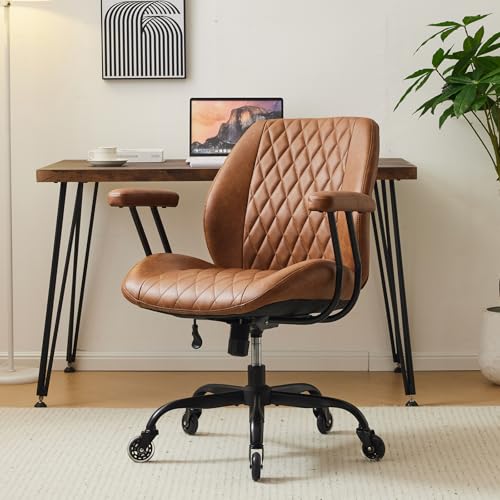



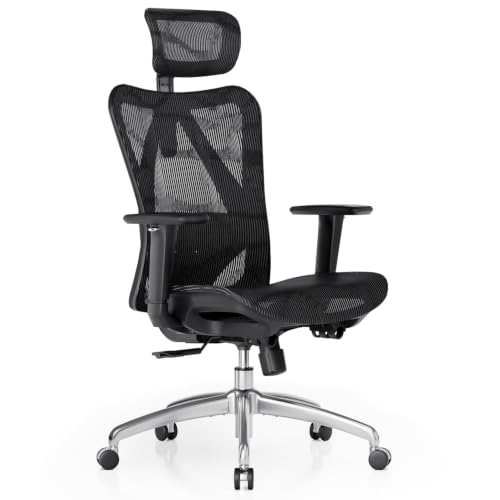
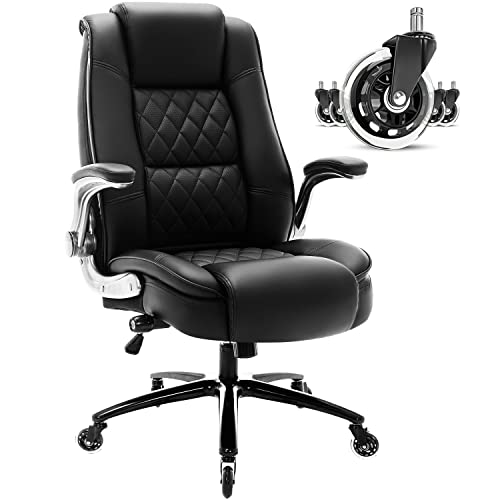

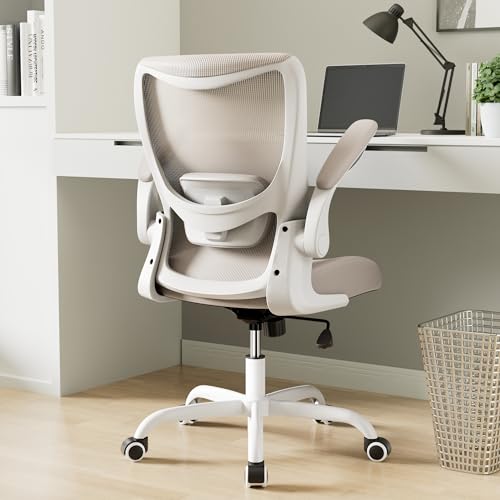
Types of Chairs Compared
Chair types differ in how they support your back, how much room they take, and how much adjustment they offer. If you want a broader view of seating built for editing work, see our guide to the best editing chairs alongside the types below.
Ergonomic Models
Ergonomic models are built around adjustment. They usually offer lumbar support you can move or tune, a seat height range that fits most desks, adjustable armrests, and a tilt lock that holds a slight recline without forcing you to push with your feet. A mesh back is common in this group because it lets air move during long sessions.
These chairs suit editors who sit for several hours at a time and who share a desk with another person, since the settings can change between users. The trade off is size and price. Ergonomic models tend to have a larger footprint and cost more than basic task chairs.
Compact Space Saving Models
Compact and space saving models focus on a smaller footprint. They often have a narrower seat, a lower back, arms that fold up, or no arms at all, so the chair can slide fully under the desk when you finish. That makes them practical for bedroom desks, small apartments, and shared rooms where floor space matters every day.
The compromise is support over time. Padding is often thinner, the back may stop below your shoulder blades, and adjustment is usually limited to seat height. For short sessions that can be enough, but daily full time work often feels tiring.
Premium Executive Models
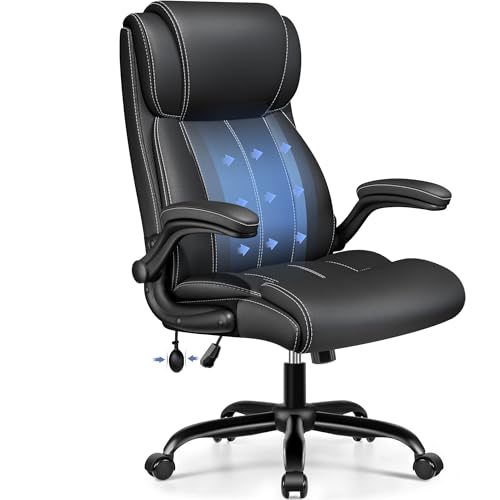
Premium executive models pair a tall back and a wide seat with thicker padding and finer materials. Many use high density foam that holds its shape longer, plus leather or quality fabric over a strong frame.
Heat can build up in leather during warm months, so ventilation is worth weighing when you compare these models.
Budget Models
Budget models cover the basics at the lowest cost, often under $100 or around $50 to $150 depending on features. You usually get a padded seat, a simple back, fixed or basic arms, and seat height adjustment. Some include a mesh back, which is a welcome bonus at this price because it improves airflow without adding much cost.
These chairs work well for new editors, students, and anyone setting up a first desk on a tight budget. The limits show up in durability and range. Weight capacity is often lower, foam can compress sooner, and replacement parts may be hard to find.
Ergonomic Models vs Compact Space Saving Models: Which Should You Choose?
This is the most common choice for home editors, and it comes down to time and space. For support, ergonomic models win clearly, with adjustable lumbar support, better foam, and arms you can position for your desk. For footprint, compact models win, since they tuck away and leave room to move in a small space.
For long sessions, an ergonomic chair protects your back and shoulders as fatigue builds late in a project. For short sessions in a tight room, a compact chair keeps the space usable and costs less. Choose based on the factor you feel every day, not the one that sounds best on a listing. The product table above can help you weigh those trade offs for specific options.
How to Choose the Right Chair
When you shop for the best chairs for photo editing, narrow your type with the details below. Each factor affects how the chair feels during real editing work, from judging color while sitting still to reaching for controls without straining your shoulders.
Features That Matter for Photo Editing
Photo editing rewards a stable, upright posture more than deep recline. You need your eyes at a steady height and distance from the screen so your view of tone and color stays consistent from the start of a session to the end. A chair that wobbles, sinks, or pushes you forward will quietly change that distance and make your judgments less reliable.
Your chair also has to work with the rest of your desk setup. If you draw or retouch with a pen, see our guide to the best photo editing tablets for tools that affect how you lean and reach.
Materials and Upholstery
A mesh back breathes best and suits warm rooms or long sessions, though mesh can feel firm and may sag over years if the weave is weak. Fabric seats feel soft and grip clothing so you slide less, but fabric holds dust and stains more easily. PU leather wipes clean and looks polished, yet it can crack or peel with age and feels warm in summer.
Real leather lasts longest and ages well, but it raises the price a lot and needs conditioning. Under the surface, look for high density foam in the seat, since low density foam flattens quickly and leaves you sitting on the base.
Assembly and Delivery
Most chairs in this category arrive in a large box with the back, seat, arms, base, and lift packed separately. Assembly usually takes about 20 to 40 minutes with the included tool, and the hardest part is often holding the back in place while you start the bolts.
Check the box weight and doorway widths if you live upstairs or in an older building. Save the box and packaging until you have sat in the chair for a few days, in case a return is needed.
Build Quality and Frame
The frame decides how long the chair stays solid. Steel frames and metal bases handle daily use and higher loads better than all plastic construction. Look for a class 4 gas lift, which is the sturdier rating commonly used in quality chairs, and check that the stated weight capacity leaves a comfortable margin above your own weight plus any leaning force.
Caster quality matters too, especially on hard floors. Soft rolling wheels move quietly and are less likely to mark wood, while basic hard wheels suit carpet.
Ergonomics and Adjustability
Start with seat height. Your feet should rest flat, your knees near a right angle, and the top of your screen close to eye level once you sit down. To align your view, see our guide to the best monitors for photo editing for screen height and size guidance that pairs with your chair settings.
Next, set lumbar support so it fills the curve of your lower back without pushing you forward. Adjustable armrests should support your forearms lightly while your shoulders stay relaxed, and they should match your desk height. For typing and shortcut work, see our guide to the best keyboards for photo editing to keep your wrists and arms in line. A tilt lock lets you hold a slight recline for breaks, then return upright for detailed work.
Choosing Chairs for Your Situation
Your room, schedule, and sharing needs shape the right choice as much as any single feature does. A student in a dorm, a parent editing after bedtime, and a full time retoucher all sit differently.
Best Computer Chairs for Photo Editing
The phrase best computer chairs for photo editing points to chairs used at a fixed desk with a monitor, keyboard, and mouse for most of the day. Three criteria stand out for that setup. First, seat height must match standard desk heights so your arms reach the keyboard without lifting your shoulders. Second, armrests should adjust or move aside so you can sit close to the desk. Third, the back should support an upright posture for hours. Ergonomic models usually meet all three best, while compact models suit tight rooms where sessions stay short.
Care and Maintenance Tips
Simple habits keep a photo editing chair comfortable and quiet for years. Adjust seat height so feet rest flat each time a different person uses the chair. Tighten bolts every few months, since daily sitting slowly loosens the arms and back, and loose hardware is the most common cause of new squeaks and wobble.
Vacuum or wipe upholstery regularly to lift dust and grit that wear the surface down. Mesh needs a soft brush and a light vacuum, fabric benefits from prompt spot cleaning, and leather or PU leather should be wiped with a damp cloth and kept out of direct sun. Check the casters for hair and thread, and replace a worn lift early if the seat starts to sink on its own.
FAQs
What features matter most in a chair for photo editing?
Stable seat height, firm lumbar support, and adjustable armrests matter most in a chair for photo editing. Together they keep your eyes at a steady distance from the screen and your shoulders relaxed during detailed work. One point many buyers miss is seat depth. If the seat front presses behind your knees, blood flow suffers on long sessions, so look for a gap of about two fingers when you sit fully back.
How do I choose the right size chair for photo editing?
Choose the size by measuring your desk height, your inseam, and the width between your armrests at home. Your feet should rest flat with the seat set so your thighs stay level or slope slightly down. Also measure the space under your desk, since some wide bases and arms will not slide in. Trying your current chair at the planned height for a day can reveal problems before you spend anything.
What chair features matter most for long photo editing hours?
For long hours, breathable support and foam that resists flattening matter most. A mesh back or breathable fabric helps manage heat, while high density foam keeps its support late in the day. Another useful detail is a waterfall seat edge, which curves down at the front and reduces pressure under your thighs. Small breaks still matter, so stand and stretch briefly every hour even in a very good chair.
How long should a good chair for photo editing last?
A good chair for photo editing should last about five to ten years with daily use and basic care. The gas lift and seat foam usually wear first, while a steel frame can outlast both. You can extend that span by rotating where you sit slightly and by keeping the chair out of strong sunlight, which dries leather and weakens some plastics over time. Warranties on the frame and lift give a useful clue to expected life.
Is an expensive chair for photo editing worth the cost?
An expensive chair can be worth the cost if you edit daily and keep it for many years. Higher prices usually buy better foam, a stronger lift, smoother adjustments, and parts you can replace instead of discarding the whole chair. The value drops if you edit only a few hours a week. In that case, a sound budget or compact model plus a separate lumbar cushion often gives you most of the comfort for far less money.
The Bottom Line
Start with session length and room size, then check support, materials, and build quality. Ergonomic models serve long daily work, compact models protect tight spaces, premium models add presence and padding, and budget models keep a first setup affordable. When you are ready to choose your best chairs for photo editing, revisit the comparison table above and match one type to the way you actually sit and work.

