
Best Chairs for Computer Work 2026: Types Compared and How to Choose
Disclosure: We may earn a commission when you buy through links on this page, at no extra cost to you. As an Amazon Associate I earn from qualifying purchases. Learn more

Compare the best chairs for computer work by type, fit, cushioning and price, with plain advice on adjustability, warranties and long session comfort.
Chair listings blur together fast: tall executive chairs, slim mesh chairs, small chairs for tight desks, and low priced chairs all claim to suit a full day at a screen. This guide compares the main types side by side so you can match a type to your body, your desk, and your budget. If you are comparing best chairs for computer work for the first time, start with fit: a chair matched to your measurements supports a steady work position better than one chosen for looks alone.
The comparison table below sums up each type by best use, strengths, trade offs, and usual price. No chair corrects your posture on its own. A good chair simply makes a healthy work position easier to hold, and movement breaks do the rest. The goal is to make the best chairs for computer work easier to compare, whatever your budget.



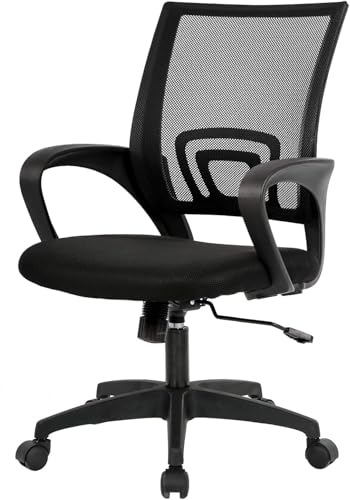
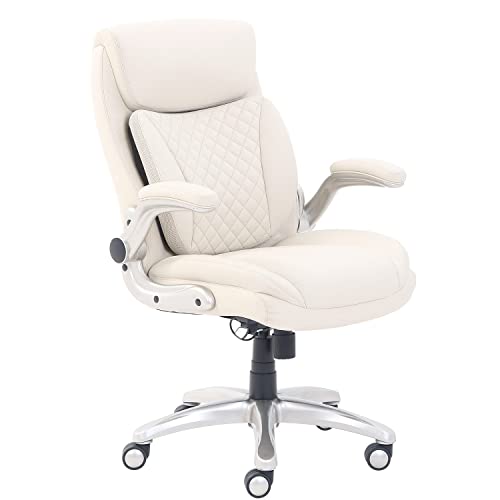
Types of Chairs Compared
Four broad types cover nearly every chair sold for desk work. They differ in adjustment range, seat feel over long hours, and the room they need. Use the fit checks later in this guide to choose within a type.
| Type | Best For | Pros | Cons | Typical Price |
|---|---|---|---|---|
| Premium and executive | Large desks and long meetings | Thick padding, tall back, roomy seat | Warm in summer, few fine adjustments | about $250 to $600 |
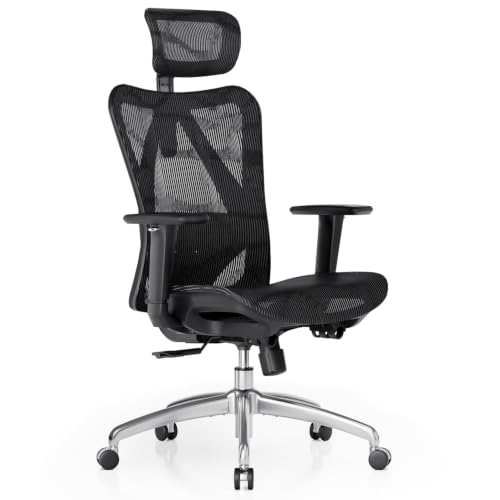
| Ergonomic | Full time computer work | Adjustable lumbar support, mesh back, many settings | Takes time to dial in | about $150 to $450 |
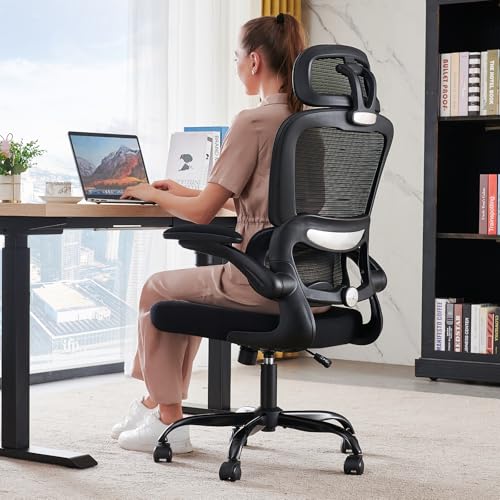
| Compact and space saving | Small rooms and shared desks | Small footprint, arms fold away | Narrow seat, lighter build | about $80 to $200 |
| Budget | Light daily use | Low price, simple assembly | Thin foam, shorter warranty | about $50 to $120 |
Premium and Executive Models
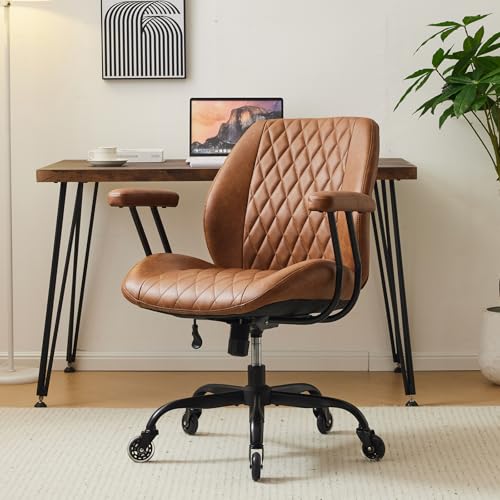
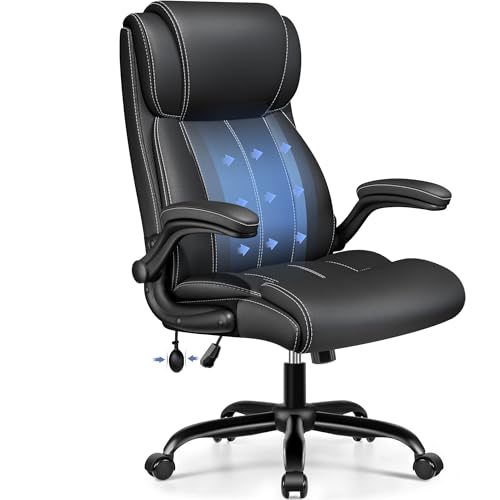
Premium and executive chairs pair a tall back with thick padding and a wide seat, so they feel plush the moment you sit down. The padding spreads pressure well during meetings and calls, and the high back supports your shoulders when you lean back to think. Most use leather look fabric or cloth over dense foam.
The trade off is adjustment. Many offer little more than height, a tilt lock, and fixed arms, so the lumbar curve lands where the maker put it rather than where your back needs it. Choose this type when comfort at rest and a formal look matter more than fine tuning.
Ergonomic Models
Ergonomic chairs are built around adjustment: seat height, seat depth, lumbar support height or firmness, arm height and width, and recline with a tilt lock at several angles. A mesh back keeps air moving during long sessions, while a foam seat holds its shape under you. Readers comparing best office chairs for computer work will find this type at the center of most shortlists.
The cost of that adjustment is setup time. Expect to spend the first week trying settings, and expect a firmer feel than a padded executive chair gives. Choose this type if you work at a computer most of the day and want the chair to adapt as your tasks change.
Compact and Space Saving Models
Compact chairs shrink the footprint rather than the feature list. Seats run narrower, backs sit lower, and many models fold their arms up so the chair slides fully under the desk. They suit bedrooms, shared tables, and small apartments where a full size chair would crowd the room.
The smaller frame does set limits. A narrow seat can pinch wider hips, lighter frames carry lower weight capacity ratings, and shorter backs give less shoulder support. Check the stated weight capacity against your weight with a margin. Guides to best work chairs cover the same trade offs for tight rooms.
Budget Models
Budget chairs keep the essentials and drop the extras. You still get a gas lift for height, a swivel base, and basic tilt, but the foam is thinner, the arms may be fixed, and the warranty is often one year or less.
Where budget chairs show their price is month six onward. Thin foam packs down, so the seat feels harder over time, and plastic parts wear faster than metal ones. Treat it as a starter or spare room chair, and check the return window before you commit.
Premium and Executive Models vs Ergonomic Models: Which Should You Choose?
On fit, the ergonomic type wins: adjustable lumbar support, seat depth, and arms let it match more bodies, while the executive type relies on padding to feel right. On feel, the executive type wins at rest, while mesh ergonomic chairs feel firmer and cooler. On price, the ranges overlap, with ergonomic models starting lower and executive models climbing higher for leather finishes.
If your day is mostly keyboard work, choose ergonomic. If your day mixes calls, reading, and guests, the executive type may suit you better.
How to Choose the Right Chair
Type narrows the field, but fit decides whether a chair works for you. The checks below apply to every type in the product table above, and they take only a tape measure and a few minutes.
Ergonomics and Adjustability
Fit is read by seat height, seat depth, and arm position. Seat height should let your feet rest flat on the floor with your knees near a right angle, and most adults need a range of about 17 to 21 inches. Seat depth should leave about two to three inches between the seat edge and the back of your knees. Arms should support your forearms with your shoulders relaxed, not shrugged.
Warranty and Return Policy
Frames and gas lifts on better chairs carry coverage of about five to ten years, while foam and fabric often carry one to three years. Read which parts are covered, because a long headline number may apply only to the frame. A trial window of about 30 days lets you judge the chair across real work weeks, so keep the box until the trial ends.
Comfort and Cushioning
Cushioning decides how a chair feels in hour four, not minute four. High density foam holds its shape and spreads pressure, while low density foam feels soft at first and then flattens, leaving you sitting on the seat pan. Mesh skips foam and relies on tension, which breathes well but feels firmer, so warm sitters often prefer it.
Features That Matter for Computer Work
Computer work adds two checks that general chair guides often skip. First, screen and chair form one system: the top of your screen should sit near eye level with your feet flat, so chair height, desk height, and monitor height must agree; our guide to best computer monitors for work covers the screen side of that setup. Second, plan a standing break of a few minutes every half hour or so, whatever chair you buy. Readers focused on sitting position will also find useful comparisons in guides to best work chairs for posture, read with the same caution that no chair fixes posture by itself.
Care and Maintenance Tips
Adjust the seat height so your feet rest flat whenever you change shoes or desks. Tighten the base and arm bolts every few months, since daily swiveling loosens them slowly. Vacuum fabric and mesh weekly, and wipe leather look finishes with a damp cloth so dust and skin oils do not build up. A sinking gas lift can usually be replaced on its own.
Frequently Asked Questions
What features matter most in a chair used for computer work?
Adjustable seat height, lumbar support that meets your lower back, and armrests that hold your forearms level matter most. Together they let your feet rest flat, your back keep its natural curve, and your shoulders stay relaxed while you type. A tilt lock with more than one angle adds position changes through the day. Skip extras you will never adjust, and put that money toward better foam instead.
How many hours a day can one chair realistically support?
A well fitted chair can support a full work day, but no chair makes unbroken sitting healthy. Plan to stand, stretch, or walk for a few minutes every half hour, and shift your recline angle between tasks. If you regularly sit longer than eight hours, favor an ergonomic type with dense foam, because small fit errors grow more noticeable the longer you sit. Treat growing aches as a signal to review your whole setup.
How do I choose the right chair size for my body?
Measure yourself seated, then match three numbers to the product listing. Seat height should cover the distance from the floor to the back of your knee, and seat width should leave about an inch of space at each hip. Seat depth should stop two to three inches short of your knees. If you fall between sizes, choose the chair with the wider adjustment range rather than the larger fixed frame.
How long should a good computer chair last?
A mid priced chair in daily use usually lasts about five to seven years before foam softens and the lift or tilt parts wear. Premium frames with metal bases can run past ten years, while budget chairs may feel tired within two to three years. You can stretch any chair life span by tightening bolts and keeping casters free of hair and grit. A long parts warranty is a fair sign the maker expects that lifespan too.
Is an expensive chair worth it for computer work?
It can be, if the extra money buys adjustment range, dense foam, and a long warranty rather than styling alone. A chair used eight hours a day wears like a tool, and the cost per year of a durable model often beats replacing a cheap chair twice. Still, price is a poor fit check: a costly chair in the wrong size serves you worse than a modest chair that fits. Use the trial window and let fit decide.
Wrapping Up on Chairs for Computer Work
Start with type, then check fit. Ergonomic models suit full time keyboard work, executive models suit mixed days of calls and reading, compact models protect small rooms, and budget models cover light use. Whichever type you choose from the product table above, confirm the seat height, depth, and arms against your own measurements, and keep movement breaks in your day. Chosen that way, the best chairs for computer work for you is simply the chair that fits your body, your desk, and your budget at the same time.

