Best Certified Refurbished Laptops (2026): Buying Guide
Disclosure: We may earn a commission when you buy through links on this page, at no extra cost to you. As an Amazon Associate I earn from qualifying purchases. Learn more

Use this checklist to find the best certified refurbished laptops: battery health, warranty, storage, ports and price tiers explained before you pay.
Certified refurbished can mean very different things from one seller to the next, so a clear checklist matters more than a low price. This guide gives you that checklist for best certified refurbished laptops, with plain thresholds you can apply to any listing in minutes. You will learn what good battery health, warranty cover, and storage look like on paper before you pay.
Start with the product table to see how current options line up, then use the sections that follow to check each claim. A listing that cannot answer a checklist item clearly is a listing to skip, no matter how large the discount looks.



How to Evaluate Certified Refurbished Laptops
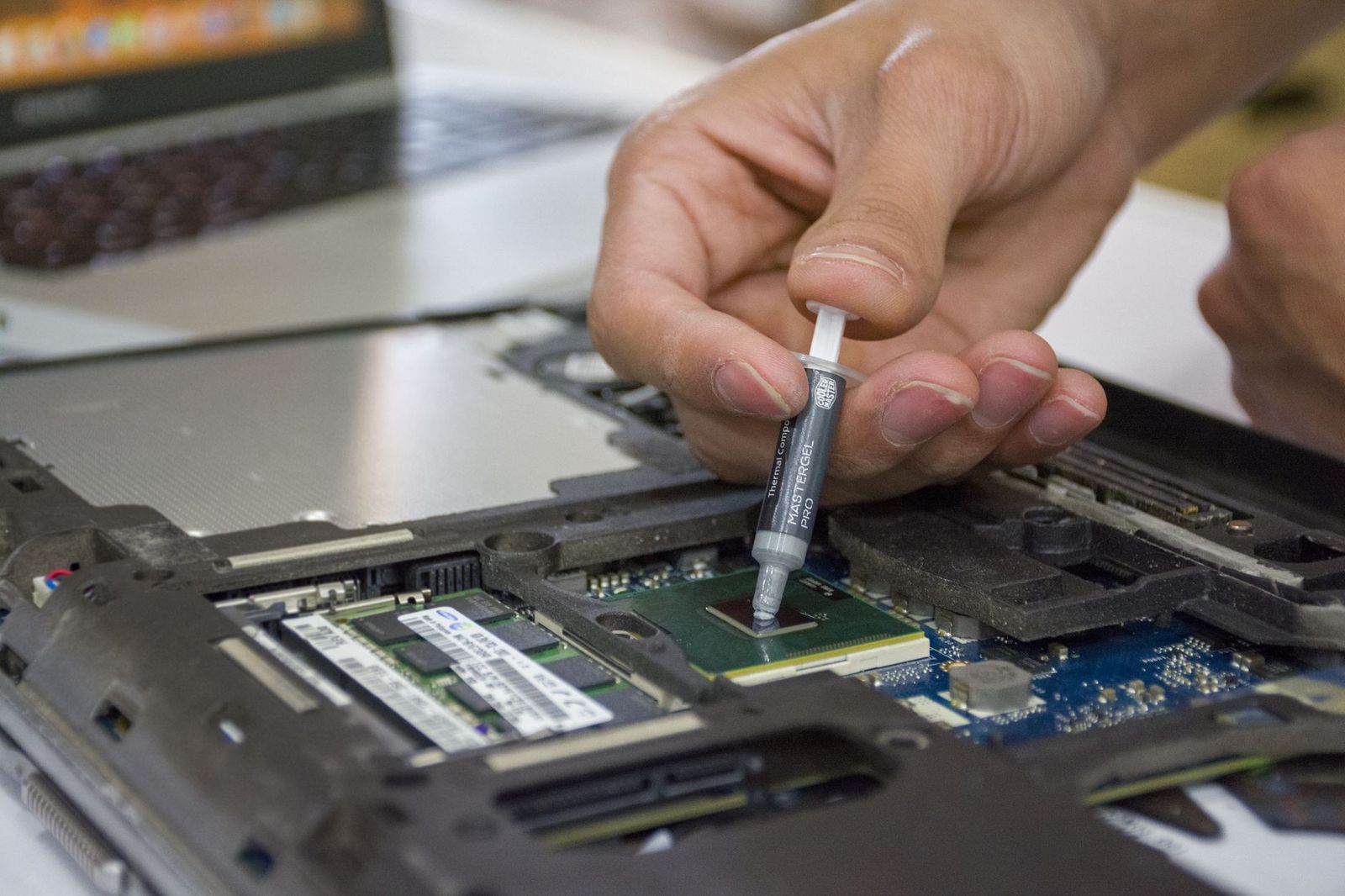
Certification should mean the machine was inspected, repaired with suitable parts where needed, cleaned, and sold with a stated warranty and return window. The criteria below turn that promise into checks you can verify from a product page, a seller message, or a short phone call before ordering.
Processor and Performance Tier
Match the processor tier to your real work rather than chasing the newest chip name. Recent mid range processors handle office apps, video calls, browsing with many tabs, and light photo editing with ease. Older high tier chips can still feel fast for documents and study, but very old low tier chips struggle with modern video calls and large spreadsheets. Ask for the exact processor model and generation, not just a family name, and treat vague wording as a warning sign.
Battery Life in Real World Use
Battery health is the single most important refurbished check because batteries wear with age and use. Look for a stated minimum health level, ideally at least 80 percent of original capacity, and a promise that the pack holds a useful charge. A seller who will not state battery health in writing is asking you to take a costly risk. Also confirm the charger is included, is the correct wattage, and uses USB C or the original connector without damage.
Weight and Portability
Weight shapes how often you will actually carry the machine. Under about 3 lb suits students and commuters who walk or ride transit daily, while models around 4 lb suit a desk that moves only now and then. If portability is your top need, compare your shortlist with the options in our guide to the best notebook laptops, then check that the refurbished model keeps the same slim shape. A padded sleeve and a spare charger for your second location add real comfort for little cost.
Graphics (Integrated vs Dedicated GPU)
Integrated graphics are enough for office work, streaming, school, and casual photo tasks, and they usually give longer battery life. A dedicated graphics card only earns its cost if you edit video often, work with 3D models, or play demanding games. On a refurbished unit, extra graphics hardware also means extra heat and one more part that may have lived a hard life. Ask whether the fan noise and temperatures were checked during certification, and skip units sold for heavy gaming at suspiciously low prices.
Ports and Connectivity
Count the ports you use each week before you buy, not after. Most people need at least two USB ports, one USB C port, HDMI or an adapter plan for an external screen, and a headphone jack for calls. WiFi 6 or newer gives steadier speeds on busy home and campus networks. If you plan to dock at a desk, confirm the USB C port supports charging and video output, because some older ports move data only. A missing port you need daily becomes a daily annoyance.
Display Size, Resolution, and Brightness
A 13 to 14 inch screen balances portability and comfort for most buyers, while 15 to 16 inch screens suit split screen work at a desk. Full HD resolution is the sensible floor for sharp text, and brightness around 300 nits or more stays readable near windows. Check the listing for dead pixels, backlight patches, and screen scratches, and confirm the certification included a display check. Matte finishes cut glare in bright rooms, while glossy panels can look richer for films in dim light.
Keyboard, Trackpad, and Build
You touch the keyboard and trackpad more than any other part, so condition notes matter here. Keys should sit level with no shine worn through the letters, and the trackpad should click evenly across its surface. Aluminum and magnesium bodies hide age well and resist flex, while cracked corners or a loose hinge point to a hard previous life. Ask about hinge play directly, since a wobbly screen rarely improves. A clean, tight build is often the best sign of careful refurbishment.
Price Tiers That Pass This Checklist
Instead of chasing named models that change stock each week, shop by tier. Each tier below describes the spec level and condition standard that should pass the checklist at that budget, so you can judge any listing you find in the product table above against it.
The Balanced Tier for Most Buyers
Expect to pay about $500 to $900 for the balanced tier most people should target. At this level, look for a recent mid range processor, 16 GB of RAM, a 512 GB SSD, battery health stated at 80 percent or better, and a warranty of at least 12 months. Screens should be Full HD or sharper with no listed defects. This tier suits full time work and study for years, and it is where certified programs from large sellers tend to be most consistent.
The Budget Tier
Around $250 to $500 can buy a sound machine for documents, browsing, email, and streaming if you accept an older processor and a 256 GB SSD. Insist on 8 GB of RAM as a floor and a stated battery figure, even at this price. Cosmetic grades matter more here, so choose the grade with clear photos of the actual condition band. For a wider view of this market, see our guide to the best refurbished laptops before you commit.
The Compact Tier
Compact certified models around $400 to $800 trade screen size for a bag friendly weight under about 3 lb. Prioritize battery health and charger condition over raw speed, because travel exposes weak batteries fast. A bright 13 inch screen and a sturdy hinge matter more than a dedicated graphics card in this tier. Check the return window carefully, since keyboard feel and fan noise are hard to judge from a listing and matter greatly in a small machine you carry everywhere.
Quick Buyer Checklist
Run through these questions for any listing. A single no does not always end the deal, but two or more missing answers should move you to the next option.
- Is the exact processor model and generation stated in the listing?
- Is battery health given as a clear minimum percentage?
- Does the warranty run for at least 12 months with a named provider?
- Can you return the laptop within at least 30 days if it disappoints?
- Are RAM and SSD size stated, with the SSD confirmed as solid state storage?
- Is the correct charger included and shown or described as undamaged?
- Are cosmetic grade and any screen or body defects described in words?
- Does the seller explain what its certification steps actually included?
If you are still comparing where to buy, our guide to the best sites for refurbished laptops explains how seller standards differ.
Red Flags to Watch For
Vague spec lines top the list, especially phrases like fast processor or large storage with no numbers attached. Short warranties under 90 days shift repair risk onto you and suggest low confidence from the seller. Missing battery information is another strong signal to walk away. Be wary of prices far below similar listings, stock photos with no condition notes, and pressure tactics that push you to pay outside a protected checkout. Finally, treat listings that hide the operating system license status as incomplete, since a machine without a valid license adds cost and hassle later.
Setup and Care Tips
On day one, run all operating system and firmware updates, check battery health in system settings against the promised figure, and check every port, key, and the webcam. Keep the machine between about 20 and 80 percent charge for desk bound weeks where the setting allows it, since sitting at full charge for months ages a pack faster. Carry it in a padded sleeve, keep vents clear on soft surfaces, and back up your files weekly so a hardware fault never becomes a data loss.
Certified Refurbished Laptops: Your Questions Answered
Is a dedicated GPU worth it?
Only if your weekly work truly needs it, such as regular video editing, 3D design, or demanding games. For office tasks, study, and streaming, integrated graphics run cooler, last longer on battery, and cost less to buy and repair. On refurbished units, choosing integrated graphics also removes one heavily used part from your risk list, which is a quiet but real advantage.
Should I buy a laptop or a tablet?
Choose a laptop if you type long documents, use full desktop software, or multitask with several windows at once. A tablet suits reading, note taking with a pen, and media on the move. Many students pair a certified refurbished laptop with an older tablet they already own. If one device must do everything, the laptop is the safer single purchase for school and office work.
How much RAM do I need?
Sixteen GB is the comfortable target for most buyers and keeps a refurbished machine useful for longer. Eight GB still handles browsing, documents, and streaming, but heavy tab use and video calls can push it hard. Avoid 4 GB entirely for a main computer. Also check whether RAM can be upgraded later, since a few compact models have it fixed in place from the factory.
Is a Chromebook enough for school?
Yes, for schools that run on web apps, classroom platforms, and cloud documents, a Chromebook can be enough and simple to manage. It falls short when a course needs specific Windows or Mac software, offline tools, or exam programs with strict requirements. Always check your school list first. If requirements are unclear, a certified refurbished Windows laptop covers more cases with less risk of a mid term surprise.
How long should a certified refurbished laptop last?
A well refurbished business or premium model should serve about 3 to 5 more years with normal care. Battery wear is the most likely first limit, and many models accept a replacement pack. Buying one tier above your minimum spec extends useful life more cheaply than buying the bare minimum twice. If you lean toward one maker, our guide to the best dell refurbished laptops shows how one brand grades and warranties its units.
Our Verdict: Best Certified Refurbished Laptops
Buy on evidence, not on discount size. Stated battery health, a 12 month or longer warranty, and clear spec and condition notes separate the best certified refurbished laptops from risky used stock. Match the tier to your work, run the checklist on every listing, and compare your finalists in the product table above before you order.