
Best Cameras to Use As Webcams for 2026: What Each Budget Buys
Disclosure: We may earn a commission when you buy through links on this page, at no extra cost to you. As an Amazon Associate I earn from qualifying purchases. Learn more

Compare the best cameras to use as webcams by budget, with advice on USB and HDMI output, power, sensor size and autofocus for calls and streams.
A camera that already sits in your bag can beat any laptop lens on a call, but only when it can stay powered, hold focus on your face and send a clean picture to your computer. The best cameras to use as webcams are the ones whose output, sensor and runtime match your sessions, and price only matters once those three things line up.
The product table above lists current options from webcams to mirrorless bodies. This guide explains what each budget level buys, which features are worth paying for, and which mistakes make a good camera a poor webcam.

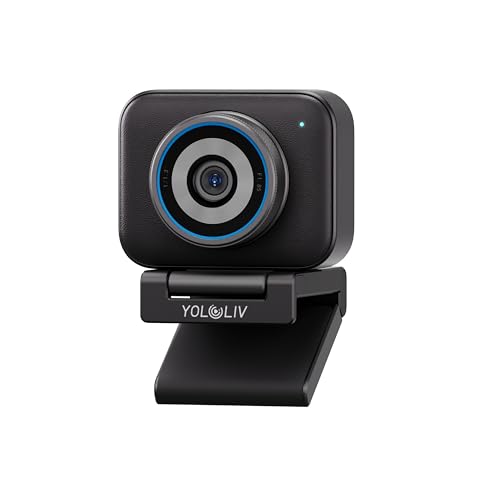


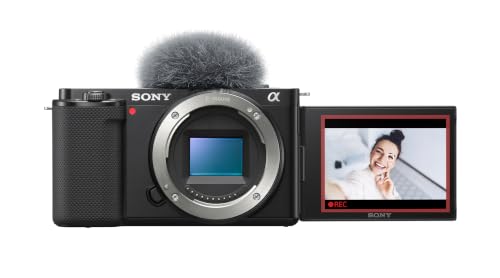

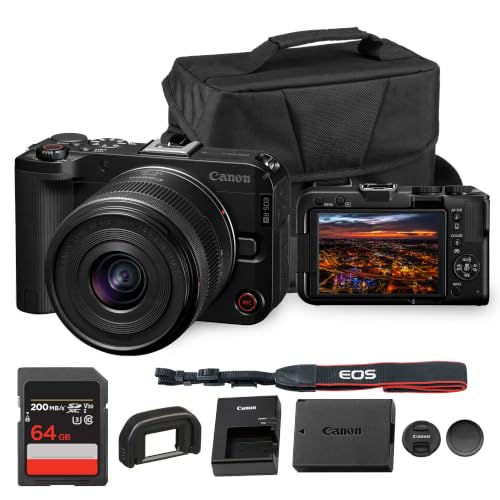
What Each Budget Buys in a Camera Used as a Webcam
Entry Level: Plug and Play Video
At the low end you are mostly choosing between a dedicated USB webcam and a small camera that offers a USB video mode. Both appear in your call app the moment you plug them in, with no capture card and no extra cables. Expect a sharp 1080p picture in a bright room, a small sensor, and built in autofocus that works for one person sitting still. If your calls happen at one desk in decent light, this level covers the job.
Midrange: A Larger Sensor and Reliable Autofocus
Spending more brings a sensor larger than a phone sensor, which is the single change viewers notice most. Skin tones stay natural in a dim home office, backgrounds soften slightly, and autofocus follows your face when you lean forward or gesture. Many midrange vlogging cameras and compact bodies include a USB streaming mode and a tilting or flip screen, which makes framing yourself easy. This is where most remote workers, teachers and streamers get the best value.
Premium: Interchangeable Lenses and All Day Stability
The top tier is aimed at people who are on screen for hours or whose picture is part of a paid service. Mirrorless and camcorder style bodies add swappable lenses, clean HDMI output and cooling that lets them run through long sessions. You also gain control over aperture, which sets how much background blur you get. The cost is a capture card, a dummy battery for wall power and a few minutes of setup, so choose this level only when the extra control will be used.
Features That Decide the Best Cameras to Use as Webcams
Output Method
Every shortlist should start here, because output method rules out more cameras than price does. There are three routes into a computer. A webcam or a camera with a USB webcam mode connects directly. A camera with clean HDMI output needs a capture card but usually looks best and gives the most control. Some action cameras and pocket cameras use a vendor app to act as a webcam. Check which route your camera supports before you buy, because a model with none of them cannot be used this way at all.
Power and Heat
Camera batteries are built for short clips, and many last only an hour or two in video mode. For work calls or streams, look for USB power while recording or a dummy battery that runs from a wall outlet. Also check for automatic shutdown timers and heat warnings in the manual, since a body that overheats in a warm room ends the call at the worst moment.
Sensor Size and Light
A bigger sensor gathers more light, so your face stays clean when the only light is a window or a desk lamp. A small sensor still looks fine with a lamp placed in front of you, so improving light is often cheaper than upgrading the camera.
Lens and Field of View
A wide lens suits a small desk where you sit close, while a slightly longer lens flatters your face and hides more of the room behind you. Fixed lens cameras make this choice for you, so check the field of view in the description. Zoom lenses and interchangeable lenses let you adjust it later.
Autofocus and Exposure
Face and eye detection keep you sharp while you move, and a lockable exposure keeps your brightness steady when clouds pass the window. A camera that hunts for focus mid sentence is more distracting than a slightly softer picture.
Mounting and Audio
A standard tripod thread under the body lets you fix the camera on a desk mount or a monitor arm at eye level, which is the most flattering height for calls. Built in camera microphones pick up fan noise and room echo, so plan on a small USB or headset microphone near your mouth. Clear sound improves a call more than a sharper picture does.
Mistakes to Avoid When Choosing a Camera as a Webcam
- Buying a camera with no USB mode and no clean HDMI output leaves you with menu icons on screen or no feed at all.
- Relying on one small battery ends the call early when the charge runs out.
- Placing the lens below eye level makes you look down at viewers and exaggerates every glance at notes.
- Paying for 4K output that your call app reduces to a smaller picture wastes money that better light would have used well.
- Skipping a separate microphone leaves you with room echo, which viewers notice sooner than a soft picture.
Frequently Asked Questions
Do I need a capture card to use a camera as a webcam?
You need a capture card only when the camera sends video over HDMI and has no USB webcam mode. Cameras with a built in USB video mode and dedicated webcams connect directly. A capture card is worth buying when you want the best picture quality and control over lenses.
Is a dedicated camera better than a laptop webcam?
A dedicated camera is better when your room is dim or you want a softer background, because its larger sensor and lens gather more light. A laptop webcam is acceptable in bright rooms for short calls, but it sits low and cannot be moved to eye level.
How much should I spend on a camera for video calls?
Most remote workers do well with a budget of about $100 to $300 for a webcam or a small camera with a USB video mode. Streamers and teachers who want a blurred background often spend about $500 to $900 on a mirrorless body, lens and wall power adapter.
Can I use an action camera or a pocket camera as a webcam?
Many action cameras and pocket cameras can work as webcams through a USB mode or a vendor app. They suit a second angle or a mobile setup. Their wide lenses can stretch your face at close range, so place them a little farther back than a standard webcam.
Which specs matter most for a first camera used as a webcam?
Output method, runtime and autofocus matter most. A camera that connects easily, stays powered for your longest call and holds focus on your face will serve you better than one with a higher resolution label.
Final Thoughts
Set your budget by how long you are on camera, then check output method, power and autofocus before looking at resolution. Use the product table above to compare current options, and add a lamp and a microphone before you spend on a bigger body. Chosen that way, the best cameras to use as webcams make every call look clear without a complicated setup.


